
Weekly Update: Reach your meeting data from your everyday AI agents

We've just shipped 5 updates to SuperIntern 🎉
From connecting your everyday AI agents to small touches that make daily use smoother.
Here's a quick tour of this week's additions.
① Reach your meeting data from Claude Code and Codex
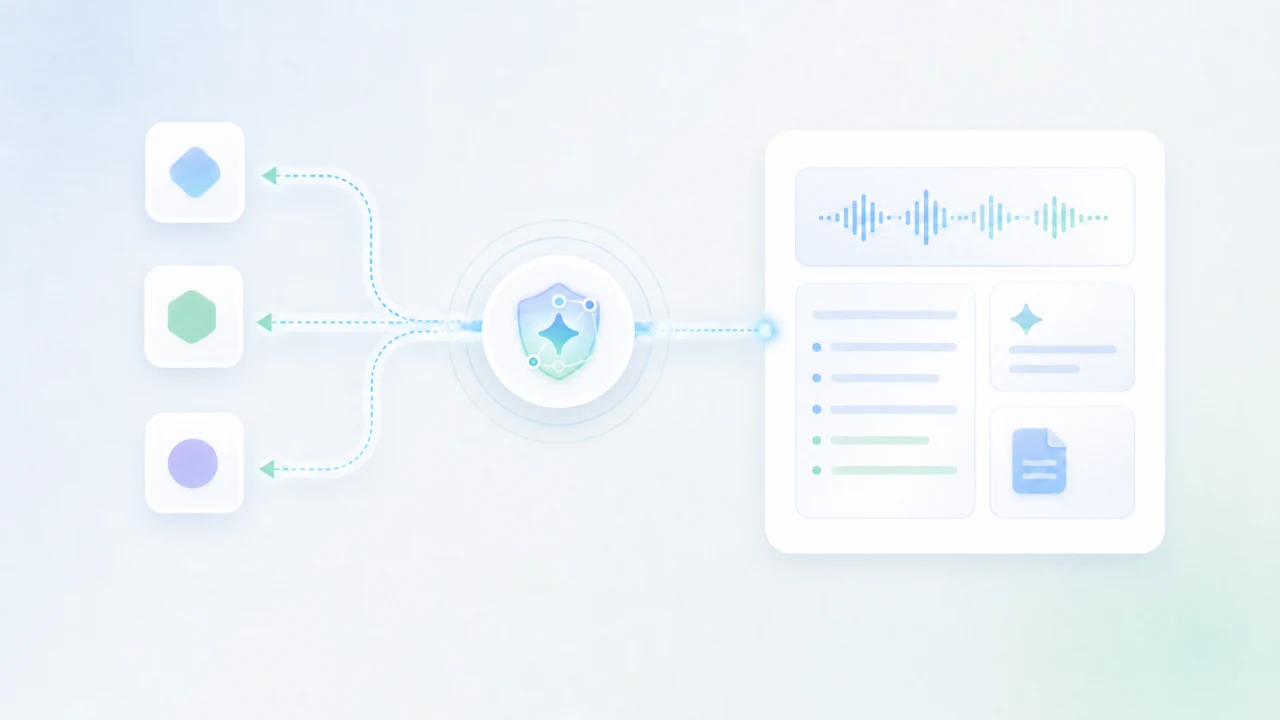
You can now read your SuperIntern meeting transcripts, AI minutes, and notes directly from your everyday AI agents, including Claude, Claude Code, Codex, and Cursor.
The connection is built on MCP (Model Context Protocol). There's no server to run and no API key to manage: you register a connection URL in your AI client, sign in with your SuperIntern account, and approve access.
What this changes
- Give your agent the meeting context: Ask things like "what were the key points from last week's sales call?" and let it search across past meetings to answer, summarize, or draft.
- No fiddly setup: Get started with just a connection URL and a sign-in, no server to build and no keys to manage.
- Read-only and safe: Access is limited to reading your meeting data (a Plus plan or higher is required).
For setup steps, see this guide.
② Reorder projects however you like
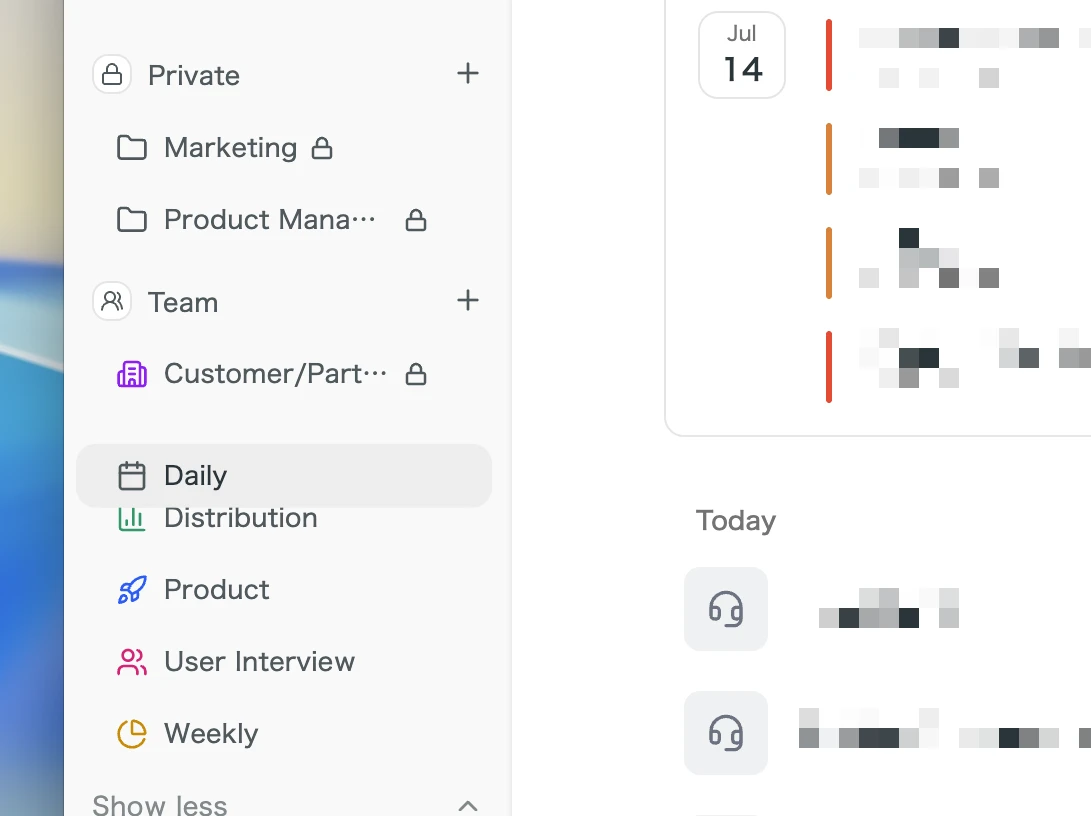
You can now drag projects in your sidebar into the order you want.
What this changes
- Keep your most-used projects on top: Arrange the list by priority or how often you open each one, whatever works best for you.
- Spend less time searching: Pin projects to a fixed position so you don't scroll to find them every time.
③ A warning when your mic volume is low
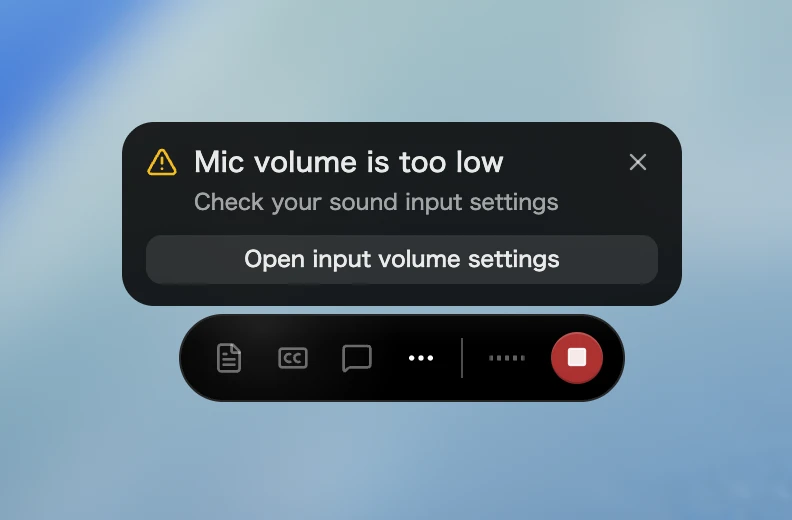
While recording, if your mic input volume is too low, SuperIntern now shows a "Your microphone volume is low" warning.
One click opens your input volume settings.
What this changes
- Catch recording problems before they happen: Notice a too-quiet mic before your voice ends up barely captured, so you don't miss an important meeting.
- Fix it on the spot: Open your input volume settings straight from the warning and adjust right away.
④ A new account settings screen in the web app
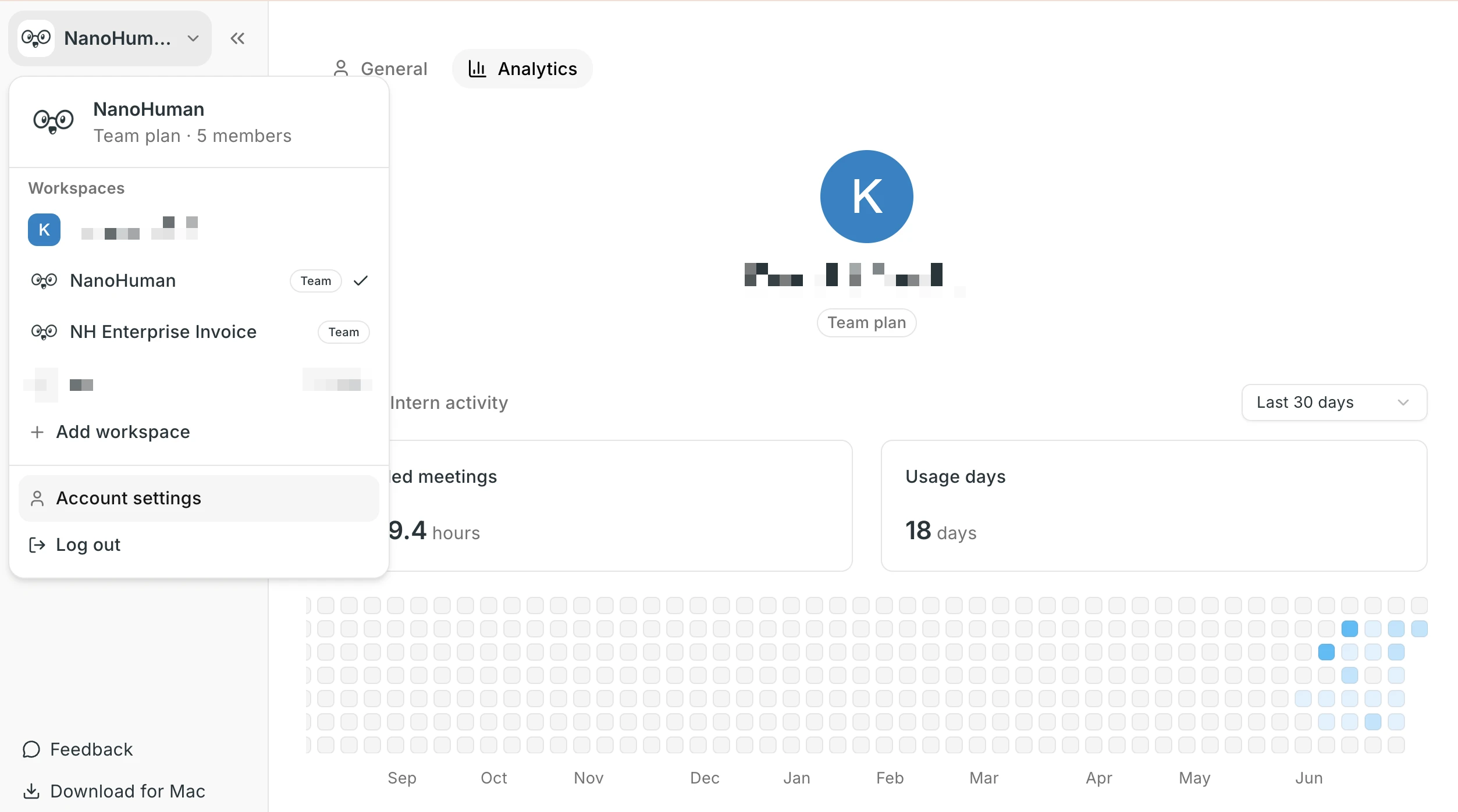
The web app (super-intern.com) now has a dedicated account settings screen.
Open it from the workspace switcher to manage your profile, activity, and billing across tabs.
What this changes
- Manage your account in one place: Change your name, profile picture, and email, and check your plan and usage, all from one screen.
- See how you're using SuperIntern: The activity tab lets you review your meeting usage.
⑤ Clearer recordings with speaker echo reduced
When you join a meeting on your speakers, the other person's voice plays out loud and gets picked up again by your mic, so recordings and transcripts often captured the same speech twice.
On macOS and Windows, SuperIntern now automatically reduces this speaker echo (system audio looping back into the mic). Even without headphones, you can record and transcribe cleanly straight from your speakers.
What this changes
- Clear recordings without headphones: Join on your speakers and the other side's voice is far less likely to be captured twice through your mic.
- More readable transcripts: Fewer duplicated phrases mean better summaries and notes, too.
- macOS and Windows, always on: Nothing to configure, echo is reduced automatically while you record.
How to Update
For Mac users
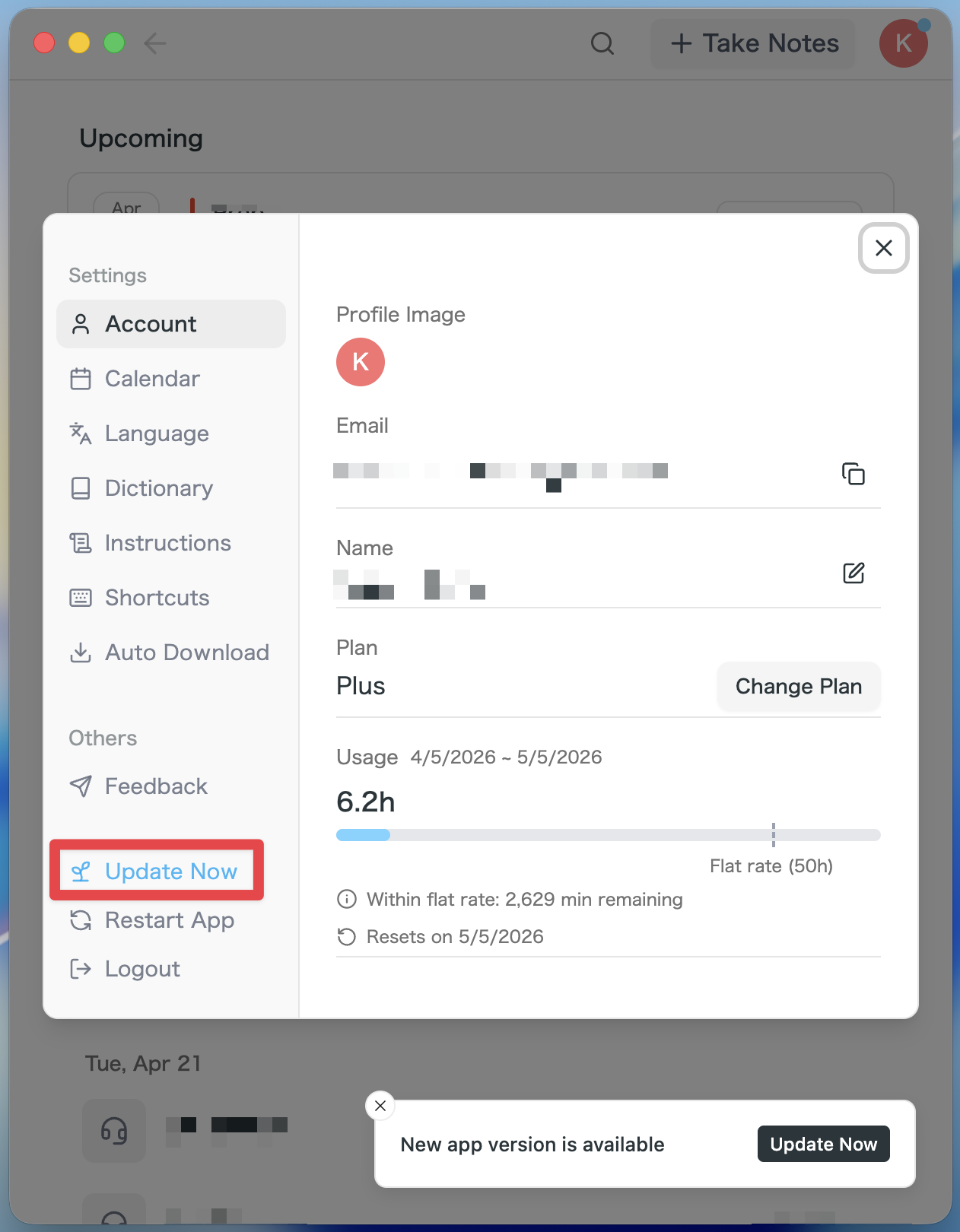
- If an update is available, the latest version is downloaded automatically after you launch the app.
- The Update Now button appears in the sidebar. Click it.
For Windows users
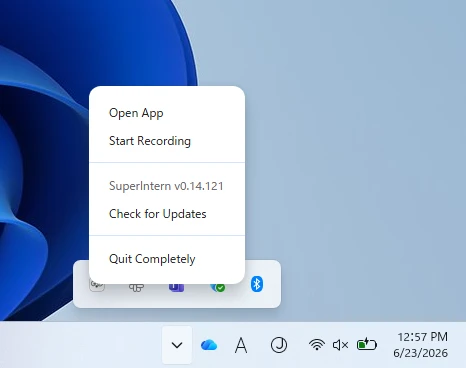
- Open the system tray at the bottom-right of your screen and right-click the SuperIntern app icon.
- Click Check for Updates.
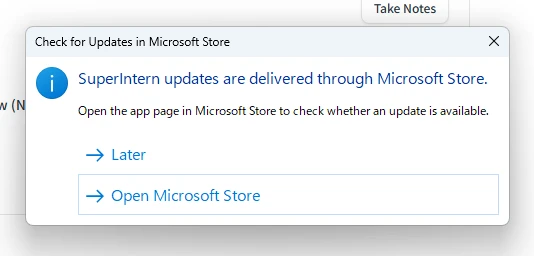
- When the popup appears, click Open Microsoft Store.
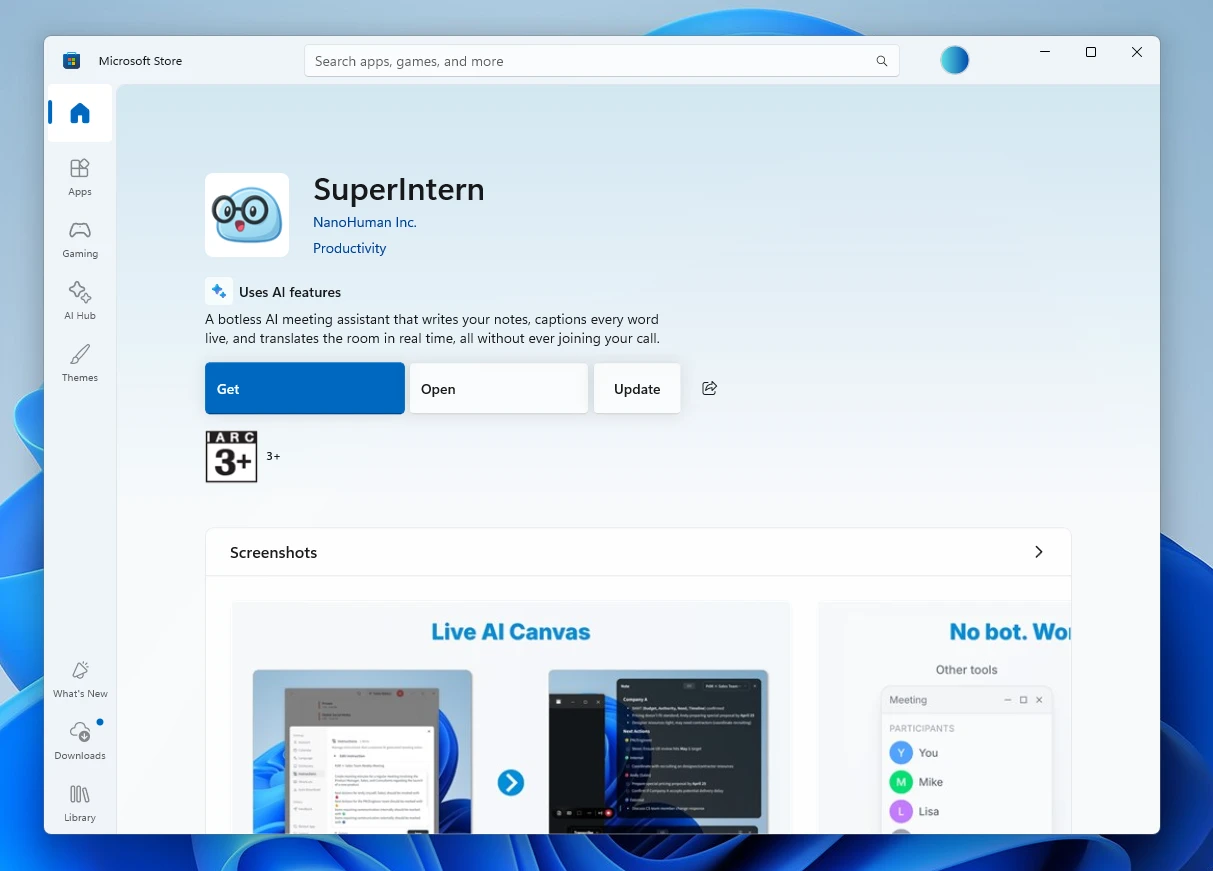
- Once Microsoft Store opens, click Update.
We'll keep updating SuperIntern to make it easier to use for everyone. Update to the latest version before your next meeting and give these a try.