
Weekly Update: Invite friends for 50% off Plus Plan, and SAML SSO for Enterprise

We've just shipped 2 updates to SuperIntern 🎉
A new referral benefit that rewards both sides, and stronger authentication for Enterprise.
Here's a quick tour of this week's additions.
① Invite friends and you both get 50% off Plus Plan
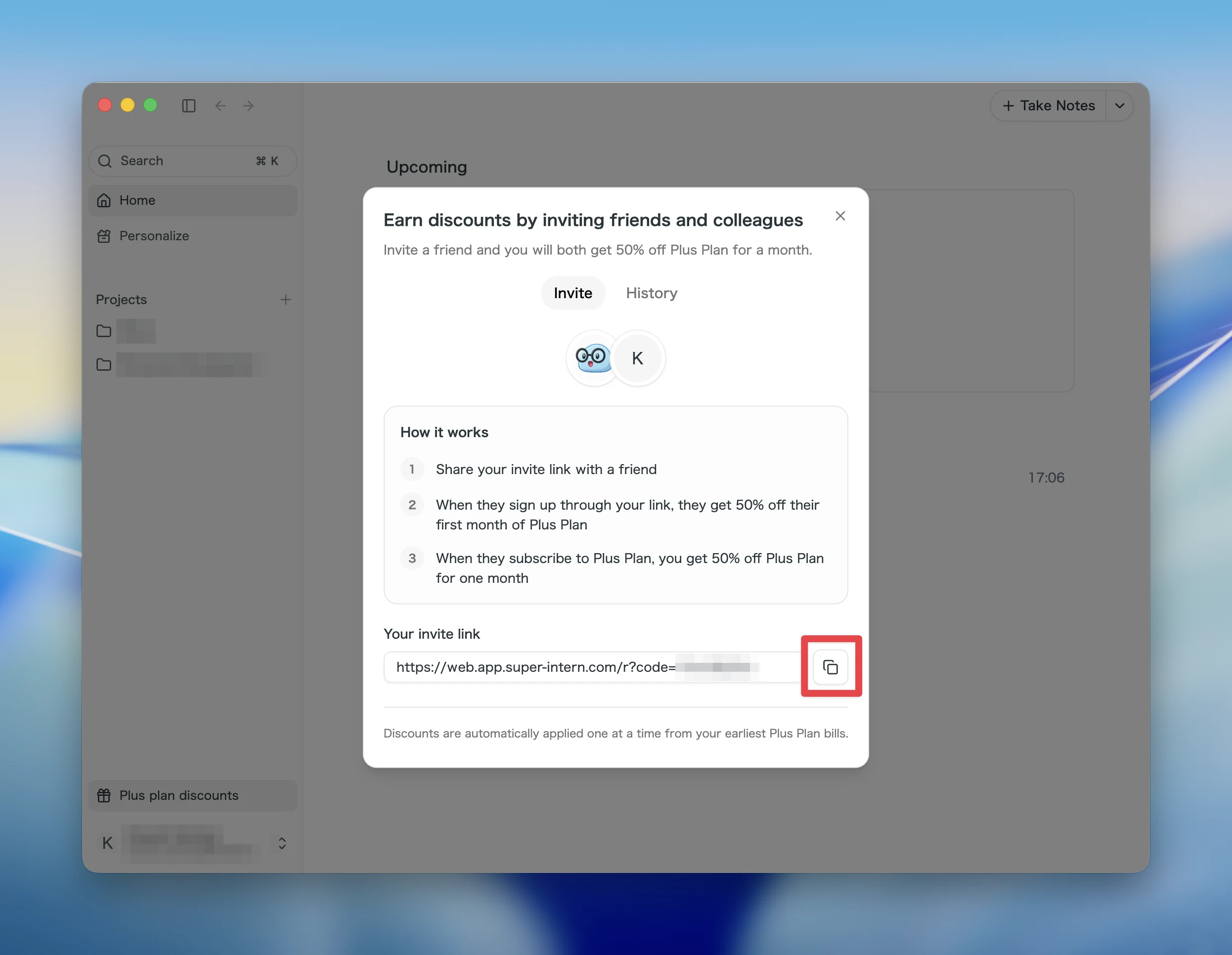
Invite a friend or colleague to SuperIntern and you both get 50% off Plus Plan for one month.
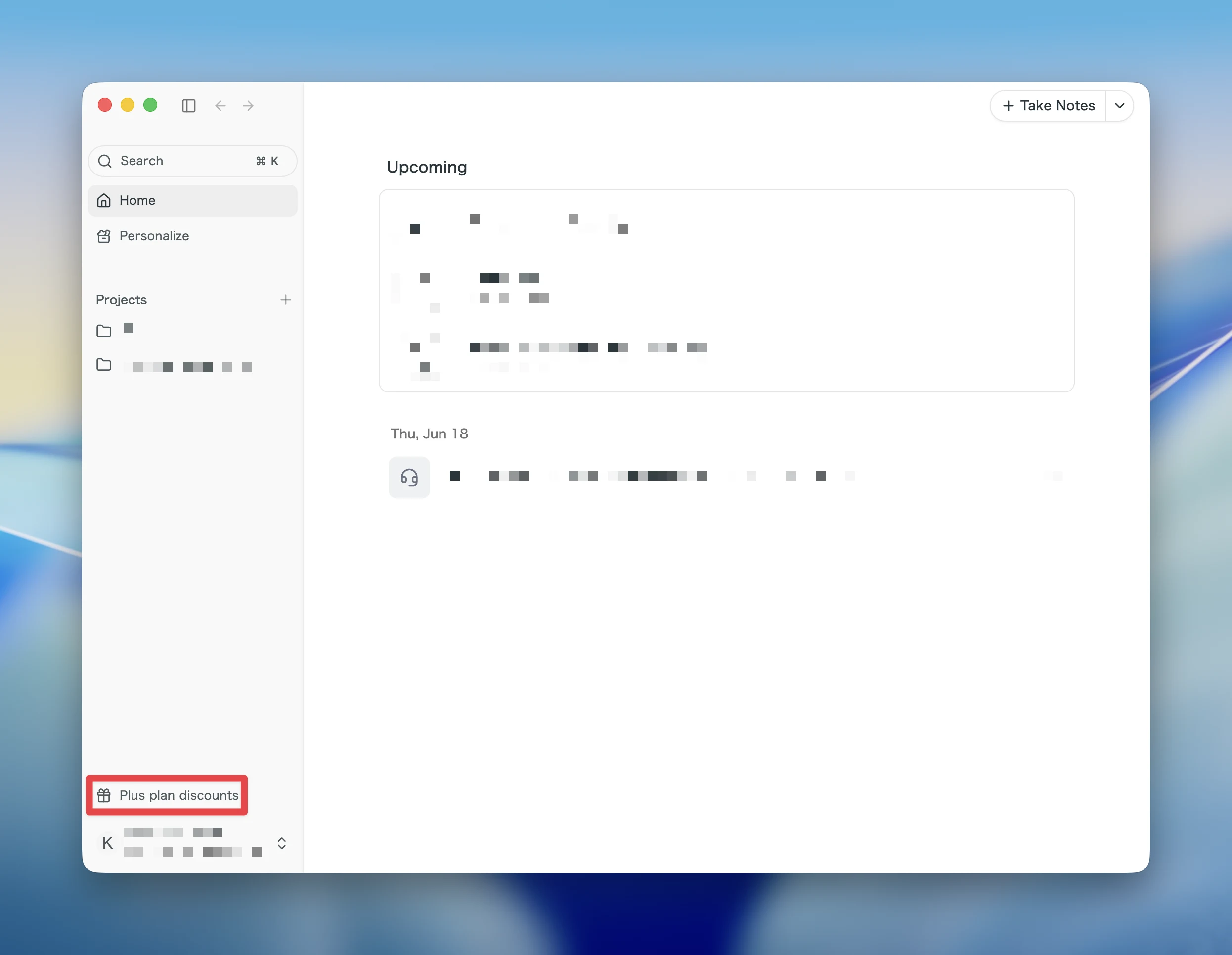
Open Plus plan discounts in the sidebar of the Web or Desktop app to copy and share your personal invite link.
What this changes
- Both sides get a discount: Friends who sign up through your link get 50% off their first Plus Plan payment, and you get 50% off for one month once they subscribe.
- Just share a link: Copy your invite link and send it. Sign-ups and subscriptions are tracked for you automatically.
- Discounts apply automatically: Earned discounts are applied one at a time to your upcoming eligible Plus Plan bills. There's no coupon code to enter.
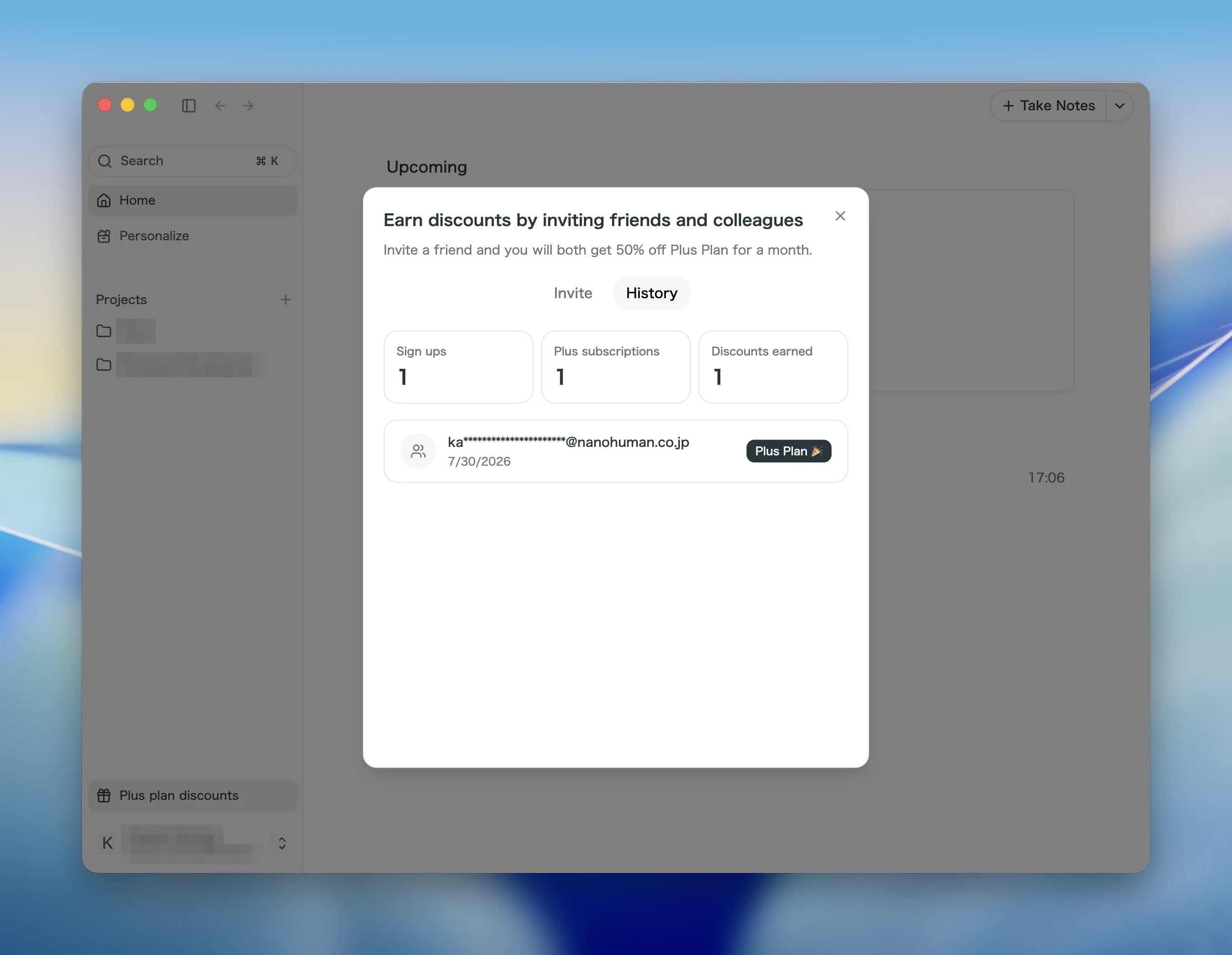
The History tab shows how your invites are doing, with sign-ups, Plus subscriptions, and discounts earned at a glance.
The referral benefit is available to Free Plan and Plus Plan users on a personal workspace. On the invitee side, it applies to people who are new to SuperIntern.
② SAML SSO for Enterprise Workspaces
Enterprise Workspaces now support signing in with SAML SSO.
The integration runs through WorkOS AuthKit, so you can connect SAML-capable identity providers.
What this changes
- Integrate with your identity provider: Members sign in to SuperIntern with the IdP accounts your organization already runs.
- Verify domains from settings: Domain verification and SSO connection setup both start from Workspace security settings on the web.
- Multiple SSO connections: Organizations with several domains or connections can manage each of them side by side.
SSO is available for Enterprise Workspaces, and membership stays invitation-based. Get in touch if you'd like to set it up.
How to Update
For Mac users
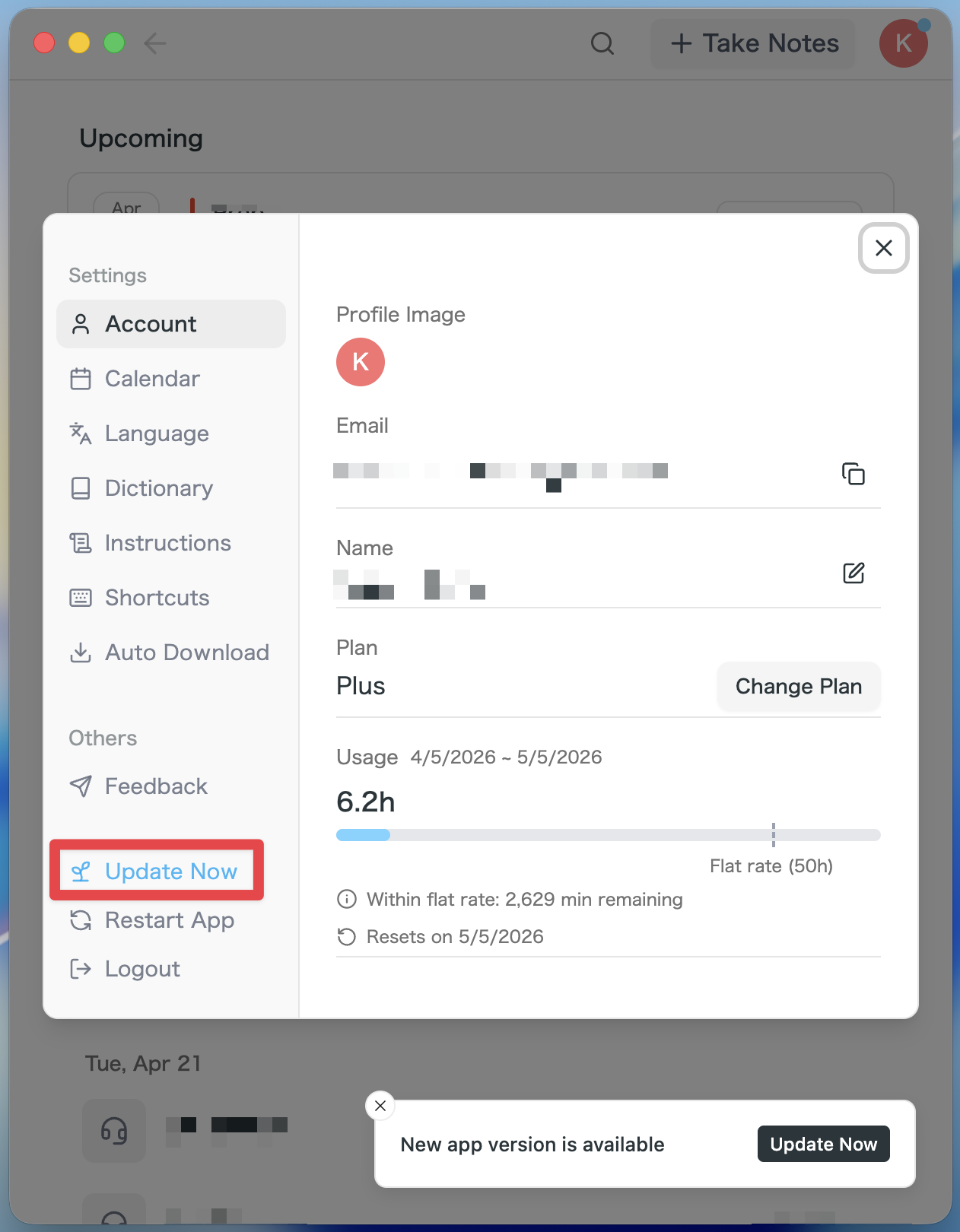
- If an update is available, the latest version is downloaded automatically after you launch the app.
- The Update Now button appears in the sidebar. Click it.
For Windows users
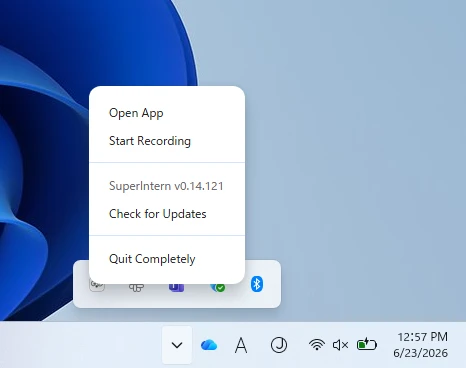
- Open the system tray at the bottom-right of your screen and right-click the SuperIntern app icon.
- Click Check for Updates.
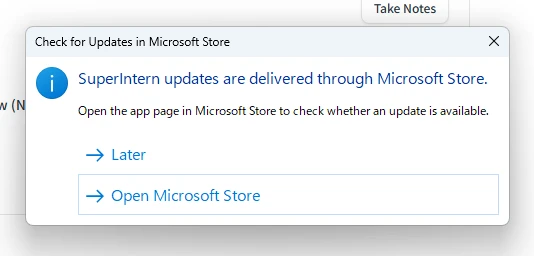
- When the popup appears, click Open Microsoft Store.
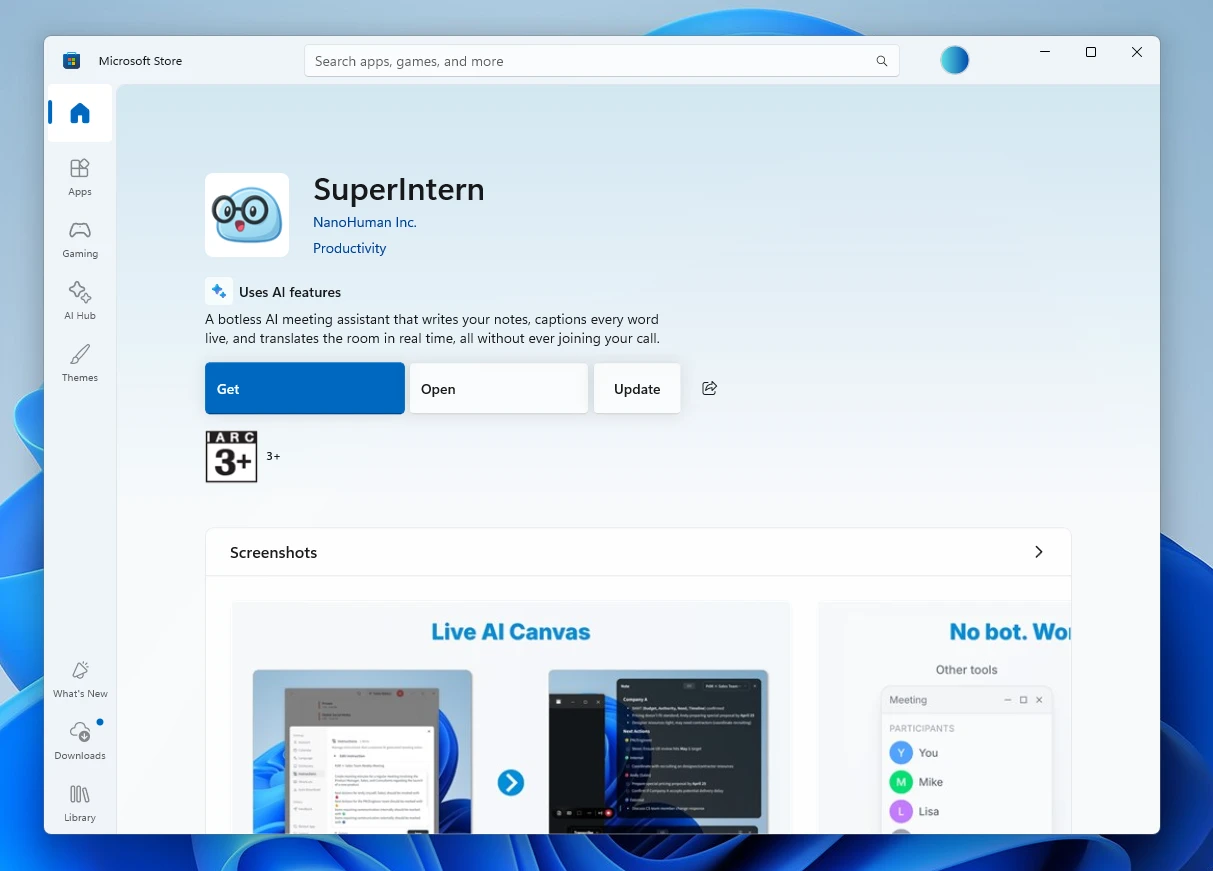
- Once Microsoft Store opens, click Update.
We'll keep improving SuperIntern to make it easier for everyone to use. Update to the latest version before your next meeting and give these a try.