
The Meeting Notes Template That Captures Action Items Live (Not After the Call)
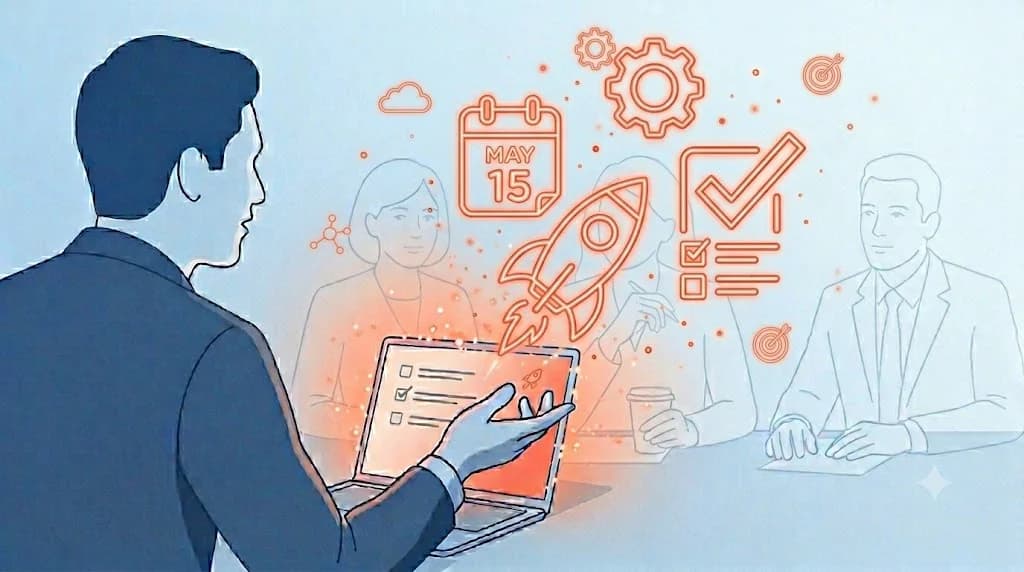
"I write up notes after the call, but 'what do I actually do next' only really clicks then — and there's no one around to ask anymore."
"I hand ChatGPT the recording and the summary comes back fine. But the question I should have asked my manager mid-meeting is gone."
"I tried building my own Claude Skill, but I spent more time on the template than on the meetings, and it didn't stick."
Hand an AI chatbot (ChatGPT, Claude, Gemini, etc.) a meeting recording and you get a usable summary back in minutes. If you can write a half-decent prompt, you're probably already doing this every day.
The real problem comes next. Action items only work half as well when you organize them after the meeting ends. Questions like "who's actually picking this up?" or "is the budget assumption this quarter or next?" can't be answered after the call — you're left waiting on a Slack thread or an email the next morning.
⚠️ This article was independently compiled by NanoHuman Inc. based on publicly available information and user feedback as of May 2026.
Why "After the Meeting" Is Too Late for Action Items
What Gets Lost When You Organize After the Meeting
The hard part of writing up notes after the meeting is deciding when to put the action items into words.
Take a weekly team sync. Your manager says, "Get me competitive analysis by next week." The follow-up questions you'd need answered before you can start each take ten seconds to ask in the room.
If you only realize after the meeting that you should have asked, you're already locked into a rework, and your next proposal slips by a turn.
Action items only land when, the moment the meeting ends, everyone is on the same page about who's doing what and by when. Post-meeting cleanup cuts the effect in half.
How the Meeting Ends Differently When Action Items Appear Live
If the action items are filling in during the meeting, you can ask "is this mine?" or "is the deadline really next week?" while the people who know are still in the room. When you wrap, the whole room reviews the list together and any mismatches get caught on the spot.
If the notes only get organized after the call, this is what stacks up week over week:
- A task you assumed was yours actually belongs to someone else
- A "next week" deadline that was really "tomorrow morning"
- A budget assumption everyone remembers slightly differently back at the office
Each person starts moving the moment they know what's on their plate. Every round of back-and-forth eats into next week.
The organizing has to happen during the meeting, not after it.
AI Meeting Notes Template: Consulting Sync Example
The Template Itself
To make this work, the AI has to know what to listen for ahead of time. We'll use a consulting client sync as the example, but the same shape works for sales calls, internal strategy meetings, candidate interviews, almost any business meeting. {{...}} is what you fill in before the meeting; {...} is what the AI fills in during the meeting.
You are an experienced senior consultant.
From the following meeting audio, extract action items in real time and produce meeting notes.

[Meeting context]
- Client: {{company name and industry}}
- Meeting purpose: {{regular review / proposal / mid-engagement check-in / closing}}
- Attendees: {{client-side and our-side names and roles}}
- Carryover from last session: {{if any}}

[Output format]
## Discussion summary
- Today's key topic: {what we went in to align on}
- Client reception: {positive / neutral / cautious} (quote one supporting line)

## Action items
- {Who} will {do what} by {when}
(Owner, content, and deadline are all required)

## Open items to confirm
- List anything that wasn't fully resolved in the meeting, with quotes
- e.g., "Budget assumption: this quarter or next? Waiting on decision-maker confirmation."

## Topics for the next session
- {Items to share with internal team or escalate}

[Rules]
- Every action item must name an owner and a deadline.
- Open items must include a direct quote from the client.
- If an owner is unclear, mark it explicitly as "owner TBD."
Why It's Designed This Way (Owner, Due Date, Open Questions)
The things this template is built to enforce:
- Owner, content, deadline are non-negotiable as a trio — who owns what and when. That alone kills almost every "wait, whose was this?" moment.
- Open items live in their own section so the "I should have asked in the room" moments get caught during the meeting, not after.
- Letting the AI write next session's topics means the internal handoff memo is basically done by the time you close the laptop.
The Problem: You Can't Run This Live on Your Own
Pasting this template into ChatGPT or Claude takes five minutes. Running it live during a meeting is where it falls apart.
- Record → save as file → upload → output is a pipeline that only works after the meeting ends.
- Building your own Claude Skill or GPT gets close, but constructing the template-builder eats half a day to a full day.
You can polish the template forever, but without a way to fill it in while the meeting is still running, the best you get is slightly faster post-meeting cleanup.
Real-Time Meeting Notes with SuperIntern
The fix for both problems — the real-time gap and the DIY overhead — is to register the template once and let the AI update the notes mid-meeting. That's what SuperIntern's AI Canvas does.
AI Canvas: Register the Template, Auto-Update During the Meeting
Save the template above to AI Canvas once. From then on, the AI follows that structure and automatically updates the notes as the meeting unfolds.
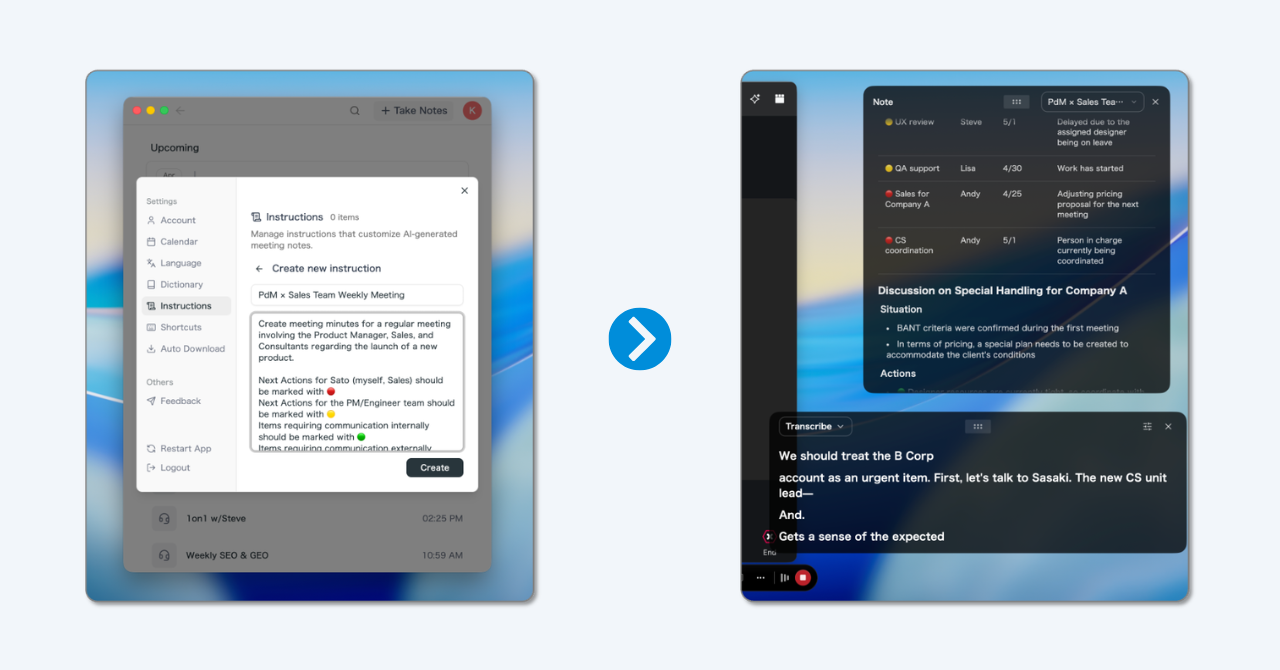
The action items list grows in real time, so you can confirm deadlines and owners with your manager or the team while you're still in the meeting. By the time the call wraps, the notes are already written.

You can't get this kind of speed by handing a recording to an AI after the fact.
What that changes in practice:
- Real-time generation: The moment the meeting ends, the action items are ready.
- No copy-paste before each meeting: Save the template to AI Canvas once, and the "paste prompt into ChatGPT before every call" ritual disappears.
- Open items don't slip through: If the open items section is still empty as the meeting moves on, you notice in real time that something was never confirmed.
Bot-Free: No Extra Guest in Your Meeting
No recording bot joins the call. So even in situations where the other side is uncomfortable with a recording bot in the room, SuperIntern still works. No awkward "this meeting is being recorded by an AI assistant" announcement at the top of the call.

Real-Time Translation in 60+ Languages
For English meetings with overseas colleagues or clients, real-time English subtitles appear on screen. The action items also generate in English in parallel, so your comprehension during the call and the writeup you share afterward move at the same speed.
In-Meeting AI Chat
Mid-meeting, you can ask the AI things like "summarize what they just said" or "list the decisions so far in bullets." While listening, you can resolve questions in the moment without breaking focus on the speaker.
There's a free plan and no credit card required (desktop apps for macOS and Windows).

Frequently Asked Questions
Q1. How Is It Different from Other AI Tools (ChatGPT, etc.)?
Other AI tools like ChatGPT assume you'll hand them the audio after the meeting ends, so it can't run alongside the conversation. You can get close by building your own Claude Skill or custom GPT, but the template setup takes half a day to a full day. SuperIntern listens during the meeting and writes the notes against your saved AI Canvas template as the conversation happens. After the meeting, you can keep asking follow-up questions or request tighter summaries via AI chat against the generated notes, so the same environment covers both the meeting and the follow-up.
Q2. Do I Need to Tell the Client AI Is Taking Notes?
That depends on your country, industry, and contract. As a general rule, it's good practice to say at the top of the call that you'll be using AI to help with notes. SuperIntern doesn't put a recording bot on the participant list, so clients are less likely to find it intrusive in the first place.
Q3. Can I Edit and Export the Notes Afterward?
Yes. The notes that fill in live during the meeting are editable in AI Canvas. You can rewrite text by hand or ask the AI to extend or revise sections. Markdown export lets you drop them straight into Notion or Slack.
Q4. Does It Work for English or Multilingual Meetings?
Yes. SuperIntern supports 60+ languages, including English, Chinese, Korean, Spanish, German, and French. The real-time translation feature lets you read subtitles in the language you prefer while the notes generate in whichever language you've specified.
Conclusion: End Every Meeting With Everyone Ready to Act
Handing an AI the meeting audio and getting clean notes back in a few minutes isn't impressive anymore. The next bar is this: the moment the meeting ends, can the entire team see who's doing what, and can they start moving immediately?
Action items aren't something to clean up at your leisure later. They exist to be lined up in real time during the meeting, so you can confirm and correct them in the room. Once the meeting ends, the chance to ask is gone.
Try the template above in your next sync — start with just one meeting. The speed of the writeup, and the experience of locking in action items in the room, will feel different from day one.
If you want a setup that runs live from the start, we recommend SuperIntern — templates save once to AI Canvas and you're set.
A Universal Template You Can Use in Any Industry or Role
The example above used consulting, but here's a stripped-down universal version that works across sales, marketing, product, engineering, HR, exec meetings, basically any team or role. Paste it into an AI chatbot (ChatGPT, Claude, Gemini, etc.) or into SuperIntern's AI Canvas and it runs as-is.
You are an experienced meeting notes assistant.
From the following meeting audio, extract action items in real time and produce meeting notes.

[Meeting context]
- Meeting name: {{name of the meeting}}
- Meeting purpose: {{what you want to align on today}}
- Attendees: {{names and roles}}
- Carryover from last session: {{if any}}

[Output format]
## Discussion summary
- Today's key topic: {what we went in to align on}
- Overall temperature: {hot / neutral / cautious} (quote one supporting line)

## Action items
- {Who} will {do what} by {when}
(Owner, content, and deadline are all required)

## Open items to confirm
- List anything that wasn't fully resolved in the meeting, with quotes
- e.g., "No agreement reached on budget assumption, decision-maker, or timeline"

## Topics for the next session
- {Items to confirm before the next meeting}

[Rules]
- Every action item must name an owner and a deadline.
- Open items must include a direct quote from a meeting participant.
- If an owner is unclear, mark it explicitly as "owner TBD."