
5 AI Meeting Summary Prompts for Better Notes (2026)
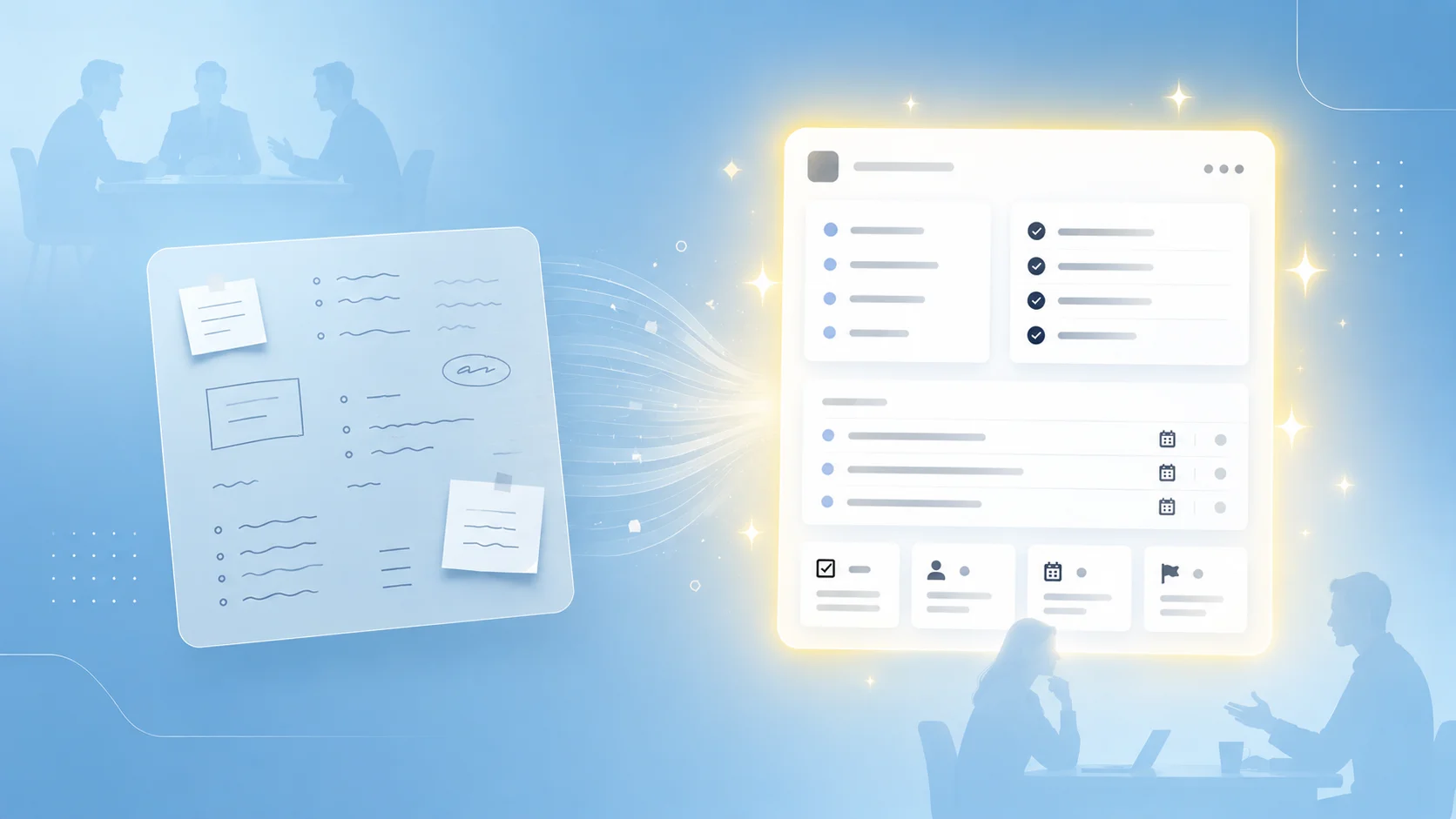
"I hand ChatGPT the meeting audio, but the AI meeting summary it returns is too generic to actually use as meeting notes."
"I keep prompt templates in a Notion doc, but pasting them into ChatGPT before every meeting is exhausting."
"Every meeting type gets the same 'overview / key points / action items' format. Sales calls and standups can't share the same output."
"Everyone says better prompts produce better results, but no one shows me what 'better' actually looks like."
Hand an AI chatbot (ChatGPT, Gemini, Claude, etc.) a meeting audio file, ask for a summary, and you get roughly the same three-part output every time: overview, key points, action items. It doesn't matter if it was a daily standup or a six-figure sales call. The structure barely changes.
That's a summary. It is not meeting notes. A standup needs per-person progress. A sales call needs BANT and next steps. A candidate interview needs evidence per evaluation axis. The shape of useful notes is different for each meeting type, and a generic AI meeting summary collapses all of them into the same bland recap.
Closing that gap isn't a model problem. It's a prompt problem. This article gives you five prompt templates, one per meeting type, packaged as one-click copy blocks. They work as-is in any AI chatbot. Later in the article we'll also show you how to get past the wall every prompt library hits: pasting templates by hand, meeting after meeting.
⚠️ This article was independently compiled by NanoHuman Inc. based on publicly available information and user feedback as of May 2026.
5 Prompt Templates That Produce Real Meeting Notes
| # | Meeting Type | What the Notes Capture | Who It's For |
|---|---|---|---|
| 1 | Daily Standup | Per-person progress / blockers / today's focus | EMs, PMs, Scrum Masters |
| 2 | 1:1 / One-on-One | Career goal progress / concerns / manager follow-ups | Any people manager |
| 3 | Candidate Interview | Strengths and concerns per axis / score / follow-up questions | Recruiters, hiring managers |
| 4 | Customer Discovery | Pain points / budget / timeline / decision-makers | PMs, CS, founders |
| 5 | Sales Call | BANT / objections / next actions / deal confidence | AEs, SDRs |
Each template is unpacked in full below.
From AI Meeting Summary to Real Meeting Notes
Hand the AI a meeting audio file and ask it to "summarize this," and what comes back is the same three-part bundle every time: an overview, a list of key points, and a few action items. As an AI meeting summary, that output is technically fine. As the meeting notes your team actually needs, it falls short.
A meeting summary and meeting notes are not the same thing. A summary is a compressed read of what was discussed. Meeting notes are a record you write down in a usable shape so the next action actually happens. The reader is different, the use is different, and polishing the summary harder will never turn it into notes.
What separates the two is not the model's intelligence. It is the prompt. A prompt that doesn't spell out any structure gets you a summary. A prompt that names the meeting type and lays out the right skeleton gets you proper meeting notes. Same AI, same audio file, and the prompt alone decides which one you get.
Each meeting type has its own right shape. A standup has standup shape, a 1:1 has 1:1 shape, a sales call has sales-call shape. The information an EM, a manager, or an AE actually goes back and re-reads is ordered differently for each, and how good your meeting notes are comes down to whether your prompt hands the model the right shape for the meeting in front of it.
The rest of this article gives you a copy-paste prompt template for each of the five meeting types in the table above.
The 3 Elements Every Meeting Notes Prompt Needs
Before the templates, here are the three structural elements that show up in all of them. Once you see the pattern, you can write your own for meeting types we don't cover.
Role: Who you make the AI write as
Tell the AI who it's playing. "You are an experienced engineering manager." "You are a senior enterprise account executive." The role changes what the model treats as signal versus noise. An EM prioritizes blockers; an AE prioritizes objections. Same audio, different highlights.
Output Format: What to include in the notes
Spell out the section headers and what belongs in each one. ## Decisions, ## Action Items (with owner), ## Open Questions. The more concrete the skeleton, the more stable the output across runs. Generic instructions like "make it structured" leave too much to the model's mood.
Context: What to give the AI before the meeting
The meeting's purpose, who attended and their roles, and any prior decisions that the conversation builds on. Feed this in the prompt itself, separately from the audio. If you only attach the audio file, the model can only work off the surface of the conversation.
Hold these three in mind as you read the templates. In the templates below, {{...}} is for you to fill in before each meeting (meeting context), and {...} is what the AI fills in when it writes the notes (output structure).
5 Meeting Notes Templates, One Per Meeting Type
We use "meeting notes" in the broad sense here: any record of a meeting you'll look at again later. That includes interview scorecards and sales call reports, since the goal is the same: a written record someone picks up and re-uses later.
Daily Standup Meeting Notes Template
What the notes should do: Let any teammate scan progress, blockers, and today's focus in under thirty seconds. Long prose is the enemy here.
You are an experienced engineering manager.
Produce meeting notes from the following daily standup audio.

[Meeting context]
- Purpose: Sync on today's progress and unblock the team
- Attendees: {{names and roles}}

[Output format]
## Per-person summary
### {Member name}
- Yesterday: {what they completed}
- Today: {what they're working on}
- Blockers: {if any, otherwise "None"}

## Team-wide blockers and owners
- {Blocker}: {who's following up, by when}

## Today's team focus
- {1–2 lines on the overall priority}

[Rules]
- Keep each member's entry to three lines or fewer.
- Every blocker must name an owner and a due date.
- Exclude side conversations and small talk.
Key points:
- Hard constraints like "three lines or fewer" suppress the AI's natural tendency to over-explain.
- Without an explicit "exclude small talk" instruction, the model will preserve banter as if it were a decision.
1:1 / One-on-One Meeting Notes Template
What the notes should do: Surface what a direct report actually said about their career, concerns, and morale, plus what the manager owes them next. Unlike a meeting that's all facts, how well you pick up tone and the small things changes how useful these notes are.
You are an experienced people manager producing notes from the following 1:1 audio
between a manager and a direct report.
Pay attention not only to facts but also to emotion, career direction,
and the nuance behind any concerns raised.

[Meeting context]
- Purpose: Support the direct report's career and resolve current concerns
- Attendees: {{manager name}} and {{direct report name}}
- Carryover topics from last 1:1: {{if any}}

[Output format]
## Career goals and progress
- Current goal: {as the report described it}
- Self-reported progress: {their own framing}
- Manager's read on actual progress: {inferred from the conversation}

## Main topics this session
- {Topic}: {summary} (importance: high/medium/low)

## Concerns raised by the direct report
- {Concern}: {likely background or cause}

## Manager follow-ups before next 1:1
- {Who} will {do what} by {when}

## Psychological safety notes
- {Topics the report seemed to hold back on; statements to revisit later}

[Rules]
- Separate "facts" from "inferences". Never blur them.
- Do not use evaluative language ("strong performer," "problematic," etc.).
- Score importance by impact on the report's career and current work.
Key points:
- Telling the model to keep facts and inferences separate stops it from inventing emotional subtext, but still lets it point out things worth noticing.
- Banning evaluative language is a quiet safety net. 1:1 notes have a way of getting shared, intentionally or not.
Candidate Interview Meeting Notes Template
What the notes should do: Organize what the candidate said by evaluation axis, with quotes for evidence and a clear handoff for the next round. Interview notes are where subjective takes and what was actually said get mixed up most often, so the template makes the model write them in separate buckets.
You are an experienced recruiter.
Produce an interview scorecard (meeting notes) from the following interview audio.

[Meeting context]
- Role: {{position title}}
- Candidate: {{name}}, {{years of experience}}
- Interview stage: {{first round / second round / final}}
- Evaluation axes: {{e.g., Technical depth / Culture fit / Leadership / Learning velocity}}

[Output format]
## Candidate profile
- Background summary: {their experience}
- Strengths: {as inferred from what they said}
- Motivations: {what they seem to optimize for}

## Findings per evaluation axis
### {Axis 1}
- Evidence (what the candidate said, as direct quotes): {2–3 quoted lines}
- Assessment (subjective): {strengths and concerns}
- Score (1–5): {number}. Reason: {one line}

(Repeat per axis)

## Overall recommendation
- Composite score: {1–5}
- Recommended action: {advance / consider for another role / pass}
- Reason: {2–3 lines}

## Questions for the next round
- {Question}: {why it needs to be confirmed}

[Rules]
- The "Evidence" section must use direct quotes from the candidate.
- Keep "Evidence" and "Assessment" strictly separated.
- Limit each score reason to one line.
Key points:
- Writing evidence and assessment separately per axis means you can compare interviewers fairly later instead of arguing over gut calls.
- Asking for the next round's open questions at the end gives the next interviewer a handoff note they can use as-is.
Customer Discovery Call Meeting Notes Template
What the notes should do: Capture pain points with enough depth that a PM, AE, or CS rep can pick them up weeks later and still use them. Keep both the numbers (budget, timeline) and the customer context (who, why, how often) in the notes.
You are an experienced B2B product manager.
Produce discovery call meeting notes from the following customer interview audio.

[Meeting context]
- Customer: {{company}}, {{industry}}, {{employee count or revenue band}}
- Attendees: {{customer-side and our-side names}}
- Discovery goal: {{e.g., validate the pain point behind the proposed feature}}

[Output format]
## Customer profile
- Industry, size, notable organizational structure
- Relationship between decision-makers and end users

## Pain points raised
- {Pain point 1}: {context, frequency, current workaround}
- {Pain point 2}: {same}
(List in order of priority based on what the customer emphasized)

## Quantitative signal on the pain
- People affected and frequency: {numbers mentioned}
- Current cost (time or money): {if mentioned, otherwise "not confirmed"}

## Solutions they're already considering
- Alternatives outside our product: {competitors or workarounds}
- In-house build possibility: {yes / no / unclear}

## Decision process
- Decision-maker: {role and name}
- Timeline: {when they want a solution live}
- Budget: {what was shared; mark "not confirmed" if absent}

## Next actions
- Us: {who} will {do what} by {when}
- Them: {homework we asked the customer to do}

[Rules]
- Only record numbers that appear in the audio. Do not estimate.
- Mark any field that was not confirmed as "not confirmed."
- Only list competitors the customer explicitly mentioned.
Key points:
- The "do not estimate" rule is the single biggest guard against hallucination in discovery notes. AI loves to round numbers and fill in gaps; this stops it.
- Marking unconfirmed fields explicitly means the meeting notes double as the agenda for your next call.
Sales Call Meeting Notes Template
What the notes should do: Move the deal forward by capturing BANT updates, objections, next steps, and an updated deal-confidence number. Write them small enough to paste straight into your CRM.
You are an experienced enterprise account executive.
Produce sales call notes from the following meeting audio.

[Meeting context]
- Customer: {{company}}, {{industry}}
- Stage: {{first pitch / mid-cycle / final review / closing}}
- Attendees: {{customer-side and our-side}}
- Prior history: {{1–2 lines on the previous touchpoints}}

[Output format]
## Call summary
- Goal of this call: {what we went in to confirm}
- Outcome: {achieved / partial / missed}
- Customer temperature: {high / medium / low} (quote one line from the call as evidence)

## BANT update
- Budget: {what we know, with confidence (confirmed / likely / not confirmed)}
- Authority: {decision-maker(s) and the approval process}
- Need: {the core pain driving the conversation}
- Timeline: {target go-live}

## Objections and how we responded
- Objection: {what they said}
- Our response: {summary}
- Customer reaction: {accepted / will revisit / unresolved}

## Next actions
- Us: {who} will {do what} by {when}
- Them: {what they agreed to do before the next call}

## Deal confidence update
- Current confidence: {%}
- Change vs. previous call: {up / flat / down}
- Reason: {2–3 lines}

## Closing risks
- {Concern and the reason it surfaced}

[Rules]
- Every BANT field must carry a confidence tag (confirmed / likely / not confirmed).
- Update deal confidence relative to the previous call's number.
- Only list competitors the customer explicitly mentioned.
Key points:
- Tagging every BANT field with a confidence level makes CRM entry mechanical. No more debating "is this really qualified."
- Writing down how the customer reacted to each objection tells the next caller exactly what to re-explain.
The Wall of Template Operation: Copy-Pasting Every Time
If you're nodding along thinking "I'll start using these tomorrow," there's one operational wall worth naming first.
Copy-pasting these prompts before every meeting is exhausting.
Here's the actual loop:
- Prepare the meeting recording (export the audio file from Zoom, your phone, or whatever you used).
- Open whichever Notion page, Apple Note, or Google Doc holds your prompt templates and copy the right one.
- Attach the audio file and paste the template into the AI chatbot.
- Copy the output back out and paste it into Notion, Slack, or your CRM.
Five to ten minutes per meeting. Ten meetings a week, and that's an hour gone, plus the cognitive overhead of remembering which template you stashed where. Different prompt for different meeting type means different file, different folder, different week.
This is where most people quietly give up on their prompt library. In the end, whether you can keep using the prompts matters more than how good they are.
An AI Meeting Notes Tool That Makes Templates Easy to Use
That said, leaving it at "prompt libraries are great, but I never actually keep using them" is a waste. If you can save your prompt templates once and never copy-paste them again, the whole template approach starts working again.
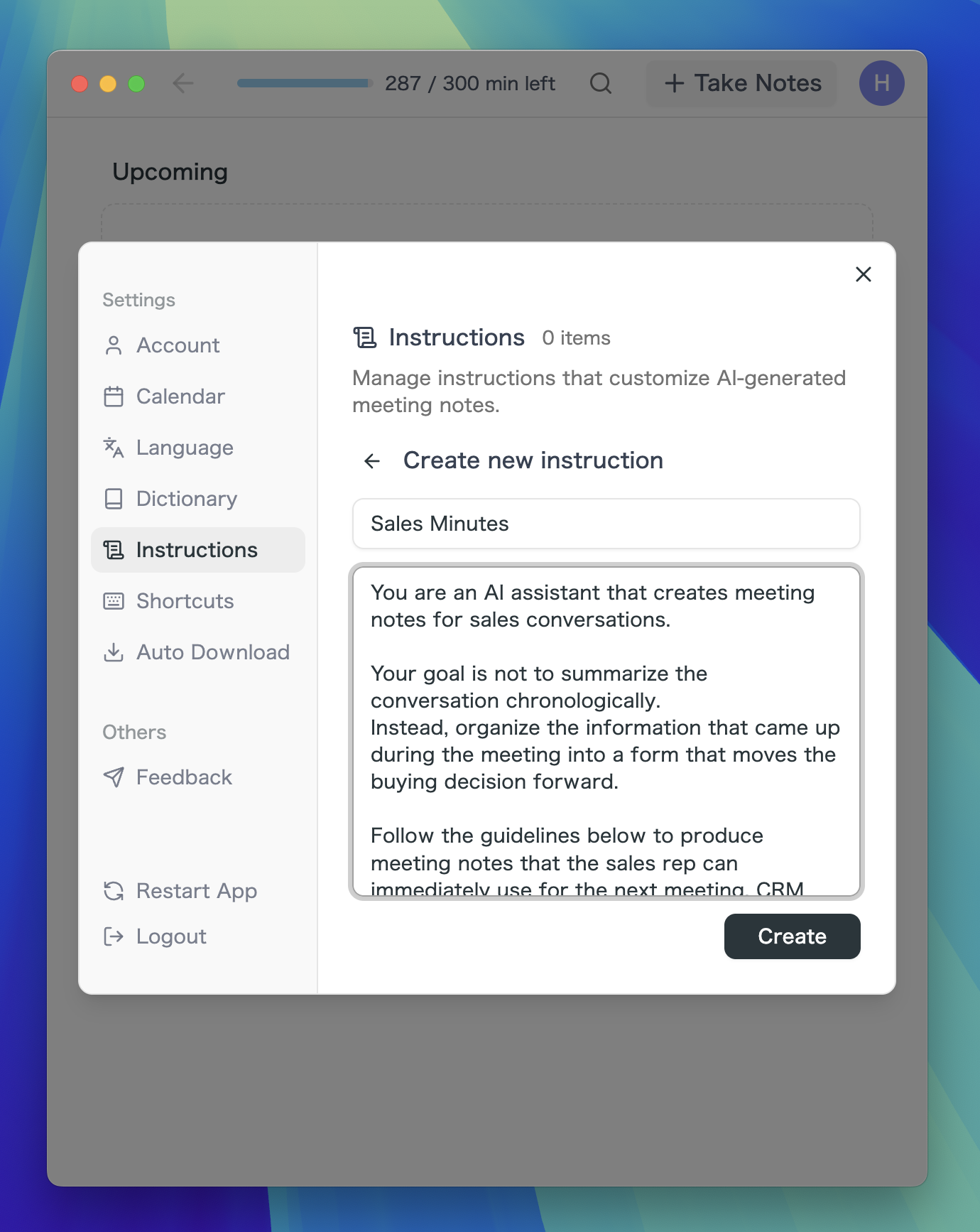
This is exactly the copy-paste problem SuperIntern solves with a feature called AI Canvas. Register the prompt templates from this article once, and from then on you just pick the one you need before each meeting.

During the meeting, the AI uses your registered template to write the meeting notes in real time, straight from the conversation.

The four-step loop before every meeting disappears entirely.
What that means in practice:
- No bots in the meeting: SuperIntern records the audio on your machine. It works on Zoom, Google Meet, Microsoft Teams, and in-person meetings the same way. No notetaker bot joins the call, so there's no IT review headache and no awkward "this call is being recorded by an AI assistant" notification.
- Speaker separation: Who said what is attributed automatically. This is essential for 1:1s and interviews, where misattributed quotes are worse than no quotes.
- Multi-language with real-time translation subtitles: Mixed-language meetings (English + Japanese, English + Spanish, etc.) are transcribed correctly and rendered into meeting notes in the language you choose.
- Markdown export: Finished notes paste straight into Notion, Slack, Linear, or any docs tool that takes Markdown.
- In-meeting AI chat: Even while the meeting is still running, you can ask the AI questions about what's just been said, request a quick summary, or confirm a point on the fly.
There's a free plan with no credit card required. Desktop apps are available for macOS and Windows.

FAQ About SuperIntern
Q1. Does SuperIntern send a bot into the meeting?
No. SuperIntern captures audio directly from your computer, so no bot joins the call. It works the same way on Zoom, Google Meet, Microsoft Teams, and in-person meetings, and your attendees see no third-party participant.
Q2. Can I edit the meeting notes after they're generated?
Yes. The notes are editable in AI Canvas while they're being generated in real time and afterward. You can rewrite text manually or ask the AI to revise or extend sections. Markdown export is supported when you're ready to move them into another tool.
Q3. Does it work for meetings that aren't in English?
Yes. SuperIntern is multi-language and supports real-time translated subtitles. Mixed-language meetings (e.g., English plus Japanese) are transcribed correctly, and you can choose which language the final meeting notes are written in.
Q4. For 1:1s and interviews, can it tell who said what?
Yes. Speaker separation attributes each line to the right person automatically. That's what makes it usable for 1:1 notes and interview scorecards, where misattributed quotes would be worse than missing ones.
Q5. Do I need to paste my prompt template before every meeting?
No. Once you register a template as an AI Canvas instruction, you pick it from a list before the meeting starts, and the meeting notes fill in using that structure automatically. The five templates in this article can be saved as-is.
Conclusion: Turn Summaries Into Notes with Prompt Design
AI chatbots default to a summary. It captures what was said, but on its own it doesn't give you the kind of meeting notes your team will actually re-read and act on. The shape that's missing (per-person progress, evaluation axes, BANT, decision-maker mapping) is specific to each meeting type and just isn't in the generic three-part recap.
Prompts are how you close that gap. With the same AI, the prompt decides whether you get a summary back or real meeting notes.
Copy any of the five templates above into your next AI chatbot session and you'll see the difference on the first try.
The one thing prompts can't fix is the hassle of running a template library by hand. If you want that hassle gone from day one, SuperIntern lets you save the templates in AI Canvas and runs them against each meeting for you, with no bot in the call and no copy-paste round trips.
The shift worth making is small but real: stop asking AI for meeting summaries. Start asking it for meeting notes.