
7 Best Free AI Note-Taking Apps for Work in 2026
You just left a meeting, and half of what was discussed is already fading. You open your note-taking app, but all you have is a few bullet points that barely capture the decisions made. Sound familiar?
In 2026, AI note-taking apps have evolved far beyond simple text editors. The best AI note taking app does not just record what you type — it listens, summarizes, organizes, and even suggests next steps. And many of them are available as a completely free AI note taker.
But the landscape is crowded. Some tools excel at live meeting transcription, others are built for personal knowledge management, and a few try to do everything. The right choice depends on how you work and what kind of notes matter most to your productivity.
This guide compares the 7 best free AI note-taking apps for work, so you can pick the one that actually fits your workflow — whether you need a meeting-focused assistant or a general-purpose thinking tool.
⚠️ This article was independently compiled based on publicly available information and user feedback as of April 2026.
Table of Contents
- Why AI Note-Taking Apps Are Essential for Work
- What to Look For in an AI Note-Taking App
- 7 Best Free AI Note-Taking Apps for Work
- Feature Comparison
- Tips for Getting the Most Out of AI Note-Taking
- FAQ
- Conclusion
1. Why AI Note-Taking Apps Are Essential for Work
The average professional spends 31 hours per month in meetings. Add in brainstorming sessions, one-on-ones, client calls, and cross-functional syncs, and note-taking becomes a full-time job on top of your actual job.
Traditional note-taking has three fundamental problems:
- Attention split — You cannot actively participate in a conversation and take detailed notes at the same time. One always suffers.
- Inconsistency — Different people capture different things. Critical details get lost between attendees' notes.
- Retrieval — Even if you take great notes, finding a specific decision or action item weeks later is painful.
An AI note taker free of these limitations changes the equation. Modern tools can:
- Transcribe meetings in real time — Capturing every word so you can focus on the conversation
- Generate structured summaries — Key points, decisions, and action items are extracted automatically
- Organize knowledge — Link ideas across notes, surface connections, and make everything searchable
- Draft follow-ups — Turn meeting outcomes into emails, tasks, or Slack messages with one click
The result: less time writing, more time doing.
2. What to Look For in an AI Note-Taking App
Not every AI note-taking app serves every use case. Here is what to evaluate:
For meeting-focused note-taking:
- Real-time transcription — Does it capture audio live, or do you need to upload recordings afterward?
- Speaker identification — Can it tell who said what?
- Botless operation — Does it join meetings as a visible bot, or capture audio invisibly?
- AI summaries and action items — Does it generate structured output, or just raw transcripts?
For general knowledge management:
- AI-assisted writing — Can it help draft, expand, or rephrase your notes?
- Linking and organization — Does it support backlinks, tags, or knowledge graphs?
- Search quality — Can you find notes by concept rather than exact keywords?
- Integrations — Does it connect with your existing tools (Slack, calendar, project management)?
For both:
- Free tier generosity — How much can you use without paying?
- Privacy and security — Where is your data stored? Who has access?
- Platform support — Desktop, web, mobile, or all three?
3. 7 Best Free AI Note-Taking Apps for Work
1. SuperIntern — Best AI Note-Taking App for Meetings
SuperIntern is purpose-built for the scenario where note-taking matters most: live meetings. Instead of trying to be a general-purpose notes app, it focuses on doing one thing exceptionally well — turning your meetings into complete, actionable notes without any effort on your part.

Key strengths:
- Botless real-time transcription — Captures system audio directly from your computer. No bot appears in the participant list, so meetings feel natural
- Automatic AI meeting notes — Summary, key points, decisions, and action items are generated seconds after the meeting ends
- Speaker diarization — Identifies who said what throughout the conversation
- 50+ language support with real-time translation — Ideal for multilingual teams and international meetings
- Post-meeting AI chat — Ask questions about your meeting, draft follow-up emails, or extract specific information from the transcript
Why it is the best AI note taking app for meetings: Most general-purpose note-taking apps treat meetings as an afterthought. SuperIntern treats them as the primary use case. The botless design means no awkward participant-list entries, and the AI-generated notes are ready to share the moment the call ends.
Limitations: Desktop app only (Mac and Windows). Focused on live meetings rather than general note-taking or knowledge management.
Pricing: Free plan available (no credit card). Plus plan at $20/month for 100 hours.
2. Notion AI — Best for Team Knowledge Management
Notion has become the default workspace for thousands of teams, and its AI features turn it into a powerful AI note taker. If your team already lives in Notion, adding AI capabilities makes it a natural choice.
Key strengths:
- AI-powered writing assistance — Draft, summarize, translate, and brainstorm within any page
- Powerful database and linking features for organizing notes across projects
- AI Q&A — Ask questions across your entire Notion workspace and get answers with sources
- Extensive template library for meeting notes, project docs, and more
- Integrations with Slack, Google Drive, GitHub, and hundreds of other tools
Limitations: AI Meeting Notes requires the Business plan ($20/user/month). Can feel over-engineered for simple note-taking. Meeting transcription is processed after the call ends — no live transcript during the meeting.
Pricing: Free plan (limited AI features). Business at $20/user/month (includes AI Meeting Notes).
3. Mem — Best for AI-Powered Personal Notes

Mem takes a different approach to note-taking: instead of folders and hierarchies, it uses AI to organize your notes automatically. You write freely, and the AI surfaces relevant notes when you need them.
Key strengths:
- Self-organizing notes — AI automatically tags, links, and surfaces related content
- Smart search that understands natural language queries
- AI writing assistant for expanding ideas and drafting content
- Timeline-based interface that feels like a stream of consciousness
- Lightweight and fast — no complex setup or folder management
Limitations: Smaller ecosystem compared to Notion. Limited integrations. No meeting transcription features. Mobile experience is less polished.
Pricing: Free plan available. Pro at $14.99/month.
4. Otter.ai — Best AI Note Taker for English Meetings
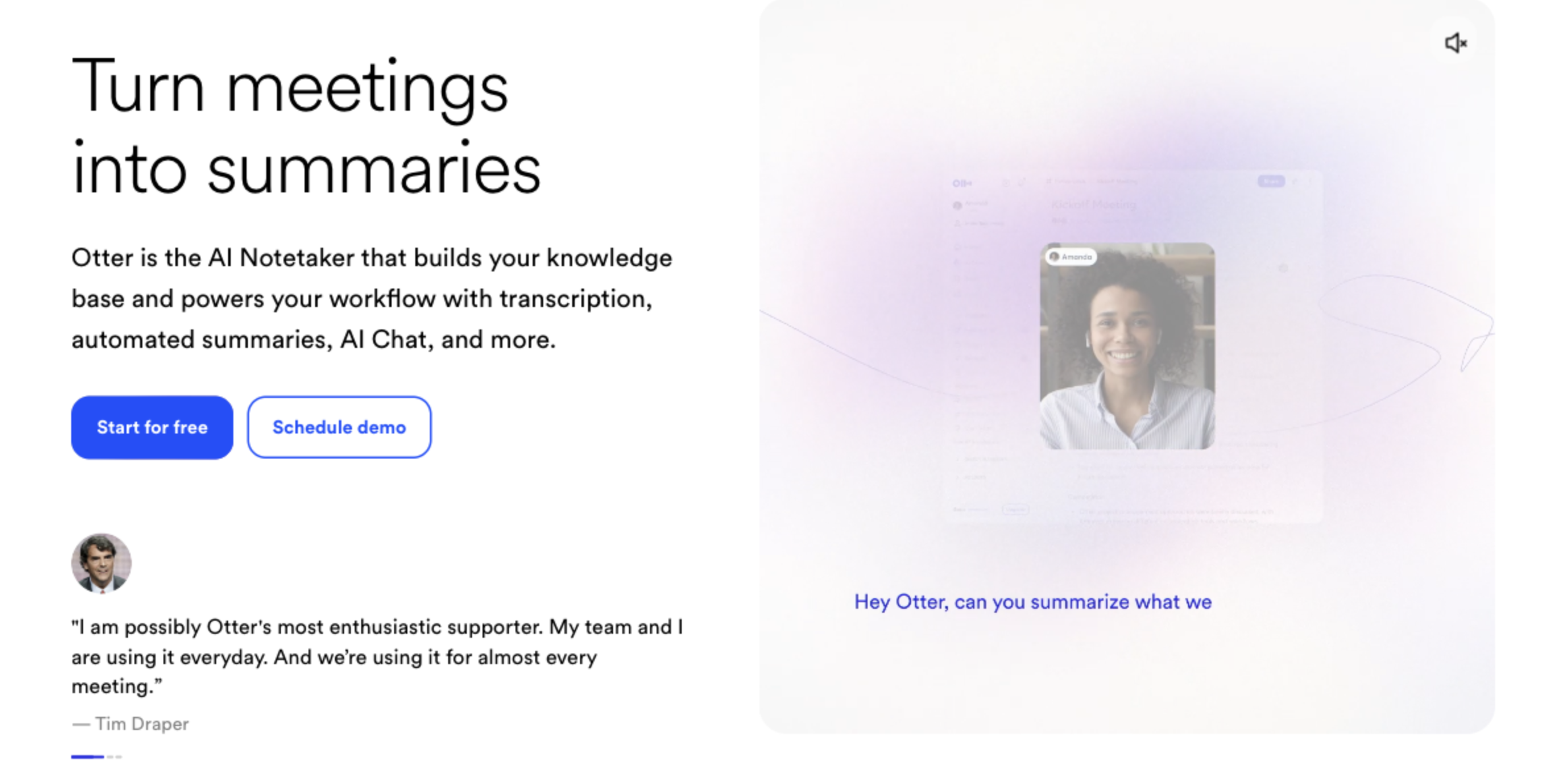
Otter.ai is one of the most recognized names in AI meeting transcription. It offers strong English-language accuracy and a clean interface for reviewing and sharing meeting notes.
Key strengths:
- High-accuracy English transcription with real-time display
- Automated meeting summaries with action items
- Integrates with Zoom, Google Meet, and Microsoft Teams (via bot)
- OtterPilot can automatically join and transcribe scheduled meetings
- Keyword and topic detection for easy searching
Limitations: Joins meetings as a visible bot, which can make participants uncomfortable. Non-English language support is limited. Free plan caps at 300 minutes per month. Note-taking features outside of meetings are minimal.
Pricing: Free plan (300 min/month). Pro at $16.99/month.
5. Reflect — Best for Private AI-Powered Thinking
Reflect combines end-to-end encryption with AI-powered note-taking, making it ideal for professionals who want intelligent features without sacrificing privacy.
Key strengths:
- End-to-end encrypted notes — Your data cannot be read by anyone, including Reflect's servers
- AI assistant powered by GPT-4 for summarizing, expanding, and brainstorming
- Networked note-taking with backlinks and knowledge graphs
- Built-in calendar integration for meeting-related notes
- Clean, distraction-free interface
Limitations: No free plan (14-day trial only). No real-time meeting transcription. Smaller community and fewer templates compared to Notion. Limited third-party integrations.
Pricing: $15/month (14-day free trial).
6. Granola — Best for In-Meeting Note Enhancement
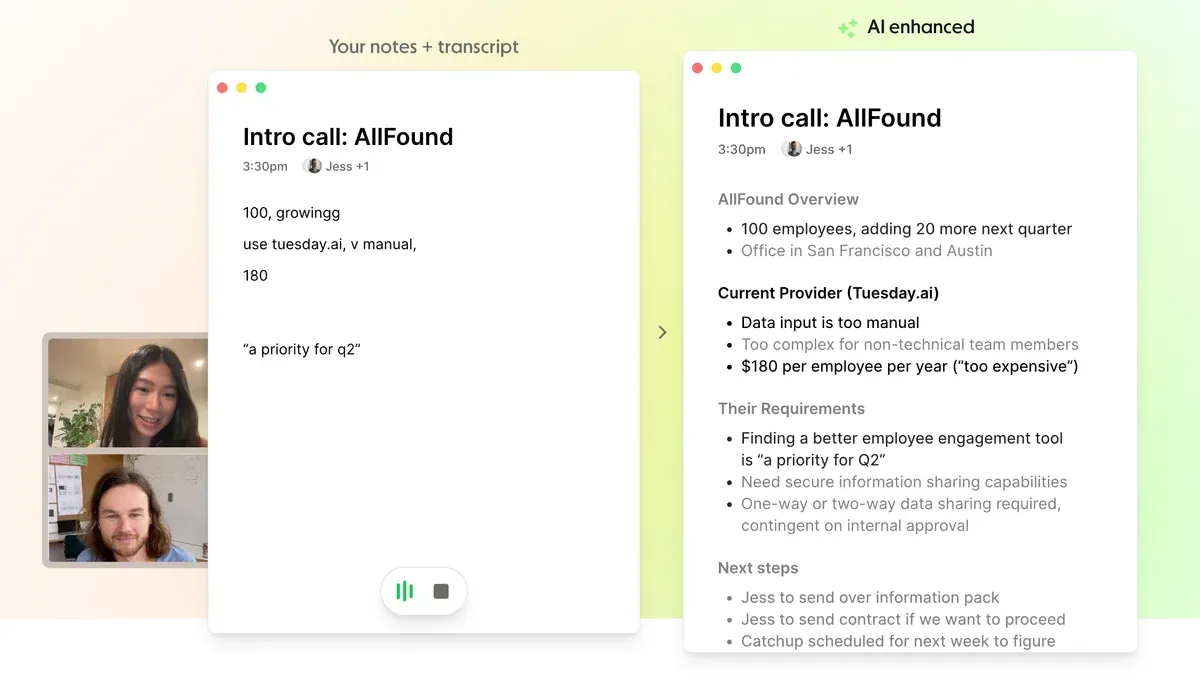
Granola is a meeting-focused notepad that listens to your meetings and enhances the rough notes you take during the call with AI-generated context from the transcript.
Key strengths:
- Captures meeting audio locally (no bot required)
- Enhances your manual notes with AI-generated context from what was actually said
- Clean, simple interface that stays out of the way during calls
- Customizable note templates for different meeting types
- Works across Zoom, Teams, Google Meet, and other platforms
Limitations: AI enhancement depends on the quality of your manual notes — you still need to take some notes yourself. Limited features outside of meetings. Free tier has limited meeting history.
Pricing: Free plan (limited history). Business at $14/user/month.
7. Microsoft OneNote + Copilot — Best for Microsoft 365 Teams
If your organization runs on Microsoft 365, OneNote with Copilot brings AI note-taking directly into the ecosystem you already use. No new tools, no new accounts — just enhanced intelligence in your existing workflow.
Key strengths:
- Deep integration with Microsoft Teams, Outlook, and the entire 365 suite
- Copilot can summarize notes, generate action items, and draft content
- Teams meeting transcription with AI-generated recaps
- Flexible canvas for freeform notes, drawings, and media
- Enterprise-grade security and compliance
Limitations: Copilot requires Microsoft 365 Copilot license ($30/user/month). Meeting transcription and recording require Teams — no cross-platform meeting support. Copilot in OneNote itself provides note summarization, task lists, and content drafting for any notes. OneNote without Copilot lacks AI capabilities.
Pricing: OneNote free with Microsoft account. Copilot at $30/user/month.
4. Feature Comparison
| Feature | SuperIntern | Notion AI | Mem | Otter.ai | Reflect | Granola | OneNote + Copilot |
|---|---|---|---|---|---|---|---|
| Meeting transcription | ✅ (real-time) | ✅ (native, bot-free) | ❌ | ✅ (bot) | ❌ | ✅ (local) | ✅ (Teams) |
| AI meeting notes | ✅ | ❌ | ❌ | ✅ | ❌ | ✅ | ✅ |
| General note-taking | Basic | ✅ | ✅ | Basic | ✅ | Basic | ✅ |
| AI writing assistant | Follow-up drafts | ✅ | ✅ | ❌ | ✅ | ❌ | ✅ |
| Knowledge management | ❌ | ✅ | ✅ | ❌ | ✅ | ❌ | ✅ |
| Botless | ✅ | N/A | N/A | ❌ | N/A | ✅ | N/A |
| Speaker diarization | ✅ | N/A | N/A | ✅ | N/A | ❌ | ✅ |
| Translation | ✅ (50+) | ✅ | ❌ | ❌ | ❌ | ❌ | ❌ |
| Free tier | ✅ | ✅ (limited AI) | ✅ | ✅ (300 min) | ❌ (trial) | ✅ (limited) | ✅ (no AI) |
| Languages | 50+ | 15+ | English | English-focused | 10+ | English | 30+ |
5. Tips for Getting the Most Out of AI Note-Taking
No matter which AI note taker free tool you choose, these practices will help you get better results:
- Choose the right tool for the right job. Use a meeting-specific tool like SuperIntern for calls and a knowledge management tool like Notion for organizing information. Trying to force one tool to do everything usually means it does nothing well.
- Review and edit AI-generated notes. AI summaries are a starting point, not a finished product. Spend two minutes after each meeting to correct errors and add context that the AI may have missed.
- Establish a consistent note structure. Whether you use templates or create your own format, consistency makes notes easier to search and share across your team.
- Share notes promptly. AI-generated meeting notes lose value if they sit in your personal workspace. Share them within an hour of the meeting to keep momentum and accountability.
- Use voice to capture ideas. Many AI note-taking apps support voice input. Instead of typing during a brainstorm, speak your ideas and let the AI organize them later.
6. FAQ
What is the best AI note taking app in 2026?
It depends on your primary use case. For meeting notes, SuperIntern delivers the most seamless experience with real-time transcription and automatic summaries. For general knowledge management, Notion AI offers the deepest feature set. For private, AI-enhanced personal notes, Mem and Reflect are strong choices.
Is there a good AI note taker free of charge?
Yes. SuperIntern, Notion (with limited AI), Mem, Otter.ai, and Granola all offer free plans. The free tiers vary — some limit usage by minutes, others by features — but they are sufficient for individual professionals to evaluate whether the tool fits their workflow.
Can AI note-taking apps replace manual meeting notes?
For most meetings, yes. AI tools capture more detail than any human note-taker and do it consistently. However, highly sensitive or nuanced discussions may still benefit from a human reviewer who can add context that AI might miss.
Do AI note-taking apps work with Zoom, Teams, and Google Meet?
Most do, but in different ways. SuperIntern and Granola capture system audio locally without a bot. Notion AI Meeting Notes natively captures system audio without a bot (Business plan required). Otter.ai joins meetings as a visible bot. Microsoft Copilot transcribes within Teams meetings.
Are my notes private with AI note-taking apps?
Privacy varies by tool. Reflect uses end-to-end encryption. SuperIntern and Granola process audio locally. Cloud-based tools like Notion and Otter.ai store data on their servers. Always review the privacy policy and data processing agreement before using any tool with sensitive information.
Can AI note-taking apps handle multiple languages?
SuperIntern supports 50+ languages with real-time translation. Notion AI supports 15+ languages for writing assistance. Most other tools in this list are primarily English-focused, though language support is improving rapidly across the industry.
7. Conclusion
The best AI note taking app is the one that fits how you actually work. If your biggest pain point is meeting notes — capturing decisions, tracking action items, and sharing summaries — a purpose-built meeting tool will serve you better than a general-purpose notes app with AI bolted on.
For meeting-heavy professionals, SuperIntern offers the most seamless experience: real-time transcription, automatic AI-generated notes, and multilingual support — all without a bot disrupting your calls. Try it free today.
For broader knowledge management, pairing SuperIntern (for meetings) with Notion AI or Mem (for organizing everything else) gives you full coverage across your work life. The best workflow is often two specialized tools, not one that tries to do it all.
