
Bluedot AI Note Taker Alternative: SuperIntern vs Bluedot for Live Meeting Notes
You got tired of a recording bot showing up in every attendee list, and tired of losing half an hour after each call to clean up notes by hand. That search is probably how you found Bluedot AI Note Taker.
Bluedot is a strong pick for teams that want to capture meetings without a bot and then push the results into a CRM or ATS, especially in sales, recruiting, and customer success.
But once you live in it for a while, a different set of needs can surface: shaping notes your own way during the call, watching translated subtitles while you speak, or keeping the tool discreet while you share your screen.
This article is for people who already know Bluedot. We'll compare SuperIntern as an alternative, framed around the live meeting-AI layer, and we'll be honest about where each tool fits.
⚠️ This is an independent comparison by NanoHuman Inc., based on publicly available information as of June 2026. SuperIntern is our product, but we describe both tools as objectively as possible, including honest assessments of their limitations. Features, pricing, and language support can change, so please confirm the latest details on each official site before deciding.
Quick take: which one should you choose
Both sit in the same broad category because neither sends a bot into your meeting. But their centers of gravity are very different.
Bluedot is the better fit if you want to
- Record Zoom, Google Meet, Teams, Webex, and Slack huddles without a bot
- Build post-meeting automation that pushes data into a CRM, ATS, Notion, Slack, or Zapier
- Run end-to-end sales, recruiting, and CS workflows through to the back office
- Manage a full meeting archive, including file uploads and video recordings
SuperIntern is the better fit if you want to
- Update notes in your own format in real time during the call with AI Canvas
- Run transcription, translation subtitles, and summaries together for multilingual meetings
- Keep the app unobtrusive while screen sharing (Invisible Mode)
- Stabilize recognition of company names, product names, and people with a custom dictionary
- Speed up understanding and decisions during the meeting, not just automate what happens after it
In one line: choose Bluedot if your goal is to feed meeting records into back-office automation, and SuperIntern if your goal is to understand and organize the conversation while it's still happening.
What Bluedot AI Note Taker is
Bluedot is an AI note taker that records, transcribes, and summarizes conversations without sending a dedicated bot into the meeting. Its site positions it as an "invisible, privacy-first" tool that "never invites a bot to your meeting or asks for calendar access."
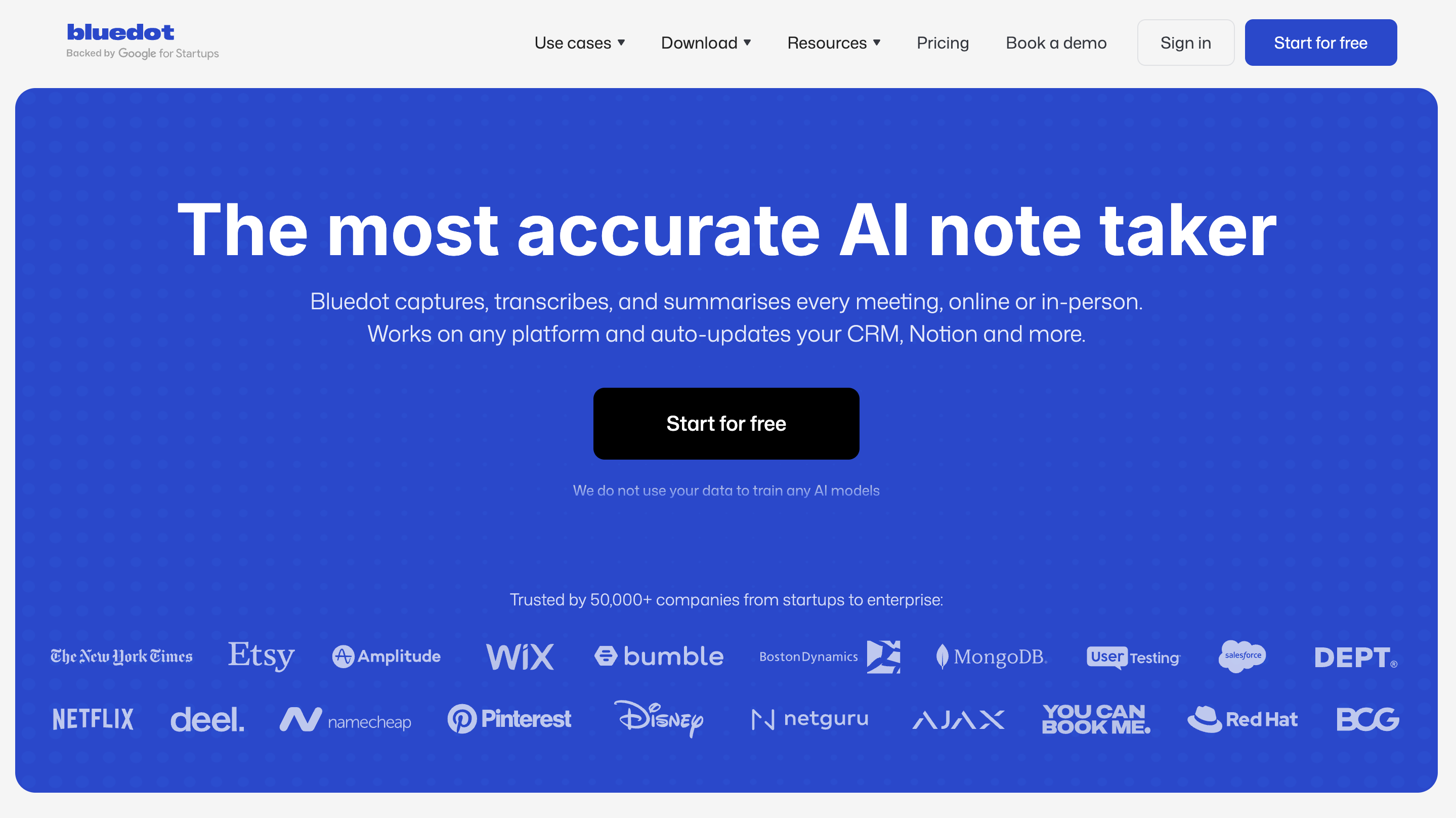
Its main characteristics:
- Records via a Chrome extension, Mac and Windows desktop apps, iOS and Android mobile apps, and an Apple Watch app
- Works with Zoom, Google Meet, Microsoft Teams, Webex, Slack huddles, phone calls, and in-person meetings
- Advertises transcription and summaries in 100+ languages
- Offers a broad set of integrations, including Salesforce, HubSpot, Pipedrive, Greenhouse, Workday, Notion, Slack, Google Drive, Zapier, and Make
- Supports uploading audio and video files (MP4, MP3, M4A, and similar)
- Includes a searchable library of past meetings, highlights, comments, and an AI chat
As of June 2026, pricing is tiered as Free, Basic, Pro, and Business. The published structure is roughly: Free covers 5 meetings lifetime with a 1-hour cap per recording, Basic is unlimited audio-only, Pro adds video and unlimited recording length, and Business unlocks CRM and ATS integrations along with SSO/SCIM and admin controls.
That last point matters: Bluedot's headline strength, CRM and ATS integration, lives in its higher Business tier. If you need meeting data flowing automatically into HubSpot, Salesforce, or an ATS, Bluedot is a clean and capable choice.
What SuperIntern is
SuperIntern is a botless AI meeting assistant from NanoHuman Inc. Instead of sending a bot into your meeting, its desktop app captures your computer's system audio and microphone directly, giving you live transcription, AI Canvas, translation subtitles, and AI chat during the call. No plugin or extension to install.

Its main characteristics:
- No bot joins the meeting; it works wherever your PC can pick up audio, including Zoom, Google Meet, Microsoft Teams, Webex, Slack, Discord, and in-person meetings
- AI Canvas updates structured notes in real time during the call
- Custom instructions let you build purpose-specific note formats for minutes, sales calls, 1-on-1s, interviews, or recurring project syncs
- Real-time translation subtitles in 50+ languages
- Even when two languages are spoken at once, it detects each one and shows subtitles for both
- A custom dictionary corrects proper nouns and domain terms
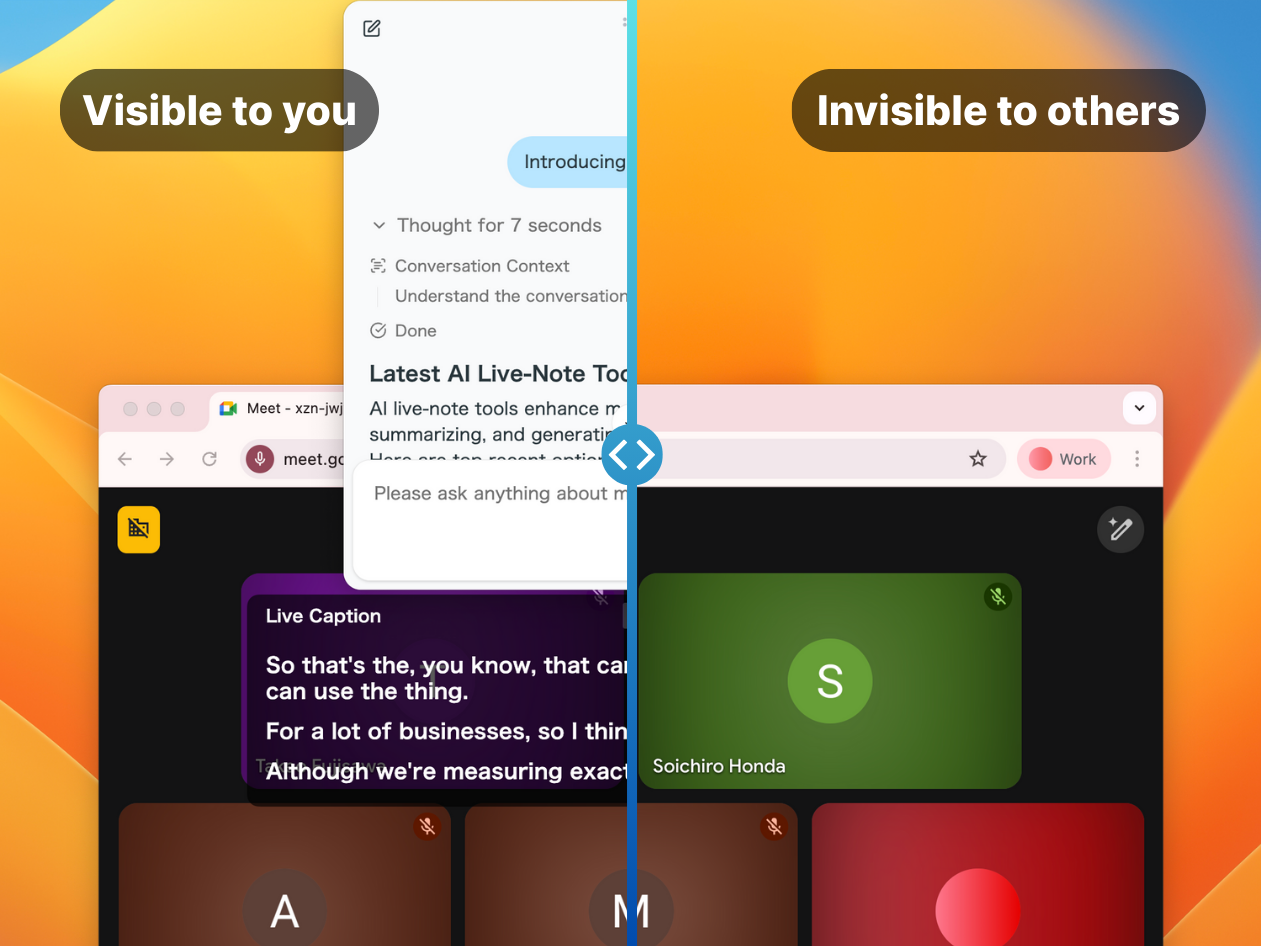
- Invisible Mode keeps the app unobtrusive while screen sharing
- AI chat lets you dig into the content, summarize, and turn it into next actions, both during and after the meeting

Where Bluedot leans toward "record the meeting and route it downstream," SuperIntern leans toward "understand it, organize it, and decide the next action while you're still in the call." Note that SuperIntern is not a sales-automation platform that updates your CRM or ATS for you. If automatically syncing post-meeting data into HubSpot or Salesforce is your main goal, Bluedot is the right pick there.
Comparison
Recording and platforms
| Item | Bluedot | SuperIntern |
|---|---|---|
| Meeting bot | None; records without one | None |
| Capture method | Chrome extension, desktop, mobile, Apple Watch | Desktop app capturing system audio and mic |
| Supported meetings | Zoom, Meet, Teams, Webex, Slack huddles, phone, in-person | Zoom, Meet, Teams, Webex, Slack, Discord, in-person |
| File import | Audio and video upload supported | Live-meeting focused |
In-meeting features
| Item | Bluedot | SuperIntern |
|---|---|---|
| In-meeting notes | Summary and note generation, mostly post-call | AI Canvas updates live, following your custom instructions |
| Real-time translation subtitles | Advertises 100+ languages for transcription/summary | 50+ languages, including two spoken at once |
| Custom dictionary | Confirm in current plans | Register proper nouns and domain terms |
| Screen-share discretion | Bot-free by design | Invisible Mode keeps it unobtrusive while sharing |
| Post-meeting AI chat | Query across past meetings | Dig in, summarize, and create next actions during and after |
Downstream and integrations
| Item | Bluedot | SuperIntern |
|---|---|---|
| CRM/ATS integration | Salesforce, HubSpot, Greenhouse, etc. on the Business plan | Focused on meeting understanding, notes, translation (no CRM automation) |
| Other integrations | Notion, Slack, Google Drive, Zapier, Make, and more | Focused on in- and post-meeting AI features |
| Admin controls | SSO/SCIM on higher tiers | Team management on Team and Enterprise |
Both are close on the "no bot" axis. Bluedot's strength is integration breadth and post-meeting automation; SuperIntern's is real-time understanding during the call.
How to read the pricing
Comparing on price alone hides the differences that matter. Before you decide, line up these dimensions:
| Dimension | What to check |
|---|---|
| Free tier | Recording count, time cap, video support, credit card required |
| Meeting time | Audio-only vs. video, recording length limits |
| Downstream | CRM, ATS, Notion, Slack, Zapier, API/Webhook |
| In-meeting | Real-time notes, translation subtitles, dictionary, screen-share behavior |
| Team rollout | Admin controls, SSO, SCIM, data retention |
Bluedot's published pricing puts 5 lifetime meetings in Free, unlimited audio in Basic, video and unlimited length in Pro, and CRM/ATS plus admin controls in Business.
SuperIntern offers a Free plan plus a Plus plan ($20/month, 100 hours included, unlimited AI chat), a Team plan for companies, and an Enterprise plan for larger organizations.
Prices can change, so put the official pricing pages side by side when you compare.
Use-case recommendations
1. A sales team that wants less CRM busywork
Look at Bluedot first. If your main goal is pushing deal records into Salesforce or HubSpot after the call, Bluedot's CRM integration (Business plan) is a clear strength.
That said, if you also want to see customer concerns, unconfirmed budget, and open follow-ups during the call, SuperIntern's AI Canvas is worth evaluating alongside it.
2. Keeping notes from interviews
Both are candidates. Bluedot has ATS integrations like Greenhouse and Workday, which makes routing candidate conversations downstream straightforward.
SuperIntern fits when you want evaluation criteria, missed questions, concerns, and next steps surfaced into your notes during the interview itself.
3. Lots of multilingual meetings
Look at SuperIntern first. It shines when you want to join with subtitles translated into your language, summarize in a chosen language regardless of what's spoken, and correct proper nouns with a custom dictionary.

Bluedot also advertises transcription and summaries in 100+ languages, but if you specifically want to follow translated subtitles live, test how that feels in a real meeting.
4. Keeping the tool off-screen while sharing
Both are candidates. Neither sends a bot into the meeting.
Beyond that, if you don't want the app visible while you share your screen, and you want translation or notes for your eyes only, check SuperIntern's Invisible Mode.
If you're considering a switch
Before you rush, split your meetings into three types and run both tools in parallel for a week. You'll quickly see whether what you actually need is CRM automation or in-meeting understanding.
| Test meeting | What to check |
|---|---|
| External sales call | Bot-free recording, how it looks while sharing, customer reaction |
| Internal sync | Whether AI Canvas tracks agenda, decisions, and open items |
| Multilingual meeting | Translation subtitles, dictionary, summary language, speaker separation |
FAQ
Are Bluedot and SuperIntern both bot-free?
Yes. Per public information, Bluedot advertises bot-free recording via a Chrome extension and desktop apps. SuperIntern also captures your PC's system audio and microphone through its desktop app, so no bot joins the meeting.
Which is better if CRM integration matters most?
Bluedot. SuperIntern is not a sales-automation platform that updates your CRM or ATS; its strengths are in-meeting AI Canvas, real-time translation, and post-meeting AI chat.
What if I want to upload existing recordings?
Bluedot supports uploading audio and video files. SuperIntern centers on real-time understanding in live meetings, so if processing recorded files is your main goal, confirm the requirements first.
Which is better for multilingual meetings?
If you want to join a meeting while following real-time translation subtitles, SuperIntern is worth a try. Bluedot also advertises multilingual transcription and summaries, but test the subtitle experience in an actual meeting.
Can I try them for free?
Both have free tiers. Recording count, time, video support, and available features differ, so check the latest official pricing pages.
Conclusion
Bluedot AI Note Taker is strong at bot-free recording and at post-meeting automation through a broad set of integrations, including CRM and ATS. If your goal is routing meeting records into back-office workflows, it's a clean and capable choice.
SuperIntern, on the other hand, is a botless assistant centered on the live meeting-AI layer: AI Canvas for deeper in-meeting understanding, real-time translation across 50+ languages, a custom dictionary, and Invisible Mode.
If your goal is to keep a record and route it downstream, try Bluedot. If your goal is to organize the conversation and drive decisions while it's still happening, try SuperIntern.
Ready to follow translated subtitles and shape your notes live in multilingual meetings? Try SuperIntern free, no credit card required.