
Conference Call Transcription Services: How to Choose the Right AI Option in 2026
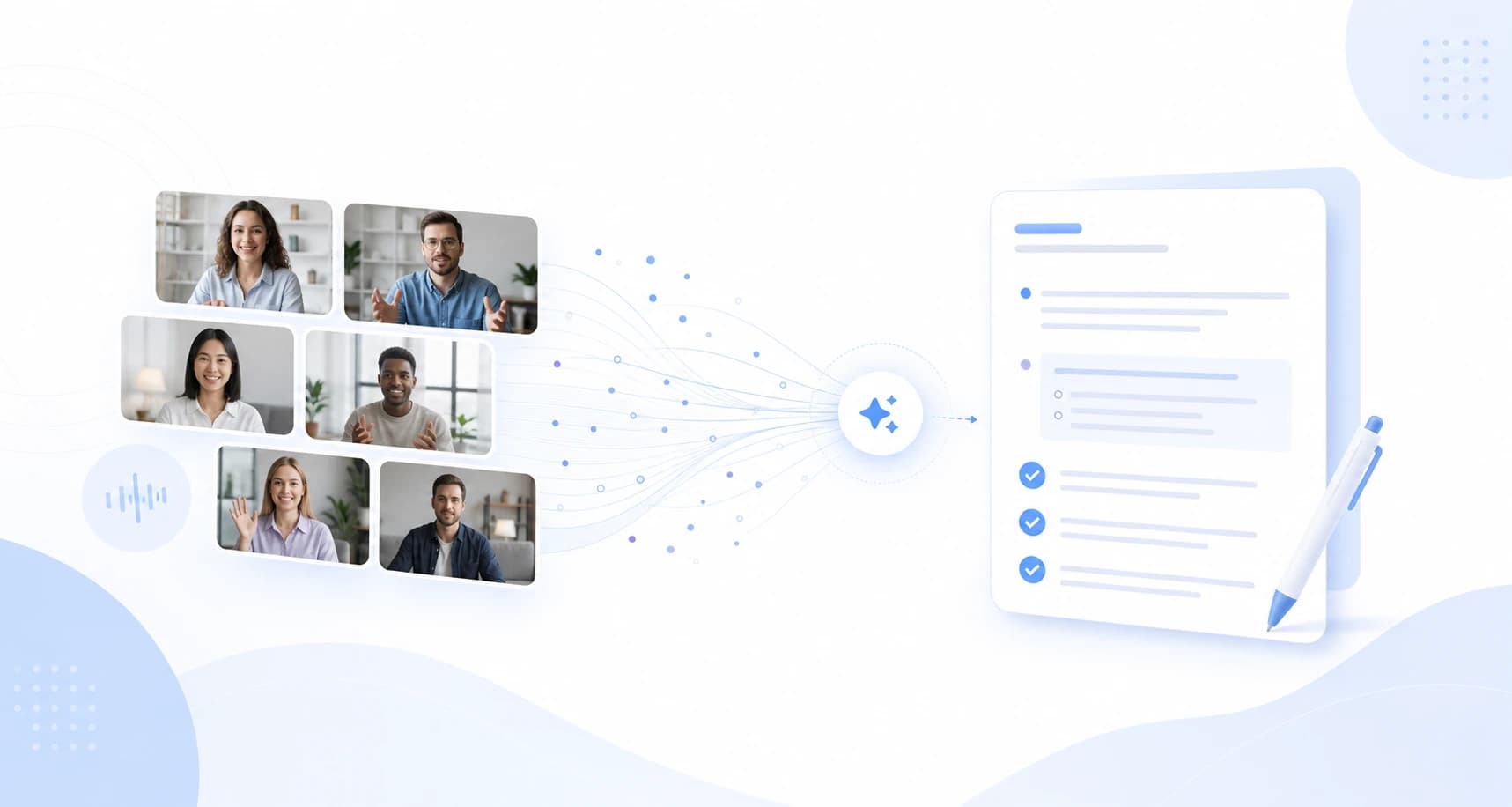
Conference calls are no longer just phone bridges. A single workday can include a Zoom customer call, a Microsoft Teams project sync, a Webex partner meeting, a Slack Huddle, and an in-person debrief. The hard part is not only getting a transcript. It is getting a useful record without changing how the meeting feels.
This guide explains how to choose conference call transcription services in 2026, what native platform transcripts do well, and when a botless AI meeting assistant is a better fit.
⚠️ This article was independently compiled by NanoHuman Inc. based on publicly available information as of May 2026. SuperIntern is a product of NanoHuman Inc.; we describe both its strengths and practical limitations honestly.
Quick Recommendation
| Need | Best pattern | Why it works |
|---|---|---|
| Internal calls on one platform | Native transcript | Lowest setup if everyone already uses the same workspace |
| Client calls and interviews | Botless transcription | No unfamiliar recorder appears in the participant list |
| Multi-platform teams | Desktop AI assistant | Works across Zoom, Teams, Webex, Slack Huddles, browser calls, and in-person meetings |
| Sales or customer discovery | Real-time notes plus transcript | Captures objections, next steps, owners, and quotes while the call is still active |
| Multilingual calls | Transcript plus live translation | Helps people follow the discussion before the summary is written |
If your team only needs a record after a scheduled Teams or Zoom meeting, native transcription may be enough. If you move across platforms or handle external calls, prioritize a service that captures audio locally and creates structured notes in real time.
What Counts as a Conference Call Transcription Service?
A conference call transcription service turns spoken conversation into searchable text. The category now includes four patterns:
| Pattern | Examples | Strength | Common limitation |
|---|---|---|---|
| Native platform transcript | Zoom, Teams, Webex | Built into the meeting platform | Usually tied to plan, host settings, and platform-specific storage |
| Bot-based meeting recorder | Many AI notetakers | Easy calendar automation | A bot joins the meeting and may change participant behavior |
| Browser extension | Some web meeting tools | Lightweight for browser calls | Often weaker for desktop apps, phone calls, or in-person audio |
| Botless desktop assistant | SuperIntern and similar tools | Captures system audio and microphone across platforms | Requires a desktop app and clear consent practices |
The right choice depends less on raw transcription accuracy and more on the meeting context: who is present, which platform they choose, whether a visible bot is acceptable, and what kind of notes you need afterward.
Native Transcripts Are Useful, but Platform-Bound
Zoom, Microsoft Teams, and Webex all provide transcript-related features in different forms. They are convenient when your organization controls the account, host settings, storage, and meeting policy.
The limitation appears when the call is external. You may join a client's Zoom today, a partner's Webex tomorrow, and a Slack Huddle later in the week. Native transcripts often depend on the host, license, recording settings, and whether the platform has enabled the feature for that meeting. If you are not the host, you may not be able to turn it on.
That is why teams searching for conference call transcription services should ask one practical question first: "Do we need the transcript only when we host, or do we need notes for every call we attend?"
Why Botless Matters for External Calls
Bot-based notetakers can be useful for internal recurring meetings. But in a client call, candidate interview, investor conversation, or sensitive 1:1, a bot in the participant list creates friction.
Participants may stop speaking naturally. Some companies block unknown meeting bots. In other situations, the host may ask why a recorder joined. Even when recording is fully permitted, the social signal can distract from the conversation.
Botless transcription tools work differently. A desktop app captures the audio already playing on your device plus your microphone. No meeting participant is added. The transcript and notes are visible to you, while the meeting itself stays unchanged.
That does not remove consent responsibilities. It does reduce the operational friction of getting useful notes across many call types.
Evaluation Angles by Meeting Context
The phrase "conference call transcription" can hide very different jobs. A legal team may need a verifiable record. A sales team may need objections and next steps. A product team may need decision history. Choose the service around the real job, not the category name.
Revenue conversations
For sales and customer discovery, judge a service by how quickly it helps a rep recover the account context: what the customer is trying to change, where the deal may stall, and which facts need to be confirmed. Exact wording is useful, but the operational value is whether the record improves the next customer touch.
Interviews and people conversations
Interview and 1:1 records need a stricter bar for access and retention. The service should help the interviewer stay present, preserve relevant evidence, and avoid spreading sensitive details beyond the people who need them.
Customer operations
Customer success and support calls often mix product feedback, troubleshooting history, renewal risk, and escalation context. The useful record is the one that can be carried into the next operational system without forcing another teammate to replay the call.
Technical decisions
Technical discussions need continuity: assumptions, constraints, terms of art, and the reasoning behind a decision. Custom vocabulary matters because product names, APIs, customer names, and internal project codes are often where transcription trust breaks first.
Requirements Matrix for 2026
| Requirement | Why it matters | Good sign |
|---|---|---|
| Cross-platform capture | Work conversations move between meeting tools | The service works in Zoom, Meet, Teams, Webex, browser calls, and in-person contexts |
| Real-time visibility | Teams can fix missing owners before the call ends | Notes update while the meeting is active |
| Botless option | External calls often feel different when a bot joins | No extra participant appears in the meeting |
| Structured outputs | Raw transcripts are too long for daily operations | Decisions, risks, owners, and deadlines are separated |
| Custom vocabulary | Names and technical terms drive trust | Teams can register product, customer, and domain terms |
| Translation support | Global calls need understanding before recap | Live captions or summaries can be produced in the right language |
| Clear retention model | Transcripts are business records | Storage, deletion, and access rules are easy to explain |
Where SuperIntern Fits

SuperIntern is a botless desktop meeting assistant built for live work conversations. It captures device audio and microphone input, then turns the meeting into real-time transcription, Live Notes, AI Canvas notes, summaries, and post-meeting chat.
For conference call transcription, its strongest fit is not "replace every platform transcript." It is "give one consistent note workflow across every meeting context."
| Conference call problem | How SuperIntern helps |
|---|---|
| The client chooses the platform | Works across Zoom, Google Meet, Teams, Webex, Slack Huddles, Discord, browser calls, and in-person meetings |
| A bot would feel awkward | Botless capture means no recorder joins the participant list |
| Notes are needed before the call ends | Live Notes and AI Canvas update during the meeting |
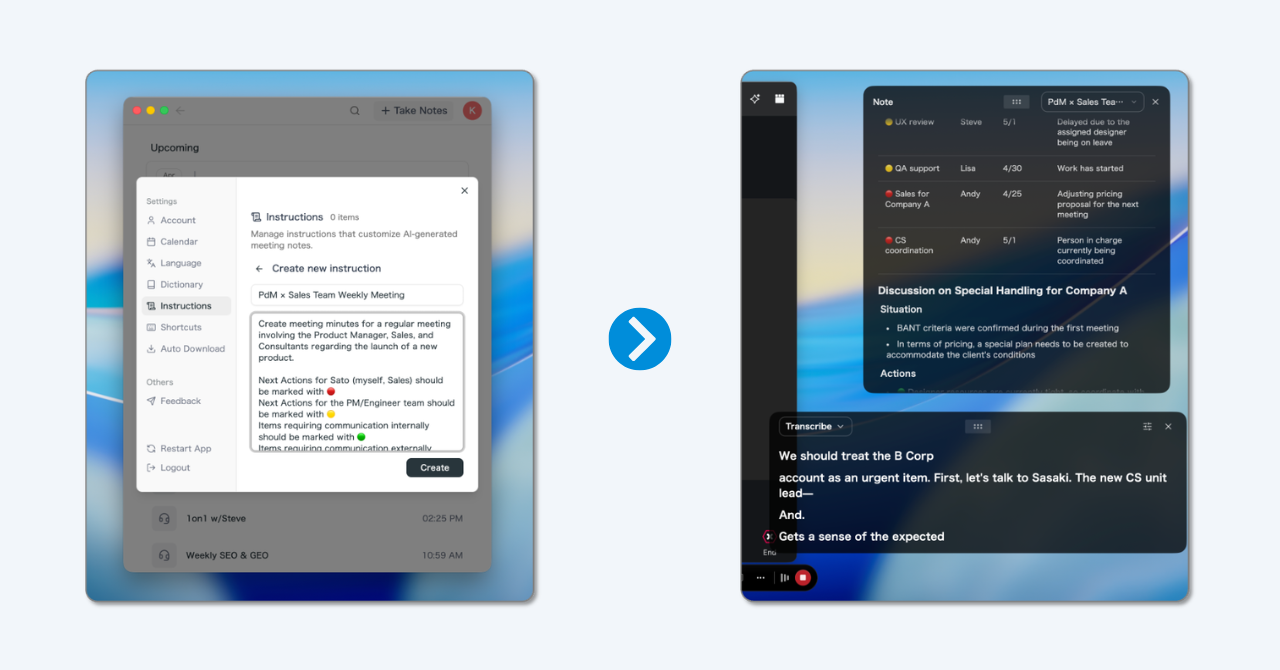
| The team needs usable context, not just raw text | Custom note instructions can focus on objections, ownership, risks, decisions, or follow-up context |
| People speak multiple languages | Real-time translation and translated summaries help multilingual teams follow the call |
Limitations are also clear: SuperIntern is a desktop app, so it is not a file-upload-only transcription bureau. It is strongest for live meetings where you want both transcript and AI notes.
Selection Checklist
Use this checklist before choosing a transcription service.
| Question | Why it matters |
|---|---|
| Will we always be the meeting host? | If not, native platform transcripts may be unavailable |
| Is a visible bot acceptable? | For external calls, botless is often smoother |
| Do we need verbatim transcripts, structured notes, or both? | A transcript alone does not produce follow-up quality |
| Which platforms do we use weekly? | Single-platform tools create gaps |
| Do we need speaker-aware notes? | Action items and objections are easier to trust when attribution is clear |
| Are multilingual calls common? | Live translation matters before the written recap exists |
| How will we handle consent and retention? | Transcription creates records that need policy alignment |
Rollout Design
Once a team chooses a service, the main risk is inconsistent usage. A small operating model prevents transcripts from scattering across private folders and makes notes easier to trust.
Start with high-value records
Do not turn transcription into an automatic reflex for every conversation. Start with calls where the record changes outcomes: external commitments, handoffs between teams, project decisions, incident reviews, and multilingual discussions.
Define output destinations
Decide where each kind of record should live. A customer conversation may belong in a CRM, a product decision in an internal wiki, and an escalation in a ticketing system. The transcription service should reduce movement between systems, not create another archive.
Set review boundaries
Decide which notes remain private, which become team-visible, and which can be turned into customer-facing recaps. For external use, the meeting owner should verify names, commitments, and dates before sharing anything outside the company.
Measure whether the workflow changes behavior
The goal is not to produce more meeting text. Track whether teams stop replaying recordings, reduce context questions, send follow-ups sooner, and make fewer decisions from memory.
Security, Consent, and Cost Questions to Ask
Before rolling out any transcription service, ask the questions that usually surface after the first sensitive call.
| Area | Question to ask |
|---|---|
| Consent | How will participants be informed when transcription or AI notes are used? |
| Access | Who can read the transcript, summary, and AI-generated follow-up? |
| Storage | Where are transcripts stored, and can admins manage retention? |
| Redaction | Can sensitive sections be removed before sharing? |
| Export | Can notes move into approved systems without copy-paste errors? |
| Pricing | Is the plan based on users, hours, recordings, or AI features? |
The cheapest service is not always the lowest-cost workflow. If a tool saves a few dollars but requires manual cleanup after every call, the real cost appears in follow-up delay, lost context, and duplicated notes.
A Practical Setup for 2026
For many teams, the best setup is hybrid:
- Use native transcripts for internal platform-controlled meetings where policy and storage are already configured.
- Use a botless assistant for external calls, interviews, discovery calls, Slack Huddles, and meetings where you are not the host.
- Define where each record should land: CRM, ticket, internal wiki, customer recap, or private personal note.
- Review consent rules and customer-facing language with your legal or security team.
- Keep transcripts searchable, but make the structured summary the default object people read.
FAQ
What is the best conference call transcription service?
The best option depends on the call type. Native transcripts are simple for internal meetings on one platform. Botless AI assistants are better when you need one workflow across external calls, Slack Huddles, Webex, Zoom, Teams, and in-person meetings.
Can AI transcribe a conference call without recording the whole meeting platform-side?
Some desktop tools can transcribe live audio from your device without adding a meeting bot. You still need to follow applicable consent and company policies because a transcript is a meeting record.
Is a transcript enough for sales or customer calls?
Usually no. A transcript is useful evidence, but teams often need structured notes: pain points, objections, next steps, owners, and timeline. That is where real-time AI notes are more useful than a raw transcript alone.
Can one tool handle Zoom, Teams, Webex, Slack Huddles, and in-person meetings?
Platform-native tools usually cannot. A desktop assistant that captures local audio can cover more meeting contexts because it is not tied to a single meeting provider.
Conclusion
The best conference call transcription services in 2026 are not just more accurate speech-to-text engines. They help teams preserve context, reduce meeting follow-up work, and avoid awkward recorder behavior in external calls.
If your meetings move across platforms and you want transcripts plus live structured notes, a botless desktop assistant is the more durable choice.