
Fathom AI Notetaker Alternative: SuperIntern vs Fathom for Live Meeting Notes
Fathom AI Notetaker is popular because it makes meeting capture feel simple.
You join a Zoom, Google Meet, or Microsoft Teams call, let Fathom capture the conversation, and receive a transcript, summary, action items, and follow-up material after the meeting.
That is enough for many teams.
But it is not the only way to run meeting AI.
If you are comparing Fathom with a Fathom AI alternative, the real question is not "which tool records meetings?"
The better question is:
Do you need a post-meeting recorder, or do you need a real-time meeting workspace that helps during the call?
⚠️ This article was independently compiled based on publicly available information and user feedback as of June 2026.
Quick Recommendation
| Need | Better fit |
|---|---|
| Simple AI summaries after calls | Fathom |
| Live notes that update while people talk | SuperIntern |
| A note format you can define once and reuse | SuperIntern |
| CRM-heavy sales workflows | Fathom or a CRM-native stack |
| Real-time translation and captions | SuperIntern |
| Meetings across Zoom, Google Meet, Teams, Webex, Slack Huddles, Discord, and in-person rooms | SuperIntern |
| A low-friction free recorder | Fathom or SuperIntern, depending on workflow |
Choose Fathom if your team mostly wants a clean post-call record with summaries, highlights, and integrations.
Choose SuperIntern if your meeting notes need to become useful while the meeting is still happening.
Fathom AI Notetaker in One Minute
Fathom positions itself as an AI notetaker for meetings.
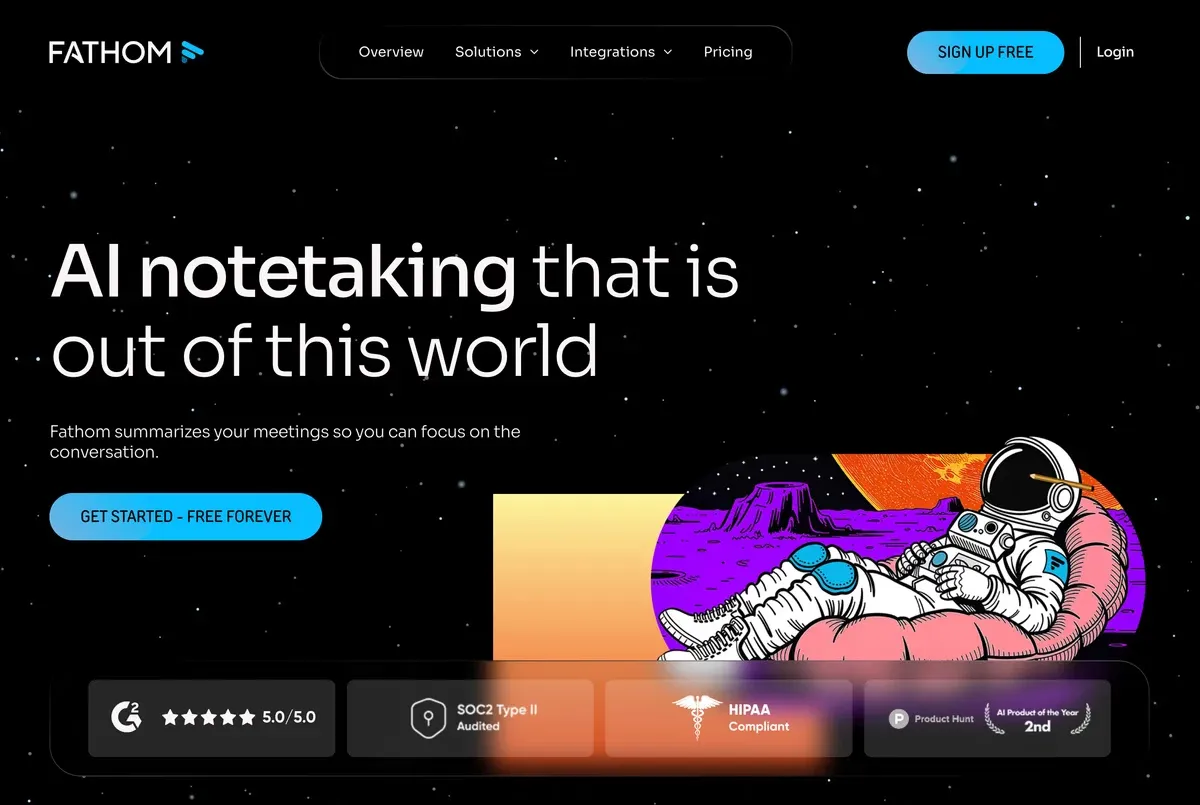
Its official site describes automatic meeting notes, transcripts, summaries, action items, searchable conversations, team workflows, CRM-friendly follow-up, and integrations with tools such as Slack, Salesforce, HubSpot, Notion, Asana, ChatGPT, Claude, and Zapier.
It also now promotes a choice between bot capture and bot-free capture, with the bot-free option presented as a beta feature for Mac in its pricing page.
That is a meaningful update.
If your evaluation still assumes Fathom is only a visible meeting bot, refresh that assumption before you buy.
Where Fathom is strongest:
- Simple meeting capture
- Fast post-call summaries
- Highlights and clips
- CRM and team collaboration features
- A generous free starting point
- Broad awareness in the AI notetaker category
Where buyers often look for another option:
- Live note customization during the call
- Real-time translation
- Meeting-platform independence beyond standard video-call flows
- Discreet screen-sharing behavior
- A workflow that feels less like a recorder and more like an active assistant
Why People Search for a Fathom AI Alternative
The search demand is not vague.
People are not only searching for "AI meeting notes."
They are searching for branded terms such as Fathom AI, Fathom Notetaker, and Fathom AI note taker because they already understand the category and are evaluating whether Fathom is the right long-term workflow.
Common reasons include:
- They like Fathom's free plan but need more control over note structure.
- They want notes that are useful during the meeting, not only afterward.
- They run multilingual meetings and need real-time translation.
- They switch between meeting platforms and offline conversations.
- They do not want a visible meeting assistant to change the tone of external calls.
- They need a meeting record that becomes a project artifact, not just a transcript.
That last point matters.
The difference between a transcript and a decision record can decide whether the follow-up happens at all.
Monthly Pricing Comparison (June 2026)
When comparing pricing, use monthly plans against monthly plans instead of annual-discount prices.
| Plan type | Fathom monthly price | SuperIntern monthly price | What to check |
|---|---|---|---|
| Free | Free: $0/month | Free: $0/month | Fathom emphasizes free meeting recording and transcription. SuperIntern lets teams try AI Canvas, live summary, live transcription, live translation, in-meeting and post-meeting AI chat, and speaker diarization. |
| Individual paid | Premium: $20/user/month | Plus: $20/month | SuperIntern Plus includes 100 hours per month, then $0.02/minute after that. Fathom Premium includes advanced summaries, AI action items, Meeting Assistant, and custom bot options. |
| Team | Team: $19/user/month, 2-user minimum | Team: $35/month | Fathom Team is priced per user. SuperIntern Team is designed for team use and includes member count x 100 hours. |
| Business/Enterprise | Business: $34/user/month, 2-user minimum | Enterprise: contact sales | Compare admin controls, invoicing, zero data retention, SSO, and data-retention needs before choosing. |
Fathom also shows annual discounts on its pricing page, but this comparison uses monthly prices only.
SuperIntern in One Minute
SuperIntern is a desktop AI meeting assistant built around real-time meeting work.
It captures your computer audio and microphone, so no meeting bot needs to appear as another participant.
It works across common meeting contexts because it is not tied to a single platform integration.

The core difference is AI Canvas.
AI Canvas lets you save a meeting-note instruction once, then have the note fill itself during the call in the structure you chose.
For example, a product manager can use one canvas for roadmap syncs, a sales lead can use another for discovery calls, and a founder can use another for investor updates.

SuperIntern also supports:
- Real-time transcription
- Speaker-aware notes
- Real-time translation and live captions
- Custom dictionary terms for names and technical vocabulary
- Invisible Mode for screen sharing
- Post-meeting AI chat based on the meeting content
- Summaries in the language you choose
This makes it a stronger fit when the meeting record needs to guide the conversation, not just summarize it afterward.
Fathom vs SuperIntern: Core Difference
| Category | Fathom AI Notetaker | SuperIntern |
|---|---|---|
| Primary workflow | Capture, summarize, share after the meeting | Capture, structure, translate, and assist during the meeting |
| Note structure | Strong summaries and templates, especially for post-call workflows | AI Canvas fills a user-defined note format live |
| Bot behavior | Offers bot and bot-free capture options; verify availability for your plan/device | Botless by design through desktop audio capture |
| Translation | Not the main positioning | Real-time translation and live captions |
| Platform fit | Strong for common video meeting workflows | Works across meeting platforms and in-person audio contexts |
| Screen-share discretion | Check current product behavior | Invisible Mode hides the UI from screen sharing/screenshots |
| Best for | Sales follow-up, summaries, team call libraries | Live decision records, multilingual calls, structured workflows |
The practical difference shows up during the meeting.
If you only need a recap after the call, Fathom can work well.
If you want to look at the note mid-call, correct the direction, ask AI a question, or keep a reusable structure filling in live, SuperIntern is designed for that moment.
Decision Matrix
| If your team says... | Choose |
|---|---|
| "We want a free AI recorder that produces quick summaries." | Fathom |
| "We need every meeting to follow our own note format." | SuperIntern |
| "Our sales team lives in CRM and wants highlights pushed into follow-up." | Fathom |
| "Our customer calls often switch languages." | SuperIntern |
| "We need one assistant for Zoom, Meet, Teams, Slack Huddles, Discord, and ad hoc calls." | SuperIntern |
| "We want to search and share a library of customer conversations." | Fathom |
| "We need a meeting artifact we can use before the call ends." | SuperIntern |
Where Fathom Is the Better Choice
Fathom is a good fit when the workflow is straightforward.
You want the meeting recorded.
You want a transcript and summary.
You want highlights, clips, or CRM-friendly next steps.
You may also want a generous free plan and a familiar AI notetaker experience.
Fathom can be especially attractive for:
- Account executives who want quick call recaps
- Customer success teams that review customer conversations after the fact
- Managers who want shared visibility across many calls
- Teams that prioritize integrations over live note customization
- Individuals who want meeting capture without building a custom note process
In those cases, the important buying questions are:
- Does Fathom support the platforms you use most?
- Does the capture mode you want work on your device?
- Are the summaries detailed enough for your review process?
- Do your stakeholders accept the recording and consent workflow?
- Are the integrations worth the paid tier for your team?
Where SuperIntern Is the Better Choice
SuperIntern is a stronger Fathom alternative when meetings are not just events to record.
They are working sessions.
A project review may need risks, decisions, blockers, owners, and deadlines separated while the discussion is happening.
A sales discovery call may need pain, impact, objections, next steps, and competitor mentions captured in different sections.
A bilingual customer meeting may need translated captions during the call and a summary in English afterward.
That is where AI Canvas changes the workflow.
Instead of hoping the post-call summary chooses the right structure, you define the structure up front.
SuperIntern then writes into it live.
Real-Time Notes vs Post-Meeting Summaries
| Workflow question | Post-meeting summary | Live AI Canvas note |
|---|---|---|
| Can the team correct direction during the meeting? | Usually no | Yes |
| Can the note expose missing owners before the call ends? | Usually no | Yes |
| Can the note follow a role-specific format? | Sometimes | Yes, by instruction |
| Can the note support multilingual listening live? | Usually no | Yes |
| Can the team use it as the agenda and record together? | Limited | Strong |
Post-meeting summaries are useful.
They are just late.
For high-stakes calls, the most valuable time to know that an action item is missing is before everyone leaves.
Example: Sales Discovery
With a normal AI notetaker, a sales rep may receive a summary like:
- Customer wants a better onboarding process.
- Budget is not confirmed.
- Follow-up with pricing.
That is helpful, but it may miss the operating structure a sales team actually needs.
With SuperIntern's AI Canvas, the saved instruction can request:
- Current workflow
- Pain points
- Business impact
- Decision criteria
- Buying committee
- Objections
- Mutual action plan
- Follow-up email draft
The note fills those sections live.
The rep can see during the call that "decision criteria" is still empty and ask a better question.
That is not merely transcription.
It is meeting execution.
Example: Multilingual Customer Call
Fathom is useful when everyone can comfortably follow the spoken language and mainly needs a record afterward.
SuperIntern is stronger when language support is part of the meeting itself.

In a multilingual call, SuperIntern can provide live captions and translation while still producing a structured note.
That matters when:
- A Japanese founder is pitching a US investor.
- A German customer asks technical questions in English.
- A Spanish-speaking partner switches between Spanish and English.
- A distributed team wants the final note in one shared language.
The value is not only translation.
It is translation plus the meeting artifact.
Adoption Checklist
Before choosing Fathom, SuperIntern, or another AI notetaker, answer these questions:
- Do we need help during the meeting or only after it?
- Do our calls require a visible participant, a bot-free capture mode, or both options?
- Which meeting platforms do we actually use every week?
- Do we need real-time translation or just transcription?
- Do we need a custom note format for different meeting types?
- Who owns consent and recording policy?
- Where should the final note go after the meeting?
- Do we need CRM sync, project-task follow-up, or both?
- Will the tool work for internal, external, and in-person conversations?
If most answers point to post-call organization, Fathom may be enough.
If most answers point to live meeting execution, SuperIntern is the better place to start.
Common Mistakes When Comparing AI Notetakers
Mistake 1: Comparing only summary quality
Summary quality matters, but workflow timing matters more.
A good summary tomorrow cannot fix an unclear decision today.
Mistake 2: Ignoring capture behavior
Some teams are comfortable with visible meeting assistants.
Others are not.
Confirm how each tool captures audio, what participants see, and whether your organization requires disclosure.
Mistake 3: Treating all "AI notes" as the same
A transcript, a summary, a live note, an action plan, and an AI chat workspace are different artifacts.
Decide which artifact your team actually needs.
Mistake 4: Forgetting multilingual meetings
If even 20 percent of your important calls include a second language, translation should be part of the evaluation from the start.
Mistake 5: Choosing for one team only
Sales, product, engineering, operations, HR, and founders use meeting records differently.
Test the tool against at least three meeting types before rolling it out.
FAQ
Is Fathom AI Notetaker free?
Yes.
As of June 2026, Fathom lists Free at $0/month, Premium at $20/user/month, Team at $19/user/month with a 2-user minimum, and Business at $34/user/month with a 2-user minimum.
For a fair comparison, use monthly prices even when annual discounts are shown.
SuperIntern lists Free at $0/month, Plus at $20/month, Team at $35/month, and Enterprise as contact sales.
Does Fathom have bot-free capture?
Fathom's official messaging now promotes a choice between bot and bot-free capture, with bot-free noted as beta for Mac on its pricing page at the time of writing.
Do not rely on old comparisons that say Fathom is only bot-based.
Is SuperIntern botless?
Yes.
SuperIntern is designed as a botless desktop meeting assistant.
It captures device audio and microphone audio instead of joining the call as another participant.
Which is better for real-time translation?
SuperIntern is the stronger fit when real-time translation and live captions are important.
Fathom is better known for meeting capture, summaries, and follow-up workflows.
Which is better for sales teams?
It depends on the sales motion.
Choose Fathom if CRM-friendly summaries and call libraries are the priority.
Choose SuperIntern if reps need a live discovery canvas, multilingual support, and structured notes before the call ends.
Which tool should a global team try first?
Try SuperIntern first if the team works across languages, platforms, and external meeting contexts.
Try Fathom first if the team primarily wants a simple recorder and summary workflow for standard video meetings.
Final Take
Fathom AI Notetaker is a strong product for teams that want simple meeting capture and post-call summaries.
But the best Fathom AI alternative is not just another recorder.
For teams that need live structure, real-time translation, botless capture, custom note formats, and meeting-aware AI during the call, SuperIntern is the more operational choice.