
Free AI Meeting Minutes App: How to Write Better Meeting Protocols with AI
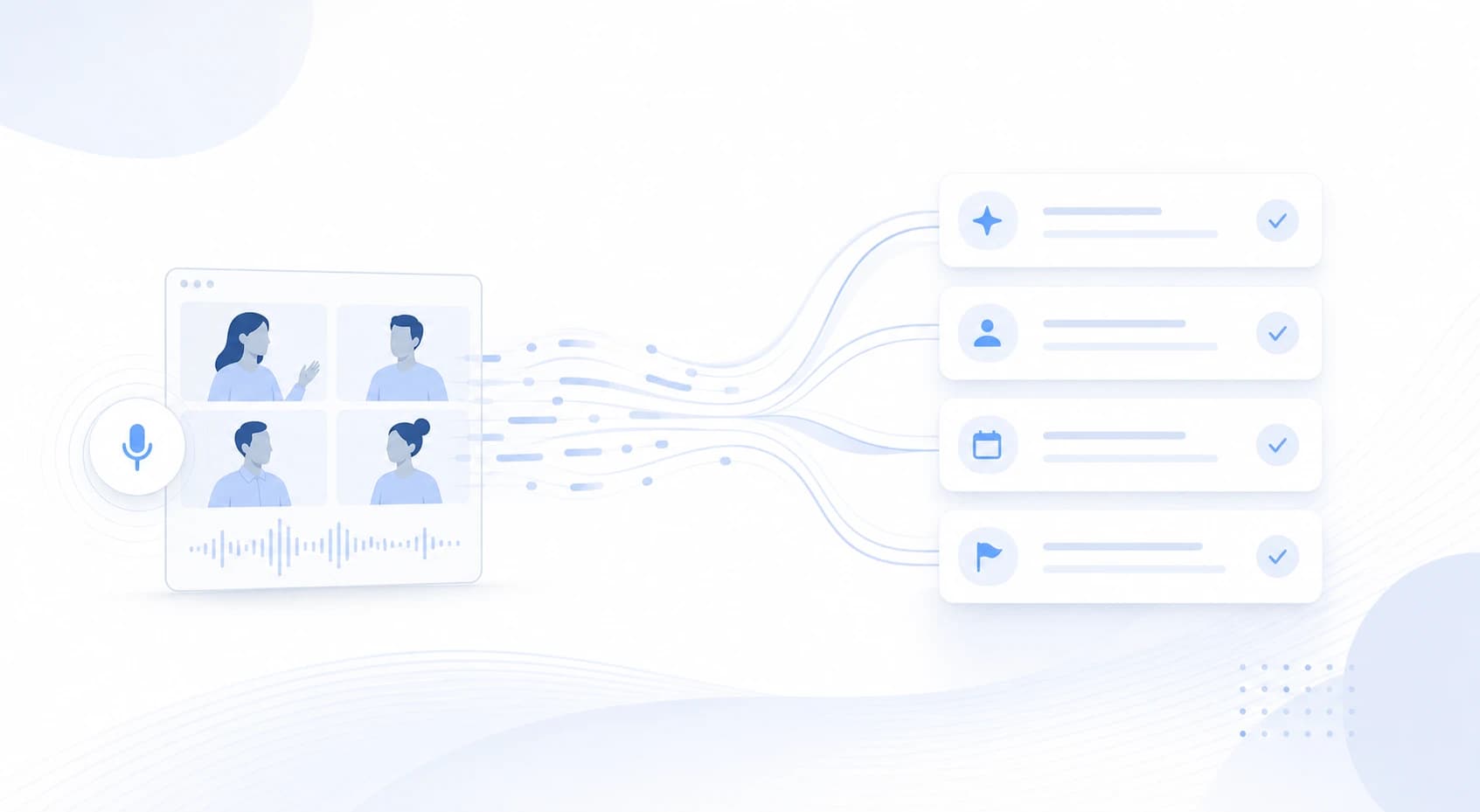
Teams do not usually search for a free AI meeting minutes app because they love documentation.
They search because meeting notes keep falling through the cracks.
Someone promises to write the minutes later, the transcript is too long, the summary misses the decision, and the follow-up arrives with vague ownership.
The real goal is not "more notes."
The goal is a meeting protocol that captures decisions, owners, risks, and next steps while the conversation is still fresh.
This guide explains how to choose a free AI meeting minutes app, when a template is enough, when live capture matters, and where SuperIntern fits as a botless meeting assistant.
⚠️ This article was independently compiled based on publicly available information and user feedback as of June 2026.
Quick Recommendation
| Situation | Best starting point | Why |
|---|---|---|
| You write minutes once in a while | Static document template | Fast and free, but manual |
| You already have recordings | Post-meeting AI summary | Useful for review, weaker for live decisions |
| You need clarity during the meeting | Live AI meeting minutes app | Decisions and action items can be checked before everyone leaves |
| A visible bot would be awkward | Botless desktop assistant | No extra participant joins the call |
| Your meetings move across Zoom, Teams, Meet, Webex, and in-person rooms | Platform-agnostic audio capture | The workflow does not depend on the host platform |
| Your team is multilingual | Live transcription plus translation | People understand the meeting before the recap exists |
If you only need a reusable template, start with Google Docs, Notion, or Word.
If your team runs customer calls, interviews, product reviews, or leadership meetings every week, test a tool that can create structured minutes during the conversation.
What an AI Meeting Minutes App Should Actually Do
A useful meeting protocol is not a raw transcript.
It is not a generic AI paragraph either.
Good minutes answer five practical questions:
- What did we decide?
- Why did we decide it?
- Who owns each next step?
- What risks, open questions, or dependencies remain?
- Where should the information go after the meeting?
That means the app should do more than turn speech into text.
It should convert the discussion into a structure your team can use.
Transcript vs Summary vs Meeting Protocol
| Output | What it contains | Best for | Common limit |
|---|---|---|---|
| Transcript | Most of what was said | Search, audit, detail review | Too long for everyday follow-up |
| Summary | Main points in a short format | Quick context | Owners and reasoning can be missing |
| Meeting protocol | Decisions, actions, context, risks | Operational follow-through | Needs a clear structure |
| Live protocol | Structured notes while the meeting happens | Immediate correction and alignment | The tool must capture reliably |
Many free tools say they create meeting minutes.
In practice, they often create a short summary after the call.
That may be fine for a simple internal sync.
It is usually not enough for sales calls, hiring loops, customer escalations, and product decisions.
Free Is Not Just the Subscription Price
A free AI meeting minutes app still has operational cost.
The cost may show up as:
- editing time after every meeting
- lost decision history
- unclear ownership
- repeated alignment calls
- compliance review
- participant discomfort when a bot joins
- copy-paste work between tools
- platform gaps when the host uses a different meeting app
A free plan is valuable when it lets you test real meetings end to end.
It is less useful when it only creates a sample transcript and leaves the actual protocol work to the team.
Selection Criteria
| Criterion | What to ask | Why it matters |
|---|---|---|
| Capture model | Does a bot join, or does the app work locally? | External calls can be sensitive to visible recorders |
| Live usefulness | Can people see structured notes during the meeting? | Mistakes can be corrected before the call ends |
| Platform coverage | Does it work with Zoom, Teams, Meet, Webex, Slack Huddles, and in-person audio? | Real calendars are mixed |
| Custom structure | Can you define the note format? | Sales, recruiting, and product reviews need different outputs |
| Language handling | Can the final notes be in the language your team uses? | Global teams need flexible output |
| Consent and governance | Can you explain access, storage, and retention? | Minutes often contain business-sensitive information |
| Export workflow | Can notes move into CRM, wiki, or project tools cleanly? | Minutes are useful only when they reach the next system |
| Free trial depth | Can you test actual recurring meetings? | Accuracy and acceptance require real calls |
Four Common Ways to Create AI Minutes
1. A Static Template
The simplest workflow is a document with headings:
- agenda
- decisions
- action items
- owners
- due dates
- open questions
It is free and familiar.
It also requires someone to write while participating.
When the note-taker is also selling, moderating, interviewing, or making decisions, quality drops.
2. Transcript Plus Post-Meeting AI
This workflow starts with a recording or transcript.
After the meeting, an AI tool turns it into a summary or protocol.
The advantage is convenience.
The limit is timing.
If a decision was unclear, you discover that after everyone has left.
3. Bot-Based AI Notetaker
Many AI meeting assistants join the call as an additional participant.
This can be convenient for calendar-based automation.
It can also be awkward in customer calls, interviews, investor conversations, or sensitive internal meetings.
The workflow depends on whether the bot is allowed in that meeting environment.
4. Botless Desktop Assistant
A botless desktop assistant captures computer audio and microphone audio from the user's device.
No extra meeting participant appears.
That is useful when your week includes Zoom, Google Meet, Microsoft Teams, Webex, Slack Huddles, Discord, browser calls, and in-person conversations.
The tradeoff is that people need a desktop app and correct audio permissions.
Where SuperIntern Fits
SuperIntern is a botless desktop meeting assistant from NanoHuman Inc.
It captures device audio and microphone input without sending a meeting bot into the call.
That makes the same note-taking workflow available across multiple meeting environments.

For free AI meeting minutes workflows, the important capabilities are:
- live transcription during the meeting
- speaker-aware notes
- AI Canvas for custom meeting note structures
- real-time translation and live captions for multilingual discussions
- custom dictionary for names, product terms, and domain vocabulary
- Invisible Mode for screen sharing
- post-meeting AI chat based on meeting content

SuperIntern is less like a static minutes template and more like a live operating workflow.
You define the kind of protocol you need before the call, and the assistant structures the meeting as it unfolds.
AI Canvas Beats a One-Size-Fits-All Template
A traditional minutes template might include:
- topic
- decision
- action item
- owner
- deadline
That is helpful.
It is also too generic for many real meetings.
A sales discovery call should preserve pain points and buying signals.
A product review should preserve alternatives and tradeoffs.
A hiring interview should preserve evidence and follow-up questions.
AI Canvas lets you change the lens.
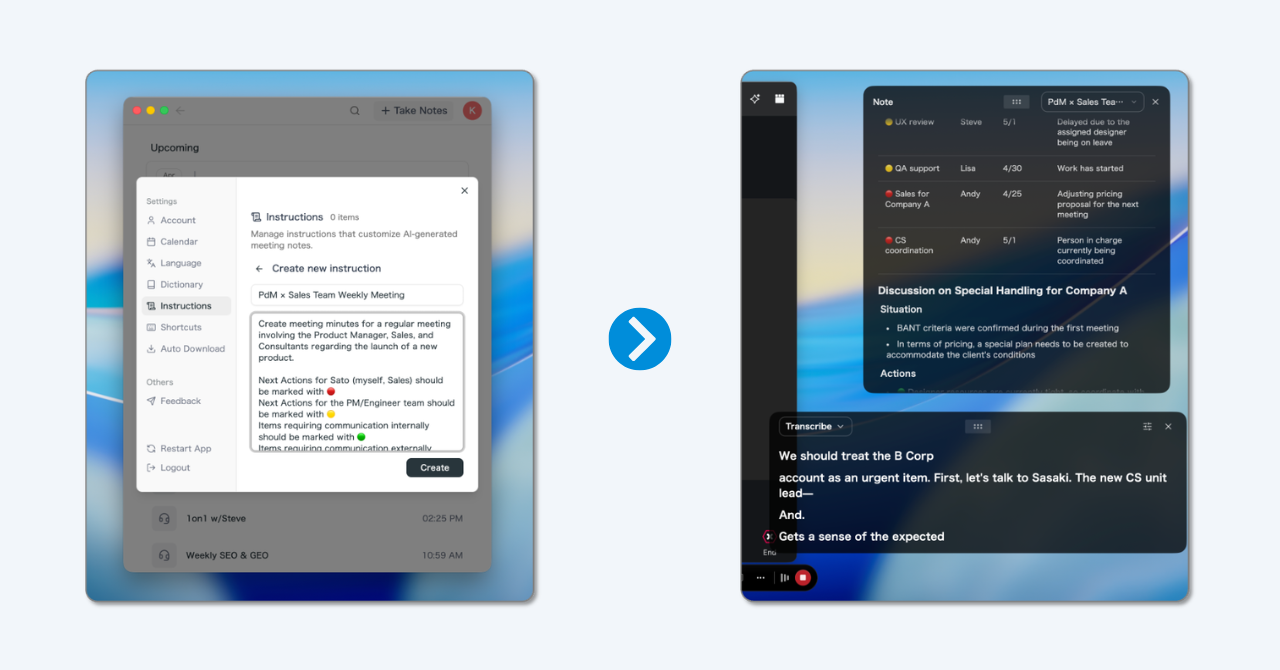
Example instruction for sales:
Capture pain points, budget signals, objections, decision process, next steps, and risks. Highlight unresolved questions that must be addressed before follow-up.
Example instruction for product:
Capture user problem, hypotheses, decisions, rejected alternatives, technical dependencies, and explicit owners.
Example instruction for recruiting:
Capture evaluation signals, concrete examples, open risks, next interview questions, and follow-up tasks. Avoid unnecessary personal details.
The point is not that AI magically knows your protocol.
The point is that your team can define the desired structure before the meeting starts.
A Practical Testing Workflow
Step 1: Pick Three Meeting Types
Do not test every meeting at once.
Choose three recurring formats:
- sales discovery
- customer onboarding
- product decision review
This reveals whether the app handles different protocol styles.
Step 2: Define the Desired Output
Before the test, write down the result you need.
Examples:
- CRM note with pain points and next steps
- project update with risks and owners
- interview debrief with evidence
- leadership protocol with decision rationale
Without a target, people judge whether the AI text sounds good.
With a target, they judge whether it saves work.
Step 3: Evaluate Live and After the Meeting
Measure two moments:
- During the meeting: did the notes help clarify an open point?
- After the meeting: could the output be shared with little editing?
A post-meeting summary tool can still be useful.
For high-value workflows, live usefulness is often the difference.
Step 4: Set Consent and Retention Rules
Botless capture still needs clear behavior.
Decide:
- when AI assistance is used
- how participants are informed
- who can access transcripts and minutes
- which meetings should not be captured
- how long content is retained
- what can be redacted before sharing
Free testing should not skip governance.
Decision Matrix
| Question | If yes | If no |
|---|---|---|
| Do you only need a simple template? | Use a document template | Test an AI minutes app |
| Do minutes often require editing? | Prioritize live structure | A post-call summary may be enough |
| Are many meetings external? | Prefer botless capture | Bot-based tools may be acceptable |
| Do meetings happen across several platforms? | Test desktop capture | Native platform features may work |
| Is the final note language different from the spoken language? | Check translation and output language controls | Monolingual tools may be enough |
| Do names and technical terms matter? | Test custom vocabulary | Standard transcription may work |
| Must notes land in CRM or wiki? | Check export and copy workflow | Manual sharing may be fine |
Common Mistakes
Measuring Only Transcript Accuracy
Accuracy matters, but it is not the whole product.
A precise transcript can still become a poor protocol if decisions and actions are not structured.
Testing Only Easy Internal Meetings
Simple status meetings are too forgiving.
Test at least one messy meeting with multiple speakers, topic changes, and unresolved questions.
Failing to Define the Structure
If you do not tell the AI what kind of minutes you need, you usually get a generic summary.
Generic summaries are rarely the highest-value output.
Ignoring the Social Effect of a Bot
A visible bot is normal in some organizations.
In other conversations, it feels like another person has joined.
Evaluate participant comfort, not only feature lists.
When SuperIntern Is Not the Best Fit
SuperIntern is strongest for live meetings where understanding, notes, translation, and follow-up need to happen around the conversation itself.
It is less suitable if your main job is batch-processing old audio files.
It may also be a poor fit if your organization cannot install desktop apps.
If you only need occasional static minutes, a document template is simpler.
Conclusion
A free AI meeting minutes app should not just reduce subscription cost.
It should reduce meeting follow-up cost.
The best question is not: "Which app can generate any minutes for free?"
The better question is: "Which app can create a protocol during our real meeting that we can actually use afterward?"
If your calendar includes mixed platforms, external calls, and multilingual work, try a botless live workflow.
SuperIntern combines local audio capture, live transcription, AI Canvas, translation, and post-meeting AI chat for that use case.