
7 Happy Scribe Alternatives for Transcription, Subtitles and Meetings (2026)
Happy Scribe is one of the best-known tools for transcription and subtitles. You upload a file, choose AI or human transcription, and export it in whatever format your workflow needs. For video and multilingual content, it remains a strong choice.
The question usually comes up when the work changes. Your material may no longer be finished files but live meetings. You may not want a bot in the call, or the included minutes may run out too quickly. This guide covers what Happy Scribe offers today, where it falls short, and which alternative suits each situation.
⚠️ This article was independently compiled based on publicly available information and user feedback as of November 2026.
Table of Contents
- Quick answer: which alternative fits you
- What Happy Scribe is and what it does well
- Five reasons to look for an alternative
- The 7 best Happy Scribe alternatives
- Feature comparison table
- What 30 hours of audio a month costs
- Privacy and GDPR: what to check
- Decision guide by use case
- How to switch without losing anything
- Common comparison mistakes
- Frequently asked questions
- Conclusion
Quick answer: which alternative fits you
Start by deciding what dominates your month: finished files, video with subtitles, or live meetings. The right answer depends almost entirely on that.
| Your priority | Best option | Why |
|---|---|---|
| Live meetings without a bot, with notes during the call | SuperIntern | Captures audio from your computer and builds notes as you talk |
| Lots of files at a flat price | TurboScribe | Unlimited plan for one person |
| Large AI minute bundles | Transkriptor | 2,400 minutes a month on Pro |
| Pay as you go, no subscription | Sonix | $10 per hour |
| EU hosting and human transcription | Amberscript | EU servers and ISO 27001, according to the vendor |
| Confidential interviews, no cloud | noScribe | Runs on your computer, free and open source |
| English-language meetings with team features | Otter | Established assistant with a free plan |
If your main job is professional subtitling and exports for video editing, you may not need to switch at all. Happy Scribe covers that ground better than most tools here.
What Happy Scribe is and what it does well
Happy Scribe is a transcription, subtitling and meeting notes service founded in 2017. According to its website, the company is based in Dublin and hosts data in the European Union. It has three product lines: file transcription, subtitles, and an assistant that joins meetings.
| Feature | Happy Scribe (November 2026) |
|---|---|
| Free plan | 10 file minutes once, Notetaker recordings up to 45 minutes each, 30-day history |
| Basic | $17 a month, or $8.50 billed annually, 120 minutes a month, 1 seat |
| Pro | $29 a month, or $19 billed annually, 600 minutes a month, 3 seats |
| Business | $89 a month, or $59 billed annually, 6,000 minutes a month, 5 seats |
| Extra minutes | $0.20 per minute |
| Human transcription | Separate, from $2 per minute ($1.90 on Business) |
| AI languages | 150+ |
| Export | 15+ formats on Pro and Business, including SRT, VTT, STL, DOCX and FCPXML |
| Security | SOC 2 Type 2, GDPR and an EU data center, according to the vendor |
Its strengths are clear. The subtitle editor is thorough, the export formats fit Premiere, Final Cut and Avid, and the human option helps when the text has to be close to perfect. Happy Scribe advertises up to 99% accuracy for that service and 85 to 95% for automatic output. These are vendor figures, so test them on your own audio.
Five reasons to look for an alternative
1. The meeting assistant is a bot
Happy Scribe's Notetaker joins Zoom, Google Meet and Microsoft Teams calls as another participant. The company itself calls it the "Notetaker bot" and lets you brand it with your logo. That works well for internal meetings, but a visible bot can feel awkward with clients, candidates or executives, and some companies block bots by policy.
2. Notes arrive after the meeting
According to its product page, the transcript and summary are posted when the call ends. It does not describe an on-screen transcript for following along on your computer, or live translation during the meeting. If you want to confirm a decision before everyone leaves, you need a different kind of tool.
3. Included minutes are modest
Basic includes 120 file minutes a month and Pro includes 600. Unused minutes reset at renewal, and extra ones cost $0.20 each, or $12 an hour. At higher volumes, the jump to Business or the cost of credits matters more than it does with flat-price services.
4. There is no desktop app yet
The pricing page marks the Mac and Windows app as "Soon." Today you get the web app, a browser recorder, and iOS and Android apps. If you want the work to happen on your computer during the call, that narrows your options.
5. A transcript is not always a set of minutes
Happy Scribe generates editable summaries, but its historic strength is files and subtitles. If each meeting type needs its own format, such as decisions and tasks for a steering committee or objections and next steps for sales, you may prefer a tool designed to fill that structure as people speak.
The 7 best Happy Scribe alternatives
1. SuperIntern: best for live meetings without a bot
SuperIntern works at a different moment than Happy Scribe. The desktop app for Mac and Windows captures meeting audio from your computer and transcribes in real time, with no bot joining the call. It works with Zoom, Google Meet, Teams, Webex and Slack Huddles.
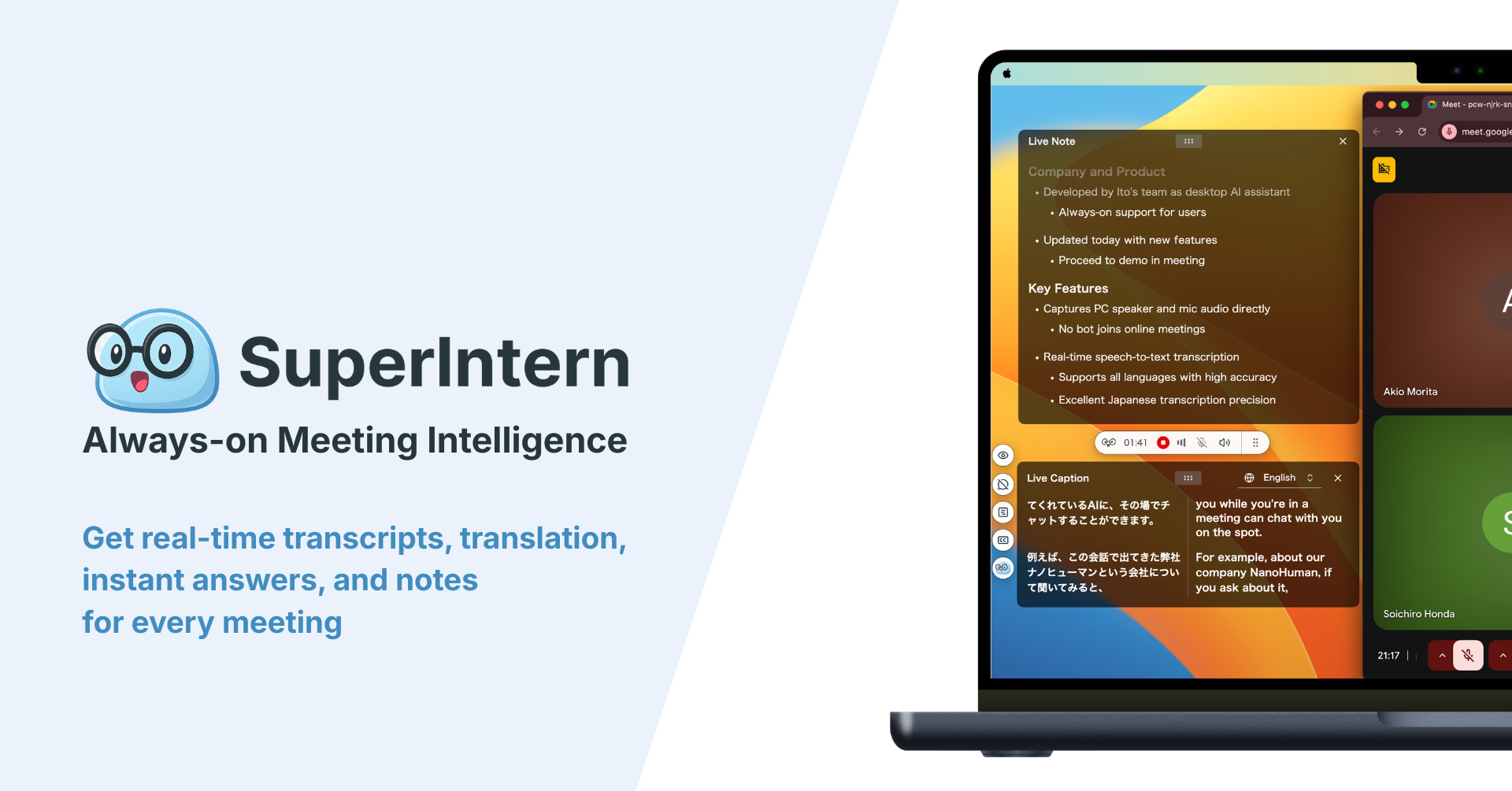
With AI Canvas, you save a structure for each type of meeting. The note fills in during the conversation, so you can clear up anything vague before the call ends.
For international meetings, real-time translation and captions cover more than 50 languages, and the summary can be written in the language you choose even if the meeting ran in another one.
Many users tell us SuperIntern's accuracy is well ahead of other tools. You can try it for free, so we encourage you to check it on a real meeting.
- Strengths: Live transcription and translation, AI Canvas, AI chat during and after the meeting, custom dictionary, Invisible Mode during screen sharing
- Limits: Live meetings require the desktop app. Uploads are audio only, up to 5 hours and 1 GB per file. It is not a subtitle editor and offers no human transcription, so Happy Scribe fits those jobs better.
- Price: Free plan with a time limit. Plus costs $20 a month with 100 hours included, then $0.02 per minute.
2. TurboScribe: best for lots of files at a flat price
TurboScribe is a Whisper-based file upload service. Its Unlimited plan removes minute counting, which helps podcasters and journalists with large archives.
- Strengths: No practical volume cap, up to 10 hours per file, 98+ languages, SRT and VTT export
- Limits: Main infrastructure in the US, no live feature listed, plan built for one person
- Price: Free with 3 files a day. Unlimited costs $20 a month, or $10 billed annually.
3. Transkriptor: best for large minute bundles
Transkriptor offers file transcription with AI summaries and chat, plus volume tiers for heavier use.
- Strengths: 100+ languages, AI included in Pro, stated commitment not to train on your data
- Limits: Unused minutes expire monthly, and we found no information on EU hosting
- Price: Lite $9.99 a month for 300 minutes. Pro $19.99, or $8.33 billed annually, for 2,400 minutes.
4. Sonix: best for pay as you go
Sonix lets you pay only for what you transcribe. It is a reasonable pick if your needs are irregular and you do not want another subscription.
- Strengths: No subscription needed, 54+ languages, 30-minute free trial
- Limits: Expensive for regular use, and GDPR and HIPAA appear tied to the Enterprise plan
- Price: $10 an hour with no subscription, Core $25 a month for 5 hours, Pro $80 for 40 hours
5. Amberscript: best for EU hosting with human transcription
Amberscript is the most direct alternative if you value the same things as in Happy Scribe: a European service with people in the loop. It says it stores files in the EU and states ISO 27001 and ISO 9001 certification.
- Strengths: 90+ automatic languages, human transcription at 99% accuracy according to the vendor
- Limits: Higher hourly cost and no real-time meeting assistant
- Price: Starter €19 a month for 5 hours, Pro €29 for 10 hours, Power €49 for 25 hours, human transcription from €1.85 per minute
6. noScribe: best for transcribing without the cloud
noScribe is a free, open source app for Windows, macOS and Linux. All processing happens on your machine, so audio never leaves your computer.
- Strengths: No cost, no cloud, speaker identification, around 60 languages
- Limits: Can be slow on ordinary laptops, with no AI summaries or live features
- Price: Free, with optional donations
7. Otter: best for English-speaking teams
Otter offers live transcription and summaries with an established team ecosystem. Its language coverage is far narrower than Happy Scribe's.
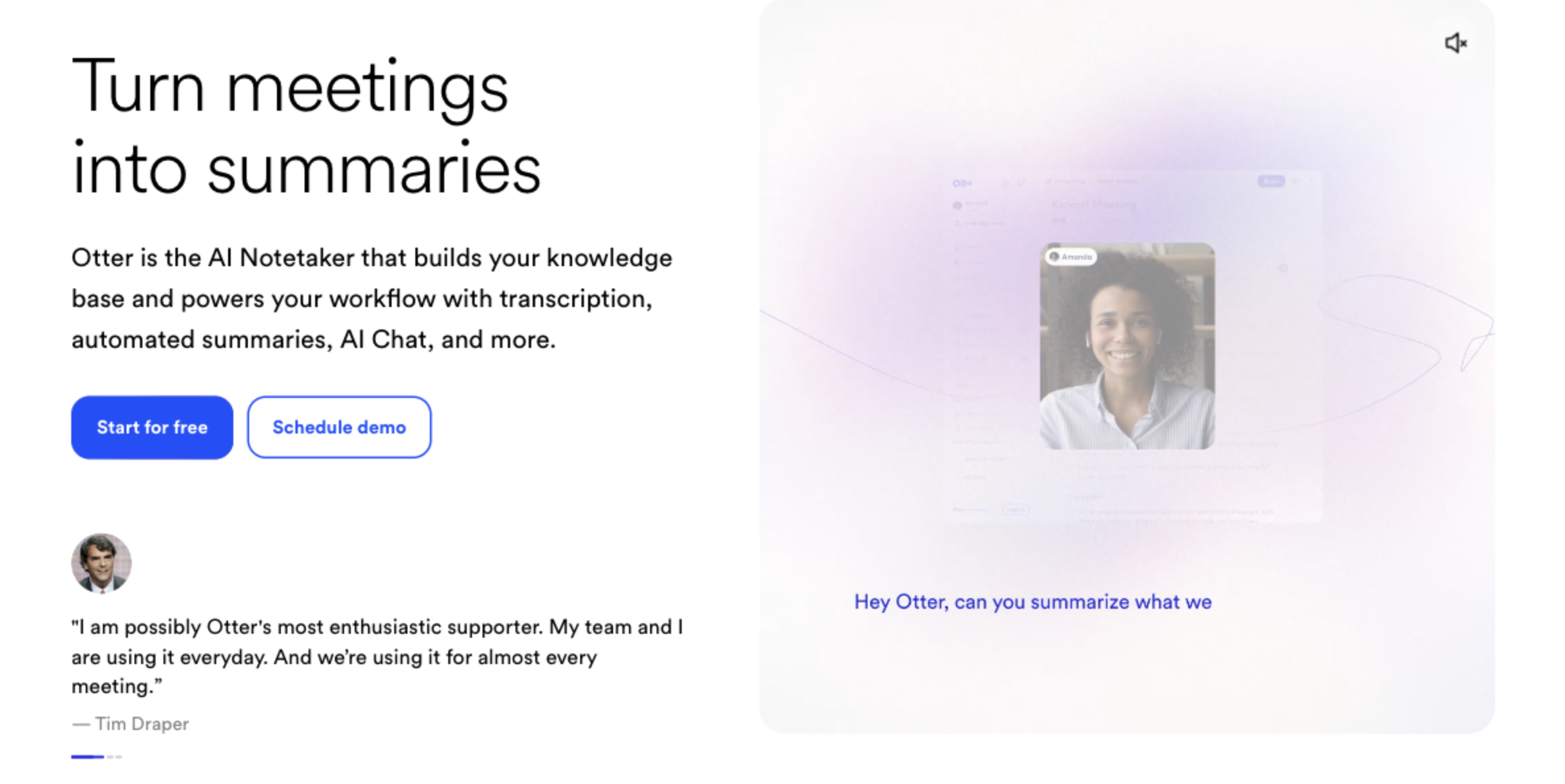
- Strengths: Free plan, team features, automatic summaries
- Limits: Six transcription languages, only 10 imports a month on Pro
- Price: Basic free with 300 minutes. Pro costs $16.99 a month, or $8.33 billed annually.
Feature comparison table
| Tool | Live notes | Bot in the call | Professional subtitles | Human transcription | Best for |
|---|---|---|---|---|---|
| Happy Scribe | Not stated | Yes | Yes | Yes | Video and subtitles |
| SuperIntern | Yes | No | No | No | Meetings |
| TurboScribe | Not stated | Not applicable | SRT and VTT export | No | Large batches |
| Transkriptor | Verify | Verify | Basic | No | Volume with AI |
| Sonix | Not stated | Not applicable | Basic | No | Occasional use |
| Amberscript | No | Not applicable | Yes | Yes | EU data |
| noScribe | No | Not applicable | No | No | Confidential audio |
| Otter | Yes | Yes, in its usual mode | No | No | English meetings |
"Not applicable" means the service works on files and does not enter meetings. "Verify" means we could not confirm it on the pages we reviewed.
What 30 hours of audio a month costs
Comparing plans alone is misleading, because every vendor counts differently. This scenario uses 30 hours of files a month, or 1,800 minutes, at list prices.
| Tool | Suitable plan | Monthly cost | Note |
|---|---|---|---|
| noScribe | Open source | $0 | Needs a capable computer |
| TurboScribe | Unlimited | $10 annual, $20 monthly | One person |
| Transkriptor | Pro | $8.33 annual, $19.99 monthly | Up to 2,400 minutes |
| SuperIntern | Plus | $20 | 100 hours, live use included; audio-only uploads |
| Happy Scribe | Business | $59 annual, $89 monthly | 6,000 minutes and 5 seats |
| Sonix | Pro | $80 | 40 hours |
| Amberscript | Power plus credits | Around €99 | 25 hours plus 5 single hours |
At this volume, Happy Scribe Pro does not pay off. The 600 included minutes leave 1,200 extra minutes, which add $240 at $0.20 each. Business is a far better deal and includes five seats. If you can use those seats, the cost per person drops considerably.
Add cleanup time too. If someone spends 20 minutes turning each transcript into minutes, ten meetings take more than three hours a month.
Privacy and GDPR: what to check
This list is not legal advice, but it will help you rule options out.
- Consent: Recording laws vary by country. Tell participants before you record, even when a tool uses no bot.
- Data location: Happy Scribe states an EU data center. Confirm where each alternative stores and processes data.
- Data processing agreement: If you handle personal data under GDPR, you normally need a contract with the vendor.
- AI training: Ask whether your content trains models and whether you can opt out.
- Subprocessors: Request the vendor list, especially if human reviewers are involved.
- Sensitive data: For health, legal or HR matters, use only systems approved by your compliance team. If in doubt, noScribe avoids the cloud.
SuperIntern is also a cloud service. Meeting data is not used to train AI models, and a SOC 2 Type II audit is in progress. You will find more in the Trust Center. On this point, Happy Scribe already states a SOC 2 Type 2 report, which matters if your company requires one.
Decision guide by use case
| Situation | Recommendation | Reason |
|---|---|---|
| Weekly team meetings | SuperIntern | Minutes form during the meeting, with nothing to upload |
| Client calls | SuperIntern | No bot in the call, and your own template |
| Meetings across languages | SuperIntern | Translation while people talk |
| Subtitles for courses or social video | Happy Scribe | Professional editor and formats |
| Video for post-production | Happy Scribe | Export to editing tools |
| Legal documents with review | Happy Scribe or Amberscript | Human transcription available |
| Archive of 300 podcast episodes | TurboScribe | Unlimited volume |
| Occasional audio once a month | Sonix | Pay as you go |
| Research interviews | noScribe | Local processing |
Many teams combine two tools, for example SuperIntern for meetings and Happy Scribe for subtitles on published content.
How to switch without losing anything
- Export what matters. Download the transcripts and subtitles you need to keep. Happy Scribe's free plan keeps recording history for 30 days.
- Check renewal. Note your billing date. Plan minutes reset each cycle, while credits bought separately carry over.
- Test with real audio. Use 15 minutes with several voices, terminology and accents where relevant. Ask participants for permission.
- Count the errors that cost time. Check names, numbers and technical terms in the same passage for each tool.
- Move your vocabulary. Copy client names and product terms into the new tool's dictionary.
- Measure the final result. Time how long it takes to have something ready to send, not just the raw text.
Common comparison mistakes
| Mistake | Better approach |
|---|---|
| Comparing plan prices only | Calculate your real volume, with extra minutes |
| Trusting one accuracy figure | Test on your own recordings |
| Seeking one tool for everything | Separate meetings, files and subtitles |
| Forgetting other participants | Think about how each type of call receives a bot |
| Reviewing privacy last | Settle it before first real use |
| Ignoring team seats | Compare cost per person, not just per account |
Frequently asked questions
Is Happy Scribe free?
It has a free plan with limits: 10 file minutes once, Notetaker recordings up to 45 minutes each, and a 30-day history. Regular use needs a paid plan.
How much does Happy Scribe cost?
Basic costs $17 a month, Pro $29 and Business $89. Billed annually, they drop to $8.50, $19 and $59 a month. Extra minutes cost $0.20, and human transcription is paid separately from $2 per minute.
Which languages does Happy Scribe support?
Automatic transcription covers 150+ languages. Language counts for human transcription and translation are lower and differ between its pages, so check your specific language pair.
What is the best free Happy Scribe alternative?
For files, noScribe is free and runs locally. For meetings, SuperIntern's free plan lets you try live notes and transcription. If you only need a few files, TurboScribe allows 3 a day.
Is there a Happy Scribe alternative without a bot?
Yes. SuperIntern captures audio from your computer, so no extra participant enters the call. You should still tell attendees that you are transcribing.
Can SuperIntern fully replace Happy Scribe?
It depends on the job. For meetings and minutes, it fits better. For subtitles, exports to video editors or human transcription, Happy Scribe remains stronger.
Which alternative offers human transcription?
Amberscript is the closest option, from €1.85 per minute. Also compare turnaround times and available languages, since they vary by vendor.
Conclusion
Happy Scribe remains a great choice for subtitles, video and human-reviewed transcription. An alternative makes sense when processing files is no longer your main job.
For low-cost volume, look at TurboScribe and Transkriptor. For confidential audio, use noScribe, and for EU data with people in the loop, Amberscript. If your material is mostly meetings, SuperIntern transcribes live, builds the minutes as you talk, and needs no bot in the call.
Try SuperIntern in your next meeting. No credit card required.