How to Transcribe an Interview: Formats, Examples, and the Best Tools (2026)
You finished the interview. The conversation was great, the recording is safe, and now a one-hour audio file is sitting between you and the actual work: the analysis, the article, the hiring decision. Before any of that can happen, the interview has to become text.
Transcribing an interview sounds like a single task, but it hides three separate decisions: what style of transcript you need, what format it should follow, and which method (typing it yourself, AI software, or a human service) fits your budget and deadline. This guide walks through all three, with transcript examples you can copy, a cost comparison, and specific advice for researchers, journalists, and recruiters.
⚠️ This article was independently compiled based on publicly available information and user feedback as of August 2026.
Table of Contents
- What Is an Interview Transcript?
- Verbatim or Clean Verbatim: Choose Your Transcription Style First
- Interview Transcript Formats, With Examples
- How to Transcribe an Interview: 3 Methods Compared
- Step by Step: Transcribing an Interview with AI
- How to Choose Interview Transcription Software
- Transcription Tips by Use Case
- Multilingual Interviews: When Transcription Needs Translation
- Common Mistakes (and the Legal Part)
- FAQ
- Conclusion
What Is an Interview Transcript?
An interview transcript is a written record of an interview that captures who said what, usually with speaker labels and often with timestamps. It turns a recording into something you can search, quote, code for qualitative analysis, share with a colleague, or attach to a candidate file.
A transcript is not the same thing as notes or a summary. Notes capture your interpretation in the moment; a summary condenses the conversation after the fact. A transcript preserves the conversation itself, which is exactly why so many workflows require one: researchers need the participant's actual words for coding and quoting, journalists need accurate quotes they can defend, and recruiters need an objective record they can revisit when comparing candidates.
The transcript is rarely the end product. It is the raw material for everything that comes next, which is why the practical goal is to produce it accurately with as little of your time as possible.
Verbatim or Clean Verbatim: Choose Your Transcription Style First
Before touching any tool, decide how faithful the text needs to be. Transcription styles sit on a spectrum, and picking the wrong one either wastes hours or destroys data you needed.
- Full verbatim captures everything: filler words ("um," "you know"), false starts, repetitions, laughter, pauses. Choose it when how something was said matters: discourse analysis, some qualitative research traditions, legal contexts, and UX research where hesitation itself is a signal.
- Clean verbatim (also called intelligent verbatim) removes fillers and false starts but keeps every sentence intact. It reads naturally without changing meaning. This is the default for journalism, hiring, podcasts, and most business interviews.
- Edited or summarized transcription condenses and rephrases for readability. Use it only when the transcript is a communication document, not evidence: an interview article, an internal recap.
Rule of thumb: if you will quote people or code their answers, use full or clean verbatim. If a reader just needs to follow the conversation, clean verbatim or an edited version is kinder to everyone.
Interview Transcript Formats, With Examples
There is no single official format, but three conventions cover almost every situation. Whatever you pick, keep it consistent for the entire transcript.
Q&A format
The most readable format for one-on-one interviews. Label the interviewer and interviewee (initials or roles both work) and start each turn on a new line:
Interviewer: What made you decide to switch tools last year?

R. Alvarez: Honestly, the deciding factor was the export. We needed
transcripts our legal team could review, and the old tool locked
everything inside its own app.

Interviewer: How long did the migration take?

R. Alvarez: About two weeks, most of it spent cleaning up old recordings.
Speaker-label format with timestamps
For multi-person interviews or anything you will need to verify against the audio, add a timestamp at each speaker change (or at fixed intervals such as every 30 seconds):
[00:03:12] Moderator: Let's talk about the onboarding experience.
[00:03:18] Participant 2: The first week was fine. The second week is
where I got lost, because nobody owned my setup anymore.
[00:03:31] Participant 1: Same here. I filed three tickets before anyone
answered.
Qualitative research format
Research transcripts usually add line numbers or paragraph numbers for citation, anonymized speaker codes (P1, P2), and annotations in brackets:
042  I: How did that change your daily routine?
043  P1: It didn't, at first. [laughs] I kept doing everything manually
044      because I didn't trust the numbers. Maybe six weeks in, I
045      finally stopped double-checking.
Three formatting habits save pain later regardless of the convention: mark inaudible passages explicitly ([inaudible 00:14:22]) instead of guessing, note non-verbal context in brackets ([laughs], [long pause]) when it changes meaning, and put the interview date, participants, and duration in a header block at the top of the document.
How to Transcribe an Interview: 3 Methods Compared
There are three realistic ways to get from recording to transcript. The honest comparison:
| Manual (DIY) | AI transcription software | Human transcription service | |
|---|---|---|---|
| Typical cost | Free (your time) | Free tier to roughly $10-30/month | Often around $1-2 per audio minute |
| Turnaround for 1 hour of audio | Commonly 4-8 hours of work | Minutes | Hours to days |
| Accuracy on clear audio | High (you) | High, with occasional name/jargon errors | Highest |
| Speaker identification | Manual | Automatic on most tools | Included |
| Handles poor audio or heavy accents | Yes, slowly | Weakest point | Strong |
| Best for | Short clips, sensitive content you cannot upload | Most interviews in 2026 | Legal, compliance, publication-grade verbatim |
Manual transcription is the traditional route: play, pause, type, rewind. Estimates vary, but non-professionals routinely need four to eight times the audio length, so a one-hour interview can consume a full workday. It still makes sense for a five-minute clip, or when policy forbids uploading the audio anywhere.
AI transcription software has become the default for most teams. Modern speech recognition handles clear conversational audio well, separates speakers automatically, and returns a searchable transcript in minutes. Its weak points are messy audio, crosstalk, and specialized vocabulary, which is why a quick human review pass is still part of the workflow.
Human transcription services put a professional transcriber on your file. As of August 2026, typical per-minute pricing for human work lands around $1 to $2, with turnaround from a few hours to a few days depending on the tier. Worth it when a court, a publisher, or a compliance team will rely on every word.
For most people reading this, the practical answer is a hybrid: AI for the heavy lifting, you for a 10-20 minute review pass on names, jargon, and the quotes you plan to use.
Step by Step: Transcribing an Interview with AI
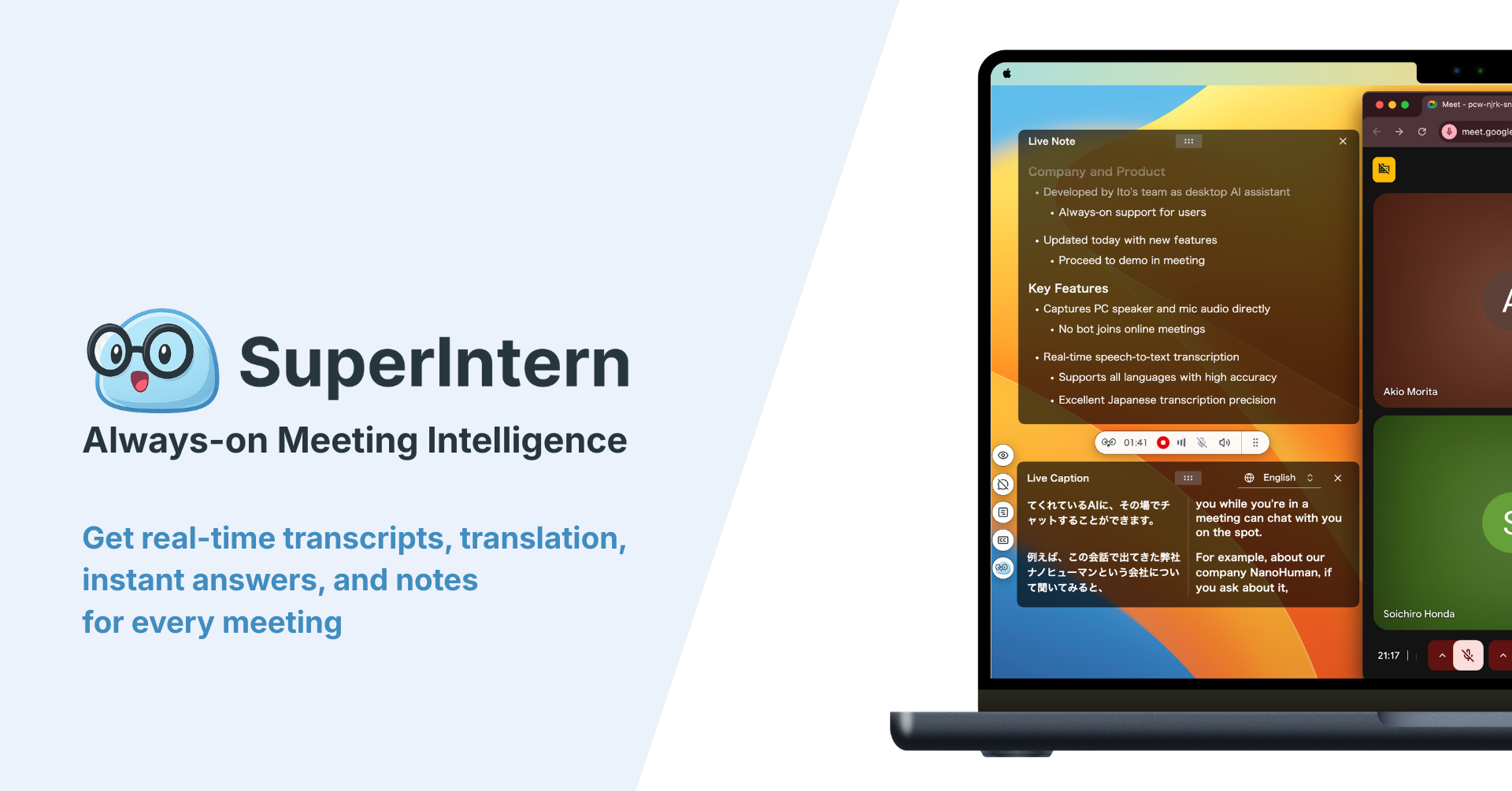
Here is the end-to-end workflow, using SuperIntern as the example. SuperIntern is a bot-free desktop meeting assistant: it captures audio directly from your device, so it works for interviews on Zoom, Google Meet, Teams, a phone call played through your computer, or a recorder file from an in-person session.
If the interview already happened (audio file)
- Upload the recording. SuperIntern accepts audio files and transcribes them with automatic speaker separation, so "Speaker 1 / Speaker 2" labels come built in.
- Fix the speaker names. Rename the detected speakers to "Interviewer" and the participant's name or code. This one edit makes the whole transcript readable.
- Review with the audio. Skim the transcript and spot-check names, numbers, and technical terms. Correct the few recognition errors while the interview is fresh.
- Generate the summary. A summary with key points and follow-ups is produced automatically, useful as the cover page of your transcript document.
- Export or query. Copy the transcript into your format of choice, or ask the built-in AI chat things like "list every quote about pricing objections."
If the interview is happening live

- Start SuperIntern before the call. No bot joins the meeting; the app listens to your system audio and microphone, so the participant just sees a normal call.
- Let the transcript build in real time. Speaker-separated text appears as you talk, which means you can stay in eye contact instead of typing.
- Structure notes with AI Canvas. Define what you want captured (key answers, memorable quotes, follow-up questions) and the notes organize themselves in real time while the full transcript accumulates underneath.
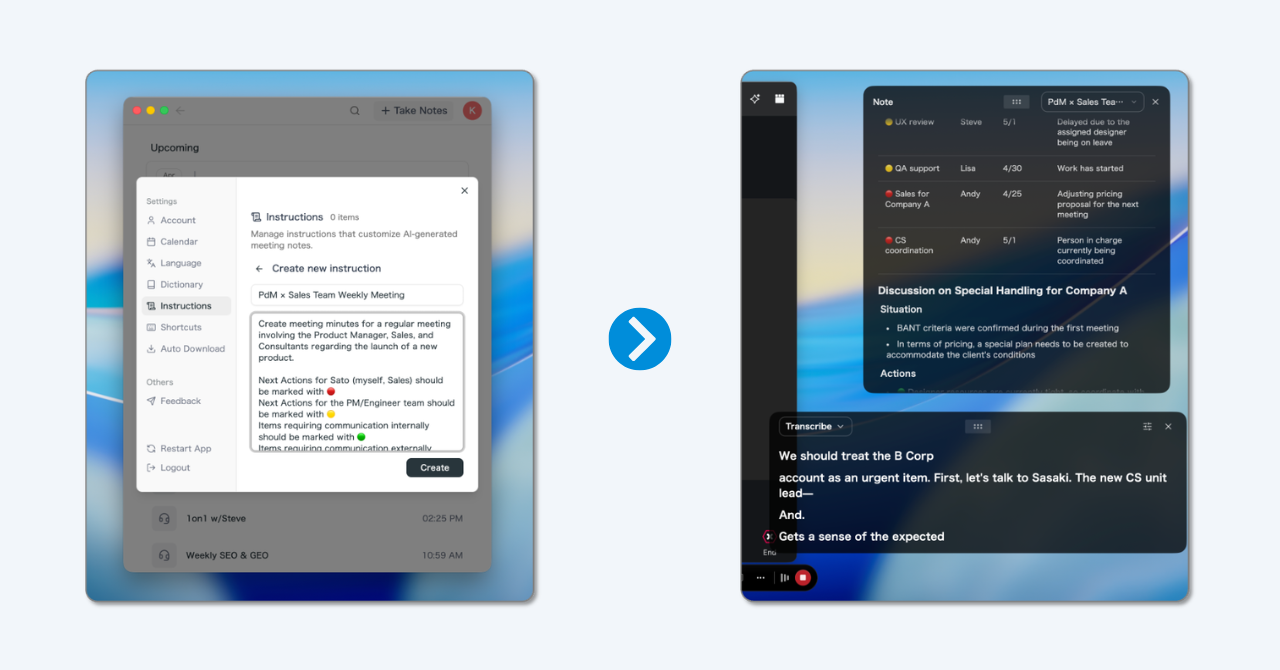
Either way, you end the session with a speaker-labeled transcript and a summary instead of a raw audio file and a transcription chore. As of August 2026, SuperIntern has a free plan with no credit card required, and a Plus plan at $20/month covering 100 hours. Pricing can change, so confirm on the official site.
How to Choose Interview Transcription Software
If you are comparing tools for "interview transcription software," run each candidate through this checklist:
- Accuracy on your actual audio. Test with a real recording from your context, not the vendor's demo. Accents, domain jargon, and room echo are where tools diverge.
- Speaker identification. Non-negotiable for interviews. Check how well it holds up when people talk over each other.
- Timestamps and audio-linked playback. Verifying a quote should take seconds, not a hunt through the file.
- File upload and live capture. Some tools only transcribe uploaded files, some only live meetings. Interviews come in both shapes, so favor a tool that does both.
- Language support. Both transcription languages and, if you interview internationally, translation.
- Custom vocabulary. A personal dictionary for product names and technical terms noticeably cuts correction time on repeated interview projects.
- Privacy and data handling. Where is audio stored, for how long, and is it used for training? For research and hiring interviews this can be a hard requirement, not a preference.
- Export formats. You need the transcript out of the tool: text, Word, or copy-paste that preserves speaker labels.
A note on the landscape: general-purpose AI transcribers such as Otter.ai or Notta focus on uploaded files and bot-based meeting capture, open-source options like OpenAI's Whisper are free but need technical setup and separate speaker-diarization work, and human services remain the ceiling for accuracy. SuperIntern's angle is doing file upload and bot-free live capture in one tool, with structured notes generated during the conversation. Which trade-off wins depends on the checklist above, and feature details change, so verify against each official page.
Transcription Tips by Use Case
Qualitative research
Decide the transcription convention before the first interview and write it down: verbatim level, anonymization codes, annotation symbols. Consistency across interviews matters more than any individual choice, because your coding depends on it. Transcribe (or at least review the transcript) soon after each session; ambiguous passages are only resolvable while your memory is fresh. And check your institution's rules before uploading audio to any cloud service; anonymized-on-device or approved-vendor requirements are common.
Journalism
Clean verbatim is standard, but keep the exact recording until publication: if a quote is challenged, the audio is your defense. Timestamped transcripts make fact-checking dramatically faster. For long investigative projects, a searchable transcript archive of every interview becomes the project's real database.
Recruiting and hiring interviews
A transcript lets the interviewer actually interview instead of typing, and it gives the debrief objective ground: what the candidate said, not what one panelist remembers. Keep it fair and legal: tell candidates the conversation is being transcribed, apply the same process to everyone, and store transcripts under the same access controls as other candidate data.
UX and customer research
The gold is in exact phrasing: how users describe a problem is often more valuable than the problem itself. Full or clean verbatim, plus a habit of clipping notable quotes into your research repository while the session is fresh.
Multilingual Interviews: When Transcription Needs Translation
International research and hiring add a layer: the interview happens in a language some stakeholders do not read. The old workflow (transcribe, then send for translation) doubles the cost and the wait.

Modern tools collapse the steps. SuperIntern, for example, shows live captions translated across 50+ languages during the interview itself, and can generate the summary in whatever language your team works in, regardless of the language spoken. A Spanish-language user interview can end with an English summary in your repository minutes later, with the original-language transcript preserved for verification.
Common Mistakes (and the Legal Part)
The mistakes that cost the most time:
- Recording carelessly. Transcription quality is capped by audio quality. Use an external or headset mic when you can, and do a 10-second test recording before the interview starts.
- Transcribing everything at full verbatim "just in case." If your analysis does not need fillers, you are paying a large time tax for noise.
- Skipping the review pass. AI output is good, but names, numbers, and jargon are exactly where it slips, and exactly what you will quote.
- Losing speaker attribution. A transcript where "Speaker 1" and "Speaker 2" are never resolved to real people loses half its value. Fix labels immediately after the session.
- Waiting weeks to transcribe. Every ambiguity in the audio gets harder to resolve as memory fades.
On the legal side: recording an interview generally requires consent. In the United States, some states require only one party's consent while others require all parties; other countries have their own rules, and company policy may be stricter than the law. The safe, professional pattern is simple: ask on the record ("I'd like to record this so I can transcribe it accurately, is that okay?") at the start of every interview. For research, consent forms should cover recording, transcription, and how the data will be stored and anonymized.
FAQ
How long does it take to transcribe a one-hour interview?
Doing it manually, plan for four to eight hours if transcription is not your day job. AI software returns a draft in minutes, and a human service typically takes from several hours to a few days. The hybrid workflow (AI draft plus your own 10-20 minute review) is the usual sweet spot.
How much does interview transcription cost?
Manual is free except for your time. AI transcription tools commonly offer a free tier, with paid plans in the range of $10-30 per month. Human services, as of August 2026, are often priced around $1 to $2 per audio minute, so a one-hour interview lands at roughly $60-120.
Is AI transcription accurate enough for qualitative research?
For clear audio, AI drafts are strong enough that many researchers use them as the base and review against the recording, which preserves rigor while saving most of the time. For heavily accented or noisy audio, or strict full-verbatim requirements, budget more review time or use a human service. Whatever you choose, document the process in your methodology.
How do I cite an interview transcript in APA style?
An interview you conducted yourself is treated as a personal communication in APA style: cite it in the text (initials, surname, "personal communication," and the date) without a reference list entry. Published interviews are cited by the source where they appear. Check the current edition's guidance for your exact case.
Do I need permission to record and transcribe an interview?
Practically, yes: ask every participant, on the record, before recording. Legally, consent requirements vary by jurisdiction (one-party vs. all-party consent in the US, and different rules elsewhere), and research ethics boards or company policies usually require explicit consent regardless.
What is the difference between a transcript and meeting minutes?
A transcript records the conversation itself, word for word or close to it. Minutes are a structured summary of decisions and action items. Interviews almost always need transcripts; internal meetings usually need minutes. Some tools, SuperIntern included, produce both from the same session.
Can I transcribe an interview from a video file?
Generally yes: the audio track is what matters. Most transcription tools accept common video formats or let you extract the audio first. Quality still depends on how clearly voices were captured, not on the video itself.
Conclusion
Transcribing an interview well comes down to three choices made in the right order: pick the verbatim level your work actually needs, pick a consistent format (the examples above are ready to copy), and pick the method that fits your deadline and budget. In 2026 that method is usually AI for the draft and a human pass for the details, with manual typing reserved for special cases and human services for publication-grade stakes.
If interviews are a regular part of your work, the biggest win is making transcription automatic: record, get a speaker-labeled transcript and summary by default, and spend your attention on the conversation. Try SuperIntern Free: upload a past interview or capture the next one live, no bot in the call and no credit card required.