One-on-One Meetings: How to Run Great 1:1s (Agenda, Template & Questions) 2026
The one-on-one meeting is the highest-leverage half hour on a manager's calendar, and the easiest one to waste. Done well, a 1:1 is where trust gets built, blockers get cleared, and careers get shaped. Done badly, it collapses into a status update that both people could have handled over Slack.
Most 1:1s fail in the same predictable way. There is no agenda, so the loudest topic wins. The manager talks 80% of the time. Action items get agreed and then forgotten. And when you are focused on taking notes, you stop being present in the conversation.
This guide fixes all four. You will get a clear view of how often and how long 1:1s should run, a copy-paste agenda template, a bank of questions that pull real signal instead of "everything's fine", a checklist for the first 1:1 with a new report, and a way to keep a clean record of every conversation without staring at your keyboard.
⚠️ This article was independently compiled based on publicly available information and user feedback as of July 2026.
What Is a One-on-One Meeting?
A one-on-one meeting is a recurring, private conversation between a manager and one direct report. Unlike a team standup or a project review, its subject is the person, not the work: how they are doing, what is getting in their way, where they want to grow, and what they need from their manager.
That framing matters. A 1:1 is not a status meeting with a smaller audience. If the entire half hour is "what did you ship this week", you are using an expensive slot to collect information you could read in a project tool. The best 1:1s spend most of their time on things that only surface in a trusted, direct conversation: friction between teams, early signs of burnout, ambitions the person has not said out loud yet.
Three properties define a healthy 1:1:
- It is theirs, not yours. The report sets most of the agenda. The manager listens more than they talk.
- It is consistent. A 1:1 that gets cancelled whenever things are busy sends the message that the person is optional. Protect the slot.
- It compounds. Each conversation builds on the last. That only works if you actually remember what was said last time, which is where notes come in.
Why Most 1:1s Go Wrong
First, here are the failure patterns that most commonly show up in 1:1s. If any of them sound familiar, the template and tool covered below will help you solve them.
The status update trap. The report walks through their task list, the manager nods, thirty minutes pass, nothing changes. This is the most common failure. Fix it by explicitly moving status to async channels and reserving the live time for topics that need a conversation.
The manager monologue. Managers who are nervous about silence fill it. If you are talking more than half the time in a 1:1, the meeting has flipped into a broadcast. The report leaves having said very little of what was actually on their mind.
The disappearing action item. "Let's follow up on the promotion case" gets said, agreed, and then neither person writes it down. Next 1:1, nobody remembers. Trust erodes one forgotten commitment at a time.
The absent listener. The manager spends the meeting typing notes, so they never actually make eye contact. The report can tell. A conversation meant to build connection ends up feeling like an intake interview.
Notice that two of these four failures are about memory and attention, not agenda design. You can have the perfect template and still run a bad 1:1 if you are heads-down in a doc the whole time. We come back to that in the notes section.
How Often and How Long Should 1:1s Be?
There is no single correct cadence, but there are sensible defaults based on the relationship.
| Situation | Suggested cadence | Length |
|---|---|---|
| New hire (first 90 days) | Weekly | 30-45 min |
| Established report, stable work | Weekly or biweekly | 30 min |
| Senior report who is largely autonomous | Biweekly | 30 min |
| Fully remote or distributed report | Weekly | 30 min |
| Skip-level (your report's report) | Monthly or quarterly | 30 min |
A few principles behind the table:
- Weekly is the safe default for most direct reports. Biweekly can work for senior, autonomous people, but going monthly with a direct report usually means problems surface too late.
- New hires need more, not less. The first 90 days set the tone. Weekly 1:1s during onboarding catch confusion and misalignment while they are still cheap to fix.
- Remote reports need the slot protected the most. Without hallway conversations, the 1:1 is often the only unstructured contact you have.
- Shorter and consistent beats longer and sporadic. A reliable 30 minutes every week builds more trust than a 90-minute session that happens whenever someone remembers.
The One-on-One Meeting Agenda Template
A good 1:1 agenda is short, report-led, and roughly the same every week so it becomes a habit rather than a scramble. Here is a template you can copy directly into your notes doc, a shared page, or your 1:1 tool.
# 1:1 – [Report name] – [Date]

## Their agenda (they lead)
- What's top of mind this week?
- Anything blocking you or slowing you down?
- Anything you want my input or a decision on?

## Wins & progress
- What went well since we last talked?

## Blockers & friction
- What's frustrating right now? (people, process, tools)

## Growth & career
- (Rotate in every 2-3 weeks, not every time)
- What do you want to be doing more of? Less of?

## Feedback (both directions)
- Feedback for them:
- Feedback they have for me:

## Action items
- [ ] Owner – item – due
How to use it well:
- Let the report fill the top section first. Share the template a day ahead so they can add topics. If their agenda fills the whole slot, that is a good meeting, not a derailed one.
- Do not run every section every week. Growth and career questions land better every few weeks than as a rote weekly checkbox. Wins and blockers are worth touching almost every time.
- Keep the action items in one place across meetings. The value is in the running list, not the single meeting. Being able to open last week's 1:1 and check "did we actually close that?" is what makes the cadence compound.
Because this is a lightweight, repeating structure, it is a natural fit for a live-notes setup that fills the sections in as you talk, rather than a blank doc you retype every week. More on that below.
One-on-One Meeting Questions That Go Beyond "Everything's Fine"
The quality of a 1:1 is mostly the quality of the questions. "How's it going?" gets you "fine". Better questions give the report a specific door to walk through. Here is a bank you can rotate through, grouped by what you are trying to surface.
Current work and blockers
- What's the most frustrating part of your work right now?
- Is there anything you're waiting on from me or someone else?
- What's taking longer than it should, and why?
Energy and workload
- How's your workload, honestly, 1 to 10?
- What's giving you energy lately? What's draining it?
- Is there anything you're doing that you wish you could stop doing?
Growth and career
- What skill do you want to build this quarter?
- Where do you want to be in a year, and are we moving you toward it?
- Is there a project you wish you were on?
Team and collaboration
- Is there anyone on the team you're finding it hard to work with?
- What's one thing we could change about how the team works?
- Do you feel like your work is visible to the people who matter?
Feedback and the relationship
- What could I be doing better as your manager?
- Is there any feedback you've been holding back?
- When was the last time you felt genuinely supported at work?
Two rules for using these. First, ask one or two per meeting, not the whole list, or the 1:1 turns into an interrogation. Second, when you get a real answer, stay quiet and let it breathe. The most valuable moment in a 1:1 is usually the sentence that comes after the pause.
The First 1:1 With a New Report
The first one-on-one with someone new sets the pattern for every one after it. Do not use it for status. Use it to establish how you will work together. A simple checklist:
- Explain what the 1:1 is for. Say out loud that this is their time, that status goes async, and that they own the agenda.
- Learn how they like to work. How do they prefer to get feedback? How do they like to be recognized, publicly or privately? What does a good day look like for them?
- Ask about their history. What did their best manager do well? What did their worst one do badly? You just got a cheat sheet.
- Set expectations both ways. What they can expect from you, and what you expect from them.
- Agree the logistics. Cadence, length, who reschedules if there's a conflict (hint: not them by default).
Keep your talking to a minimum even here. The goal of the first 1:1 is to make it safe for the person to be honest in the fiftieth one.
The Notes Problem: How to Be Present and Keep a Record
Here is the tension at the center of every 1:1. To run a good one, you need to be fully present, making eye contact, listening for the thing behind the thing. But to make the cadence compound, you also need a reliable record: what was said, what you committed to, what to follow up on next time. Do both by hand and you do neither well.
The usual workarounds all have a cost. Typing throughout means you are looking at your screen, not your report. Writing up notes afterward means the nuance is already gone and half your afternoons disappear. Skipping notes entirely means you walk into next week's 1:1 having forgotten the promotion conversation you promised to continue.
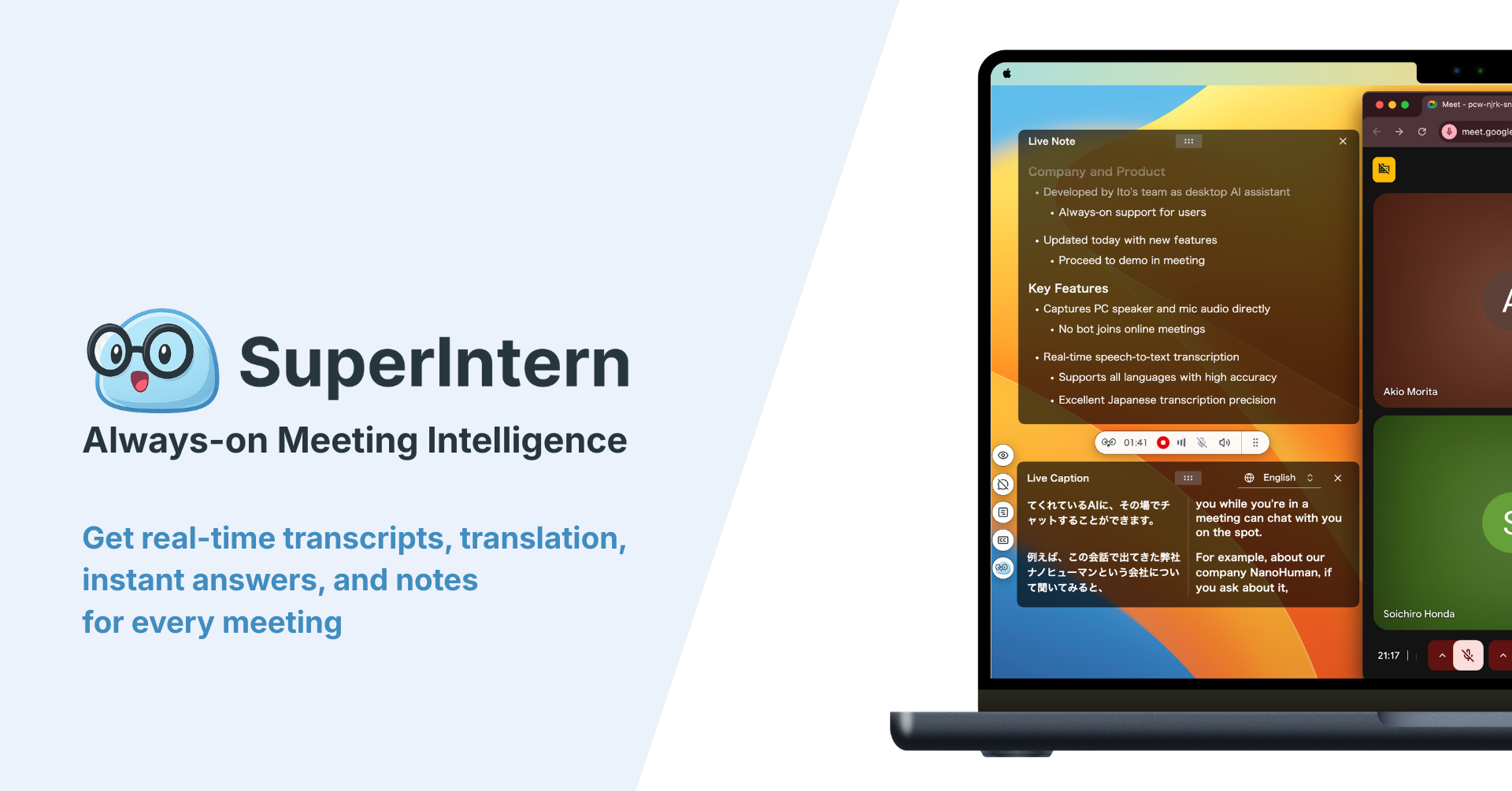
This is exactly the gap a real-time AI meeting assistant closes. SuperIntern is a botless desktop app that captures the conversation directly from your computer's audio, so nothing joins the call and there is no bot sitting in the participant list making a sensitive conversation feel monitored. It works the same whether your 1:1 is on Zoom, Google Meet, Microsoft Teams, or in person over coffee.

What that means in a 1:1, concretely:
- You keep eye contact. The notes fill themselves in a live overlay while you focus on the person, not the keyboard.
- Your agenda becomes the structure. With AI Canvas you describe your 1:1 format once. For example: "This is a 1:1 between a manager and a direct report. Capture their agenda topics, wins, blockers and friction, any career or growth notes, feedback in both directions, and action items with owners." Every future 1:1 fills that exact shape automatically.
- Action items are captured in the room. Commitments get recorded as they are spoken, so "let's follow up on that" actually has a follow-up.
- The record is private. Because there is no bot and the notes live in your workspace, a 1:1 stays a 1:1.
- Next week starts informed. Open the last conversation, see what you promised, and pick up where you left off. That is what turns a series of chats into an actual coaching relationship.
After the meeting you can ask the built-in AI chat to draft the follow-up message or pull out just the action items, and export the note as Markdown into wherever your team lives. The honest limitations: SuperIntern is a desktop app focused on the live conversation and its notes, so it is not a full performance-management suite with goal tracking and review cycles. If you need those, see the next section.
1:1 Software: Note-Takers vs Performance Platforms
Searching for "1:1 meeting software" turns up two different categories that solve different problems. It helps to know which one you actually need.
| AI note-takers | Performance / 1:1 platforms | |
|---|---|---|
| Examples | SuperIntern, other meeting assistants | Lattice, 15Five, and similar |
| Core job | Capture the conversation and its notes | Track goals, reviews, engagement over time |
| Best when | You want to be present and keep a clean record | You need structured performance and OKR workflows |
| Meeting notes | Automatic, real-time, on any platform | Usually manual, typed into the tool |
| Overhead | Minimal, runs in the background | Higher; it is a system your org adopts |
For most individual managers who just want their 1:1s to be better conversations with a reliable trail, a botless AI note-taker is the lighter, faster choice: it removes the note-taking burden without asking the whole organization to adopt a new platform. Larger orgs that need company-wide goal setting and review cycles will want a dedicated performance platform, and can still use a note-taker on top of it to handle the actual conversation capture.
Common 1:1 Mistakes to Avoid
- Cancelling when busy. The weeks you most want to skip the 1:1 are usually the weeks it matters most.
- Making it about status. Push status async and protect the live time for the person.
- Talking too much. Aim to listen for the majority of the meeting.
- No follow-through. An action item you do not close is worse than one you never agreed to.
- Same questions every week. Rotate. Predictable questions get predictable, shallow answers.
- No record. Without notes, every 1:1 starts from zero and the relationship never accumulates.
Summary
A great one-on-one comes down to a handful of habits: protect the slot even when you are busy, let the report lead the agenda, keep status async, ask one or two real questions instead of "how's it going", close your action items, and keep a record you can build on week to week.
The hardest part in practice is doing all of that while staying fully present. That is exactly where a botless, real-time note-taker earns its place: it fills your 1:1 structure live, captures action items as they are spoken, and leaves you a private record for next time, so you can focus on the person in front of you instead of your keyboard.
Try SuperIntern Free: no bot in your 1:1, live notes that write themselves, and a private record ready the moment the conversation ends.