
PLAUD AI Alternative: When to Choose SuperIntern for Live Meeting Notes
PLAUD AI and PLAUD Note are popular because they make recording feel simple. Press a device button, capture the conversation, and let AI turn the audio into a transcript or summary later. For interviews, field notes, lectures, and quick offline conversations, that hardware-first workflow is genuinely useful.
But meeting teams often need a different workflow. They need notes while the call is still happening. They need action items before the next agenda point disappears. They need live translation when a customer, candidate, or partner switches language. They also need a botless option that works across Zoom, Google Meet, Microsoft Teams, Slack Huddles, Webex, and in-person meetings without sending a visible recorder into the room.
That is where a PLAUD AI alternative such as SuperIntern becomes worth comparing.
⚠️ This article was independently compiled based on publicly available information and user feedback as of June 2026. Product features, prices, included transcription minutes, device availability, and language support can change. Check official product pages before making a purchase decision.
Quick Recommendation
| If your priority is... | PLAUD AI / PLAUD Note may fit | SuperIntern may fit |
|---|---|---|
| A pocket voice recorder | Strong fit | Not the main use case |
| Capturing offline audio away from a laptop | Strong fit | Works when your computer captures the audio |
| Live meeting notes during a video call | Limited by after-recording workflow | Strong fit with AI Canvas |
| Botless meeting capture | Device-based, no meeting bot | Desktop app, no meeting bot |
| Real-time translation and subtitles | Check current availability | Built for live translation across 50+ languages |
| Custom meeting-note structure | Template-driven after capture | AI Canvas fills your saved structure during the call |
| Screen sharing privacy | Device is outside the call UI | Invisible Mode is designed not to appear in screen share |
| Post-meeting AI chat | Ask Plaud-style follow-up is available | AI chat based on the meeting content |
Short version: choose PLAUD if you want a dedicated recorder. Choose SuperIntern if the main job is running better live meetings.
What PLAUD AI Is Good At
PLAUD is best understood as a hardware-plus-AI workflow. The product line centers on dedicated recording devices such as PLAUD Note, with the PLAUD Intelligence layer turning captured audio into transcripts, summaries, templates, and follow-up answers.
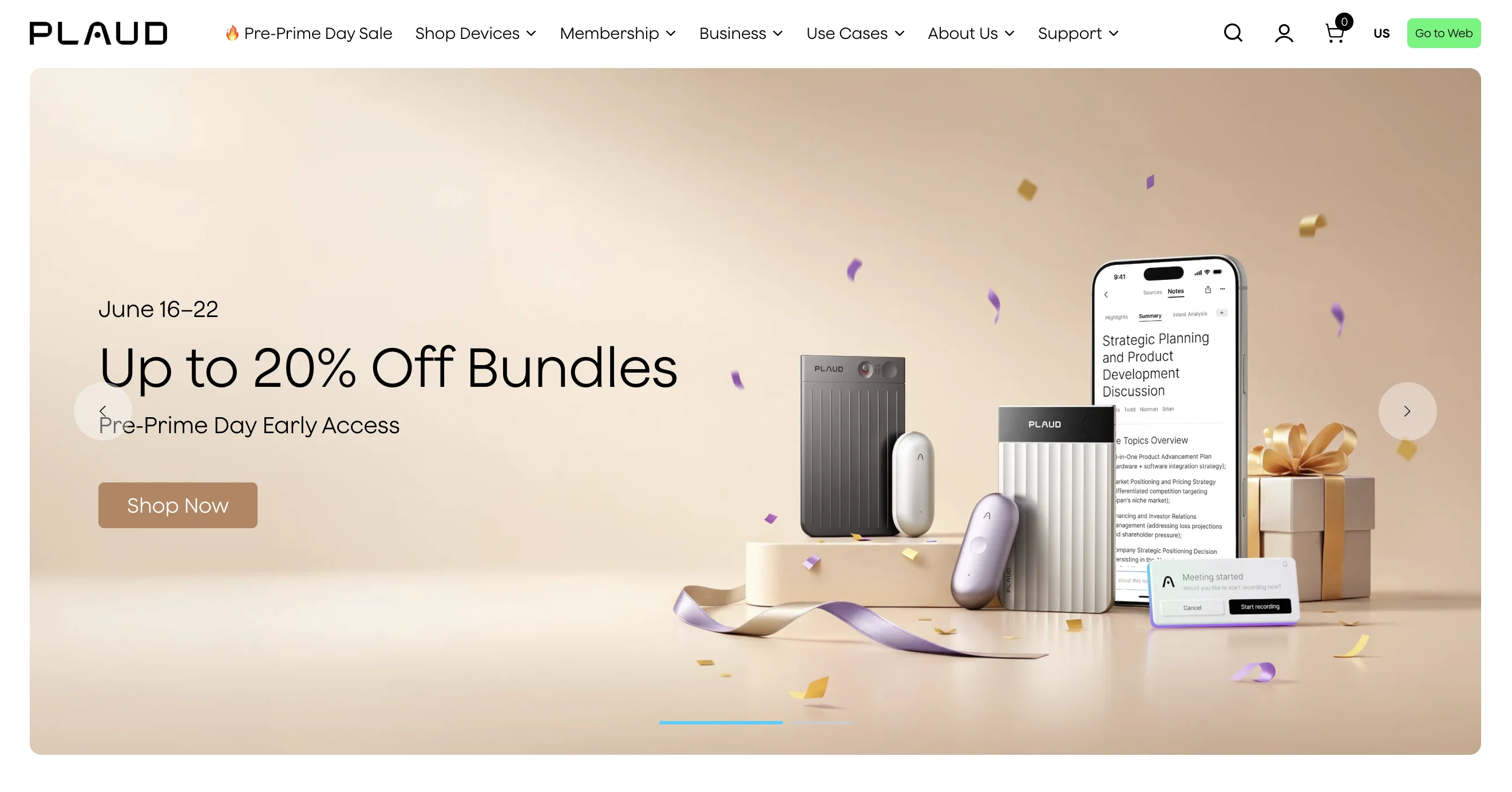
That shape has clear advantages.
- You do not need to rely on a meeting platform bot.
- You can record when you are not in a video call.
- A physical recorder can feel more reliable than a phone app in interviews or field work.
- The device separates recording from the laptop you are presenting from.
- AI summaries can be generated after the conversation when the audio is available.
For many users, that is exactly the point. If your work is mostly voice memos, in-person interviews, lectures, or customer visits, a dedicated recorder can be easier than installing another meeting app.
Where PLAUD Starts to Feel Limiting for Meetings
The same hardware-first model can become awkward in recurring business meetings.
You may finish the meeting with a recording, but still wait for the cleaned-up output. You may have a summary, but not the live note you needed while negotiating scope. You may have a transcript, but not a visible decision list before everyone leaves the call. You may need translation during the conversation, not after it.
The question is not "Is PLAUD good?" The question is "Is the meeting record useful early enough?"
| Meeting need | Why it matters | Hardware-first recording issue |
|---|---|---|
| Live decisions | People need to correct decisions before leaving | A post-meeting summary may surface too late |
| Action ownership | Owners and dates should be confirmed in the room | The record may need manual cleanup later |
| Multilingual calls | Understanding is needed during the call | Translation after the meeting does not help participation |
| Screen sharing | The assistant should not distract external participants | Device capture does not create a live on-screen meeting note |
| Recurring templates | Sales, 1:1s, standups, and hiring calls need different formats | Templates may be applied after capture, not actively during the call |
What SuperIntern Does Differently
SuperIntern is a botless desktop meeting assistant. It captures audio from your computer and microphone instead of sending a bot into the meeting. That means it can work across common online meeting platforms and in-person conversations as long as the computer can capture the audio.
The central difference is timing. SuperIntern is designed to assist while the meeting is still happening.

AI Canvas lets you save an instruction for your role or meeting type. During the call, the note fills in that structure live. For example, a customer success lead can track customer goals, blockers, feature requests, risks, and renewal signals. A hiring manager can track evidence, concerns, follow-up questions, and decision criteria. A product manager can track decisions, open questions, owner, due date, and next experiment.
The output is not only a transcript. It is a working meeting document.
PLAUD AI vs. SuperIntern
| Category | PLAUD AI / PLAUD Note | SuperIntern |
|---|---|---|
| Core product shape | Dedicated recorder plus AI processing | Desktop meeting assistant |
| Best default workflow | Capture now, summarize later | Capture, structure, translate, and assist live |
| Meeting bot | No bot joins the call | No bot joins the call |
| Online platform dependence | Independent of meeting platform, device records audio | Platform-agnostic desktop capture |
| Live AI notes | Not the main hardware-first workflow | AI Canvas updates during the call |
| Live subtitles and translation | Verify current support | Real-time captions and translation for 50+ languages |
| Custom vocabulary | Supported in PLAUD Intelligence features | Custom dictionary for names and domain terms |
| Screen sharing privacy | Recorder is outside the meeting UI | Invisible Mode is designed for screen sharing |
| Best user | Interviewer, researcher, student, field worker | Meeting-heavy professional, founder, PM, sales, CS, recruiter |
When PLAUD Is the Better Choice
PLAUD is the better choice when the recording device is the product you actually need.
Choose it when:
- you frequently record away from your laptop;
- you want one physical device for voice capture;
- you need a simple field-recording habit;
- you review conversations after the fact rather than during the call;
- you are comparing AI voice recorders rather than meeting assistants;
- you do not need live translation, live decisions, or live note editing.
Examples:
| Scenario | Why PLAUD fits |
|---|---|
| Journalist interview | A pocket recorder is practical and familiar |
| Lecture capture | The conversation is one-to-many and reviewed later |
| In-person field research | A dedicated recorder can be easier than a laptop workflow |
| Voice memo archive | Capture speed matters more than live collaboration |
When SuperIntern Is the Better PLAUD AI Alternative
SuperIntern is stronger when the meeting itself needs assistance.
Choose it when:
- your meetings happen on Zoom, Google Meet, Teams, Slack Huddles, Webex, or mixed platforms;
- you need a live note that reflects the agenda as people talk;
- you want to confirm decisions and next steps before the meeting ends;
- you need real-time translation or bilingual subtitles;
- you want an assistant that does not appear as a meeting participant;
- you need summaries in a chosen language regardless of the spoken language;
- you want post-meeting AI chat without losing the live meeting context.

The key distinction is that SuperIntern is not trying to be a pocket recorder. It is trying to reduce the mental load of running the meeting.
Decision Framework
Use this simple framework before choosing.
| Question | If yes, lean toward |
|---|---|
| Do I need a standalone recorder for offline audio? | PLAUD |
| Do I need live notes during video calls? | SuperIntern |
| Do I need AI help while the conversation is happening? | SuperIntern |
| Do I mainly review recordings after the fact? | PLAUD |
| Do I need live translation for international meetings? | SuperIntern |
| Do I need a hardware device independent of my laptop? | PLAUD |
| Do I need botless capture across several meeting platforms? | SuperIntern |
Practical Workflow Comparison
PLAUD-style workflow
- Start the recorder.
- Capture the conversation.
- Upload or sync the recording.
- Generate transcript and summary.
- Review the AI output.
- Copy decisions, tasks, or quotes into your system of record.
This is simple and effective when the review happens later.
SuperIntern-style workflow
- Join the meeting from your computer.
- Start SuperIntern without adding a bot to the call.
- Choose an AI Canvas instruction for the meeting type.
- Watch the note update as the conversation unfolds.
- Use live subtitles or translation when language becomes a barrier.
- Confirm decisions, owners, and next steps before leaving.
- Ask AI questions after the meeting based on the meeting content.
This is better when the meeting output affects the meeting itself.
Example: Customer Call
PLAUD can record the call and summarize it later. That works if the main need is an archive.
SuperIntern can keep a live customer-success note:
- customer goal;
- pain points;
- requested features;
- objections;
- competitor mentions;
- promised follow-ups;
- renewal or expansion signals;
- next owner and due date.
The difference matters because a rep can clarify vague commitments before the customer leaves.
Example: Multilingual Partner Meeting
PLAUD may help preserve the audio and produce a later transcript. That is useful for documentation.
SuperIntern helps during the conversation. It can show live translated subtitles and keep the AI Canvas summary in the user's reading language. For cross-border business, that can turn a meeting from "record first, understand later" into "understand while deciding."
Example: Hiring Interview
PLAUD can be a strong recorder for interviews, especially in person. But hiring teams also need structured evidence.
SuperIntern can use an AI Canvas instruction such as:
Track role criteria, concrete evidence, follow-up questions, risk signals, and interviewer commitments. Do not infer a hiring decision unless a speaker states it explicitly.
That structure reduces the chance that the interviewer walks away with only a transcript and a vague impression.
Implementation Checklist
Before switching from PLAUD or adding SuperIntern, check the workflow rather than the feature list.
- Which meetings need live notes rather than after-meeting summaries?
- Which roles need different note formats?
- Which calls include external participants who should not see a meeting bot?
- Which teams need translation while speaking?
- Which terms need custom dictionary support?
- Which meeting outputs must be copied into CRM, ATS, project management, or docs?
- Which meetings are better served by a physical recorder?
The best answer may be both tools. PLAUD can cover field capture. SuperIntern can cover live meeting intelligence.
Common Mistakes
| Mistake | Better approach |
|---|---|
| Comparing only transcript accuracy | Compare when the output becomes useful |
| Assuming hardware recording equals meeting assistance | Separate capture from live decision support |
| Ignoring multilingual meetings | Test live translation, not just post-meeting translation |
| Using one template for every meeting | Save different AI Canvas instructions by meeting type |
| Forgetting consent and policy | Follow local law and internal recording policies |
FAQ
Is SuperIntern a PLAUD AI replacement?
It can replace PLAUD for live meeting workflows, but it is not a pocket recorder. If you need a dedicated hardware recorder, PLAUD remains a different category.
Does SuperIntern send a bot into my meeting?
No. SuperIntern runs as a desktop app and captures audio from your computer and microphone. Participants do not see a meeting bot join the call.
Is PLAUD better for in-person interviews?
Often, yes. A dedicated recorder can be convenient for interviews and field work. SuperIntern can also work for in-person meetings when your computer can capture the audio, but its strongest fit is live meeting assistance.
Which tool is better for Zoom or Teams calls?
If you want live notes, AI Canvas, live translation, and a botless desktop assistant, SuperIntern is the stronger fit. If you want a separate physical recorder and later AI summaries, PLAUD may fit better.
Can SuperIntern summarize in a different language?
Yes. SuperIntern is designed for multilingual meetings, live translation, and summaries in a chosen language.
Should a team use both?
Some teams should. Use PLAUD for field recording and SuperIntern for recurring online meetings where the note needs to guide the conversation.
Conclusion
PLAUD AI is compelling because it makes audio capture tangible. For a hardware recorder, that is a real advantage.
But if your main problem is meeting execution, a live meeting assistant is the better comparison. SuperIntern gives you botless capture, AI Canvas, live translation, Invisible Mode, custom dictionary support, and post-meeting AI chat in one workflow.
Choose the tool based on when you need the intelligence: after the conversation, or during it.