
Microsoft Teams Translation Alternative: Why Your Team Deserves Better
You've enabled live captions in Teams, clicked through the caption settings, and then realized you need a Teams Premium license just to translate them. Or you tried the Interpreter Agent, only to find it supports nine languages and requires a $30/month Copilot license.
If you're searching for a Teams translation alternative, you're not alone. Better and cheaper options exist.
First, the bottom line:
- If you only need caption translation and already pay for Microsoft 365 E3/E5 → Stick with Teams Premium
- If you need 10+ languages or use Zoom/Google Meet too → SuperIntern is a better fit
- If you need enterprise-grade human interpretation for large events → Look at Interprefy
This article covers where Teams translation falls short and what the alternatives actually offer.
⚠️ This article is an independent analysis by NanoHuman Inc. based on publicly available information as of April 2026. SuperIntern is our product, but we describe all tools as objectively as possible, including honest assessments of their limitations.
What Microsoft Teams Offers for Translation Today
Before looking at alternatives, here's what Teams actually gives you today.
Live Translated Captions (Teams Premium)
Teams can display real-time captions translated into your preferred language. The captions appear at the bottom of your screen and are visible only to you. This feature supports over 50 languages for caption translation, which is genuinely broad.
The catch: you need a Teams Premium license at $10/user/month, on top of your existing Microsoft 365 subscription. For a team of 20, that's an extra $200 every month just for translated captions. And if you're on Microsoft 365 Business Basic or Standard, translation simply isn't available.
Interpreter Agent (Microsoft 365 Copilot)
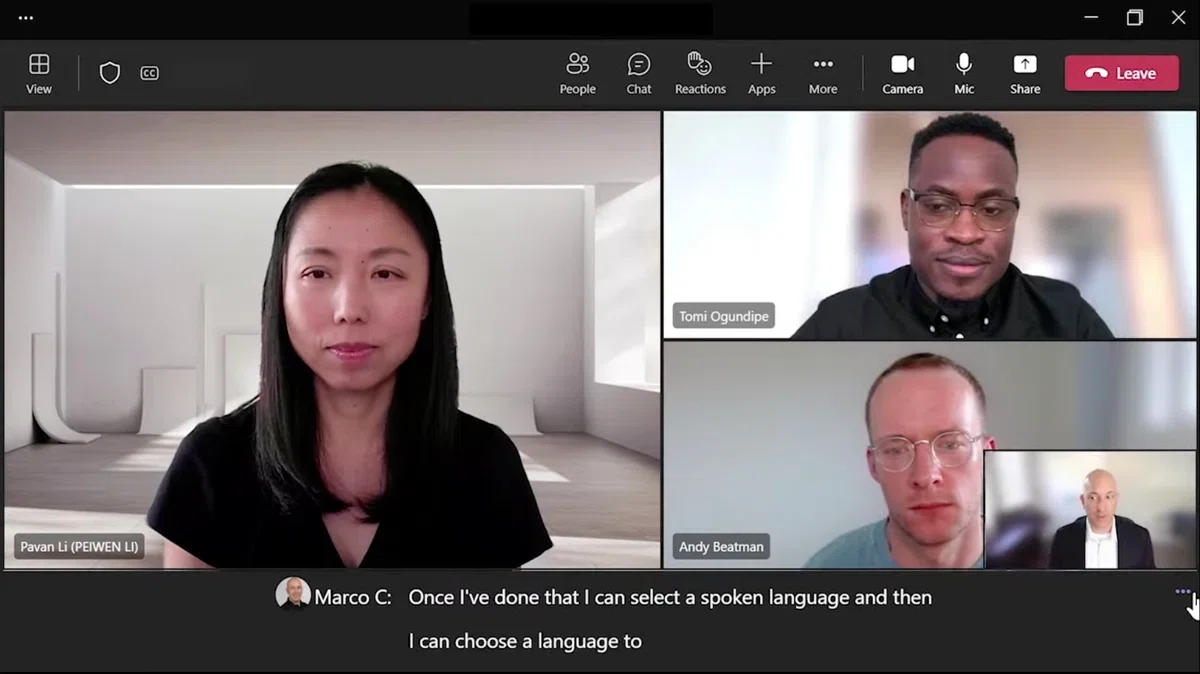
The Interpreter Agent is Microsoft's newest translation feature, launched in early 2026. It goes beyond captions—it creates a translated audio track that speaks the translation aloud, even simulating the original speaker's voice.
It's impressive technology, but the trade-offs are real:
- Only 9 languages: Chinese (Mandarin), English, French, German, Italian, Japanese, Korean, Portuguese, and Spanish. If your team speaks Dutch, Arabic, Hindi, or any other language, Interpreter Agent simply doesn't work.
- Requires Microsoft 365 Copilot license: At $30/user/month (enterprise), this is among the most expensive translation options available. The promotional business rate is $18–21/user/month through June 2026, but that still adds up fast.
- 20-hour monthly cap: Each user gets only 20 hours of Interpreter Agent usage per month. Heavy meeting schedules can burn through this quickly.
- Meeting type restrictions: It only works in scheduled and channel meetings—not town halls, webinars, ad-hoc 1:1 calls, or Teams Rooms.
- Guest limitations: External participants joining anonymously or as guests can't use Interpreter because their license status can't be verified.
Copilot Meeting Summary
Teams Copilot can summarize key discussion points and suggest action items during or after meetings. But this also requires either a Teams Premium or Microsoft 365 Copilot license. There's no free tier for AI meeting summaries in Teams.
The Core Problem: Expensive and Limited
Here's what it comes down to:
-
Cost adds up quickly. Translated captions alone cost $10/user/month. Interpreter Agent costs $30/user/month. For a 50-person global team, that's $500-$1,500/month just for translation.
-
Language coverage has gaps. Interpreter Agent supports only 9 languages. Translated captions cover more, but quality varies for less common language pairs.
-
Teams only. If your org also uses Zoom, Google Meet, or Webex for client calls, you need a separate solution for those meetings.
-
No real-time structured notes. Teams Copilot can generate post-meeting summaries, but nothing updates live during the meeting.
Best Microsoft Teams Translation Alternatives
These are the standout options, each taking a different approach.
1. SuperIntern

SuperIntern is a desktop app that provides real-time translation and live meeting notes without joining your meeting as a bot. It captures audio directly from your device, so it works with any meeting platform: Teams, Zoom, Google Meet, Webex, even in-person meetings.
Why it stands out:
- No bot joins your meeting. Participants won't know you're using a translation tool. Important for client-facing meetings where recording bots aren't welcome.
- 50+ languages. Far more coverage than Interpreter Agent's 9 languages.
- Two-way real-time translation. When two languages are spoken in the same meeting, SuperIntern identifies each and displays transcription and translation side by side.
- Live Notes. Structured notes that update continuously during the meeting, not just a post-meeting summary.
- Invisible Mode. Hidden during screen sharing, so your translation tool stays private.
- Custom dictionary. Register industry terms and proper nouns for more accurate transcription.

Pricing: Free plan available. Plus plan at $20/month for 100 hours (overage at $0.02/min). No credit card required to start.
2. JotMe
JotMe is a browser extension that provides real-time translation for meetings across multiple platforms. It focuses on simplicity—install the extension, join a meeting, and start translating.
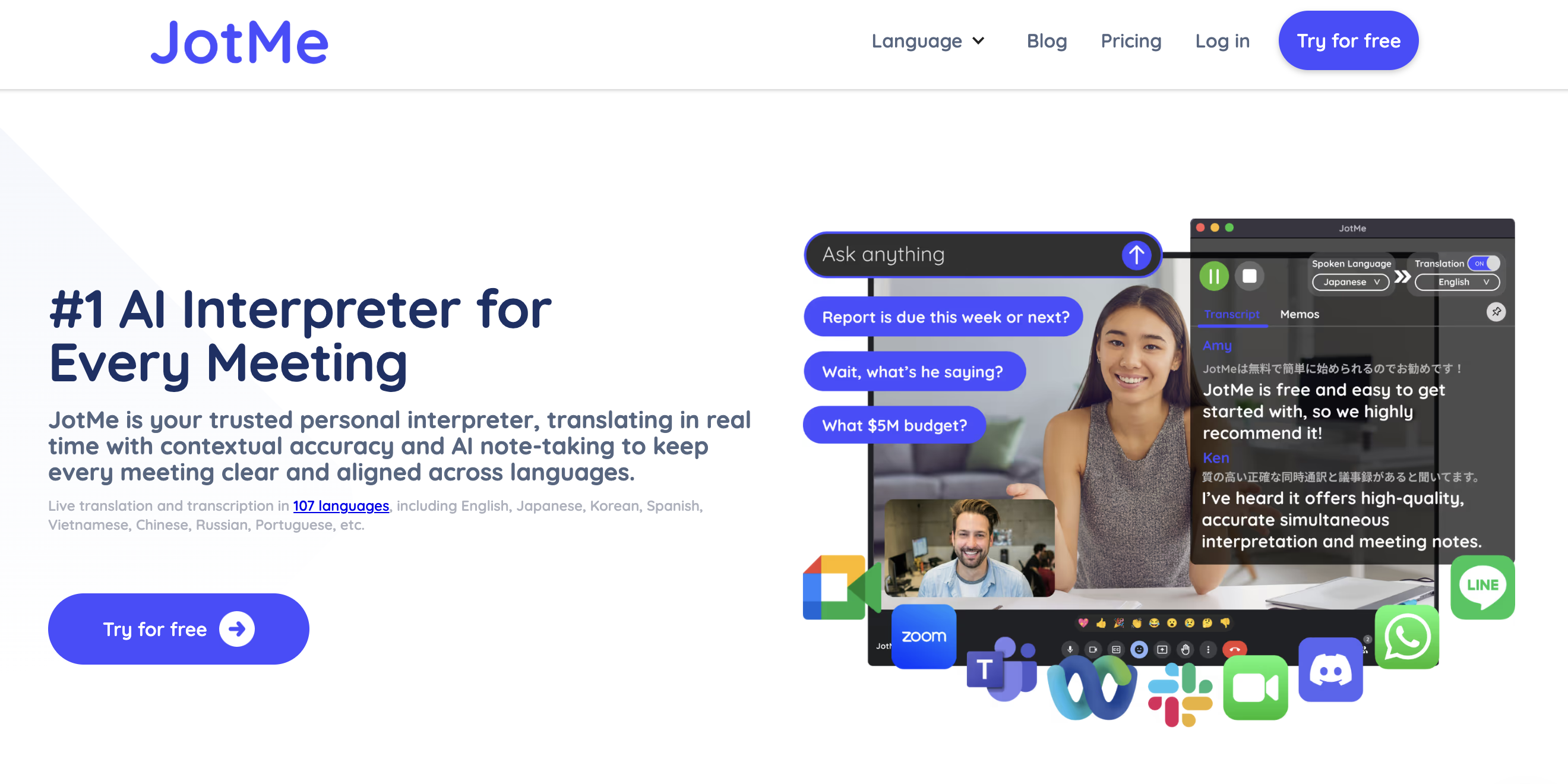
It's browser-based, works across platforms without a desktop app, supports multiple languages, and is lightweight to set up.
The catch: it depends on your browser's audio capture capabilities, translation quality varies by language pair, and meeting intelligence features are limited compared to dedicated apps.
3. Interprefy
Interprefy is an enterprise-grade interpretation platform designed for large-scale events and multilingual meetings. It offers both AI-powered and human interpretation options.
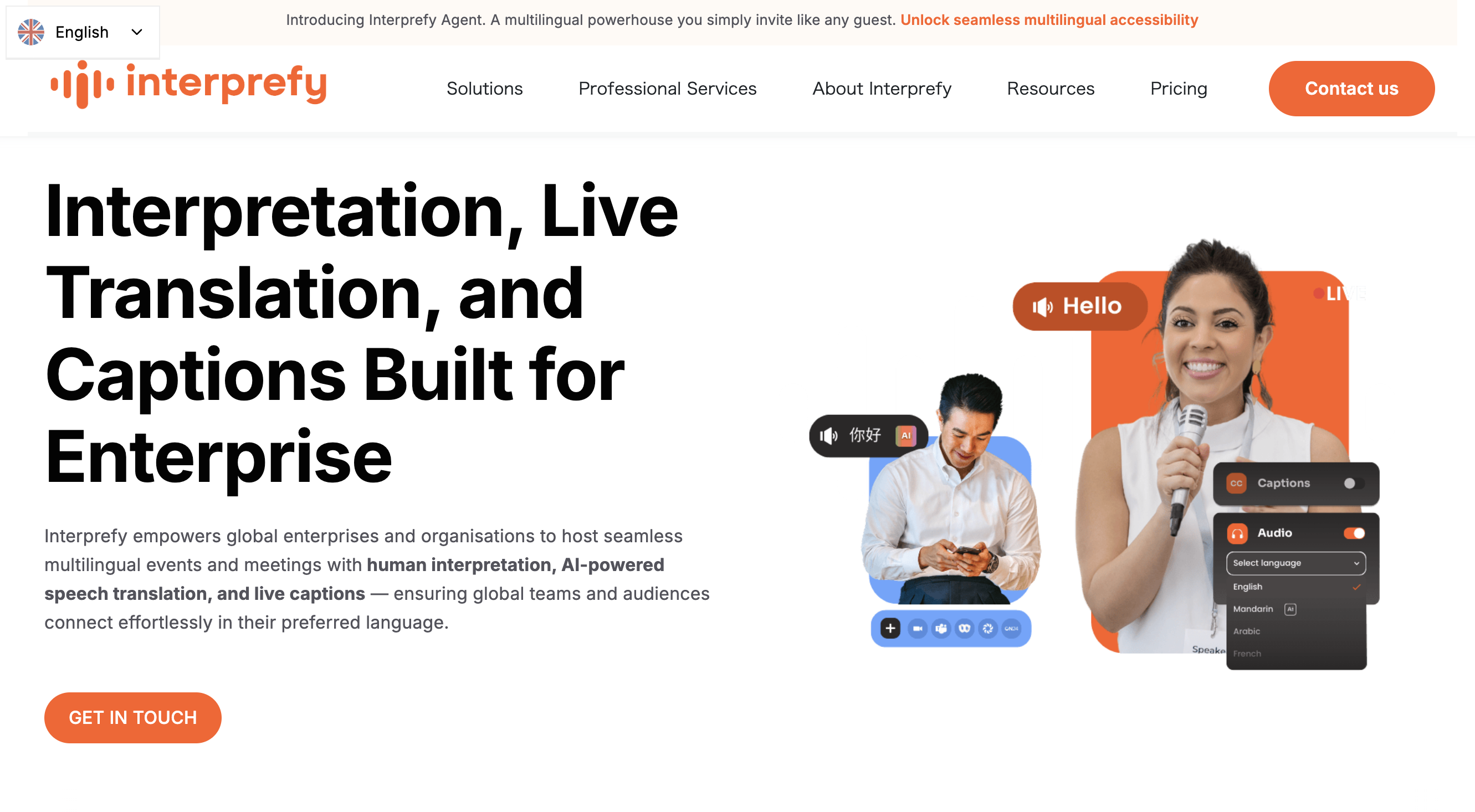
It offers professional interpretation for large events, combines AI and human interpreters for maximum accuracy, and has enterprise-grade security.
The catch: it's priced for enterprise use and overkill for daily team meetings. Better suited for conferences and events. Human interpretation also requires setup and coordination.
Feature Comparison: Teams vs. Alternatives
Translation & Transcription
| Feature | Teams Premium | Teams Copilot (Interpreter) | SuperIntern |
|---|---|---|---|
| Real-time translated captions | ✓ (50+ languages) | ✓ (9 languages, audio) | ✓ (50+ languages) |
| Two-way simultaneous translation | — | — | ✓ |
| Language support | 50+ (captions) | 9 only | 50+ |
| Custom dictionary | — | — | ✓ |
| Works without bot | ✓ (native) | ✓ (native) | ✓ (desktop app) |
Meeting Intelligence
| Feature | Teams Premium | Teams Copilot | SuperIntern |
|---|---|---|---|
| Live Notes (real-time) | — | — | ✓ |
| Post-meeting summary | ✓ | ✓ (customizable) | ✓ |
| Summary in any language | — | — | ✓ |
| AI chat about meeting | — | ✓ | ✓ |
| Speaker diarization | ✓ | ✓ | ✓ |
Platform & Pricing
| Feature | Teams Premium | Teams Copilot | SuperIntern |
|---|---|---|---|
| Works on Teams | ✓ | ✓ | ✓ |
| Works on Zoom | — | — | ✓ |
| Works on Google Meet | — | — | ✓ |
| Works on any platform | — | — | ✓ |
| Price | $10 (add-on) | $30 (enterprise) | $20 (standalone) |
| Free plan | — | — | ✓ |
| Invisible/stealth mode | — | — | ✓ |
Who Should Choose What
Stick with Teams Premium if your team exclusively uses Teams, only needs caption translation, and you're already on Microsoft 365 E3/E5 where adding Premium is incremental.
Consider Teams Copilot if you want the full Copilot experience beyond translation (document summarization, email drafting, Excel automation) and your meetings only involve the 9 supported languages.
Choose SuperIntern if any of these apply:
- Your team speaks languages beyond the 9 that Interpreter Agent supports
- You use multiple meeting platforms (Teams + Zoom + Google Meet)
- You want real-time structured notes during the meeting, not just post-meeting summaries
- You need a more affordable option ($20/month vs. $10–30/user/month)
- You want a tool that doesn't appear to other meeting participants
- You need two-way simultaneous translation for bilingual meetings
Real-World Scenarios
Sales team selling into 12+ language markets
A sales team regularly meets with clients in Japanese, Korean, Thai, Vietnamese, and Arabic. Interpreter Agent covers only Japanese and Korean from that list. SuperIntern covers all of them, plus provides real-time notes the rep can reference during the call.
15-person startup using Teams + Zoom
Teams Premium for translation would cost $150/month and wouldn't help with Zoom investor calls. A single SuperIntern license at $20/month covers both platforms, with a free tier for team members who need it occasionally.
Consulting firm that can't show translation tools to clients
SuperIntern's Invisible Mode keeps the app hidden during screen sharing, and its botless design means there's no "SuperIntern Bot has joined the meeting" notification.
Conclusion
Teams has made real progress with translation. Live translated captions are genuinely useful, and Interpreter Agent is an interesting step toward real-time interpretation. But high licensing costs, limited language support (especially that 9-language cap), and the fact that it only works inside Teams means it's not the best fit for every team.
If you need something that works across platforms, supports 50+ languages, and costs less, a dedicated tool is worth a try.
Ready to go beyond Teams' translation limits? Try SuperIntern free—no credit card required.