
Transkriptor Review: Pricing, Pros and Cons, and 7 Best Alternatives (2026)
Transkriptor is an AI transcription service that turns audio, video, and meetings into text in more than 100 languages. It has grown quickly because it bundles file uploads, a meeting assistant, and inexpensive hour packs in one product.
This guide explains how Transkriptor works, what each plan includes, what users like about it, and when another tool is the better fit. You will also find seven alternatives, a cost comparison for 20 hours a month, and a decision guide by use case.
⚠️ This article was independently compiled based on publicly available information and user feedback as of November 2026.
Table of Contents
- Quick answer: Transkriptor or an alternative?
- What Transkriptor is and how it works
- Transkriptor pricing explained
- Transkriptor review: strengths and weaknesses
- The 7 best Transkriptor alternatives
- Feature comparison table
- What 20 hours of transcription a month costs
- Bot, desktop app, or file upload: three ways to capture a meeting
- Decision guide by use case
- Checklist before you switch
- FAQ
- Conclusion
Quick answer: Transkriptor or an alternative?
Transkriptor is a strong choice if most of your work is uploading recordings and getting text, summaries, and subtitles at a low cost per hour. An alternative makes more sense when you need help during the meeting itself, when you do not want minutes that expire, or when your data cannot leave your computer.
| Your priority | Best option | Why |
|---|---|---|
| Live notes and translation during meetings | SuperIntern | No bot, and the transcript and notes build while people talk |
| Unlimited file volume for one person | TurboScribe | Flat rate with no hour cap |
| Professional subtitles in many languages | Happy Scribe | 150+ languages and subtitle workflows |
| Confidential interviews without the cloud | noScribe | Free, open source, and fully local |
| EU hosting and human transcription | Amberscript | EU servers and professional transcribers |
| Occasional files without a subscription | Sonix | Pay as you go by the hour |
| English-language meetings with team features | Otter | Established assistant with a free plan |
If you already use Transkriptor and you are happy with its accuracy and price, there is no reason to switch for the sake of it. The useful question is which part of your workflow still costs you time.
What Transkriptor is and how it works
Transkriptor is a web platform with mobile, desktop, and browser apps. Its site footer lists an address in Dubai, UAE. You can use it in three ways: upload a file, record in the app, or let its assistant capture your meetings.
| Feature | Transkriptor (November 2026) |
|---|---|
| Languages | 100+ for transcription and 100+ for translation |
| Meetings | "Notetaker" bot for Zoom, Google Meet, and Teams, or bot-free recording with the desktop app |
| Apps | Web, Mac, Windows, Chrome extension, iOS, Android, and Apple Watch |
| Calendar | Google Calendar and Outlook to join scheduled meetings |
| AI | Template-based summaries, action items and decisions, "Ask Transkriptor" chat across all your meetings |
| Export | TXT, DOCX, SRT, and VTT |
| Integrations | HubSpot, Salesforce, Notion, Slack, Zapier, API, MCP, and dozens more |
| Stated security | GDPR, SOC 2, ISO 27001, HIPAA, EU data residency, and no training on your content |
The certifications and the "over 99%" accuracy figure are vendor claims. If you handle sensitive data, ask for the documentation before you sign up.
Transkriptor also promotes free tools such as YouTube transcription by link, a subtitle generator, and an audio translator. They are a quick way to test quality before you pay.
Transkriptor pricing explained
Pricing combines minute-based plans with hour packs for heavy use.
| Plan | Monthly price | Annual billing | Included minutes | What it adds |
|---|---|---|---|---|
| Lite | $9.99 | Not verified | 300 per month | Web and mobile access |
| Pro | $19.99 | $8.33 per month ($99.99 per year) | 2,400 per month | AI summary, custom templates, AI chat, knowledge base |
| Team | $30 per seat | $20 per seat | 3,000 per seat | Custom vocabulary, call analytics, central management, custom bot name |
| Hour packs | From $60 for 100 h | From $30 per month for 100 h | 100 to 1,000 hours | For large volumes |
Three details are worth reading before you pay:
- Minutes expire. According to its FAQ, unused minutes expire one month after purchase. If your usage is uneven, you pay for hours you never use.
- The free allowance is unclear. One page mentions a 90-minute free plan, another says up to 30 minutes a day. Check the current limit when you sign up.
- Custom vocabulary sits in Team. If your work involves many names or technical terms, Pro may fall short.
On cost per hour, annual Pro is among the cheapest options on the market: about 40 hours for $8.33 a month.
Transkriptor review: strengths and weaknesses
Public ratings are high (roughly 4.5 to 4.8 on Trustpilot, G2, and Capterra, depending on which page you check). When you compare that feedback with the published features, clear patterns appear.
What it does well
- Very low cost per hour. Annual Pro and the hour packs are hard to beat if you transcribe a lot.
- Language coverage. 100+ languages for transcription and translation cover almost any recording.
- Many ways to capture audio. File, mobile, extension, desktop, and bot. Few tools offer this many entry points.
- Integration ecosystem. CRMs, task managers, storage, and an API make it easy to move text into other systems.
Where it falls short
- The value arrives after the meeting. Its assistant delivers the transcript, summary, and action items a few minutes after the meeting ends. If you want to read, ask, or confirm decisions while everyone is still on the call, you need a different workflow.
- A visible bot does not always fit. On calls with clients or candidates, an extra participant that records can feel awkward. The bot-free desktop app solves this, but you have to install and configure it.
- Expiring minutes. Quiet months are penalized.
- Features split across plans. AI summaries start at Pro and custom vocabulary is Team only.
- No local option. Everything is processed in the vendor's cloud.
The 7 best Transkriptor alternatives
1. SuperIntern: best for live notes and translation
SuperIntern is a real-time meeting assistant. Its desktop app for Mac and Windows captures audio from your computer, so no bot joins the call. It works the same way with Zoom, Google Meet, Teams, Webex, Slack Huddles, or any other tool.
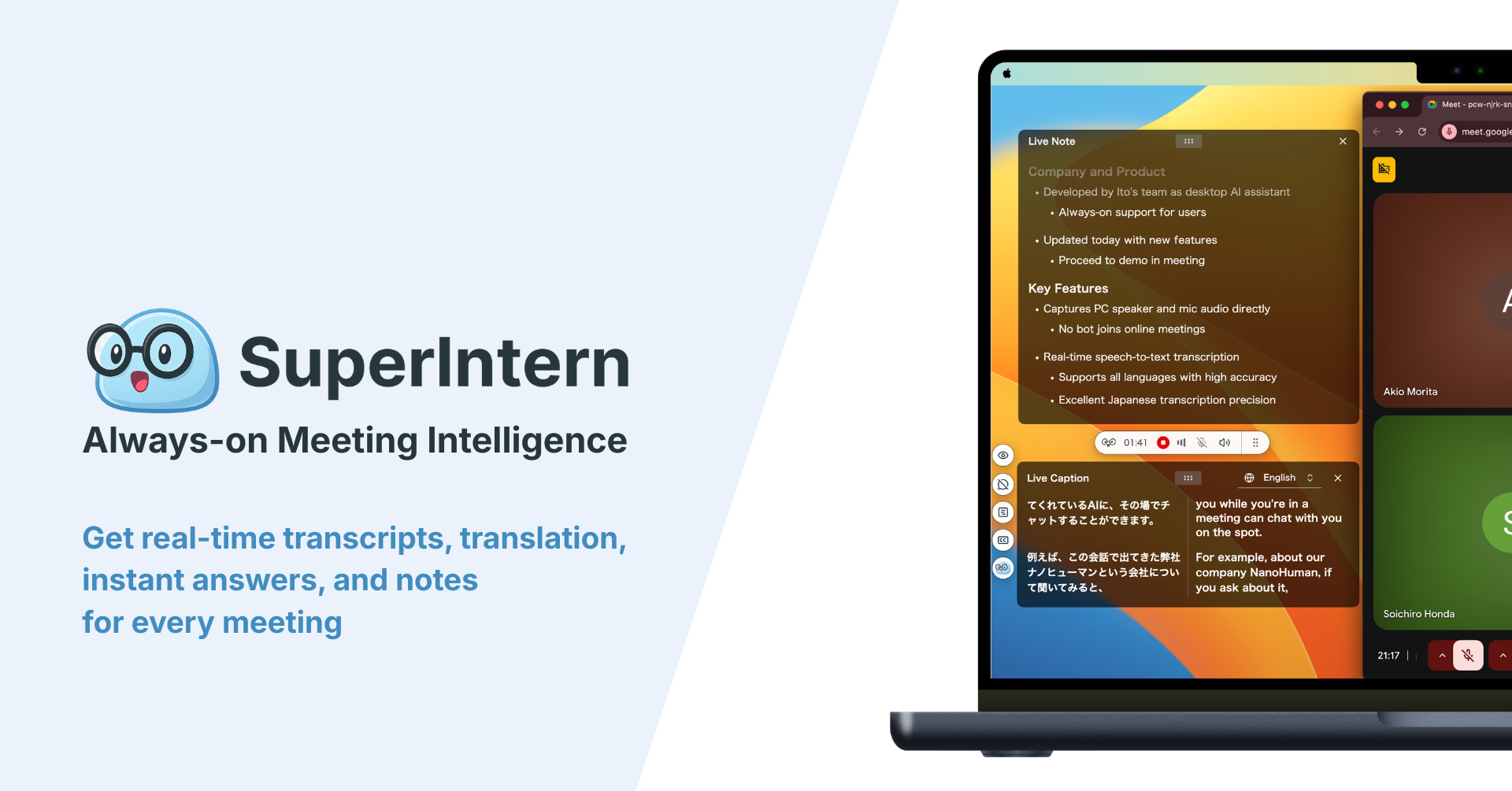
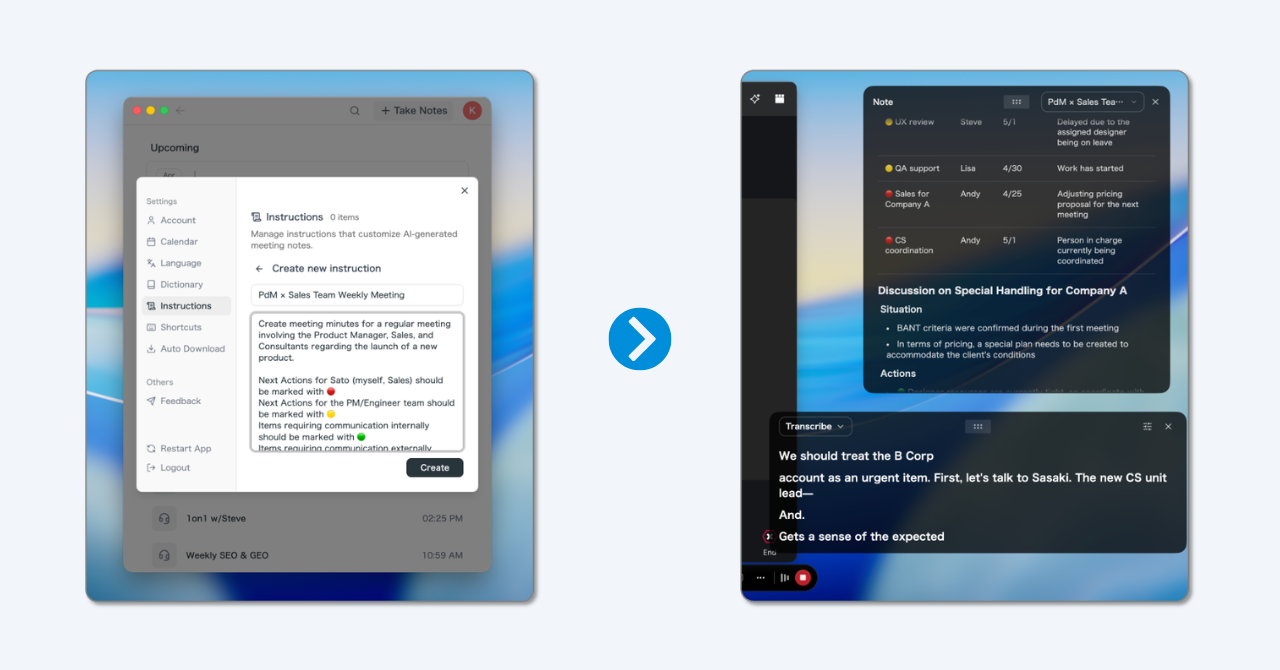
The difference from Transkriptor is timing. The transcript appears as people speak, and with AI Canvas the meeting notes fill in during the call using the structure you define: decisions, open questions, action items, or the blocks you use on sales calls.
If the meeting is in another language, you can follow it with real-time translation and subtitles in more than 50 languages.
Many users tell us SuperIntern's accuracy is well ahead of other tools, and more and more teams are moving over from other products. There is a free plan, so the best test is your next meeting.
- Strengths: Live bot-free transcription, translation and subtitles in 50+ languages, AI Canvas, AI chat during and after meetings, custom dictionary, Invisible Mode while screen sharing, audio upload with speaker identification and summaries
- Limits: Live meetings require the desktop app. Uploads accept audio only, up to 5 hours and 1 GB per file. No SRT subtitle export.
- Price: Free plan with a time limit. Plus costs $20 a month with 100 hours included, then $0.02 per minute.
2. TurboScribe: best for unlimited file volume
TurboScribe is a Whisper-based upload service. Its Unlimited plan has no hour cap and accepts files of up to 10 hours or 5 GB.
- Strengths: Flat rate, bulk upload of 50 files, 98+ languages, export to PDF, DOCX, SRT, and VTT
- Limits: No live transcription, Unlimited covers a single user, and the main infrastructure is in the United States
- Price: Free with 3 files a day of up to 30 minutes. Unlimited costs $20 a month, or $10 a month billed annually.
3. Happy Scribe: best for subtitles and multilingual content
Happy Scribe stands out for subtitles, translation, and human review. The company cites SOC 2 Type II, GDPR compliance, and EU data residency.
- Strengths: 150+ languages, subtitle editor, optional human review, team seats
- Limits: Minute allowances are small, so large volumes get expensive
- Price: Basic from $8.50 a month billed annually for 120 minutes, Pro from $19 for 600 minutes, Business from $59 for 6,000 minutes
4. noScribe: best for transcription without the cloud
noScribe is a free, open-source app for Windows, macOS, and Linux. Audio never leaves your computer. It uses Whisper for transcription and pyannote for speaker separation.
- Strengths: No cost, no cloud, around 60 languages, built-in editor
- Limits: Slow on modest laptops, no AI summaries or live features, and you manage installation yourself
- Price: Free. Download it from the official GitHub repository, because the noscribe.ai domain is not part of the project.
5. Amberscript: best for EU hosting and human accuracy
Amberscript combines AI with professional transcribers and stores files on European servers. It states ISO 27001 and ISO 9001 certification.
- Strengths: EU storage, 90+ automatic languages, human transcription with 99% accuracy according to the vendor
- Limits: Higher cost per hour and no real-time meeting assistant
- Price: Starter €19 a month for 5 hours, Pro €29 for 10 hours, Power €49 for 25 hours, human transcription from €1.85 per minute
6. Sonix: best for occasional files without a subscription
Sonix lets you pay only for what you transcribe, which avoids the expiring-minutes problem.
- Strengths: Pay as you go, per-second billing, 54+ languages, 30-minute free trial
- Limits: Expensive for regular use, and GDPR and HIPAA assurances sit in Enterprise
- Price: $10 per hour without a subscription, Core $25 a month for 5 hours, Advanced $50 a month for 20 hours
7. Otter: best for English-language meetings
Otter is one of the best-known meeting assistants, with live transcription and summaries. Its language coverage is limited.
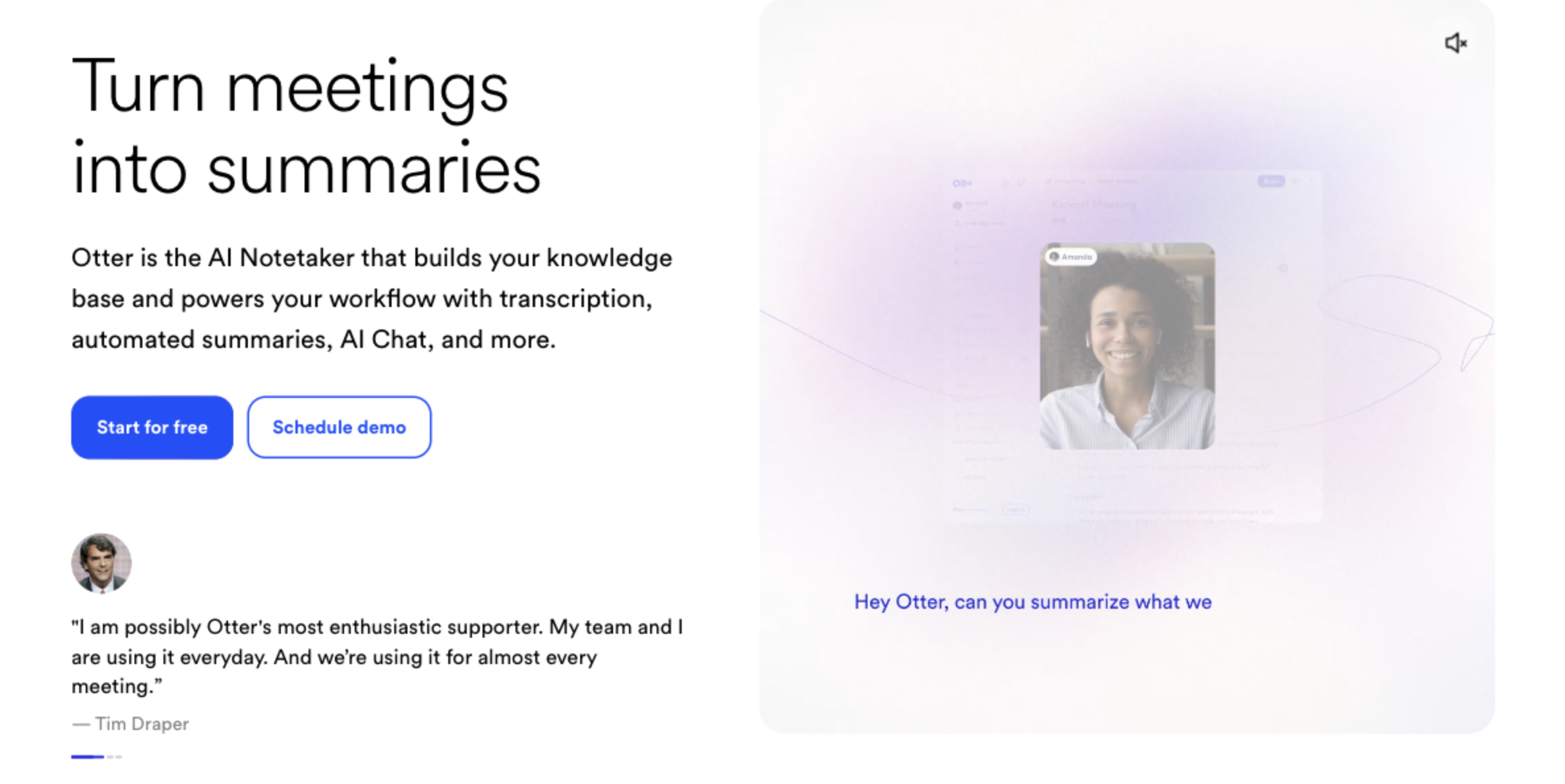
- Strengths: Free plan, team features, mature ecosystem
- Limits: Six transcription languages, 10 imports a month, and 90 minutes per meeting on Pro
- Price: Basic is free with 300 minutes. Pro costs $16.99 a month, or $8.33 billed annually, for 1,200 minutes.
Feature comparison table
| Tool | Live transcription | No bot in the call | File upload | Translation | No cloud | Best for |
|---|---|---|---|---|---|---|
| Transkriptor | Not confirmed | Yes, with the desktop app | Yes | 100+ languages, on the transcript | No | High volume at low cost |
| SuperIntern | Yes | Yes | Audio only, up to 5 h | Real time, 50+ languages | No | Live meetings |
| TurboScribe | No | Not applicable | Yes, up to 10 h | On the transcript | No | Unlimited files |
| Happy Scribe | No | Not applicable | Yes | Yes | No | Subtitles |
| noScribe | No | Not applicable | Yes, locally | No | Yes | Confidential data |
| Amberscript | No | Not applicable | Yes | Check | No | EU and human accuracy |
| Sonix | No | Not applicable | Yes | Yes | No | Occasional use |
| Otter | Yes | Mainly via bot | Limited | No | No | English-speaking teams |
What 20 hours of transcription a month costs
List prices are confusing because each vendor counts minutes, hours, or files differently. This scenario uses 20 hours of audio a month, roughly five one-hour meetings a week.
| Tool | Suitable plan | Monthly cost | Note |
|---|---|---|---|
| noScribe | Open source | $0 | Needs a powerful computer |
| Transkriptor | Pro | $8.33 annual, $19.99 monthly | 40 hours, 20 of which expire unused |
| TurboScribe | Unlimited | $10 annual, $20 monthly | No limit for one person |
| Otter | Pro | $8.33 annual, $16.99 monthly | Exactly 20 hours, 90 minutes max per meeting |
| SuperIntern | Plus | $20 | 100 hours, including live use |
| Amberscript | Power | €49 | 25 automatic hours |
| Sonix | Advanced | $50 | 20 hours |
| Happy Scribe | Business | From $59 | Pro's 600 minutes are not enough |
On price alone, Transkriptor, TurboScribe, and noScribe lead. The real cost, however, includes the time someone spends turning a transcript into meeting notes. At 20 minutes per meeting, twenty meetings add up to almost seven hours a month. A tool that delivers finished notes when the call ends usually pays for the difference in subscription.
Bot, desktop app, or file upload: three ways to capture a meeting
Before you pick a tool, decide how you want to capture the conversation. Each method has different consequences.
| Method | How it works | Advantages | Drawbacks |
|---|---|---|---|
| Bot in the call | A virtual participant joins and records | Automatic via calendar, nothing to install | Visible to everyone, may need host approval, useless for in-person meetings |
| Desktop app | Captures computer audio and microphone | No extra participant, works with any platform and in person | Requires installation and audio permissions |
| File upload | Record first, process later | Works for archives, podcasts, and videos | Nothing happens during the meeting, and someone has to remember to record |
Transkriptor offers all three, but its strength is still post-processing. SuperIntern focuses on the second method and uses it to work live: transcription, structured notes, and translation while the meeting is still running.
Whichever method you choose, tell participants that the meeting is being transcribed. It builds trust and it is simply good practice.
Decision guide by use case
| Situation | Recommendation | Reason |
|---|---|---|
| Sales and client calls | SuperIntern | No visible bot, and notes follow your team's template |
| International meetings in a second language | SuperIntern | Real-time translated subtitles |
| Weekly team meetings | SuperIntern | Notes are ready when you hang up |
| Archive of hundreds of podcast hours | TurboScribe | No hour cap |
| Low-cost recordings in many languages | Transkriptor | 100+ languages and hour packs |
| Subtitles for videos and courses | Happy Scribe | Subtitle editor and human review |
| Confidential research interviews | noScribe | Everything stays on your computer |
| Maximum accuracy for formal records | Amberscript | Human transcription option |
| A file now and then | Sonix | You pay only for what you use |
Many teams combine two tools: one for live meetings and one for files. For example, SuperIntern for everyday calls and Transkriptor or TurboScribe for old recordings and long videos.
Checklist before you switch
- Export your history. Download the transcripts you want to keep as DOCX or TXT before you cancel.
- Use up or plan around your minutes. Because Transkriptor minutes expire, schedule cancellation for the end of the billing period.
- Write down your summary templates. Copy the structure you used and rebuild it in the new tool. In SuperIntern, you set this up with AI Canvas.
- Bring your vocabulary. Move client names, product names, and acronyms into the new tool's custom dictionary.
- Review integrations. Check which connections (CRM, Notion, Slack) you actually use and whether the alternative covers them.
- Run a real test. Use the same 15-minute meeting in two tools and compare names, numbers, and speakers.
- Settle privacy first. Confirm the data processing agreement and data location with your compliance team.
SuperIntern is a cloud service. Meeting data is not used to train AI models, and a SOC 2 Type II audit is in progress. You can find more details in the Trust Center.
FAQ
Is Transkriptor free?
It offers a free trial with limited minutes and several free tools on its website. The exact allowance varies by page (both 90 minutes and 30 minutes a day are mentioned), so check it when you sign up. Paid plans start at $9.99 a month.
Is Transkriptor safe and legit?
The vendor states GDPR, SOC 2, ISO 27001, and HIPAA compliance, EU data residency, and no model training on your content. These are vendor statements. For business use, ask for the audit reports and a data processing agreement.
Does Transkriptor use a bot in meetings?
It can. Its Notetaker joins Zoom, Google Meet, and Teams from your calendar. It also offers a desktop app that records without a bot.
Does Transkriptor transcribe in real time?
Its website mentions transcribing conversations live, but the meeting assistant delivers results after the meeting ends. If you need to read the transcript and notes during the meeting, SuperIntern is built for that case.
What is the best free Transkriptor alternative?
For confidential files, noScribe is free and runs without the cloud. For meetings, SuperIntern's free plan lets you try live transcription and notes.
Which Transkriptor alternative translates meetings live?
SuperIntern shows real-time translation and subtitles in more than 50 languages during the meeting, without a bot. Transkriptor translates the transcript and summary after they are generated.
Can I use SuperIntern and Transkriptor together?
Yes. It is a common combination: SuperIntern for live meetings and Transkriptor for long video files or SRT subtitles.
Conclusion
Transkriptor is a complete, affordable tool for turning recordings into text in more than 100 languages. Its limits show when what you need happens during the meeting, when your usage is uneven and minutes expire, or when data cannot go to the cloud.
For unlimited files there is TurboScribe, for subtitles Happy Scribe, for local processing noScribe, and for EU hosting with human review Amberscript. If your material is mostly meetings, SuperIntern transcribes and translates live, completes your notes while you talk, and adds no bot to the call.
Try SuperIntern in your next meeting. No credit card required.