
Voice Recorder to Meeting Minutes: How to Turn Recordings Into Useful AI Notes
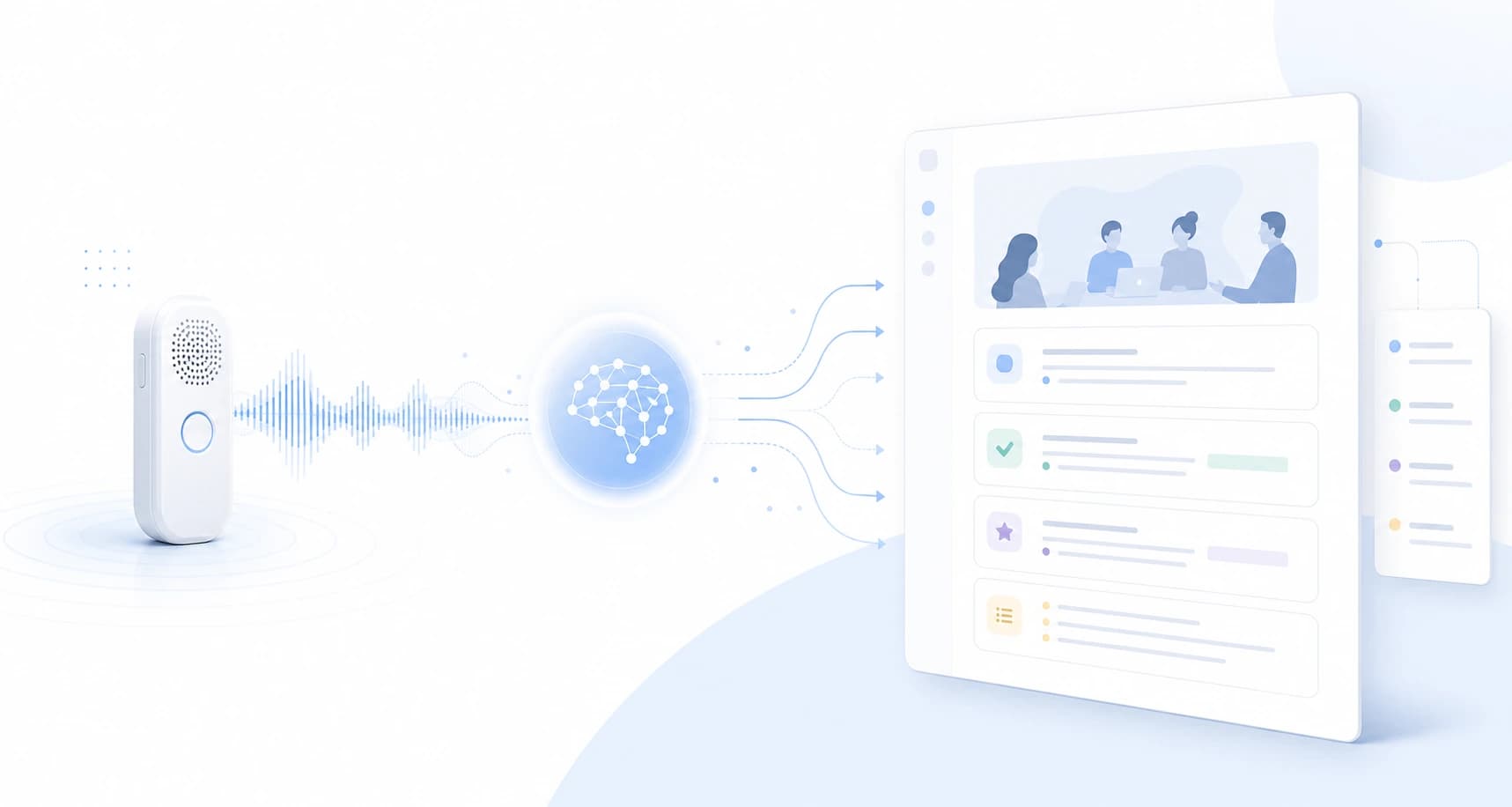
A voice recorder can capture a meeting, but it does not create useful meeting minutes by itself.
Someone still has to listen, transcribe, summarize, identify decisions, assign owners, and share the final record.
That gap is why teams search for ways to turn a voice recorder into meeting minutes with AI.
This guide explains the practical workflow from recording to minutes, where AI helps, where human review still matters, and when a live meeting assistant such as SuperIntern is a better fit than a recorder-only process.
⚠️ This article was independently compiled based on publicly available information and user feedback as of May 2026.
Quick Recommendation
| Need | Best fit |
|---|---|
| Keep an audio record for later review | Voice recorder plus AI transcription |
| Produce official evidence | Controlled recording workflow plus human review |
| See decisions and action items during the meeting | Live AI meeting notes |
| Work across Zoom, Teams, Meet, Webex, and in-person meetings | Desktop meeting assistant |
| Avoid adding a bot participant | Botless meeting assistant |
Voice recorders are useful when the goal is to preserve audio.
They are weaker when the goal is to move work forward immediately after the meeting.
For that, you need a workflow that turns speech into decisions, tasks, risks, questions, and follow-up language.
The Basic Workflow From Voice Recording to Minutes
The path from audio to useful minutes usually has six steps.
| Step | What happens | Risk to manage |
|---|---|---|
| 1. Record | Capture the meeting with a recorder, laptop, or app | Consent, audio quality, and storage policy |
| 2. Organize | Name the file with date, meeting type, and attendees | Recordings become impossible to find later |
| 3. Transcribe | Convert speech to text with AI | Speaker labels and proper nouns need review |
| 4. Summarize | Turn long transcript sections into readable notes | A transcript is not the same as minutes |
| 5. Extract actions | Pull out owners, deadlines, blockers, and open questions | Ambiguous ownership still needs confirmation |
| 6. Share | Put the output in CRM, Docs, Notion, or a wiki | Access control and audience matter |
AI can help most with transcription, summarization, and action extraction.
It cannot replace policy decisions about consent, retention, access, and what should be shared outside the company.
Recording Is Not the Same as Meeting Minutes
A recording is source material.
Meeting minutes are an operational artifact.
| Dimension | Recording | Meeting minutes |
|---|---|---|
| Purpose | Preserve what was said | Preserve what matters next |
| Time to consume | Usually long | Usually minutes |
| Searchability | Limited unless transcribed | Easier with headings and sections |
| Shareability | Often sensitive and heavy | Can be scoped to the audience |
| Business value | Requires later interpretation | Connects directly to follow-up |
The most common failure is assuming that recording the meeting means the meeting is documented.
In reality, recordings often sit unused because nobody has time to replay them.
When a Voice Recorder Workflow Makes Sense
A recorder-first workflow can be the right choice in several situations.
- You need an audio record for compliance or internal evidence.
- The meeting is in person and a laptop workflow would distract the room.
- You are conducting interviews or field research.
- The exact wording may matter later.
- Internet access or meeting software is unreliable.
Even then, the recording should usually be treated as evidence, not as the working document.
The team still needs minutes that explain decisions, rationale, action items, and unresolved questions.
What AI Can and Cannot Do
AI can make recorder-based minutes much faster.
It can transcribe the file, compress repeated discussion, find likely decisions, and draft a first version of the minutes.
However, there are limits.
| Area | What AI can do | What a person should verify |
|---|---|---|
| Transcript | Convert speech to text | Missed words, accents, crosstalk |
| Speakers | Infer speaker turns | Names and decision authority |
| Summary | Condense long discussion | Whether the conclusion is accurate |
| Action items | Detect tasks and owners | Whether the owner actually accepted the task |
| Follow-up | Draft an email or CRM note | Tone, omissions, and confidentiality |
| Translation | Produce another language version | Sensitive nuance and terminology |
The review step is not a formality.
For customer calls, hiring interviews, legal discussions, and leadership decisions, a short human check prevents expensive misunderstandings.
Recorder-Based Minutes vs. Live AI Notes
The biggest decision is whether the minutes should be created after the meeting or during it.
| Workflow | Strengths | Limitations | Best for |
|---|---|---|---|
| Voice recorder plus post-meeting AI | Easy to start, preserves audio evidence | No help during the meeting | Interviews, official records, review workflows |
| Meeting platform transcript | Fits managed internal meetings | Platform and host settings matter | Standardized internal Zoom, Meet, or Teams calls |
| Bot-based AI notetaker | Can auto-join scheduled meetings | Bot appears in the participant list | Internal meetings where bot presence is acceptable |
| Botless live AI assistant | Creates notes during the conversation and avoids bot presence | Requires desktop app and audio permission | Sales, hiring, multilingual, external calls |
Post-meeting AI saves documentation time.
Live AI also changes the meeting itself.
If the note is visible during the conversation, you can catch missing owners, unclear decisions, and unanswered questions before everyone leaves.
Where SuperIntern Fits
SuperIntern is designed for teams that want more than a recording archive.
It is a desktop meeting assistant that captures microphone and system audio from the computer.
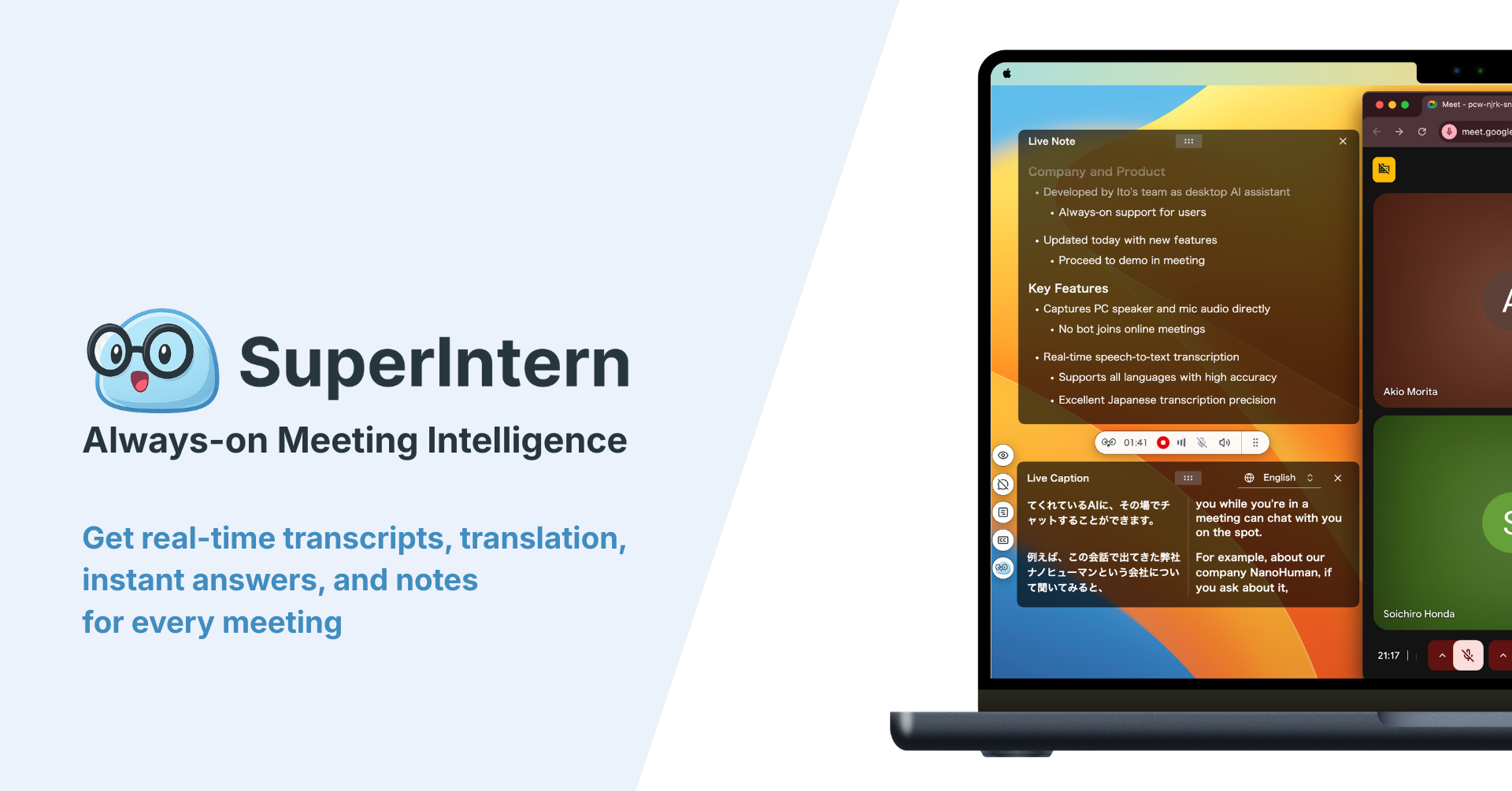
That means it can work across meeting contexts such as Zoom, Google Meet, Microsoft Teams, Webex, Slack Huddles, Discord, browser calls, and in-person meetings where the computer handles audio.
It does not join the meeting as a bot.
SuperIntern is useful when you want:
- real-time transcription

- live structured meeting notes
- AI Canvas instructions for different meeting types
- real-time translation and live captions
- summaries in a chosen language
- custom dictionary support for names and terminology
- Invisible Mode for screen-sharing situations
- post-meeting AI chat over the meeting content
A recorder preserves audio for later.
SuperIntern helps you understand, structure, and reuse the meeting while it is happening.
Choosing the Right Workflow
Use this decision table before buying another recorder or adding another AI tool.
| Situation | Better starting point |
|---|---|
| You must retain original audio for policy reasons | Voice recorder or approved recording system |
| You need minutes right after every meeting | AI transcription plus summary workflow |
| You need decisions visible during the meeting | Live AI notes |
| You meet customers on many platforms | Botless desktop assistant |
| You only run internal Teams calls | Native Teams workflow may be enough |
| You need multilingual understanding during the call | Live translation plus notes |
| You need bulk processing of old audio files | Dedicated transcription or file-processing service |
| You need mobile-only recording | Recorder app or mobile-first tool |
The right answer is often a combination.
Keep an official recording when policy requires it.
Use live AI notes when the meeting itself needs better structure and faster follow-up.
A Practical Operating Model
1. Classify Meeting Types
Sales calls, hiring interviews, customer discovery, leadership meetings, 1:1s, and project standups need different minutes.
A sales call may need objections, budget signals, next steps, and CRM language.
A hiring interview may need evaluation notes, examples, risks, and privacy controls.
2. Decide When Live Notes Matter
Some meetings only need a clean record after the fact.
Others need help in the moment.
If a missed action item costs a deal, a candidate decision, or a customer escalation, live notes are more valuable than a passive recording.
3. Store Notes Where Work Happens
Minutes that stay in a downloads folder rarely become team knowledge.
Put them where the next action happens.
| Destination | Best use |
|---|---|
| CRM | Sales calls, customer risks, renewal notes |
| Project tracker | Decisions, blockers, implementation tasks |
| Internal wiki | Research, product decisions, operating context |
| Shared Docs | Reviewable meeting records |
| Personal notes | Private preparation or short-term memory |
4. Build a Review Habit
AI minutes should be reviewed quickly while the meeting is still fresh.
The review does not need to be long.
Check names, dates, owners, commitments, and anything that will be sent externally.
Common Mistakes
Treating the Recording as the Deliverable
The recording is useful, but it is rarely the artifact people want to consume.
If the team has to replay 45 minutes to find one decision, the workflow is still inefficient.
Sharing Raw Transcripts Too Broadly
Full transcripts can include sensitive side comments, personal data, or irrelevant back-and-forth.
Summaries should be scoped to the audience.
Ignoring Consent
Recording and AI note-taking policies vary by organization and jurisdiction.
Make disclosure and consent part of the workflow, not an afterthought.
Forgetting Proper Nouns
Product names, customer names, acronyms, and internal project names are common sources of errors.
Use a custom dictionary when available, and review key terms before sharing.
Security and Privacy Questions to Ask
Before using any voice recorder or AI minutes workflow, answer these questions.
| Question | Why it matters |
|---|---|
| Who is allowed to record this meeting? | Consent and legal requirements differ by context |
| Where is the raw audio stored? | Audio can contain more sensitive data than the summary |
| Who can read the transcript? | Full transcripts should not always be broadly shared |
| Can AI outputs be used for model training? | Data handling policies affect risk |
| How long are files retained? | Retention should match business and legal needs |
| What is the approved sharing format? | Customer-facing notes need stricter review |
SuperIntern's positioning is useful for privacy-sensitive meeting workflows because it does not add a meeting bot.
Still, teams should decide when AI assistance is allowed and how participants are informed.
FAQ
Can a voice recorder automatically create meeting minutes?
A recorder captures audio. To create minutes, you need AI transcription, summarization, and a review workflow. Some devices and apps bundle these steps, but the important point is the workflow, not the recorder alone.
Is AI transcription enough for meeting minutes?
Usually no. Transcription gives you raw text. Meeting minutes need decisions, owners, dates, risks, open questions, and a readable structure.
Should I create minutes after the meeting or during the meeting?
Use post-meeting processing when you mainly need a record. Use live notes when decisions, owners, or multilingual understanding need to be visible while the meeting is still happening.
Does SuperIntern replace a dedicated voice recorder?
Not in every case. SuperIntern is best for live meetings on a desktop where real-time notes, transcription, translation, and AI chat matter. If your policy requires a dedicated audio evidence file, keep that workflow and use SuperIntern as a working-notes layer.
Can I create meeting minutes without adding a bot?
Yes. A desktop assistant such as SuperIntern captures computer audio and microphone input without joining as a meeting participant.
What should I review before sharing AI-generated minutes?
Review participant names, decisions, owners, deadlines, customer commitments, sensitive comments, and any translated wording.
Conclusion
A voice recorder is a good way to capture what happened.
It is not, by itself, a good way to make a team act on what happened.
If your main need is evidence, keep a controlled recording workflow.
If your main need is faster follow-up, fewer missed action items, and better meeting memory, combine transcription with structured AI minutes.
And if the meeting itself needs support in real time, a botless desktop assistant such as SuperIntern is often more useful than a recorder-only workflow.