
Zoom Transcription: How to Capture Meeting Notes Without a Bot
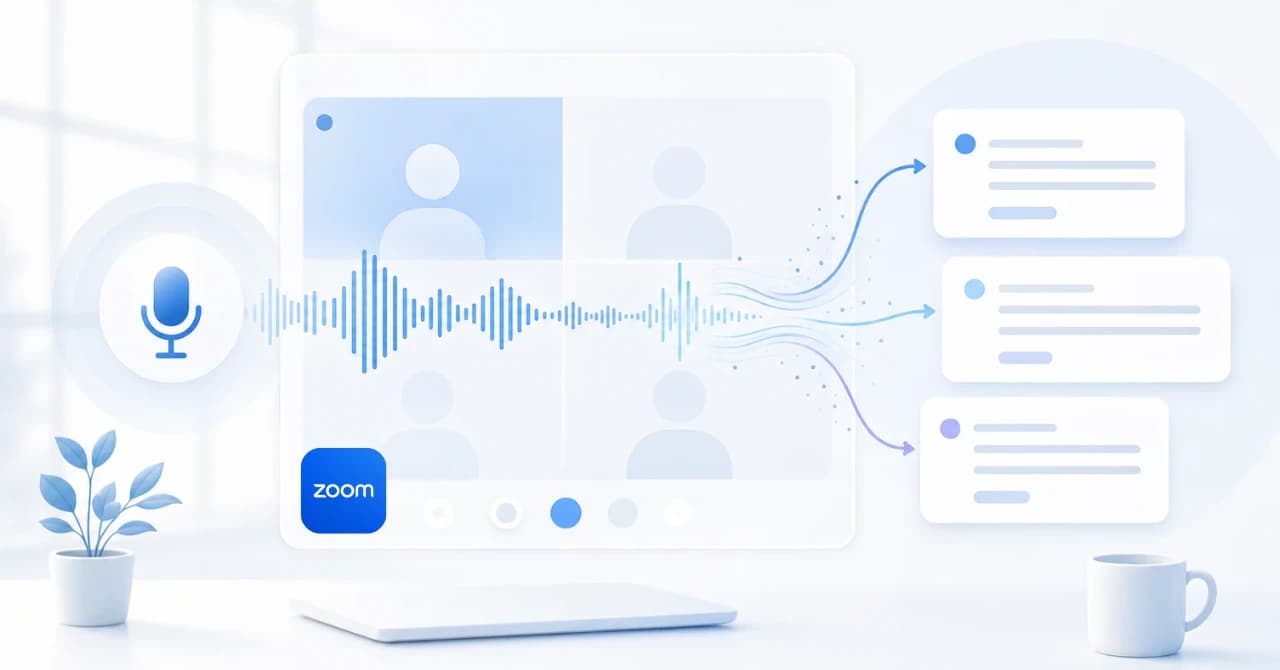
Zoom transcription is useful when you need a record of what was said.
But the real question for busy teams is not only "Can Zoom create a transcript?"
It is "Will the transcript help us make decisions, follow up, and keep context without replaying the meeting?"
This guide explains the practical Zoom transcription options in 2026, where the built-in workflow is enough, where it creates gaps, and when a botless AI meeting assistant such as SuperIntern is a better fit.
Disclosure, May 2026: This article is an independent analysis by NanoHuman Inc. based on publicly available information. SuperIntern is a product of NanoHuman Inc.; we describe both its strengths and limitations honestly so readers can choose the right workflow.
Quick Recommendation
| Situation | Best approach |
|---|---|
| You host internal Zoom meetings and need a saved record | Use Zoom's native transcript or recording workflow if your account supports it |
| You need notes while the meeting is still happening | Use a real-time meeting assistant with live transcription and structured notes |
| You join customer or partner Zoom calls where you do not control settings | Use a desktop, botless capture tool |
| You need the same notes workflow across Zoom, Meet, Teams, Webex, Slack Huddles, and in-person meetings | Use a platform-agnostic assistant |
| You need follow-up quality, not just verbatim text | Pair transcription with decisions, owners, action items, risks, and summaries |
Native Zoom transcription is convenient when your team controls the meeting, account settings, and storage.
For external calls, multilingual conversations, or teams that move between meeting tools, a botless desktop workflow is often easier to operate.
What Zoom Transcription Means
Zoom transcription can refer to several related features.
It may mean a transcript attached to a cloud recording, live captions during the meeting, a downloaded transcript file, or an AI-generated meeting summary.
Those features solve different jobs.
| Job | What the team actually needs |
|---|---|
| Accessibility during the meeting | Captions or live transcript while people speak |
| Review after the meeting | A searchable transcript or recording-linked text |
| Operational follow-up | Decisions, owners, deadlines, objections, and open questions |
| Multilingual collaboration | Translation or summary in a language different from the spoken language |
| External call coverage | A workflow that works even when the host controls Zoom settings |
The mistake is treating all of those as one requirement.
A raw transcript helps with review.
It does not automatically create a useful meeting record.
Native Zoom Transcription Is Useful, but Context-Bound
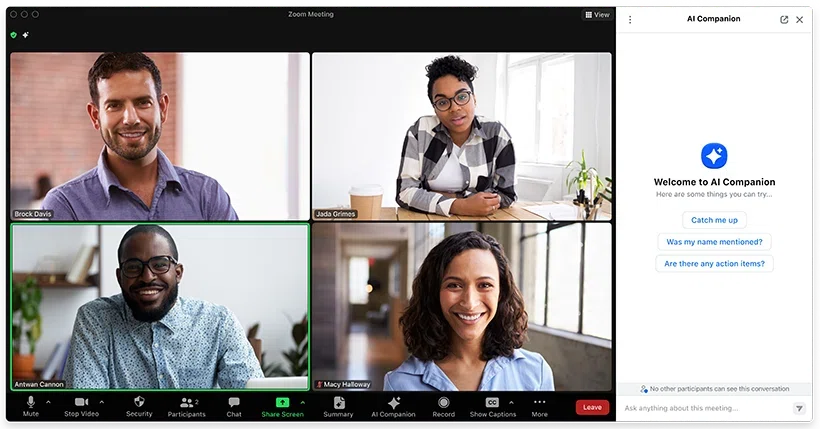
Zoom's built-in transcript-related features are a sensible first choice for many internal teams.
They keep the workflow inside Zoom, align with account settings, and can be managed by the host or administrator.
That makes native transcription a good fit when:
- Your organization hosts the meeting.
- The relevant account, plan, and admin settings support the transcript workflow.
- Participants understand that transcription or recording may be active.
- The team mainly needs a saved record after the meeting.
- The transcript can live in the same place as the recording or Zoom meeting assets.
The issue appears when the meeting is not fully under your control.
A customer may invite you to their Zoom room.
A partner may disable recording.
An interview may require a more careful consent and storage policy.
A sales rep may need the action items before the call ends, not tomorrow.
In those cases, the built-in transcript is only one part of the answer.
The Four Zoom Transcription Workflows
| Workflow | Strength | Limitation | Best for |
|---|---|---|---|
| Zoom native transcript or recording transcript | Low setup when enabled | Depends on host, plan, settings, and recording policy | Internal Zoom meetings |
| Manual notes beside Zoom | High human judgment | Distracts the note taker and misses exact wording | Small, low-risk meetings |
| Bot-based AI notetaker | Can join scheduled calls and process recordings | A visible bot may feel awkward or be blocked | Teams comfortable with meeting bots |
| Botless desktop assistant | Captures local device audio and microphone without joining the meeting | Requires desktop app installation and clear consent practice | External calls, cross-platform teams, live note workflows |
This comparison is less about accuracy alone.
Most teams should evaluate workflow control.
Can the person who needs the record reliably turn the workflow on?
Can the notes be used during the meeting?
Can the same process survive when the next call happens in Google Meet or Microsoft Teams?
When Native Zoom Transcription Is Enough
Native transcription is often enough for internal calls where the goal is a shared historical record.
Examples include:
- A recurring team meeting where the company controls the Zoom account.
- A training session that is already recorded.
- A webinar where the host manages recording, access, and retention.
- A compliance-sensitive meeting where the organization has defined the official Zoom record.
In these cases, do not overcomplicate the workflow.
Use the platform feature, document who can access the transcript, and decide how long the record should be retained.
Then add AI summarization only if people actually read the output.
Where Zoom-Only Workflows Break
Host dependence
If you are not the host, you may not control recording, captions, transcript availability, or storage.
That matters for sales calls, customer interviews, recruiting, investor meetings, and partner discussions.
The person who needs the notes is often not the person who controls the Zoom room.
Post-meeting timing
A transcript after the meeting is useful for review.
It is less useful when the team needs to catch a missing owner, clarify a decision, or adapt the follow-up while the conversation is still active.
Live notes change the meeting behavior because the user can confirm details before the call ends.
Raw text overload
Zoom transcription preserves words.
Workflows require meaning.
Someone still has to identify decisions, next steps, risks, quotes, deadlines, and unanswered questions.
If the output is a long transcript that nobody reads, the team has storage rather than knowledge.
Multi-platform reality
Few teams live in Zoom only.
A single week may include Zoom, Google Meet, Microsoft Teams, Webex, Slack Huddles, Discord, phone calls, and in-person meetings.
If each platform has a different transcription habit, records become inconsistent.
Where SuperIntern Fits
SuperIntern is designed for the situations where Zoom transcription is too late, too platform-specific, or unavailable because you do not control the host settings.
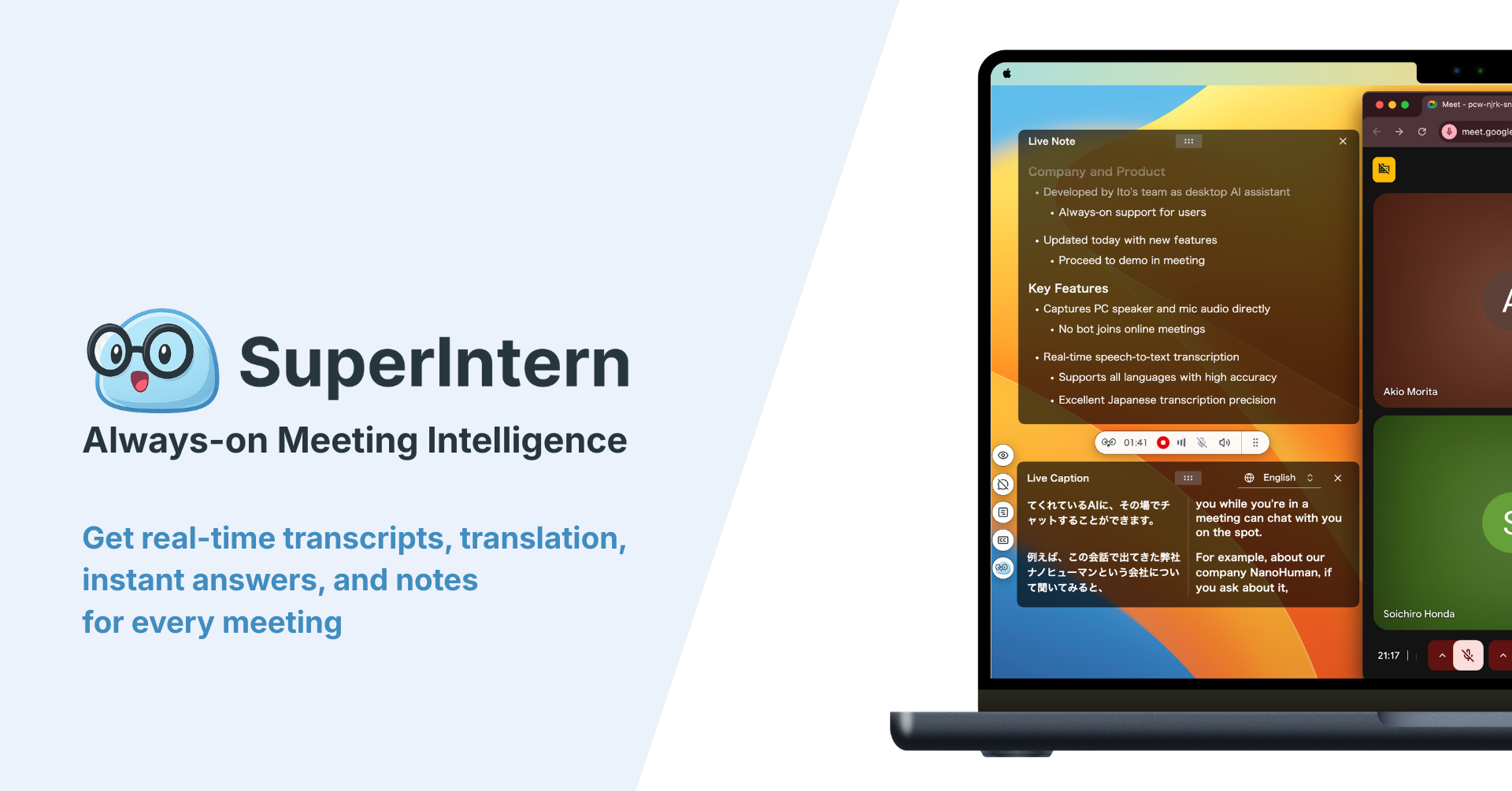
SuperIntern runs as a desktop meeting assistant.
It captures device audio and microphone input, so no meeting bot joins the Zoom call.

During the meeting, it can show live transcription, speaker-aware notes, AI Canvas / Live Notes, real-time translation, custom dictionary support, Invisible Mode for screen sharing, and post-meeting AI chat over the meeting content.
That combination matters when you need to stay present.
Instead of waiting for a transcript file, you can see the useful working record while the meeting is still happening.
Decision Matrix
| Need | Zoom native transcript | Bot-based notetaker | SuperIntern |
|---|---|---|---|
| Simple internal Zoom record | Strong | Usually works | Works, but may be more than needed |
| External calls where host controls settings | Limited | Depends on bot admission | Strong |
| No visible meeting bot | Strong for native feature, not private | Weak | Strong |
| Live structured notes | Limited | Varies by tool | Strong |
| Cross-platform coverage | Zoom only | Usually limited to major platforms | Zoom, Meet, Teams, Webex, Slack Huddles, Discord, browser calls, and in-person contexts |
| Multilingual support | Depends on Zoom feature and account context | Varies | Real-time translation and translated summaries |
| Custom vocabulary | Limited workflow control | Varies | Custom dictionary support |
| Screen-share discretion | Not relevant for native transcript | Bot remains visible in participant list | Invisible Mode is designed to avoid accidental on-screen exposure |
Practical Setup for Zoom Meeting Notes
Step 1: Decide the official record
If the meeting needs a formal record, define whether the official source is Zoom's transcript, a recording, a CRM note, a project document, or an approved internal system.
Do this before people start saving private transcript files everywhere.
Step 2: Separate transcript from notes
A transcript is the source material.
Meeting notes are the business artifact.
For most operational meetings, the final note should include:
- Purpose of the meeting.
- Decisions made.
- Action items with owners.
- Dates, blockers, and unresolved questions.
- Customer or stakeholder quotes worth preserving.
- Follow-up message draft or next-meeting agenda.
Step 3: Use live notes for high-value calls
Sales, customer discovery, recruiting, executive, and product decision meetings benefit from live structure.
If an action item has no owner, the user can ask while everyone is still present.
If a transcript mistranscribes a product name, the user can correct the vocabulary before the next call.
Step 4: Keep the workflow consistent outside Zoom
If your team also uses Meet, Teams, Webex, Slack Huddles, or in-person discussions, standardize the note structure rather than the meeting platform.
The meeting tool may change.
The record format should not.
| Output field | Why it matters |
|---|---|
| Decision | Prevents the same topic from reopening |
| Owner | Makes follow-up actionable |
| Deadline | Turns vague agreements into commitments |
| Risk | Preserves the reason a decision may fail |
| Quote | Keeps customer language or interview evidence |
| Next question | Makes the next meeting easier to run |
Security, Consent, and Retention
Transcription is not only a productivity feature.
It creates a business record.
Before rolling out Zoom transcription or an AI assistant, decide:
- How participants will be informed when transcription, recording, or AI note assistance is used.
- Which meeting types should not be transcribed.
- Who can read the transcript and derived notes.
- Whether summaries can be shared outside the original attendee group.
- How long transcripts and notes should be retained.
- How sensitive topics should be redacted or deleted.
Botless capture reduces participant-list friction.
It does not remove the need for responsible notice and policy alignment.
When SuperIntern Is Not the Best Fit
SuperIntern is strongest for live meetings where the user wants real-time understanding, notes, translation, and follow-up across platforms.
It may not be the best choice if your organization requires every official record to be created inside Zoom, if you need video evidence as the primary artifact, if you need batch processing of old recordings at large volume, or if the user cannot install a desktop app.
In those cases, use the official Zoom workflow or a dedicated post-production transcription service.
FAQ
Does Zoom have built-in transcription?
Yes, Zoom has transcript-related features for eligible meeting, caption, and recording workflows. Availability depends on account settings, plan, host controls, language support, and meeting configuration.
Is Zoom transcription the same as meeting notes?
No. Zoom transcription captures words. Meeting notes organize the conversation into decisions, owners, deadlines, blockers, and follow-up context.
Can I transcribe a Zoom meeting without a bot joining?
Yes. A desktop assistant such as SuperIntern can capture local device audio and microphone audio, so no separate meeting bot appears in the participant list.
What should I use for client-hosted Zoom calls?
Use a workflow you control locally. Native Zoom transcripts may depend on the host account, while a botless desktop assistant can create notes from your computer.
Is Zoom transcription free?
Do not assume it is available for every account or meeting. Test the exact Zoom account, plan, admin settings, and meeting type before depending on it for an important call.
Should I save the whole transcript to my CRM?
Usually no. For sales and customer success, the CRM should receive a concise recap with customer context, decisions, next steps, risks, and useful quotes. Keep the full transcript only when it has a clear retention purpose.
Conclusion
Zoom transcription is a useful starting point for internal meetings where your team controls the account and wants a saved record.
But if your team needs live notes, external-call reliability, multilingual support, or one workflow across multiple meeting platforms, a raw Zoom transcript is not enough.
SuperIntern is a practical fit when you want botless, real-time meeting transcription and structured notes that work beyond Zoom.