
Circleback vs SuperIntern: Which Should You Choose? Comparing Meeting Notes, Real-Time Subtitles, Translation & More
The Bottom Line: Decide Based on "Are You Struggling During Meetings?"
Circleback is a global AI meeting notes service that emphasizes post-meeting task creation, CRM/Notion/Slack integration, and knowledge search. It's a feature-rich product that's particularly well-chosen for team use.
On the other hand, if you're struggling during meetings (especially with following the conversation flow, foreign languages, or technical jargon), SuperIntern is attractive with features like "real-time summary creation during meetings" and "real-time subtitle translation". Currently, SuperIntern is also expanding its post-meeting automation features, narrowing the gap in external tool integration and post-meeting AI chat capabilities.
Try SuperIntern for free here!
This article introduces the features and characteristics of both tools while explaining which use cases each tool is best suited for.
⚠️ This article is based on information as of December 2025.
What is Circleback?
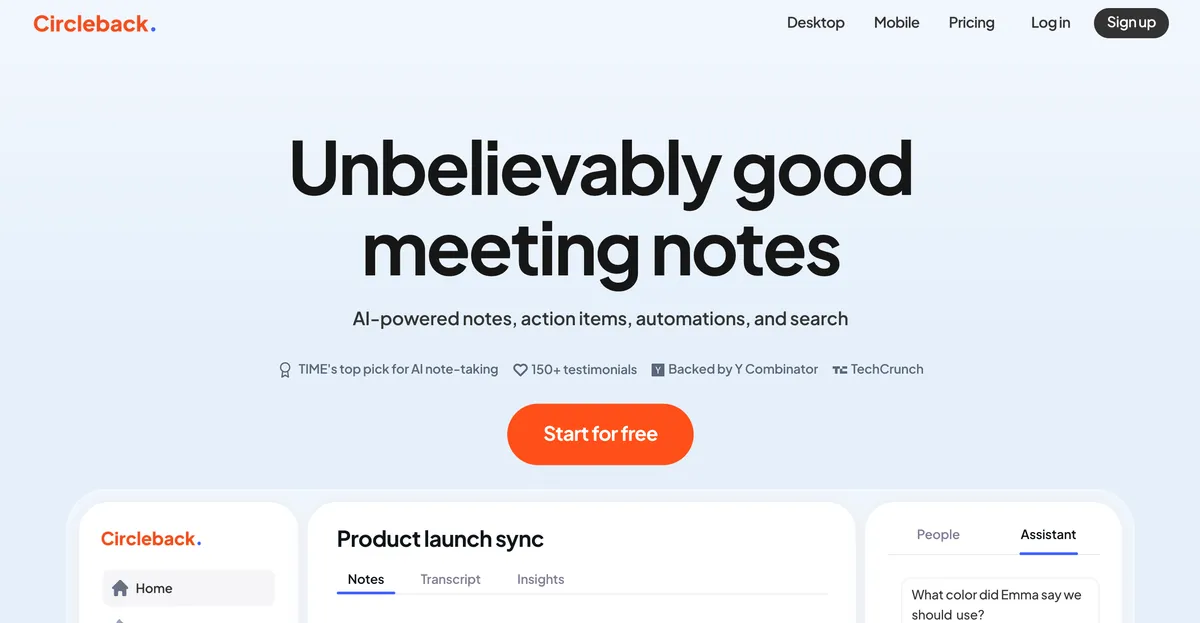
Circleback places meeting notes, task extraction, workflow automation, and search at its core on its official website. In other words, it's designed to create meeting notes and execute post-meeting processing (sharing, task creation, integration, search).
Here's a rough summary of its direction:
- Automatically generate meeting notes and action items
- Push to external tools via post-meeting automation (including Webhooks)
- Cross-meeting search and Q&A
- Multilingual support (100+ languages)
- Bot-free meeting recording
Circleback has a desktop app and can record meetings without a bot.
What is SuperIntern?

SuperIntern, while also creating post-meeting notes, is designed primarily around the in-meeting experience.

- Real-time summary updates during meetings (Live Note)
- Real-time transcription + subtitle translation (e.g., simultaneous display of meeting language + Japanese)
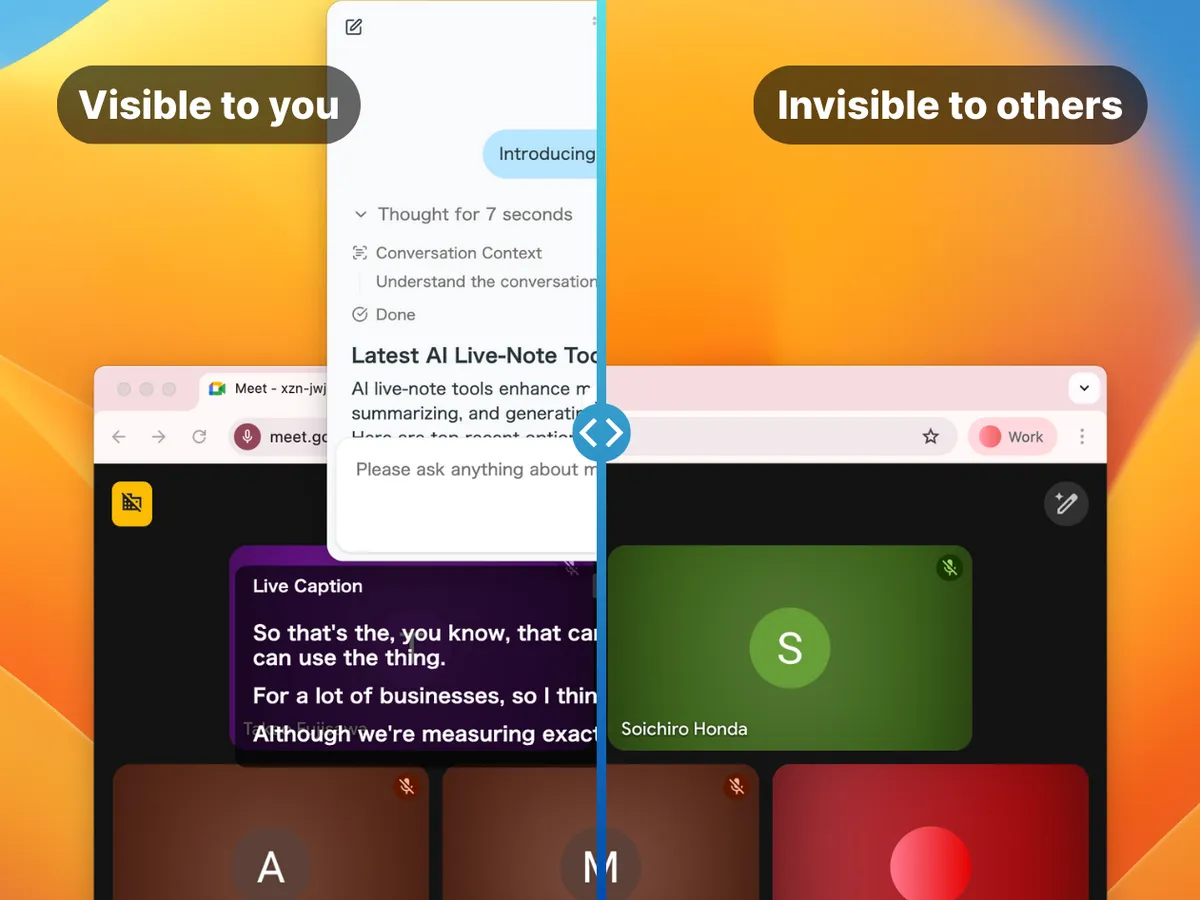
- Invisible to screen sharing/screenshots (Invisible Mode)
- Cross-meeting search and Q&A via AI Chat
- Multilingual support (50+ languages)
- Bot-free meeting recording
For those who find more value in "not being left behind" during meetings rather than "organizing after the meeting ends," SuperIntern is the right fit.
Try SuperIntern for free here!
Comparison Points
1) Support "During Meetings"
This is the biggest difference.
Circleback is designed with emphasis on "post-meeting notes/actions/automation." SuperIntern, on the other hand, has post-meeting integration features still in development as of 2025, and focuses on in-meeting assistance to support "users focusing on more essential conversations"—the true purpose of meetings.
Examples:
- Key points are continuously organized during meetings
- Subtitle translation appears during meetings
- AI chat support during and after meetings (suggestions, answers, web research)
2) Support for Multilingual Meetings
While Circleback supports over 100 languages, in-meeting subtitles remain in the language spoken during the meeting, with notes/actions and other "post-meeting" deliverables changed via language settings.
SuperIntern, however, can display original text + translation subtitles side by side in real-time during meetings, and summaries are also created in Japanese.

The difference lies in "understanding and making decisions during the meeting" rather than "reading after the meeting."
3) How Meeting Participants See It
Both can operate without a bot joining the meeting, so even in sales calls or interviews, you won't create psychological burden on the other party by having them know "AI is recording what we're saying."
You might wonder: since SuperIntern creates and displays subtitles + summaries during meetings, won't the other party notice during screen sharing? On this point, SuperIntern has an "Invisible Mode" feature—when turned on, SuperIntern's screens won't be projected to screen-sharing recipients.
4) When You Can Search and Q&A Based on Meeting Content
Circleback allows you to chat based on meeting content after the meeting, and strongly promotes this on its website.
SuperIntern, however, not only lets you ask questions after the meeting, but also during the meeting—including research via web search—for real-time support.
5) Supported OS/Devices
If you're using something other than macOS, Circleback is currently the better choice.
Circleback
- Desktop: macOS/Windows
- Mobile: iOS/Android
SuperIntern
- macOS supported
- Windows available on Microsoft Store
6) Pricing
Circleback
- 7-day free trial
- Individual plan: $25/month (unlimited)
- Team plan: $30/month per user (team meeting notes sharing features)
SuperIntern
- Free plan: Try without credit card (time-limited)
- Plus plan: $20/month (up to 100 hours, $0.02/minute after)
- Enterprise plan: Custom quote (customizable sharing settings, LLM model selection, etc.)
Who Each Tool Is For
Finally, here's an explanation of what type of user each tool—Circleback and SuperIntern—is best suited for.
People Who Fit Circleback
- Post-meeting task creation and sharing is most important
- Audit, certification, and deployment track record is top priority
People Who Fit SuperIntern
- Want to catch up on foreign language meetings
- Want summaries during meetings to help with in-meeting decision-making
Actual SuperIntern User Feedback
And yet, why are so few people talking about SuperIntern when it's this amazing...
The UX is seriously divine, so I feel like if one influential AI influencer just made one post, it would go pretty viral... Everyone should use it...
Even confusing meetings become fun, and clearly the brain resources used during meetings have decreased (seriously)
— Sae (@Sae__Eng) December 12, 2025
Summary
Both are broadly "meeting AI," but they excel in different areas.
- Circleback: Transforms meetings into "deliverables + workflows." Strong in team sharing and enterprise-focused explanations.
- SuperIntern: Transforms meetings into "real-time understanding + decision-making + execution." Strong in automation and support from during to after meetings.
If you have challenges in meetings like "I don't understand, I can't keep up, I can't speak up during meetings," please try SuperIntern first—available without credit card registration.
Try SuperIntern for free here!