
Fellow.ai Alternative: SuperIntern vs Fellow for Real-Time Meeting Notes & Bot-Free Recording
If you're searching for a Fellow.ai alternative, the typical reasons are:
- "Fellow's agenda and 1:1 workflows are great, but the AI note experience itself feels post-hoc"
- "I want notes to build themselves during the meeting, not be filled in after"
- "I don't want a notetaker bot showing up in customer-facing meetings"
Fellow and SuperIntern overlap as "AI meeting note" tools, but they sit on opposite sides of the meeting timeline: Fellow leans into post-meeting management workflow, SuperIntern leans into in-meeting cognitive support.
This article covers what Fellow does well, where SuperIntern works better, and how to decide between them as a "Fellow alternative."
⚠️ This article is based on information as of May 2026.
30-Second Comparison Summary (Fellow vs SuperIntern)
Fellow is for people who:
- Run structured meeting workflows (agendas, 1:1s, manager check-ins)
- Want to track action items, OKRs, and feedback over time
- Are fine with a notetaker joining the call
SuperIntern is for people who:
- Want a structured note that writes itself in real time during the meeting
- Don't want a bot to appear in their meetings
- Need subtitle translation in real time for multilingual calls
- Don't want their AI tool's UI visible while screen sharing
You can try SuperIntern for free here.
Fellow's Features
Fellow positions itself as an AI meeting management platform: agendas, AI notes, action items, and a tight management workflow for 1:1s and team meetings.
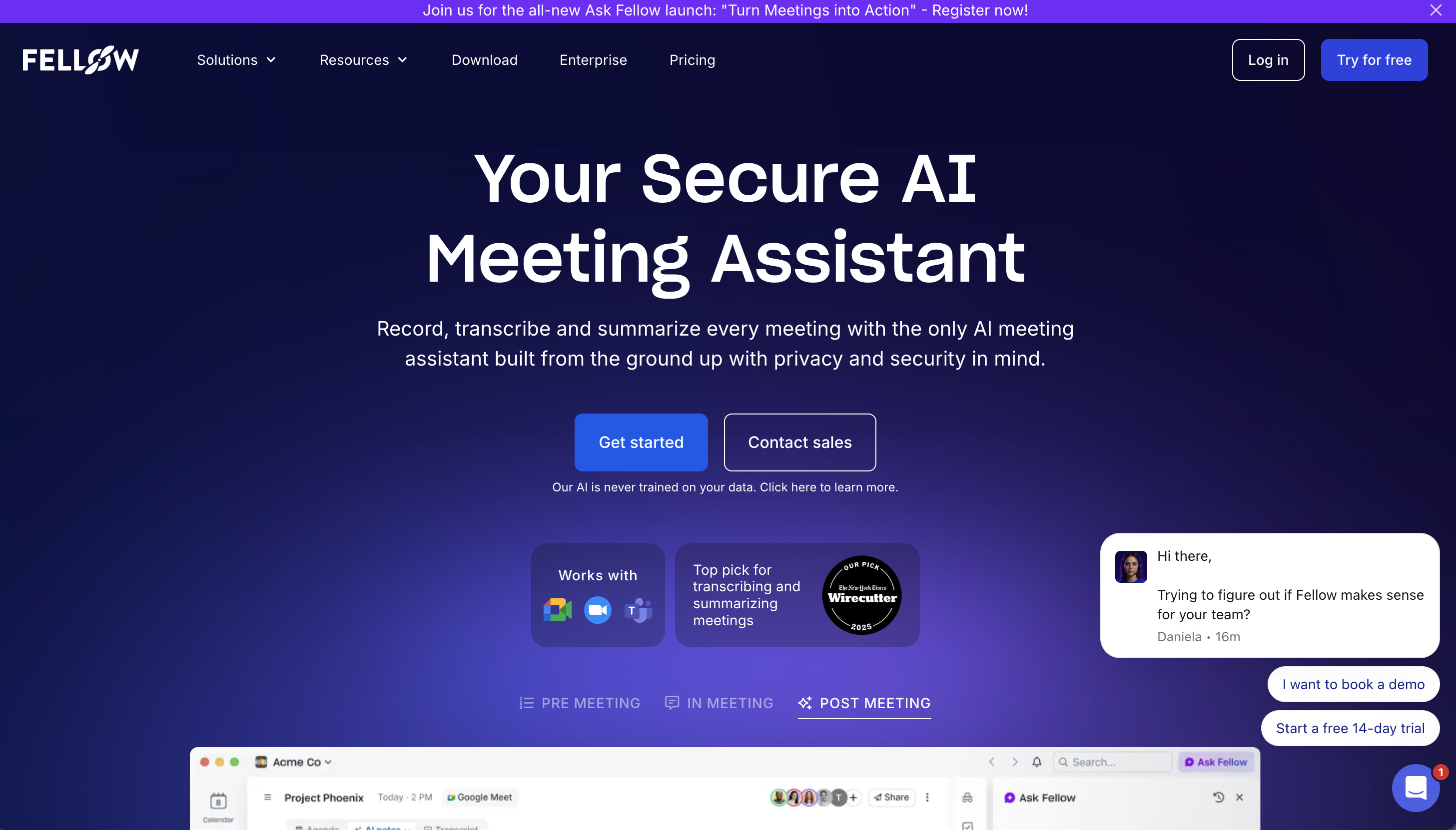
Fellow's User Experience
- Collaborative agendas before the meeting
- AI Meeting Note Taker records and summarizes during/after the call
- Action items, recurring 1:1 templates, manager workflows
- Recording library and integrations with collaboration tools
Pricing Plans (annual billing)
- Free: $0 (limited lifetime AI notes/recordings, basic integrations)
- Team: $7/user/month (10 monthly notes/recordings, meeting automations)
- Business: $15/user/month (unlimited notes/recordings, sales templates, CRM integration)
- Enterprise: $25/user/month (advanced security, org-wide analytics)
Fellow's Limitations
1) The AI Note Experience Is Post-Meeting Heavy
Fellow's biggest strength is the management wrapper around the meeting (agenda, action items, follow-ups). The AI summary itself is mostly generated after the call, so during the meeting you're still doing your own real-time tracking.
2) The Default Experience Is a Notetaker Joining the Call
Fellow officially supports both bot video recording and botless audio capture, so you can switch modes per meeting. The default and most-marketed flow is still bot-based, however, and the differentiation against SuperIntern is less about bot-vs-botless and more about how SuperIntern integrates botless capture with in-meeting AI Canvas, real-time subtitle translation, and Invisible Mode as a unified experience.
3) Real-Time Translation for Multilingual Meetings Isn't a Core Feature
If your team has overseas calls, you typically want side-by-side subtitle translation in real time. Fellow's focus is on the management workflow rather than this kind of live bilingual subtitle experience.
SuperIntern's Advantages
1) Bot-Free: SuperIntern Doesn't Join Your Meeting
SuperIntern is a desktop app that captures audio directly from your microphone and speakers. No bot enters the call. For external-facing meetings (sales, hiring, partners), this is meaningfully different from Fellow's notetaker model.
2) AI Canvas: A Live, Structured Note That Writes Itself During the Meeting

SuperIntern's AI Canvas keeps a real-time summary of the conversation, with headings, bullets, and tables that rewrite themselves in place as the meeting evolves. By the time the meeting ends, you already have a clean structured note, without manually filling anything in.

You can also register a custom instruction per meeting ("track decisions and owners," "structure as 1:1 follow-up", "extract objections and timelines for sales calls"), and the AI Canvas will follow it. This effectively replaces the "agenda → note alignment" flow with something more dynamic.
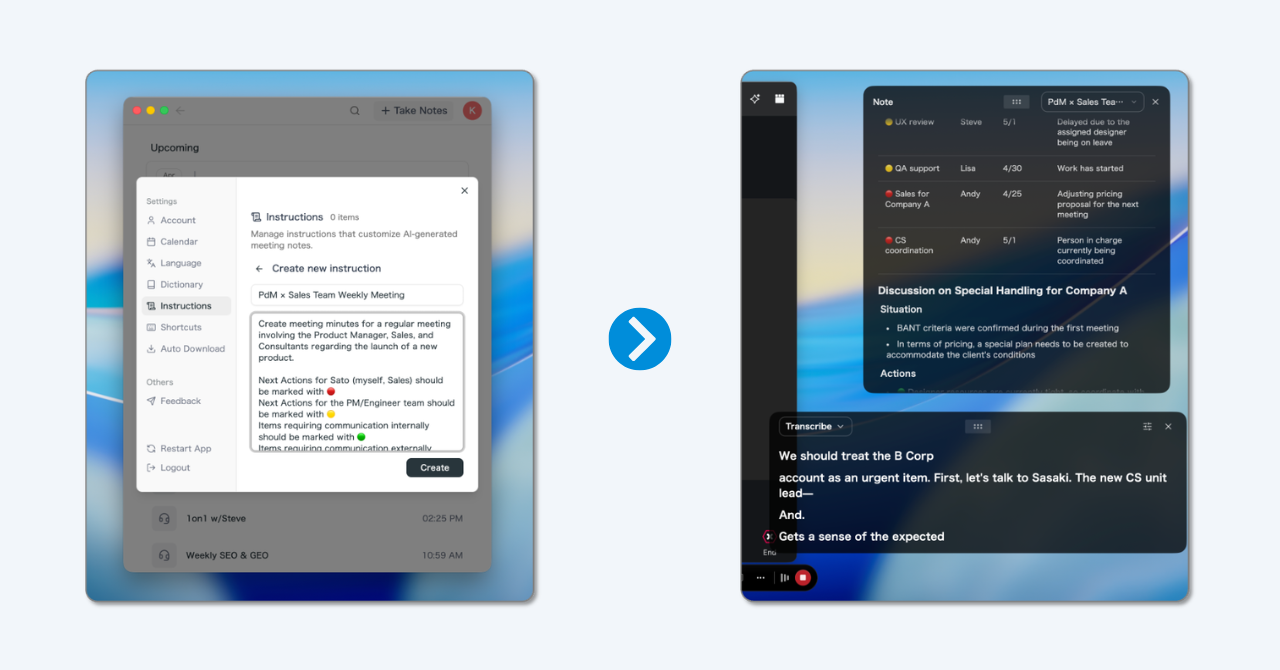
💡 The default real-time summary is already high quality. Custom instructions are for when you want a specific note shape per meeting type (1:1 / standup / sales / hiring).
3) Real-Time Subtitle Translation for Multilingual Meetings
SuperIntern shows the original speech and a translated subtitle side by side, live, and the AI Canvas summary is generated in your reading language as well. You don't have to wait until the meeting ends to understand a cross-border conversation.

4) Invisible Mode: Won't Show in Screen Sharing
Even though SuperIntern shows live notes and subtitles to you, its UI is hidden from screen-sharing recipients, so you can use it in external meetings without exposing your notes.
Supported Platforms
SuperIntern captures PC microphone and speaker audio, so it works with Zoom / Google Meet / Microsoft Teams / Webex, plus in-person meetings. Available on Mac and Windows.
Try SuperIntern for free here.
SuperIntern Pricing (as of May 2026)
- Free: $0/month (no credit card, time-limited)
- Plus: $20/month (up to 100 hours included, $0.02/min after)
- Enterprise: Custom (sharing controls, LLM model selection, etc.)
Which One Is Right for You?
Use Cases Where Fellow Fits
- You're optimizing management workflow (agendas, 1:1s, OKRs, action items) at the team level
- You want a long-term system of record for what was discussed and agreed
- Your meetings are mostly internal and a notetaker joining isn't a problem
Use Cases Where SuperIntern Fits
- You want notes to build themselves during the meeting so you stay focused on the conversation
- You don't want a bot in your meetings (especially external-facing calls)
- You attend multilingual meetings and need real-time subtitle translation
- You don't want your AI tool to be visible while screen sharing
Summary
Fellow is a strong fit if your problem is organizing the management layer around meetings (agendas, action items, 1:1s, OKRs).
SuperIntern is built for a different problem: helping you understand and capture the meeting while it's happening, with an AI Canvas that builds a structured note in real time, real-time subtitle translation, and an invisible mode for screen sharing. If you've felt that "Fellow gives me a great template for the meeting, but the meeting itself is still cognitively heavy," SuperIntern is the alternative worth trying.
You can start for free, no credit card required.
Try SuperIntern for free here.