
Jamie Alternative: SuperIntern vs Jamie for Live Notes
If you're searching for a Jamie alternative, the typical reasons are:
- "I love that Jamie is bot-free, but I want help during the meeting, not just after"
- "I need real-time subtitle translation for cross-border calls"
- "I want to ask AI questions during the meeting, including web research"
Jamie and SuperIntern share an important DNA point: both are bot-free, capturing meeting audio directly from your computer rather than sending an extra participant into the call. So if you've ruled out Fireflies / Otter / Fellow because of their bots, the choice often narrows down to Jamie vs SuperIntern.
This article walks through what Jamie does well, where SuperIntern works better, and how to choose between them.
⚠️ This article is based on information as of May 2026.
30-Second Comparison Summary (Jamie vs SuperIntern)
Jamie is for people who:
- Want a clean, bot-free experience focused on post-meeting summaries
- Care strongly about EU data residency and GDPR-aligned operation
- Are fine reading the summary after the meeting ends
SuperIntern is for people who:
- Want a structured note that writes itself in real time during the meeting
- Need side-by-side subtitle translation for multilingual calls
- Want to ask AI questions during the meeting (including web research)
- Don't want their AI tool's UI visible while screen sharing
You can try SuperIntern for free here.
Jamie's Features
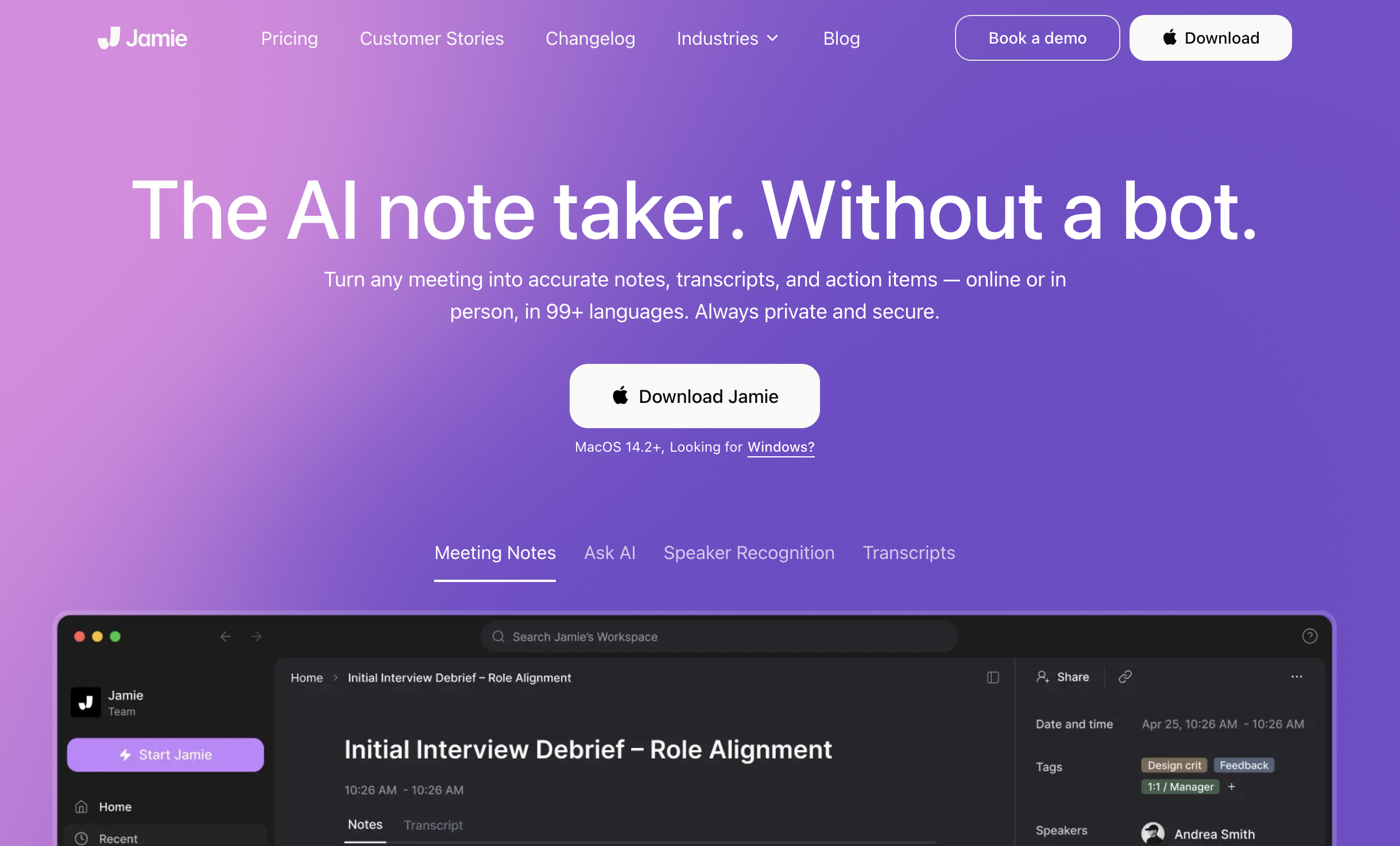
Jamie positions itself as a bot-free AI meeting assistant with a strong focus on data privacy (German-headquartered, GDPR-aligned). It captures meeting audio directly and produces clean summaries in 99+ languages.
Jamie's User Experience
- Bot-free: works with any meeting platform and even offline meetings, no participant added to the call
- Generates structured notes, transcripts, and action items
- "Ask Jamie" chat for querying past meetings
- Strong privacy positioning (EU data residency, ISO 27001 on Enterprise)
Pricing Plans (annual billing, monthly equivalent)
- Free: €0/month (10 meetings/month, 30-min limit)
- Plus: €21/month annual / €25/month monthly (20 meetings/month, 2h limit, task detection)
- Pro: €39/month annual / €47/month monthly (unlimited meetings, 3h limit, advanced integrations)
- Team: €33/seat/month annual / €39/seat/month monthly (centralized billing, encryption)
- Enterprise: Custom (volume discounts, SSO, EU data residency, ISO 27001)
Where Jamie Falls Short for Some Users
1) The Summary Is a Post-Meeting Output
Jamie's primary deliverable is the post-meeting summary, generated after the call ends. While the meeting is happening, you don't get a structured live note that helps you follow the discussion or catch missed points in real time.
2) Real-Time Subtitle Translation Isn't a Core Feature
Jamie supports summaries in many languages, but showing the original language and a translated subtitle side by side, live, isn't its focus. For meetings with overseas teams, a post-meeting summary in your language is later than ideal.
3) Per-Meeting Custom Note Instructions Are Limited
Jamie's note shape is largely consistent across meetings. Switching the focus per meeting ("decisions and next actions" vs "customer pain points and timeline") on a per-meeting basis is not really how Jamie is designed to work.
SuperIntern's Advantages
1) Same Bot-Free DNA as Jamie
Like Jamie, SuperIntern doesn't send a bot into your meeting. It's a desktop app that captures audio directly from your microphone and speakers, so participants don't see an extra notetaker join the call. If you chose Jamie because you wanted bot-free, SuperIntern starts from the same baseline.
2) AI Canvas: A Live, Structured Note That Writes Itself During the Meeting

This is the biggest difference between Jamie and SuperIntern.
SuperIntern's AI Canvas keeps a real-time summary of the conversation as it happens, with headings, bullets, and tables that rewrite themselves in place as the discussion evolves. By the time the meeting ends, you already have a clean, structured note, no waiting for a post-call summary.

You can also register a custom instruction for a given meeting ("focus on decisions and next actions" / "highlight customer's requested timeline and budget"), and the AI Canvas will follow it for that meeting only.
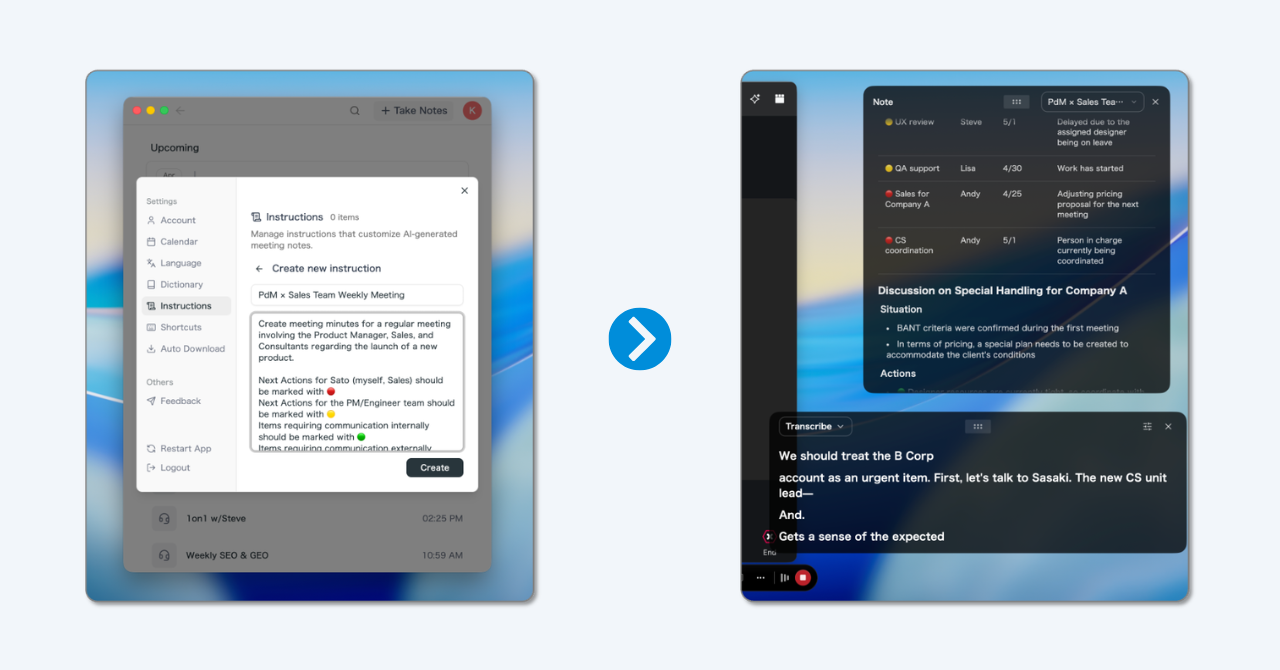
💡 The default real-time summary is already high quality. Custom instructions are for when you want a specific note shape per meeting type (1:1 / standup / sales / hiring).

3) Real-Time Subtitle Translation for Multilingual Meetings
SuperIntern shows the original speech and a translated subtitle side by side, live. The summary on the AI Canvas is also generated in your reading language. You don't have to wait until the meeting ends to understand a cross-border conversation.

4) AI Chat During and After the Meeting
You can ask SuperIntern questions about the conversation while it's still happening (and after), including web research. It's like having a research assistant on call during the meeting itself, not just a chat with the past summary.
5) Invisible Mode: Won't Show in Screen Sharing
Live notes and subtitles are visible to you, but SuperIntern's UI is hidden from screen-sharing recipients, so you can use it during external meetings without exposing your notes.
Supported Platforms
SuperIntern captures PC microphone and speaker audio, so it works with Zoom / Google Meet / Microsoft Teams / Webex, plus in-person meetings. Available on Mac and Windows.
Try SuperIntern for free here.
SuperIntern Pricing (as of May 2026)
- Free: $0/month (no credit card, time-limited)
- Plus: $20/month (up to 100 hours included, $0.02/min after)
- Enterprise: Custom (sharing controls, LLM model selection, etc.)
Which One Is Right for You?
Use Cases Where Jamie Fits
- EU data residency / GDPR-aligned operation is a hard requirement
- A clean post-meeting summary is enough; real-time in-meeting support isn't needed
- You don't have many cross-border, multilingual meetings
Use Cases Where SuperIntern Fits
- You want notes to build themselves during the meeting so you stay focused on the conversation
- You attend multilingual meetings and need real-time subtitle translation
- You want to ask AI questions live during the call, including web research
- You don't want your AI tool to be visible while screen sharing
Summary
Jamie and SuperIntern both share a bot-free philosophy, but they're optimized for different moments of the meeting:
- Jamie: clean post-meeting summary, strong EU/GDPR positioning
- SuperIntern: real-time AI Canvas during the meeting, side-by-side subtitle translation, in-meeting AI chat, invisible mode for screen sharing
If you chose Jamie because you wanted bot-free but feel that "the value still lands after the meeting," SuperIntern is the alternative that brings most of that value into the meeting itself.
You can start for free, no credit card required.
Try SuperIntern for free here.