
tl;dv Alternative: SuperIntern vs tl;dv for Real-Time Meeting Notes & Translation
When teams look for a tl;dv alternative, the reasons are usually:
- "tl;dv is great after the call, but I want help during the meeting"
- "I want subtitle translation in real time for cross-border calls"
- "I want to control how the note is written per meeting type"
tl;dv and SuperIntern both record meetings and produce notes, but they're optimized for very different moments of the workflow.
This article covers what tl;dv does well and where it fits, where SuperIntern works better, and how to decide between them as a "tl;dv alternative."
⚠️ This article is based on information as of August 2026.
30-Second Comparison Summary (tl;dv vs SuperIntern)
tl;dv is for people who:
- Want a generous free plan for recording Zoom / Meet / Teams
- Mostly review meetings after they end (AI summaries, multi-meeting reports)
- Are interested in sales coaching workflows
SuperIntern is for people who:
- Want a structured note that writes itself during the meeting, not after
- Need subtitle translation in real time for multilingual calls
- Want to specify how each meeting note should be written (custom instructions)
- Don't want their AI tool's UI visible while screen sharing
You can try SuperIntern for free here.
tl;dv's Features
tl;dv positions itself as an AI meeting recorder, transcriber, and coach, with a strong free tier and post-meeting AI reports that work across many calls at once.
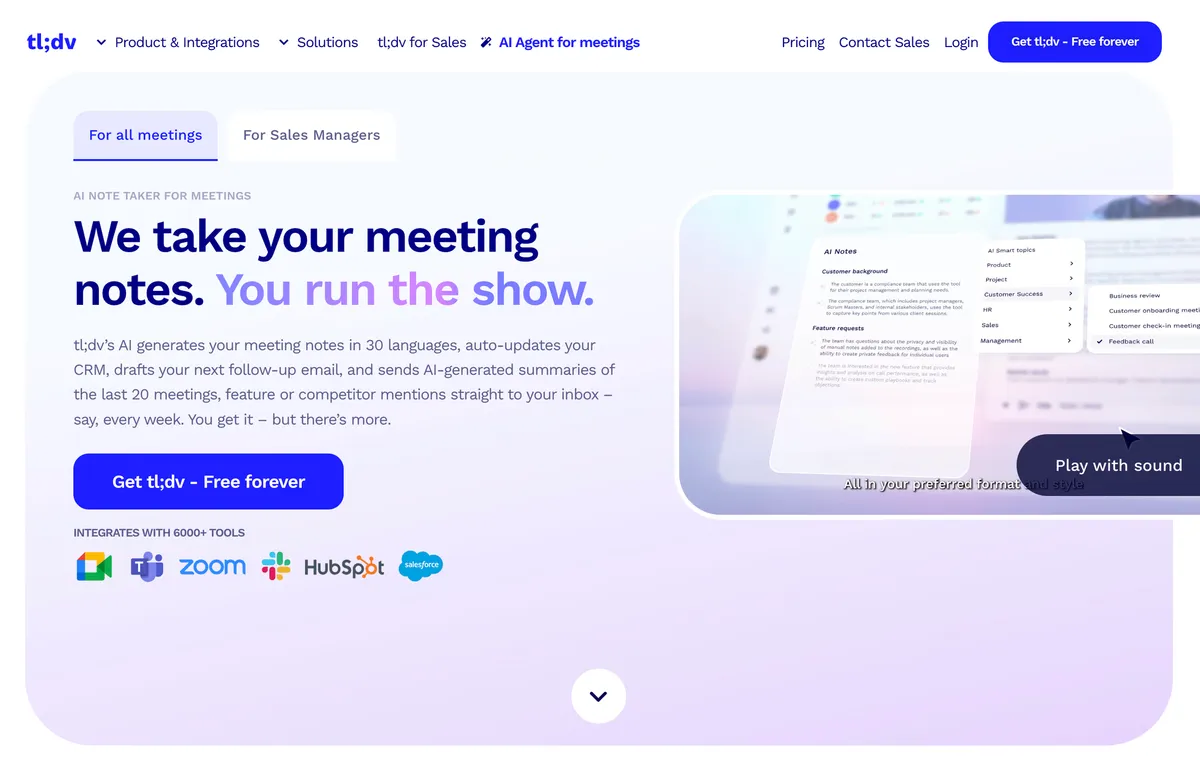
tl;dv's User Experience
- Records Zoom / Google Meet / Microsoft Teams meetings via a meeting bot or its desktop app (bot-free audio recording)
- After the meeting, generates transcript, AI summary, and action items
- Multi-meeting AI reports delivered to your inbox aggregate insights across many calls
- Sales coaching features (call analysis, playbook adherence)
Pricing Plans
tl;dv offers a Free Forever plan plus paid tiers (Pro and Business, priced per seat on monthly billing) with expanded AI features. For exact tier pricing, refer to tl;dv's official pricing page.
tl;dv's Limitations
1) Most of the Value Lands After the Meeting
tl;dv's AI summaries, action items, and reports are generated after the meeting ends. While the conversation is happening, you don't get a structured live note that helps you follow the discussion or catch missed points in real time.
2) Real-Time Subtitle Translation for Cross-Border Calls Is Limited
For multilingual meetings, what you really want is a live subtitle of the original language plus a translation in your reading language, side by side. tl;dv is built around post-meeting transcription rather than this kind of live, in-meeting bilingual subtitle experience.
3) Note Templates Update After the Meeting, Not During
tl;dv offers Meeting Templates (e.g., MEDDIC, Smart AI Topics, custom formats) that let you choose a note structure per meeting. The difference vs SuperIntern's AI Canvas is that tl;dv applies the template to generate a summary after the call, while SuperIntern's AI Canvas continuously rewrites a structured note during the meeting following your custom instruction in real time.
SuperIntern's Advantages
1) AI Canvas: A Live, Structured Note That Writes Itself During the Meeting

SuperIntern's defining feature is the AI Canvas. By default, it keeps a real-time summary of the conversation, with headings, bullet points, and tables that rewrite themselves in place as the discussion evolves. The note is essentially finished by the time the meeting ends.

You can also register a custom instruction for a given meeting ("focus on decisions and next actions" / "highlight the customer's requested timeline and budget"), and the AI Canvas will follow it for that meeting only.
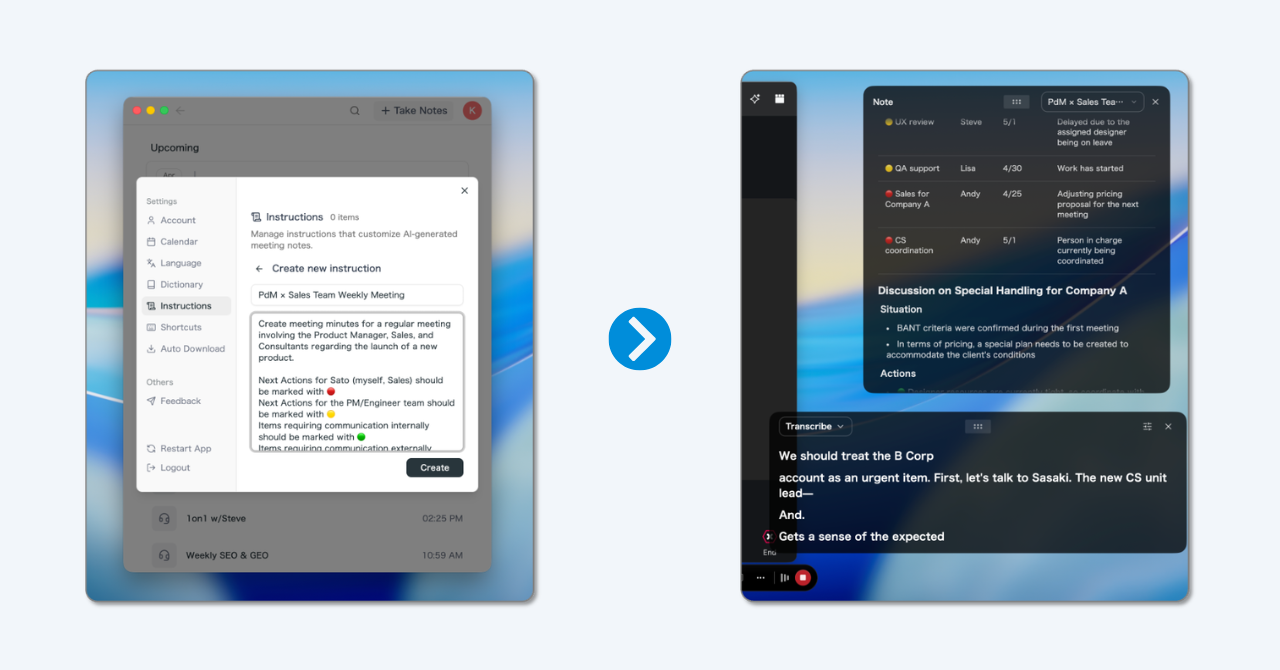
💡 The default real-time summary is already high quality. Custom instructions are for when you want a specific shape for sales / hiring / 1:1 / standup notes.
2) Real-Time Subtitle Translation for Multilingual Meetings

SuperIntern shows the original speech and a translated subtitle side by side, live. The summary on the AI Canvas is also generated in your reading language, so you can follow a Japanese ↔ English ↔ Spanish meeting without losing the thread.
3) Invisible Mode: Won't Show in Screen Sharing
Live notes and subtitles are visible to you, but SuperIntern's UI is hidden from screen-sharing recipients. You can keep using it during demos, sales calls, and interviews without anyone else seeing your notes.

4) AI Chat During and After the Meeting
You can ask SuperIntern questions about the conversation while it's still happening (and after), including web research. It's like having a research assistant on call during the meeting itself.
5) Works with the AI Agents You Already Use
SuperIntern's meeting transcripts, summaries, and notes are accessible from AI agents like Claude Code and Codex (via a read-only MCP connection). You can hand post-meeting work (turning decisions into tasks, reshaping the notes into another document) to the agent you already use, available on the Plus plan and above.
Supported Platforms
SuperIntern captures PC microphone and speaker audio, so it works with Zoom / Google Meet / Microsoft Teams / Webex, plus in-person meetings. Available on Mac and Windows. You can also upload recorded audio files to get a transcript with speaker diarization and a summary.
Try SuperIntern for free here.
SuperIntern Pricing (as of August 2026)
- Free: $0/month (no credit card, time-limited)
- Plus: $20/month (up to 100 hours included, $0.02/min after; includes MCP server)
- Team: $35/month per member (meeting data sharing across your team, member count × 100 hours included, workspace-level billing)
- Enterprise: Custom (admin feature controls, invoice billing, ZDR for AI processing, SSO, etc.)
Which One Is Right for You?
Use Cases Where tl;dv Fits
- You want a generous free plan and primarily review meetings after they end
- You want multi-meeting AI reports for sales coaching or trend tracking
Use Cases Where SuperIntern Fits
- You want notes to build themselves during the meeting so you can stay focused on the conversation
- You attend multilingual meetings and want side-by-side subtitle translation
- You want to switch the note style per meeting type with custom instructions
- You don't want your AI tool to be visible while screen sharing
Summary
tl;dv is a solid choice if you mostly want post-meeting AI summaries and reports at a low entry cost.
SuperIntern, on the other hand, is built for the meeting itself: an AI Canvas that builds a structured note in real time, real-time subtitle translation, in-meeting AI chat, and an invisible mode for screen sharing. If you've felt that "tl;dv covers what happens after the call, but the call itself is still hard to follow," SuperIntern is the alternative worth trying.
You can start for free, no credit card required.
Try SuperIntern for free here.