
v0.11 Update: Automating Post-Meeting Work — Search, Better Summaries & More

We're excited to announce v0.11 — packed with features to help you get more out of every meeting, faster.

Faster & More Accurate Post-Meeting Summaries
With this update, summaries now stream in real time as soon as your meeting ends — so you can review key takeaways right away.
- Instant summary generation: Summary generation kicks off the moment your meeting ends
- Improved quality: Powered by an upgraded AI model for more accurate and structured output
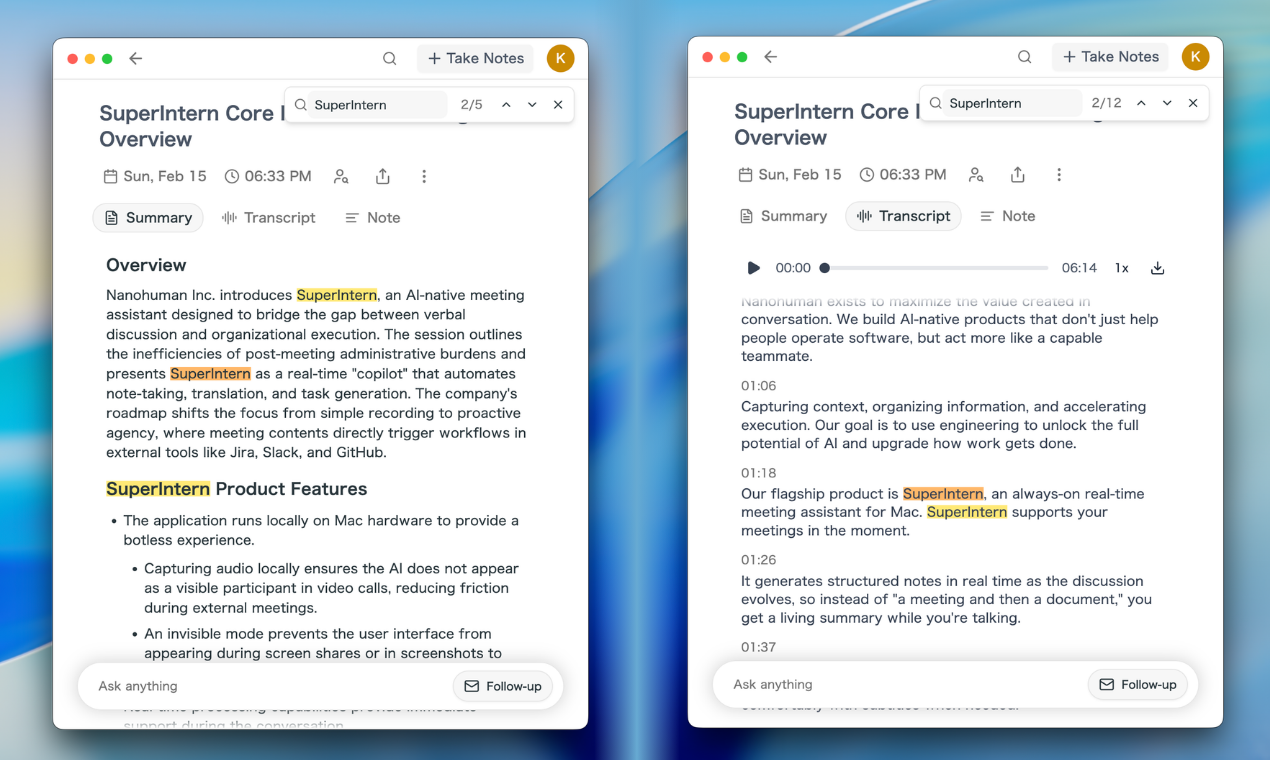
Find in Transcript
Quickly locate any word or phrase across your meeting content with the new Find in Page feature.
- Press Cmd+F to open the search bar
- All matches are highlighted in real time
- Navigate between matches using the arrow buttons
- Works across Summary, Transcript, and Notes tabs

One-Click Follow-up Email
Draft a follow-up email from your meeting in seconds. After your meeting, simply click the Follow-up button in the AI chat — SuperIntern will generate a professional follow-up email based on your meeting summary, action items, and key decisions.
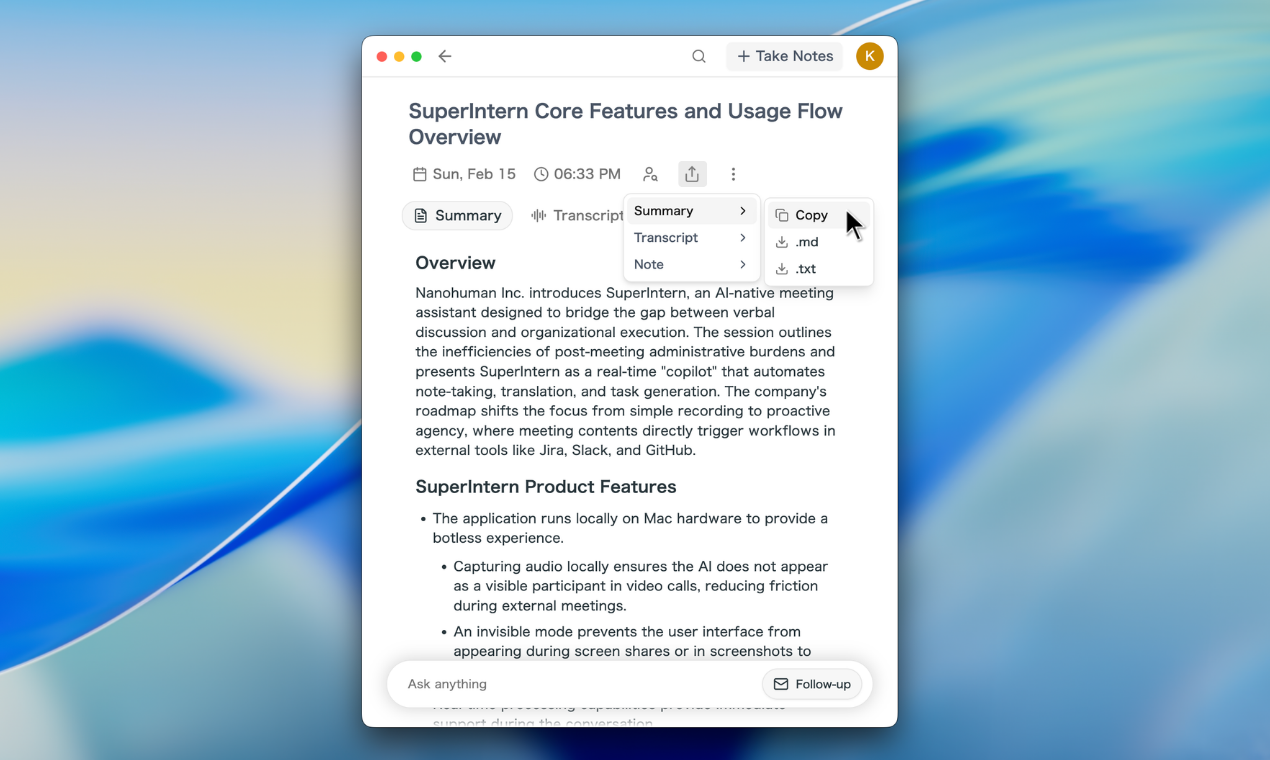
Export Meeting Content
You can now download or copy your Summary, Transcript, and Notes in multiple formats:
- Copy to clipboard: Paste directly into Slack, email, or docs
- Download as Markdown: Great for Notion, GitHub, or any Markdown-compatible tool
- Download as Text: Simple plain text for any use case
Free Plan: Live Chat & Speaker Diarization
Live Chat and Speaker Diarization are now available on the Free plan. Every user can now:
- Chat with AI during live meetings for real-time assistance
- Analyze speakers after meetings to identify who said what
No upgrade required — these core features are free for everyone.
How to Update
For Mac users
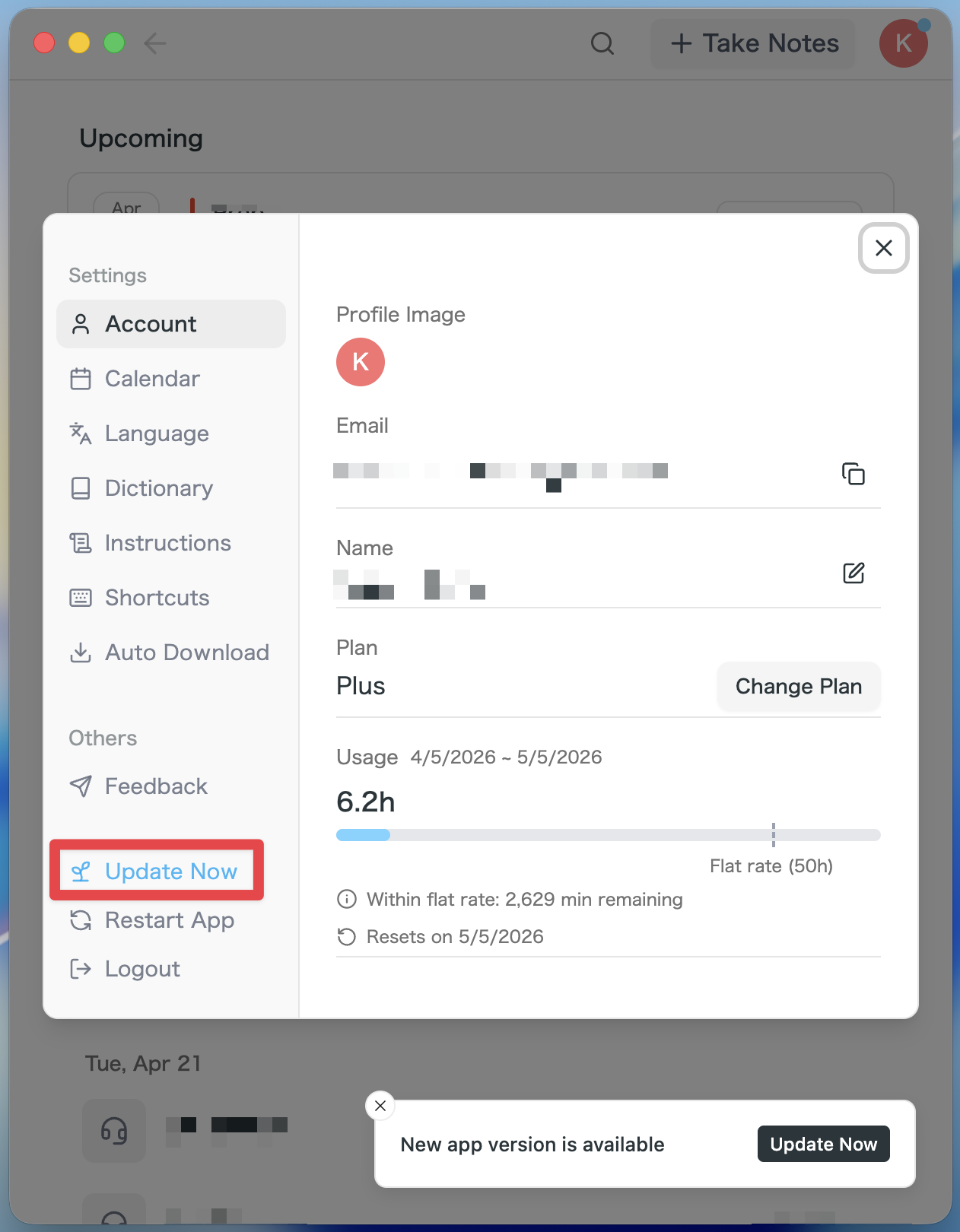
- If an update is available, the latest version is downloaded automatically after you launch the app.
- The Update Now button appears in the sidebar. Click it.
For Windows users
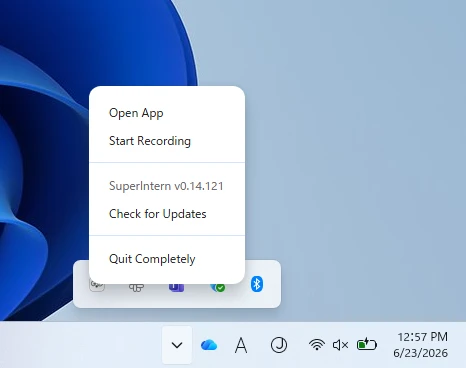
- Open the system tray at the bottom-right of your screen and right-click the SuperIntern app icon.
- Click Check for Updates.
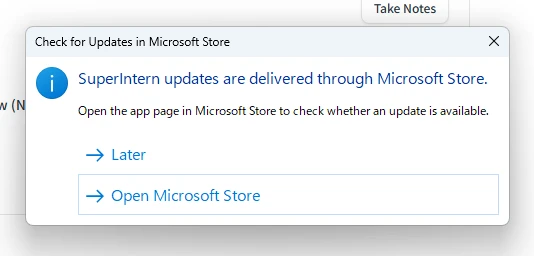
- When the popup appears, click Open Microsoft Store.
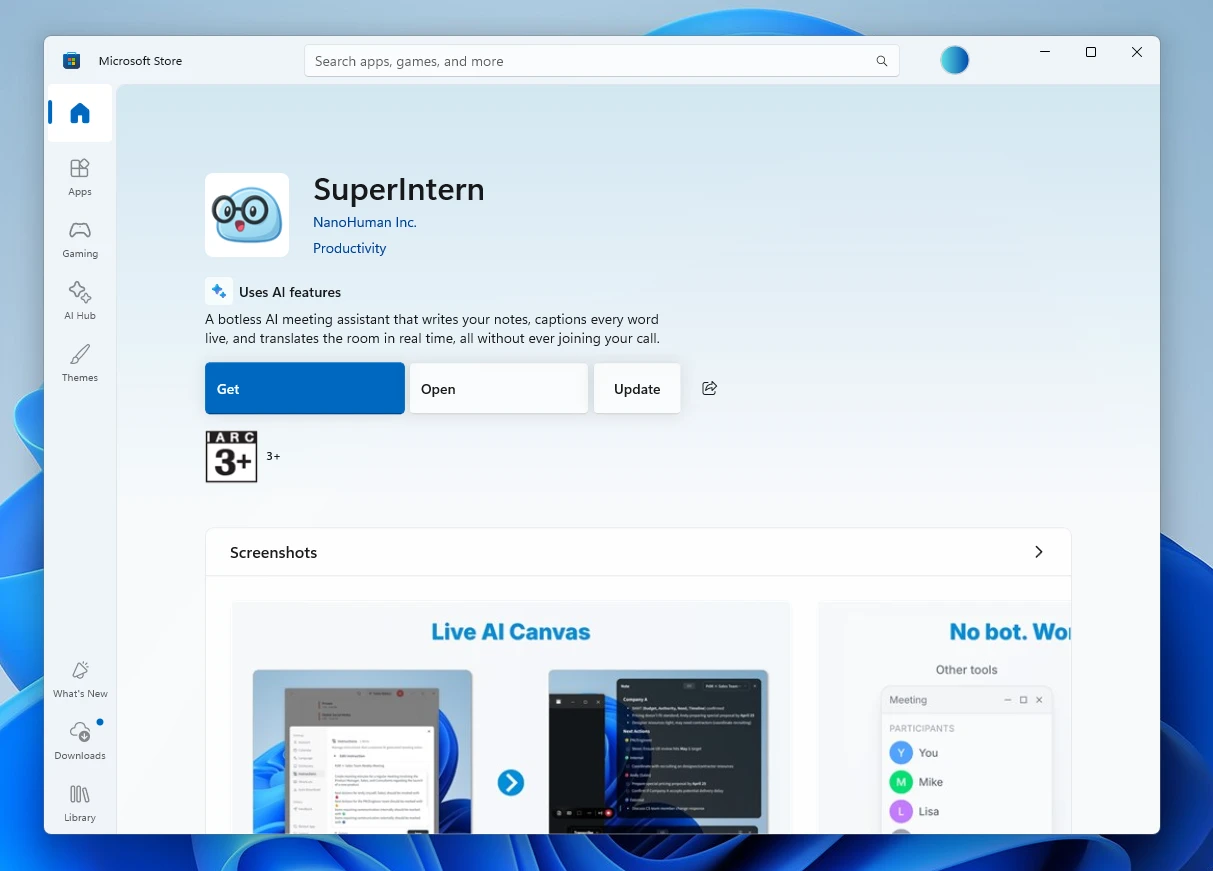
- Once Microsoft Store opens, click Update.
We're continually working to make SuperIntern the best meeting companion for your workflow. Try out these new features and let us know what you think!
Try SuperIntern for free here!