
v0.12 Update (Part 1): Google Calendar Integration, Web App & Major Recording Improvements
We're excited to announce v0.12 — featuring Google Calendar integration and a host of improvements to make managing and getting value from your meetings easier than ever.
Google Calendar Integration
Connect your Google Calendar and your upcoming meetings automatically appear in SuperIntern. No meeting bot will ever join your calls — your meeting experience stays exactly the same, and no one will even notice.

- Upcoming meetings on your home screen: See today's and upcoming meetings with your calendar colors
- One-click recording: Start recording directly from your meeting list — no setup needed
- Automatic meeting URL detection: Google Meet, Zoom, Microsoft Teams, Webex, and more — SuperIntern recognizes meeting URLs from your calendar and lets you join with a click
- Automatic participant sync: Calendar attendees are used to improve speaker diarization and AI summary accuracy
- Meeting reminders: Get notified before your meetings start
- No bots in your meetings: Unlike other transcription tools, SuperIntern never sends a bot into your meeting
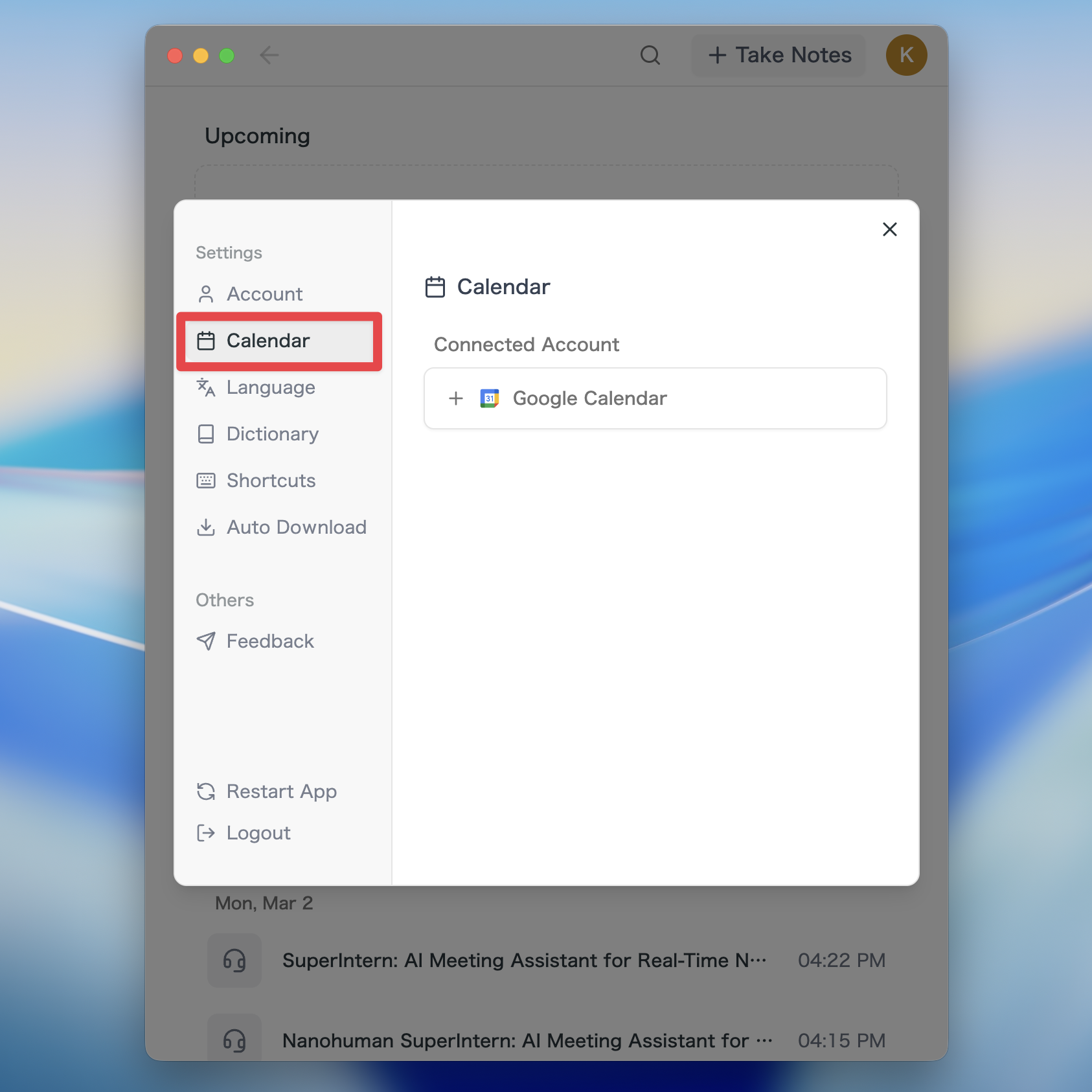
How to Connect Your Calendar
- Open Calendar section in Settings
- Click Connect Google Calendar
- Select your Google account and authorize
View Meetings in the Web App
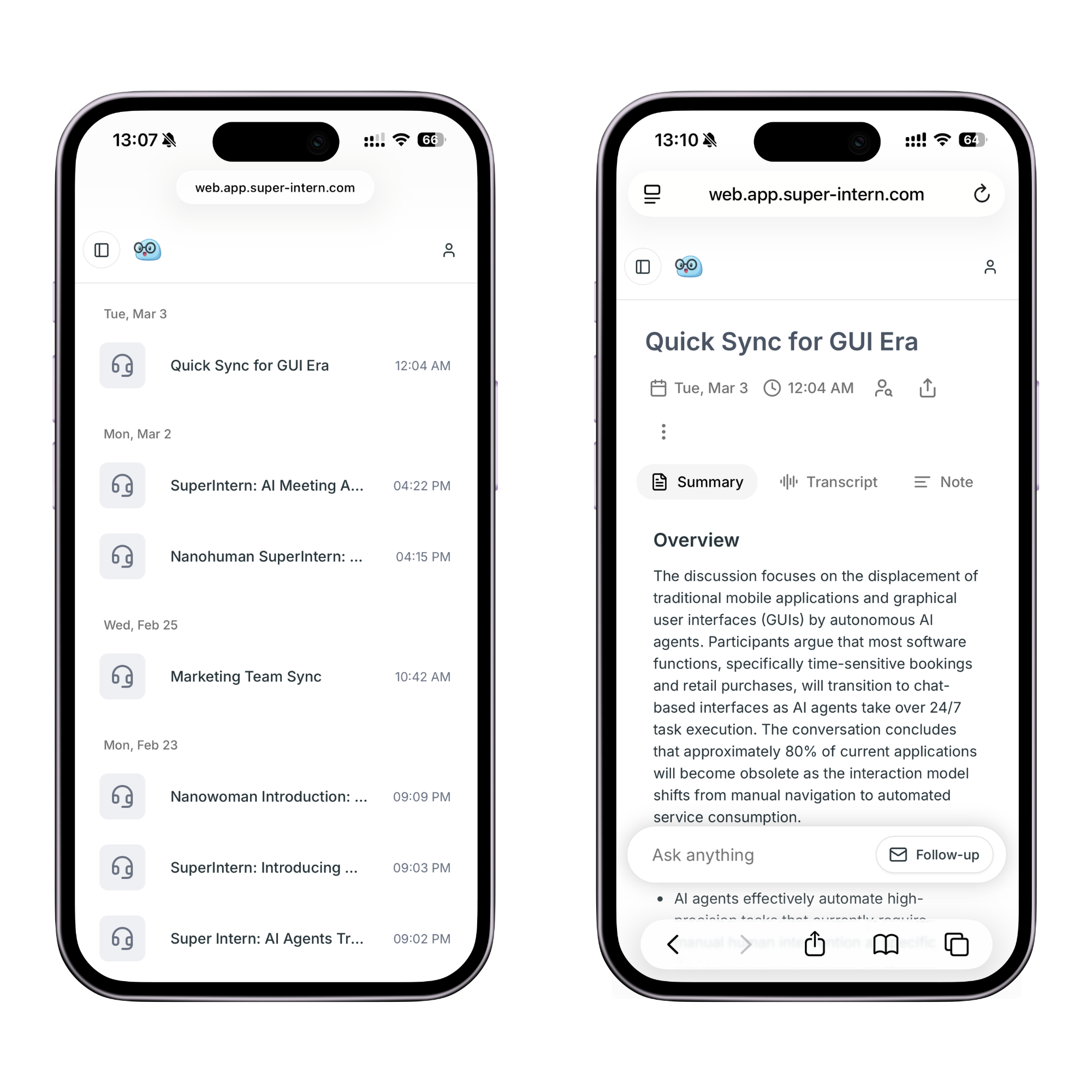
You can now access your meeting content from any browser — on desktop or mobile, no app needed.
- Meeting list: Browse all your recorded meetings in the browser
- Meeting details: View transcripts, summaries, and notes on the web
- AI Chat: Ask AI about your meeting content directly from the browser
- Find in page: Search within transcripts using Cmd+F on the web
- Desktop & mobile: Access your meetings from any device, anywhere
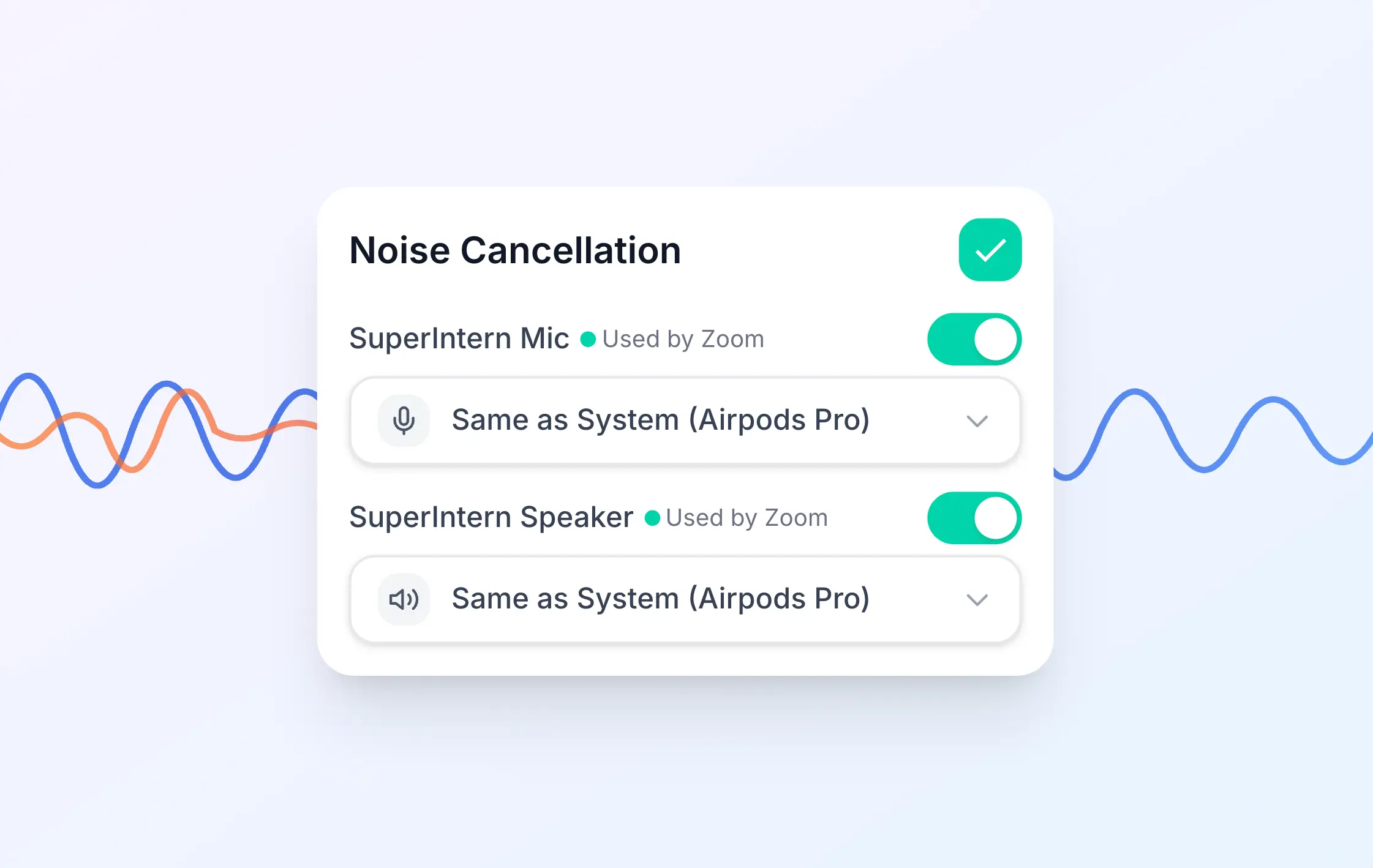
Enhanced Noise Suppression (Voice Isolation)
Noise suppression has been significantly upgraded to remove background noise with much higher precision.
- Isolate voices clearly even in noisy environments like cafes or open offices
- Enable with one click in Settings
Automatic Markdown Download
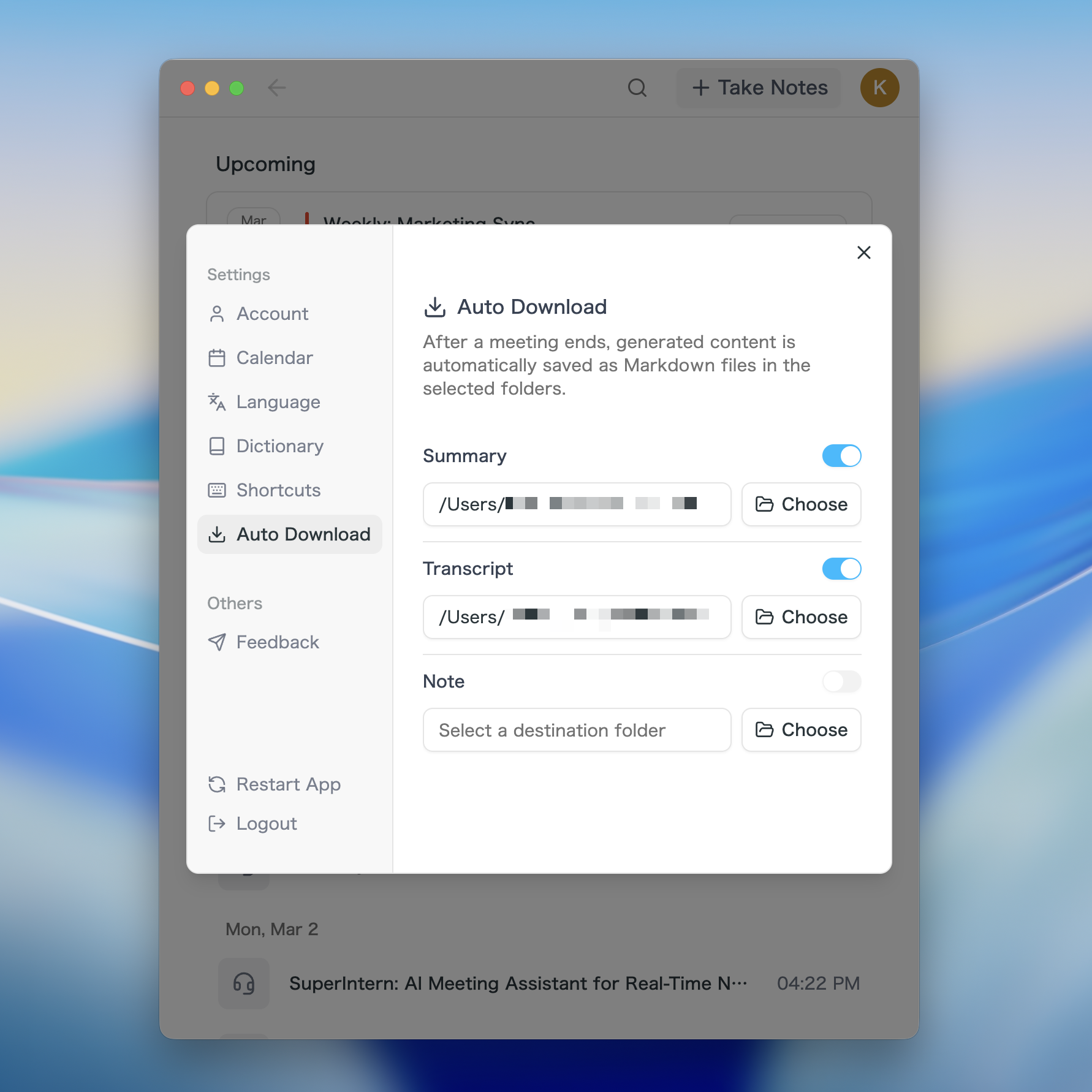
Meeting notes are now automatically saved as Markdown files to a folder of your choice. Set the download folder to your project directory, and AI coding agents like Claude Code or OpenClaw can automatically read your meeting notes — giving your agent full meeting context to work with.
- Choose your folder: Set your preferred download directory in Settings
- Auto-save: Summaries, transcripts, and notes are saved automatically as Markdown after each meeting
- AI agent integration: Point the save folder to your project, and Claude Code or OpenClaw can automatically reference your meeting content
- Notification: Get notified when the file is saved — click to open it
Quick Actions in Live AI Chat
New quick action buttons in the AI chat panel let you trigger common actions with a single tap during meetings — no typing needed.
Improved Recording Stability
We've completely rebuilt the recording engine for significantly better stability and performance.
- Eliminated freezes when starting recordings
- Fixed audio glitches when switching devices
- Overall recording reliability is greatly improved
Other Improvements
- Usage progress bar: Visually track your account usage in Settings
- Segment jump: Use arrow keys to jump between speaker segments during playback
- Better file names: Downloaded files now have clearer, more descriptive names
- Offline stability: Fixed an issue where users could be logged out unexpectedly during network interruptions
How to Update
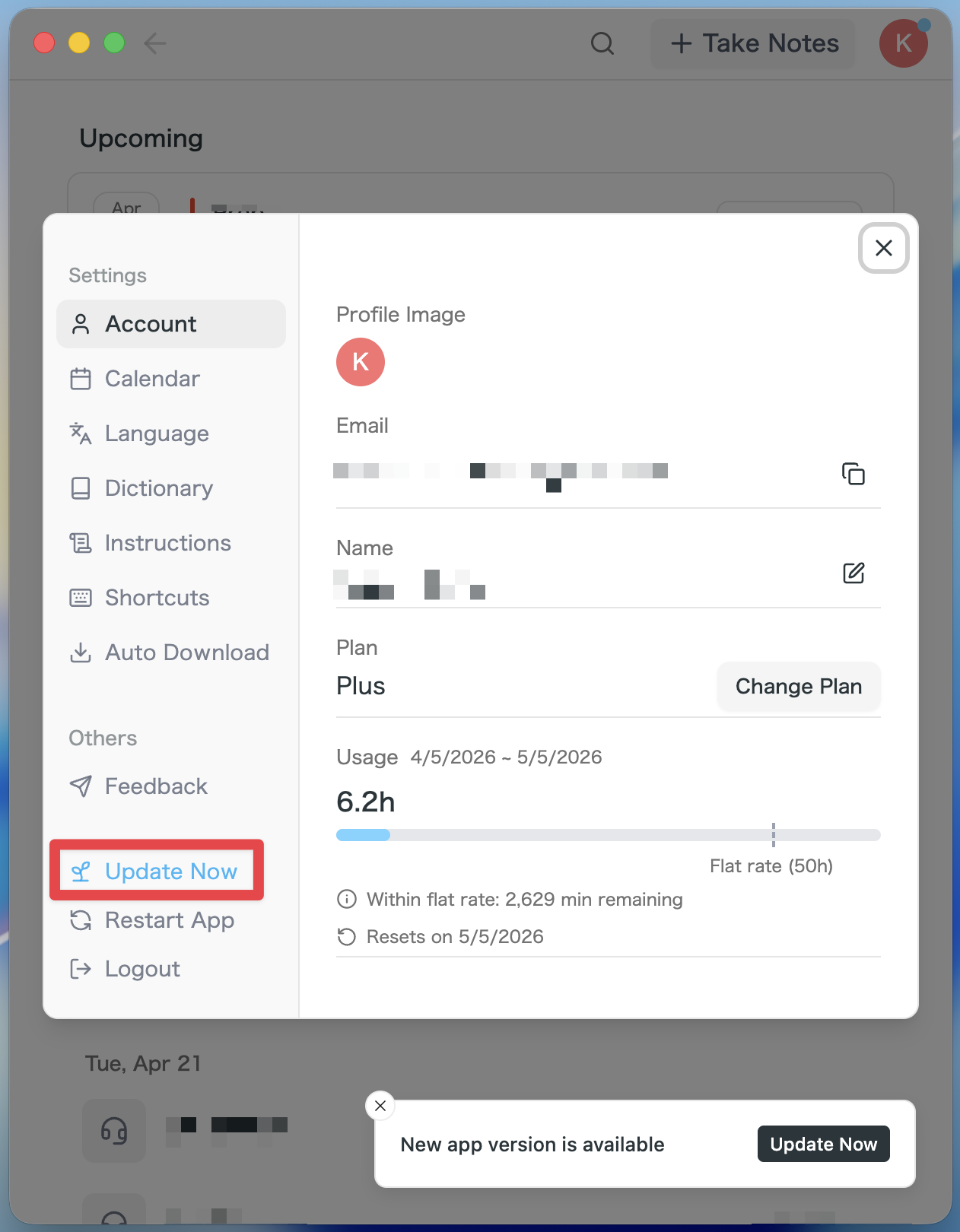
For Mac users
- If an update is available, the latest version is downloaded automatically after you launch the app.
- The Update Now button appears in the sidebar. Click it.
For Windows users
- Open the system tray at the bottom-right of your screen and right-click the SuperIntern app icon.
- Click Check for Updates.
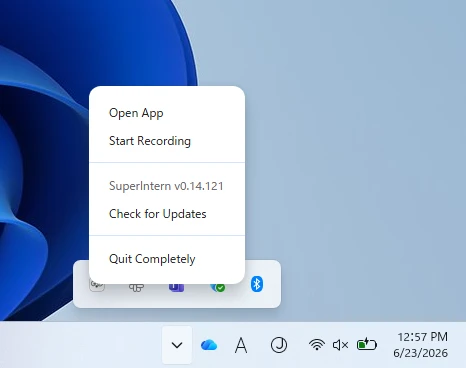
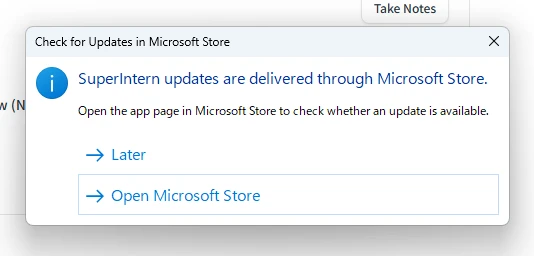
- When the popup appears, click Open Microsoft Store.
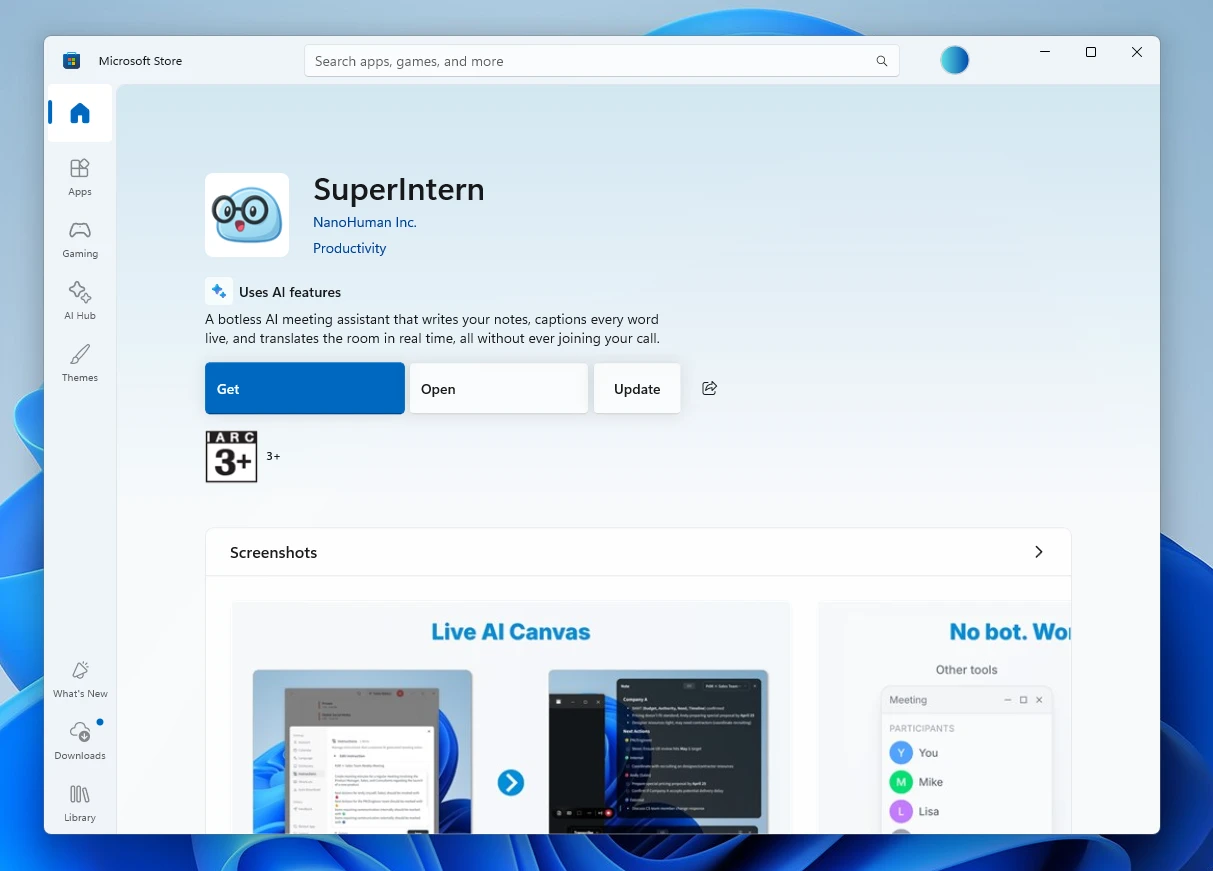
- Once Microsoft Store opens, click Update.
We're continually working to make SuperIntern the best meeting companion for your workflow. Try out these new features and let us know what you think!
Try SuperIntern for free here!