
v0.9 Update: Enhanced Recording Audio Experience
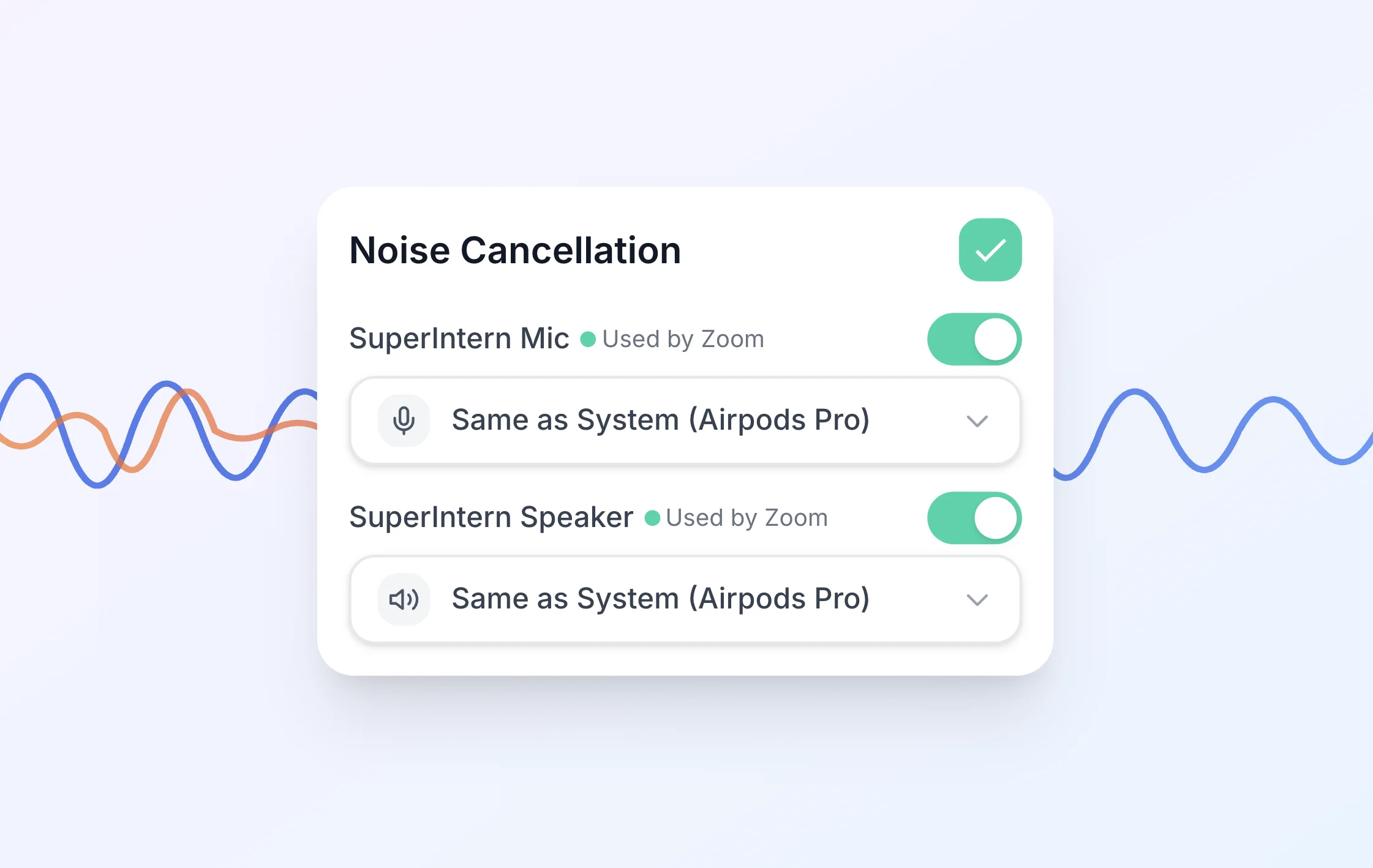
We're excited to announce v0.9, bringing significant improvements to your recording audio experience in SuperIntern.
Improved Audio Quality
We've completely rebuilt our audio processing pipeline to deliver cleaner, more accurate recordings.
Light Noise Cancellation
Ambient noise and background music are now subtly reduced, creating cleaner audio without losing the natural feel of your conversation. In-person meetings remain fully supported—our noise cancellation is tuned to preserve voice clarity while filtering out distractions.
Perfect Echo Cancellation
Recording through speakers? Echo is now completely eliminated. Whether you're in a conference room or taking calls on your laptop speakers, you'll hear only the voices that matter.
Better Transcription & Summary Accuracy
These audio improvements directly enhance transcription and summary accuracy. Cleaner audio means fewer misheard words and more reliable meeting notes.
Audio Playback in Transcript View
Reviewing your meetings just got easier. You can now play audio directly from your transcripts:
- Click any segment in the transcript to start playback from that exact moment
- Click again to pause—no need to find separate playback controls
- Audio syncs with your transcript, making it simple to verify what was said
This makes it effortless to double-check specific quotes or revisit important discussion points.
Audio Download
Need your meeting audio outside of SuperIntern? You can now download recordings directly:
- Download in .m4a format, compatible with all major audio players
- Automatic naming based on meeting date and time (e.g.,
2026-01-15_1430.m4a) - Quick access from the meeting detail page
Whether you need to share audio with someone or archive it locally, it's now just one click away.
Enhanced Recording Reliability
We've strengthened our real-time transcription connection to handle network interruptions gracefully:
- Automatic reconnection if your network drops temporarily
- Session recovery ensures your transcript continues seamlessly
- More resilient handling of varying network conditions
Even if your WiFi hiccups mid-meeting, SuperIntern keeps working to capture everything.
How to Update
For Mac users
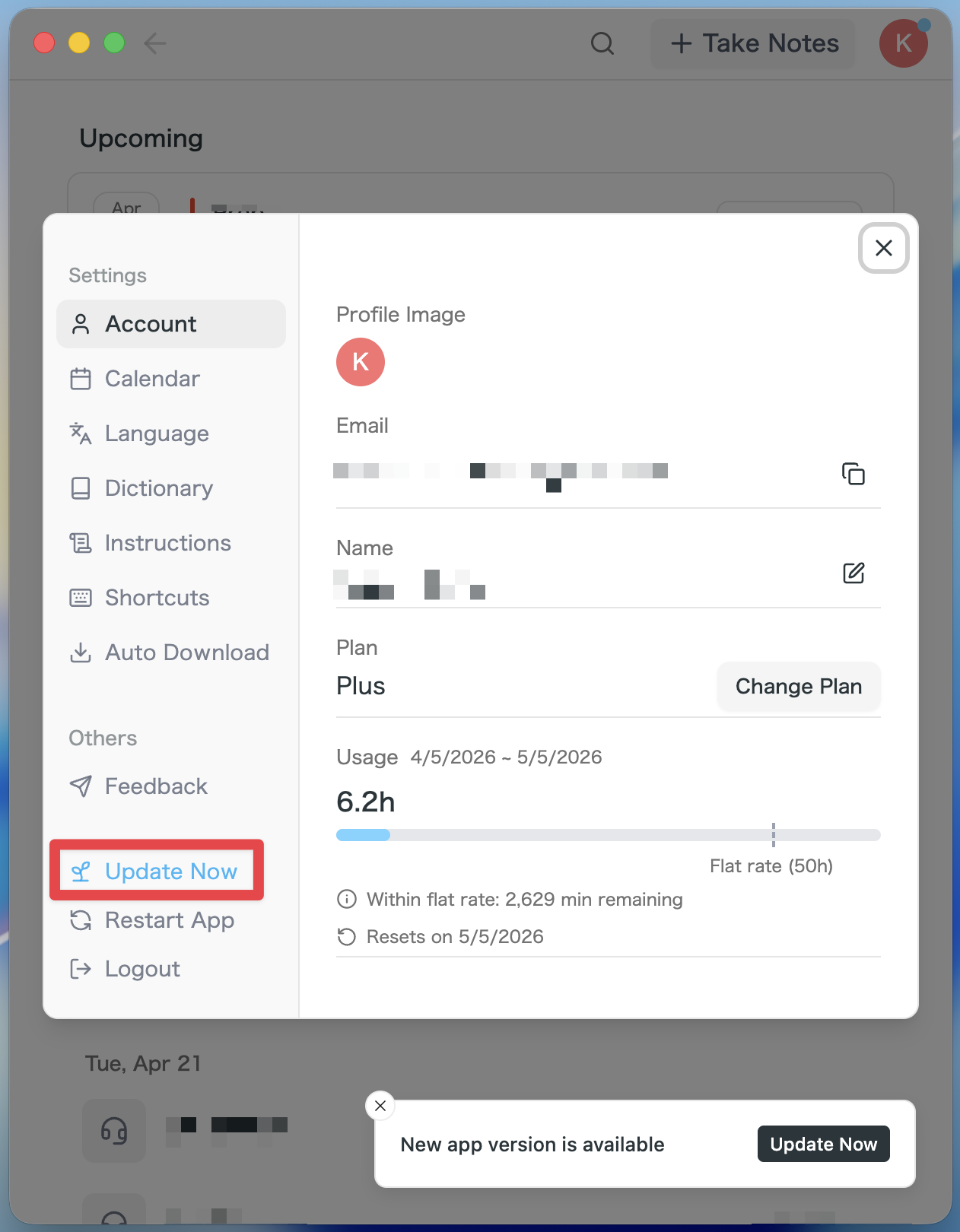
- If an update is available, the latest version is downloaded automatically after you launch the app.
- The Update Now button appears in the sidebar. Click it.
For Windows users
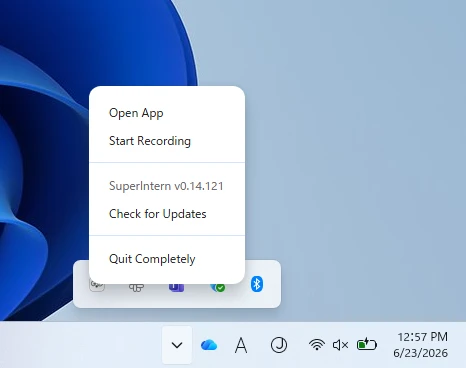
- Open the system tray at the bottom-right of your screen and right-click the SuperIntern app icon.
- Click Check for Updates.
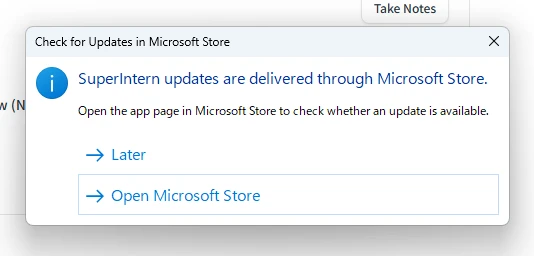
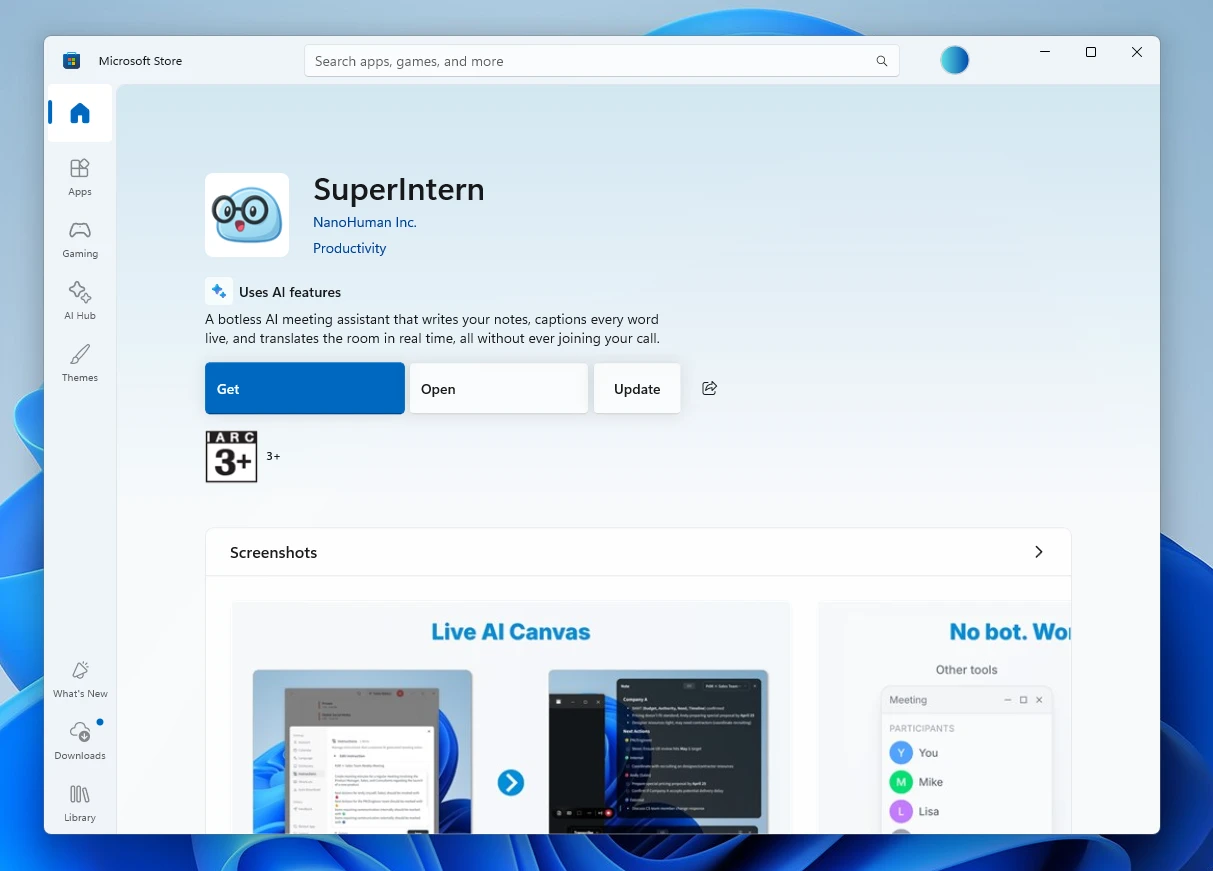
- When the popup appears, click Open Microsoft Store.
- Once Microsoft Store opens, click Update.
We're continually working to make SuperIntern the best meeting companion for your workflow. Try out these new features and let us know what you think!
Try SuperIntern for free here!