
Conversation Notes: How to Write Them, With Templates for Calls and Memos (2026)
The call went well. Twenty minutes with a customer, a candidate, or a vendor, a few commitments made on both sides, and everyone hung up feeling productive. Three days later, nobody can say exactly what was agreed. Conversation notes exist to prevent precisely this, yet most of us either skip them or scribble something so thin it proves nothing when it matters.
This guide covers what a conversation note is, how it differs from a phone message and a memo to file, and which fields make a note actually useful later. You will get three copy-paste templates, a filled-in example, a list of the mistakes that quietly ruin most notes, and a workflow that produces the note automatically while you are still on the call.
⚠️ This article was independently compiled based on publicly available information and user feedback as of September 2026.
Table of Contents
- What is a conversation note?
- Conversation note, phone message, memo to file, or minutes?
- The fields every conversation note needs
- Templates to copy
- A filled-in example
- Common mistakes with conversation notes
- Writing conversation notes automatically: the AI workflow
- Frequently asked questions (FAQ)
- Conclusion
What is a conversation note?
A conversation note is a short, factual record of a work conversation: who spoke with whom, when, about what, what was agreed, and what happens next. It is written during or immediately after the conversation, and it is deliberately shorter than meeting minutes. Half a page covers most situations.
It does two jobs. Internally, it is your memory: before the next touchpoint, you spend thirty seconds reading where things stand instead of reconstructing the conversation from recollection. Externally, it is evidence: when a dispute, an HR matter, or a missed deadline surfaces months later, a dated note with concrete statements often decides whether the situation can be reconstructed at all.
Typical occasions include phone calls with customers and vendors, quick hallway alignments, informal one-on-ones outside the formal review cycle, advisory conversations, and calls someone else needs to follow up on.
Conversation note, phone message, memo to file, or minutes?
These documents get mixed up constantly, but they serve different purposes, and the distinction determines how much you need to write and how formal the result should be.
| Document | Occasion | Length | Who reads it? |
|---|---|---|---|
| Conversation note | A call or in-person conversation whose content should be kept | A few sentences to half a page | You, your team, possibly the case file |
| Phone message | A call that needs to be passed along (callback request, message taken) | A few lines | The person the call was for |
| Memo to file | An event or observation that must go on record, with or without a conversation | Short but formally dated and signed | The file, possibly HR or legal |
| Meeting minutes | A meeting with multiple participants | A page or more, fixed structure | All participants and absentees |
Three rules of thumb:
- Phone message when you are only the messenger: caller, reason, callback number, urgency, done.
- Conversation note when you were a party to the conversation and want to keep the content or the commitments.
- Memo to file when the record needs to stand on its own: dated, attributed, and worded so that it is still unambiguous six months from now. For sessions with several participants, reach for proper meeting minutes instead.
The fields every conversation note needs
A usable conversation note answers six questions. Fix this structure once and you never again have to think about what goes in.
1. Context line: Date, time, channel (phone, video call, in person), and participants with their roles. Without this line the note is worthless later, because it can no longer be tied to a case.
2. Reason: One sentence is enough. "Question about invoice 2026-0815" or "Second-round interview."
3. Key statements: What did the other side say, and what did you say? Summarized, not verbatim. On contested topics, it helps to flag critical statements explicitly ("Customer confirmed explicitly that ...").
4. Agreements: What was promised, declined, or left open? This is the part you will be searching for in three months.
5. Next steps: Who does what by when? An agreement without an owner and a date is just a stated intention.
6. Author: Who wrote the note? For memos to file, add initials or a signature.
Just as important is what stays out: small talk, your personal opinion of the participants, and speculation. A conversation note is factual. Replace judgments like "customer was rude" with observable behavior ("customer announced they would withhold payment until the issue is resolved").
Templates to copy
The three templates below cover the most common cases. Paste them into your notes tool, a Word file, or your team wiki, and adjust the fields to your daily work.
Template 1: Conversation note (standard)
CONVERSATION NOTE

Date/time:
Channel: phone / video / in person
Participants: [name, role, organization]
Reason:

Key statements:
-
-

Agreements:
-

Next steps:
- [Who] – [What] – [By when]

Written by: [name, date]
Template 2: Phone message (for callbacks and messages taken)
PHONE MESSAGE

For:
Caller: [name, organization, phone number]
Date/time:
Reason for call:

Callback requested: yes / no
Urgency: high / normal / low
Reachable: [time window]

Taken by:
Template 3: Memo to file (for the record)
MEMO TO FILE

Subject:
Case/reference:
Date:

Facts:
[What happened or was discussed? Factual, no judgments,
with concrete dates, amounts, and commitments.]

Assessment/consequence (if needed):

Written by: [name, role]
Distribution/filing:
One practical tip: keep the template where the conversation happens. A phone message form that has to be hunted down first will not get used.
A filled-in example
Here is the standard template filled in after a vendor call:
CONVERSATION NOTE

Date/time: Sep 9, 2026, 11:20–11:40 am
Channel: phone
Participants: R. Alvarez (Procurement, us), D. Chen (Sales, Nordfelt Inc.)
Reason: Delivery delay on order B-2214

Key statements:
- Chen confirmed a two-week delay due to a materials shortage.
- A partial shipment (60%) is possible from the week of Sep 21.
- We raised a price reduction; Chen needs to check internally.

Agreements:
- Partial shipment week of Sep 21 is locked in, remainder by Oct 15.
- Nordfelt responds on the price reduction by Friday.

Next steps:
- Alvarez – inform production planning – today
- Chen – answer on price reduction – Sep 12

Written by: Alvarez, Sep 9, 2026
Notice two things. The note separates cleanly between what was said and what was agreed. And it contains exactly the details that count if this escalates later: dates, commitments, deadlines.
Common mistakes with conversation notes
- The note gets written hours later. After two more calls, the details and numbers have blurred. Write during the conversation or right after it; otherwise you are documenting your memory, not the conversation.
- Keywords instead of statements. "Price, delivery date, callback" helps nobody in three months. Write full statements: who committed to what?
- Agreements without owners and deadlines. The single most common reason conversations lead nowhere.
- Judgments instead of observations. Personal verdicts make the note easy to attack, especially once it ends up in a file.
- No consistent format. If every note looks different, writing takes longer and so does finding things. A fixed structure solves both.
- The note stays private. A conversation note in your personal notebook does nothing for the team. Filing is part of the process: into the CRM, the case, the shared folder.
- Note-taking eats the conversation. If you are typing, you are half listening. In difficult conversations that is a real handicap, and it is exactly where the next section comes in.
Writing conversation notes automatically: the AI workflow
The classic tension in conversation notes: the more attentively you listen, the less you write down, and vice versa. An AI meeting assistant resolves this by transcribing the conversation and building the note in your structure while you talk.
SuperIntern is a bot-free desktop app for Mac and Windows that captures audio directly from your computer's microphone and system sound. No bot joins the call, and because the app works at the device level, it behaves the same everywhere: on a speakerphone call, in Teams, Zoom, Google Meet, or Webex, and in an in-person conversation at the table.
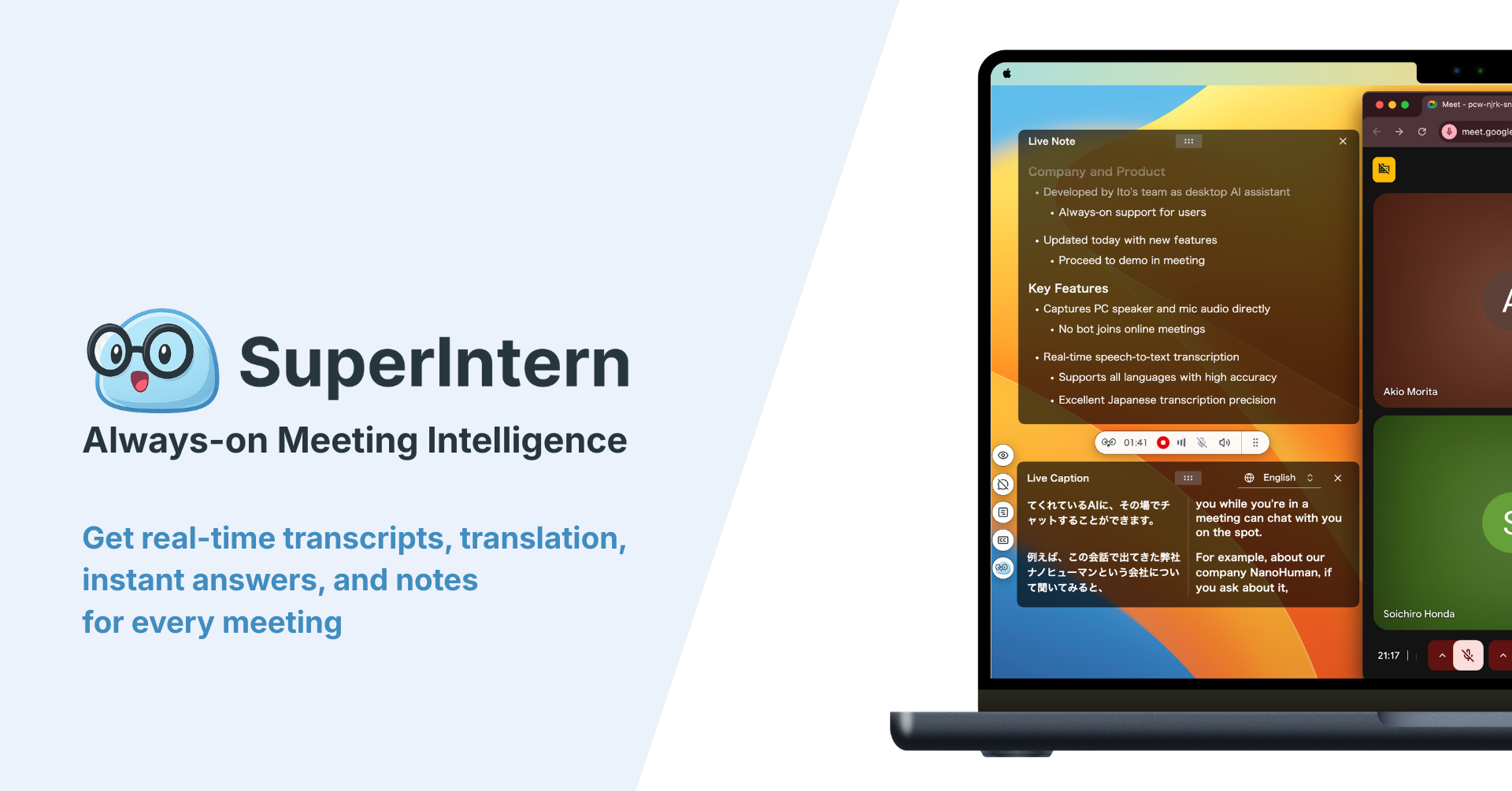
For conversation notes, that means:
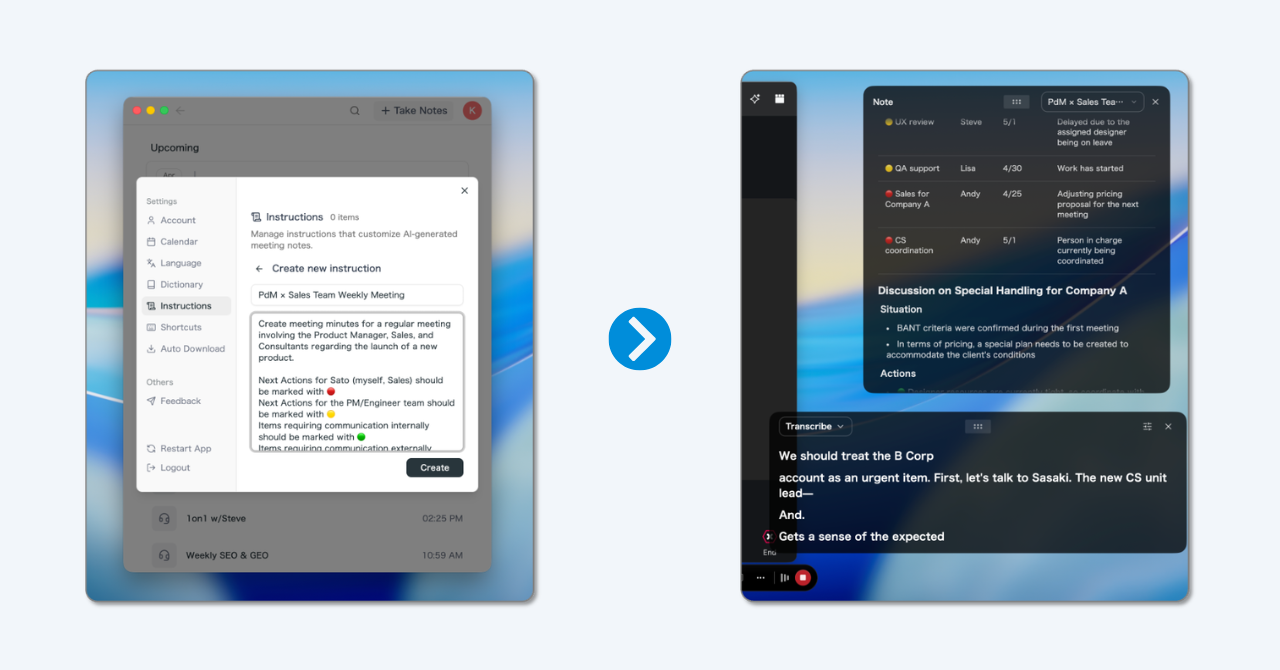
- Your template fills itself in live. With AI Canvas, you store the structure from this article once as a format. During the conversation, the AI sorts what is said into key statements, agreements, and next steps, and the finished note is ready when you hang up.
- Who said what? Automatic speaker identification attributes statements to participants. On contested points, you can see exactly which commitment came from whom.
- Names and terms come out right. A personal dictionary keeps product names, project codes, and contact names spelled correctly, and entries can be added in bulk.
- Ask instead of search. Through the post-meeting AI chat, you can ask "What deadline was mentioned for the price reduction?" and get the relevant part of the conversation.
- Conversations in other languages. On international calls, SuperIntern translates in real time across 50+ languages, and the summary arrives in your working language.
To be fair about the limits: SuperIntern is built for live conversations at your computer. For the spontaneous hallway chat with no device nearby, a handwritten note remains the right tool. And the duty to inform participants about transcription stays with you; recording consent rules vary by region, so when in doubt, ask first. A free plan is available, so you can test the workflow on your next call without risk.
Frequently asked questions (FAQ)
What is the difference between a conversation note and a memo to file?
A conversation note records a conversation and mainly serves your day-to-day work. A memo to file puts an event on record, with or without a conversation, and is more formal: cleanly dated, attributed, and worded to serve as evidence later.
Is a conversation note legally binding?
It is not a contract, but it is evidence. A promptly written, dated note with concrete statements carries far more weight in disputes and internal reviews than a reconstructed memory. What matters is timeliness, factual wording, and a clearly identified author.
How long should a conversation note be?
As short as possible, as complete as necessary. A good benchmark: the context line plus five to ten lines of content. If it grows much longer, the occasion probably calls for meeting minutes instead.
Do I need to record calls to write conversation notes?
No, the note is exactly what replaces a recording. If you do want to record or transcribe a call with AI, get the participants' consent first; secret recording is illegal in many jurisdictions. Announce it up front and note the consent.
What software works best for conversation notes?
To start, any text tool with a fixed template does the job. If you handle many conversations, you will benefit from a system that makes notes searchable and structures them automatically: a CRM for sales calls, or an AI assistant like SuperIntern that writes the note live.
Who should write the conversation note?
By default, the person who held the conversation, and promptly. For important calls with several colleagues on your side, agree in advance who documents, so it does not end up half-done by both.
How long should conversation notes be kept?
It depends on the case. Keep notes tied to contracts, complaints, and HR matters as long as the underlying case. Mind your company's retention and deletion policies: conversation notes containing personal data fall under privacy law too.
Conclusion
A good conversation note is short, factual, and easy to find. It needs six fields (context, reason, key statements, agreements, next steps, author), one fixed format, and one agreed place to live. That makes it a five-minute habit that saves hours of reconstruction later.
The remaining bottleneck, taking the notes while you talk, is one you can now hand off: a bot-free AI assistant fills your template live, attributes statements to speakers, and lets you do what the conversation is actually for: listening and negotiating.
Try the workflow on your next call or meeting. SuperIntern is free to start, no credit card required.