Follow-Up Email After a Meeting: How to Write One, With 8 Templates (2026)
A meeting ends with everyone nodding. Two days later, half the room remembers a different decision and nobody is sure who owns the next step. The follow-up email is the cheap fix for that problem: five minutes of writing that turns a conversation into a shared record of what was agreed.
Most people know they should send one. The hard part is writing it fast, while the details are still fresh, and making it specific enough that the reader can act on it without reopening their own notes.
This guide covers when to send a follow-up email after a meeting, the six parts every good one contains, a five-step writing process, eight copy-paste templates (client, sales, demo, internal, thank-you, no-reply nudge, multilingual, and a short chat version), subject lines that get opened, common mistakes, and how to have AI draft the email from the meeting itself.
⚠️ This article was independently compiled based on publicly available information and user feedback as of October 2026.
Table of Contents
- What a Meeting Follow-Up Email Is For
- When to Send It: Timing by Meeting Type
- The 6 Parts of a Good Follow-Up Email
- How to Write a Follow-Up Email After a Meeting in 5 Steps
- 8 Follow-Up Email Templates You Can Copy
- Subject Lines That Get Opened
- Before and After: Rewriting a Weak Follow-Up
- Common Follow-Up Mistakes
- Let AI Draft the Follow-Up From What Was Actually Said
- FAQ
- Conclusion
What a Meeting Follow-Up Email Is For
A follow-up email after a meeting is a short message, sent soon after the call, that confirms what was decided, who will do what by when, and what happens next. It is not a transcript and not a full set of minutes. It is the part of the meeting that people will actually reread.
It does three jobs at once:
- Alignment. Memory is unreliable. Writing down "we agreed to launch on the 14th" while everyone still remembers lets anyone who heard the 21st correct it now instead of in two weeks.
- Accountability. An action item with a name and a date in an email is a commitment. The same item said out loud is a hope.
- Momentum. With clients and prospects, a prompt, specific follow-up is often the first proof that you listen and deliver. A vague one sent three days later says the opposite.
It is worth separating the follow-up from its neighbors, because people often send the wrong one:
| Document | Audience | Length | Purpose |
|---|---|---|---|
| Follow-up email | Attendees (and sometimes their stakeholders) | 100 to 250 words | Confirm decisions, owners, next steps |
| Meeting minutes | The team's record | As long as needed | Full record of discussion and decisions |
| Recap / summary | People who missed the meeting | A few paragraphs | Catch someone up quickly |
| Thank-you note | One person | Two or three sentences | Relationship, not logistics |
If your follow-up email is longer than the meeting notes, you are sending minutes. Link the minutes and keep the email short.
When to Send It: Timing by Meeting Type
The general rule is simple: send it the same day, ideally within two hours. After 24 hours the email starts to read as an afterthought, and after 48 hours details have already drifted. Timing still varies by context:
| Meeting type | Best timing | Why |
|---|---|---|
| Sales discovery or demo | Within 1 to 2 hours | Buyers compare vendors while the call is fresh |
| Client or partner meeting | Same business day | Confirms scope before work starts |
| Internal team meeting | Within 1 hour, or post in the team channel | Unblocks people who start work right away |
| Executive or board meeting | Within 24 hours, after review | Accuracy matters more than speed |
| Networking or intro meeting | Within 24 hours | Long enough to be thoughtful, short enough to be remembered |
| Cross-time-zone meeting | Before the other side's next workday starts | They read it first thing in the morning |
| No reply to your first follow-up | 3 to 5 business days later | A polite nudge, not a chase |
The 6 Parts of a Good Follow-Up Email
Formats vary, but follow-ups that actually get read and acted on share six parts.
- A specific subject line. Meeting name plus date, or the key outcome. "Follow-up" alone is invisible in an inbox.
- One line of thanks, tied to the meeting. "Thanks for walking us through the Q4 roadmap" beats "Thanks for your time" because it proves you were there.
- Decisions, stated as decisions. "We agreed to start with the EU rollout" rather than "We discussed regions." If nothing was decided, say so.
- Action items with owners and dates. One line each: who, what, by when. Put your own commitments first; it sets the tone.
- Open questions. Anything unresolved, with who will answer it. This prevents the "I thought you were checking" problem.
- The next step. A date for the next meeting, a link to book it, or the single thing you need from the reader. One clear ask, not three.
Attachments and links (slides, minutes, recording) go at the end. The reader should be able to act on the email without opening any of them.
How to Write a Follow-Up Email After a Meeting in 5 Steps
Step 1: Capture decisions and actions during the meeting, not after. The single biggest reason follow-ups are slow is that the sender has to reconstruct the meeting from memory. If decisions and action items are written down live, by you or by a tool, the email is mostly copy and paste.
Step 2: Confirm the next step before the meeting ends. Spend the last two minutes saying it out loud: "So I'll send the proposal Thursday, and you'll check with legal." Now your email confirms something everyone heard, instead of proposing something new.
Step 3: Write the subject line and the ask first. Decide what you want the reader to do after reading. Everything else in the email supports that one ask.
Step 4: Fill in decisions, actions, and open questions in short lines. Bullets are fine here. Paragraphs are for context, bullets are for commitments. Keep each action item to one line.
Step 5: Reread it as the recipient, then send. Could someone who missed the meeting understand what happens next? Is every date absolute ("Thursday, Oct 29") rather than relative ("next week")? Are names spelled correctly? Then send it, today.
8 Follow-Up Email Templates You Can Copy
Replace the brackets and trim anything that doesn't apply. Short is a feature.
1. Client meeting recap
Subject: [Project] kickoff recap: scope, owners, next steps

Hi [Name],

Thanks for the time today, and for walking us through [specific topic].
Here's what we agreed so we're working from the same page.

Decisions
- [Decision 1, e.g. Phase 1 covers the EU sites only]
- [Decision 2]

Next steps
- [Your name]: [task] by [date]
- [Their name]: [task] by [date]

Open question
- [Question], [owner] will confirm by [date]

Next check-in: [day, date, time]. I'll send the invite.

Best,
[Your name]
2. Sales discovery call
Subject: Following up on our call: [their goal in their words]

Hi [Name],

Thanks for sharing how your team handles [process] today.
What I heard:
- Main challenge: [pain point, in their words]
- What success looks like: [their goal]
- Timeline: [their timeline]

As promised, here is [resource / case study / pricing overview]: [link]

Suggested next step: a 30-minute demo with [stakeholder] focused on
[specific use case]. Does [day] at [time] or [day] at [time] work?

Best,
[Your name]
3. After a product demo
Subject: Demo follow-up: answers to your 3 questions

Hi [Name],

Thanks for the questions in today's demo. Quick answers:

1. [Question 1]: [answer, one or two lines]
2. [Question 2]: [answer]
3. [Question 3]: [answer, or "I'll confirm with our team by Friday"]

Recording and slides: [link]

To move forward, the next step is [trial / security review / proposal].
I can have [deliverable] to you by [date] if that works on your side.

Best,
[Your name]
4. Internal team meeting
Subject: [Team] sync [date]: 2 decisions, 4 actions

Decisions
- [Decision 1]
- [Decision 2]

Actions
- [ ] [Owner]: [task] by [date]
- [ ] [Owner]: [task] by [date]
- [ ] [Owner]: [task] by [date]
- [ ] [Owner]: [task] by [date]

Parked for next week
- [Topic]

Full notes: [link]
5. Thank-you after an intro or networking meeting
Subject: Great to meet you, [Name]

Hi [Name],

Thank you for making time today. Your point about [specific idea]
stuck with me, and I've already [small action you took because of it].

As promised, here is [the article / intro / resource]: [link]

If it's useful, I'd be glad to [specific offer]. Either way,
I hope we can stay in touch.

Best,
[Your name]
6. Follow-up when you haven't heard back
Subject: Re: [original subject]

Hi [Name],

Bringing this back to the top of your inbox in case it got buried.
The one thing I need from you is [specific decision or input],
ideally by [date] so we can keep [milestone] on track.

If priorities have shifted, just let me know and I'll adjust.

Thanks,
[Your name]
7. Multilingual meeting (recap in the reader's language)
Subject: [Meeting] recap / [same subject in their language]

Hi [Name],

Below is a summary of today's meeting in [their language],
followed by the English version.

[Summary in their language: decisions, actions, next meeting]

---

[Same summary in English]

If anything in the translation is unclear, reply in whichever
language is easiest for you.

Best,
[Your name]
8. Short chat version (Slack or Teams)
Recap of today's [meeting] 🧵
✅ Decided: [decision]
👉 [@owner]: [task] by [date]
👉 [@owner]: [task] by [date]
❓ Open: [question] ([@owner] to confirm)
Next sync: [date]. Notes: [link]
Subject Lines That Get Opened
The subject line decides whether the email is read today or next week. Specific beats clever.
| Situation | Weak subject | Strong subject |
|---|---|---|
| Client meeting | Follow-up | Kickoff recap: scope, owners, next steps |
| Sales call | Great chatting! | Following up: cutting onboarding time by half |
| Demo | Demo | Demo follow-up: answers to your 3 questions |
| Internal | Notes | Marketing sync Oct 26: 2 decisions, 4 actions |
| Networking | Hello again | Great to meet you at [event], [Name] |
| No reply | Just checking in | Need your input on [item] by Friday |
Two habits help: put the most important word in the first 40 characters (mobile inboxes cut the rest), and when replying, keep the original thread so the context travels with the email.
Before and After: Rewriting a Weak Follow-Up
Before:
Subject: Follow-up

Hi all, thanks for the great meeting today! Lots of good discussion.
Let's keep the momentum going. I'll circle back soon with next steps.
Nothing here is wrong, and nothing is useful. There is no decision, no owner, no date. Every reader will fill the gaps with their own version of the meeting.
After:
Subject: Website relaunch sync Oct 26: launch date confirmed

Hi all, thanks for today. Confirming what we agreed:

- Launch date: Tuesday, Nov 17 (QA freeze Nov 10)
- Pricing page copy: Priya sends the final draft by Thu, Oct 29
- Analytics setup: Marco confirms tracking plan by Mon, Nov 2
- Open: legal review of the new terms. Dana will check timing with legal.

Next sync: Mon, Nov 2, 10:00. Notes and recording: [link]
The rewrite took five minutes, and only because the decisions were already written down. That is the real bottleneck, and the reason the next section exists.
Common Follow-Up Mistakes
- Waiting until you have time. The email never gets easier than in the first hour. After that, you are rebuilding the meeting from memory.
- Sending minutes instead of a follow-up. A 900-word email is a document nobody reads. Summarize, then link the full notes.
- Vague action items. "Look into pricing" has no owner and no finish line. "Marco: send two pricing options by Friday" does.
- Relative dates. "Next week" means different things on Friday and Monday, and across time zones. Write the date.
- Inventing agreement. If something was discussed but not decided, call it an open question. A follow-up that overstates consensus damages trust fast.
- Three asks at once. One clear next step gets answered. Three get deferred.
- Forgetting people who weren't there. If a stakeholder missed the meeting but owns a decision, add one line of context for them, or send a separate recap.
Let AI Draft the Follow-Up From What Was Actually Said
Every template above assumes you have accurate notes. That is the part that breaks: you are either typing during the meeting and half-listening, or listening and reconstructing later.
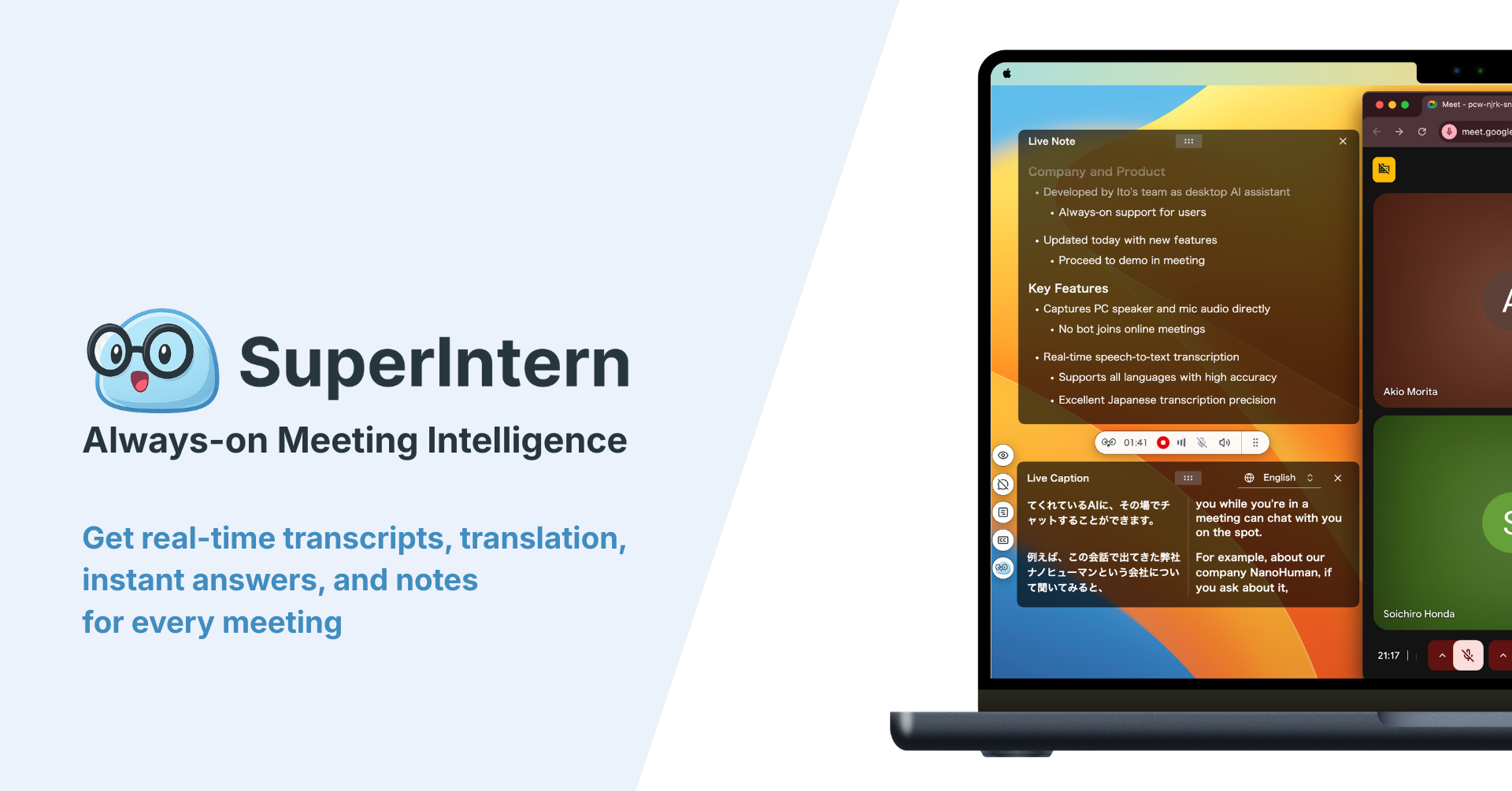
A real-time AI meeting assistant removes that tradeoff. SuperIntern is a botless desktop app for Mac and Windows that captures meetings from your device audio. No bot joins the call, so clients and prospects don't see an extra participant, and it works the same way across Zoom, Google Meet, Microsoft Teams, Webex, Slack huddles, and in-person conversations.

Here is how it fits the follow-up workflow:
- Decisions and action items are captured live. Tell AI Canvas what to track in plain language, for example "list decisions, and action items with owner and due date." The note fills itself in that shape while you talk, so step 1 of the writing process is done when the meeting ends.
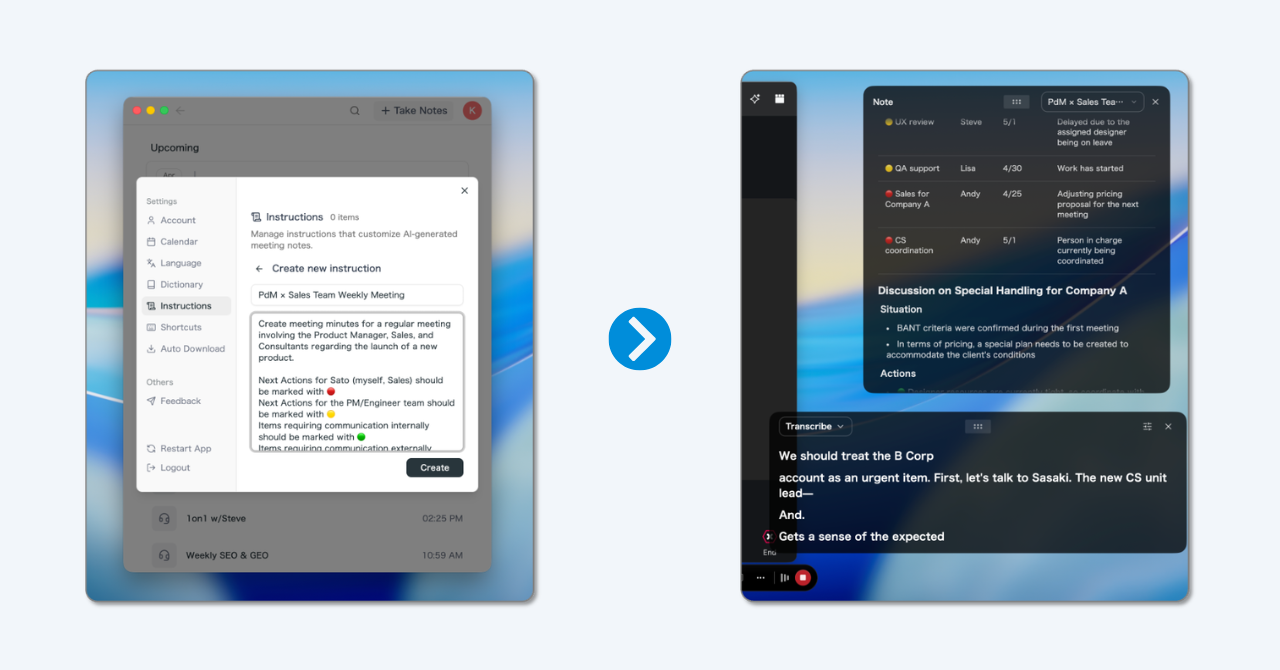
- Ask for the email directly. In the post-meeting AI chat, ask "Draft a follow-up email to the client using template 1 from my notes," and you get a draft grounded in the transcript rather than in memory.
- Summaries in any language. Meeting in Spanish, follow-up in English, or both: summaries can be generated in a language other than the one spoken, which makes template 7 a two-minute job.
- Post the chat version for you. With the Slack, Notion, and Linear app integrations, AI chat can post the recap to a channel or turn action items into Linear issues, with a permission setting for each action.
- Draft in Gmail from your own AI agent. If you work in Claude or ChatGPT, the SuperIntern MCP and Gmail workflow turns call notes into a Gmail draft in one prompt.

An honest note on limits: SuperIntern is a desktop app focused on live meetings and what comes after them. It drafts the follow-up, but you should still read it before sending, especially commitments and dates. There is a free plan, so you can try it on your next meeting.
FAQ
How soon should you send a follow-up email after a meeting?
The same day, ideally within one to two hours. For sales calls and client meetings, speed signals reliability. For executive or board meetings, it is fine to take up to 24 hours to check accuracy first.
What should a follow-up email after a meeting include?
A specific subject line, a short thank-you tied to the meeting, the decisions made, action items with owners and dates, open questions, and one clear next step. Link the full notes or recording instead of pasting them.
How long should a meeting follow-up email be?
Usually 100 to 250 words. If it needs more, the extra detail belongs in the meeting minutes, linked from the email.
Is it OK to send the follow-up in Slack or Teams instead of email?
For internal meetings, yes, and it is often faster. Post it in the channel or thread where the team works. For clients, prospects, and anything with commitments or pricing, email is still the better record.
How do I follow up if nobody replies?
Wait three to five business days, reply in the same thread, and make a single specific ask with a date. If there is still no answer, one more short note is reasonable. After that, ask whether priorities have changed.
Can AI write my meeting follow-up emails?
Yes, as long as it has an accurate record of the meeting. An AI meeting assistant that transcribes and structures notes in real time can draft the follow-up from what was actually said. Always review names, dates, and commitments before sending.
Conclusion
A follow-up email after a meeting is the shortest document in the meeting's life and often the most useful. Send it the same day, give it a specific subject line, state decisions as decisions, give every action item an owner and a date, and end with one clear next step.
The templates make the writing quick. Capturing decisions and action items while the meeting is happening makes it almost instant. Let a botless AI assistant hold the record, review the draft for two minutes, and send it while everyone still remembers the meeting the same way.
Try SuperIntern Free : no bot in your meetings, decisions and action items captured live, and follow-up drafts ready when the call ends.