
We released the SuperIntern Team plan: 3 features that turn personal notes into a team asset

We released the SuperIntern Team plan 🎉
The meeting knowledge that used to live in personal plans can now be shared, owned, and managed at the Workspace level.
Here are the three features the Team plan unlocks.
1. Turn scattered personal notes into shared team knowledge
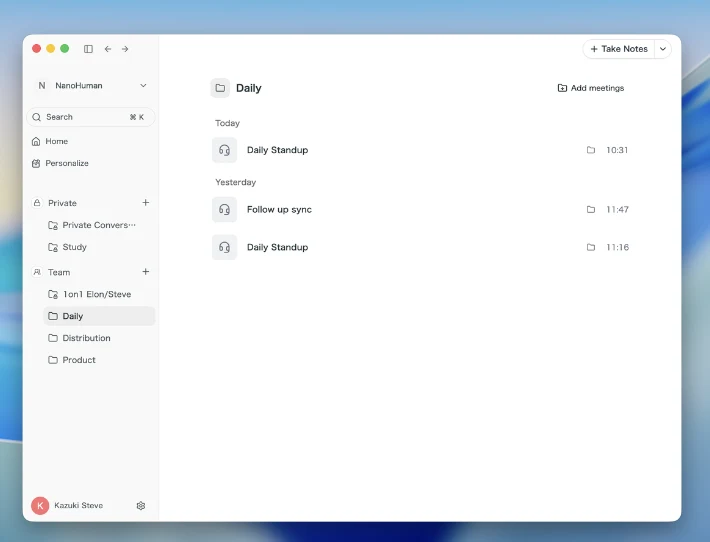
Move a meeting into the Team space and everyone on your team sees the same meeting data.
The knowledge reaches your whole team instantly, whether or not they attended the meeting.
With the Projects feature, you can also limit who can view each meeting.
With Private folders, you can also keep a folder only you can access inside the Workspace.
What this changes
- New members ramp up faster: They can trace the history of a deal from past minutes on their own.
- Less handover overhead: Knowledge lives in the Workspace, so verbal handovers are no longer required.
- Search past discussions without the original attendee: Solve "which meeting was that number from?" yourself in seconds.
- Lock down sensitive meetings: Scope board meetings or 1:1s to a Project to control who sees them.
2. Meeting data belongs to the team, not the individual
On the Free and Plus plans, accounts are tied to a personal email address.
If someone changes their email, they can keep using the same account after a transfer or departure, which creates a data exfiltration risk.
On the Team plan, any meeting recorded inside a team-owned Workspace stays fully under team control, regardless of whether it sits in a Private space or a Team space.
You can manage meeting data as an asset protected by your organization's security policy.

What this changes
- No email-change loophole: The moment someone leaves the Workspace, their access to past data is cut.
- Easier sign-off from legal and IT: Data-loss prevention is enforced structurally, not by policy alone.
3. Admin tools for one-click billing and member management
The Free and Plus plans tend to run into problems like these:
- Monthly payments are split per user, adding overhead for card registration and receipt collection.
- Overages can't be tracked across the team, so you only notice them at billing time.
- Members can't be managed in bulk, so transfer and departure handling depends on each individual.
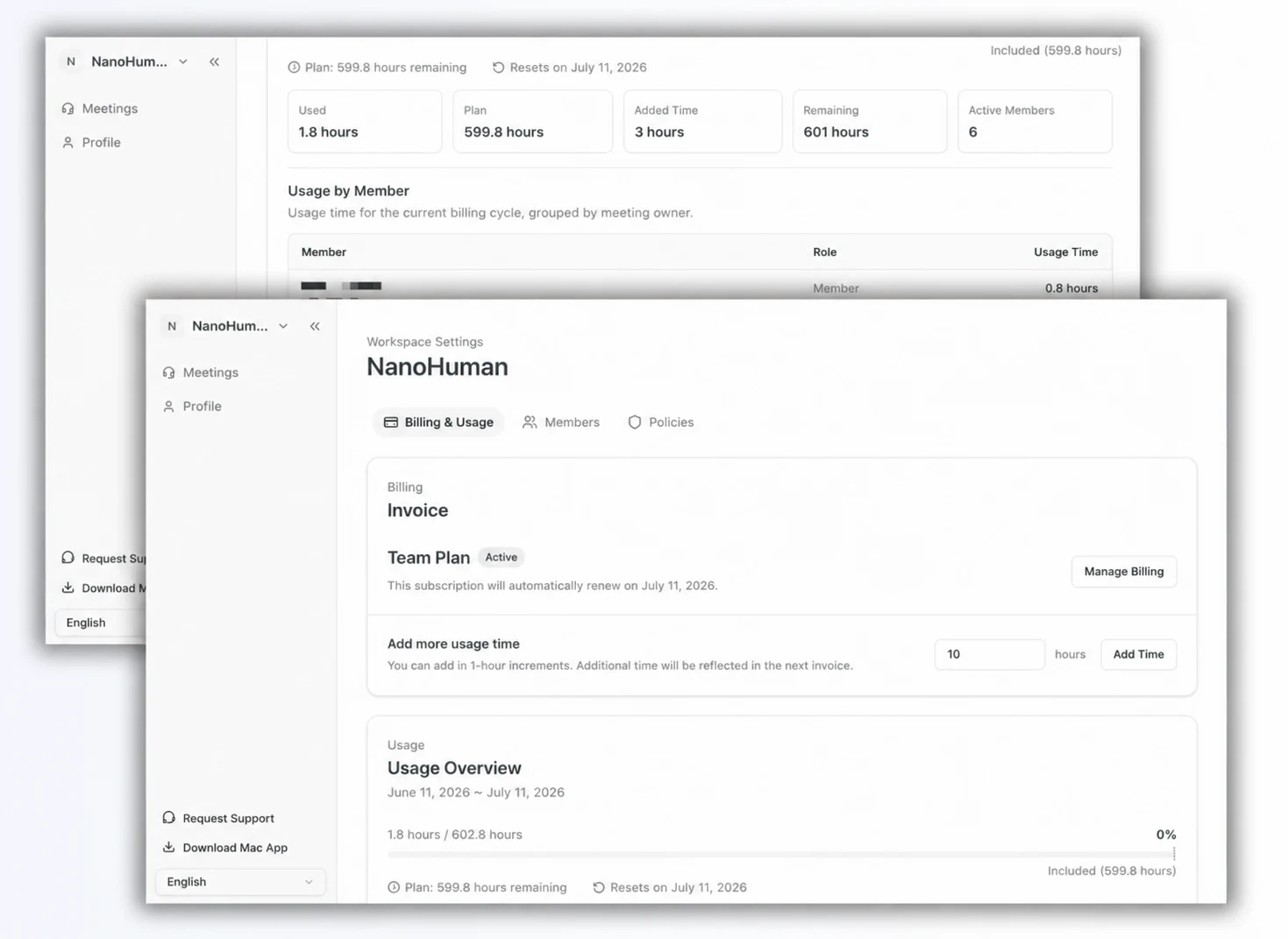
The Team plan avoids all of this with centralized billing and member management for admins.
What this changes
- One receipt closes accounting: Pay for the whole team and collect documentation on a single corporate card.
- Catch overages mid-month: A dashboard shows per-member usage in real time.
- Zero missed cancellations on departure: Remove someone from the Workspace and their billing stops automatically.
- Flexible delegation: Add multiple admins to split responsibilities between finance and team leads.
How to start the Team plan
The Team plan is $35 per user / month, and your Workspace shares a monthly allowance of seats × 100 hours.
We cover the sign-up steps with screenshots in a separate article.
If you want to turn your meeting notes from personal memos into a team asset, give the Team plan a try.