
v0.12 Update (Part 2): Two-Way Real-Time Translation & Link Sharing
Following Part 1, here are two more features included in v0.12 — two-way real-time translation for multilingual meetings and link sharing for effortless meeting collaboration.
Two-Way Real-Time Translation
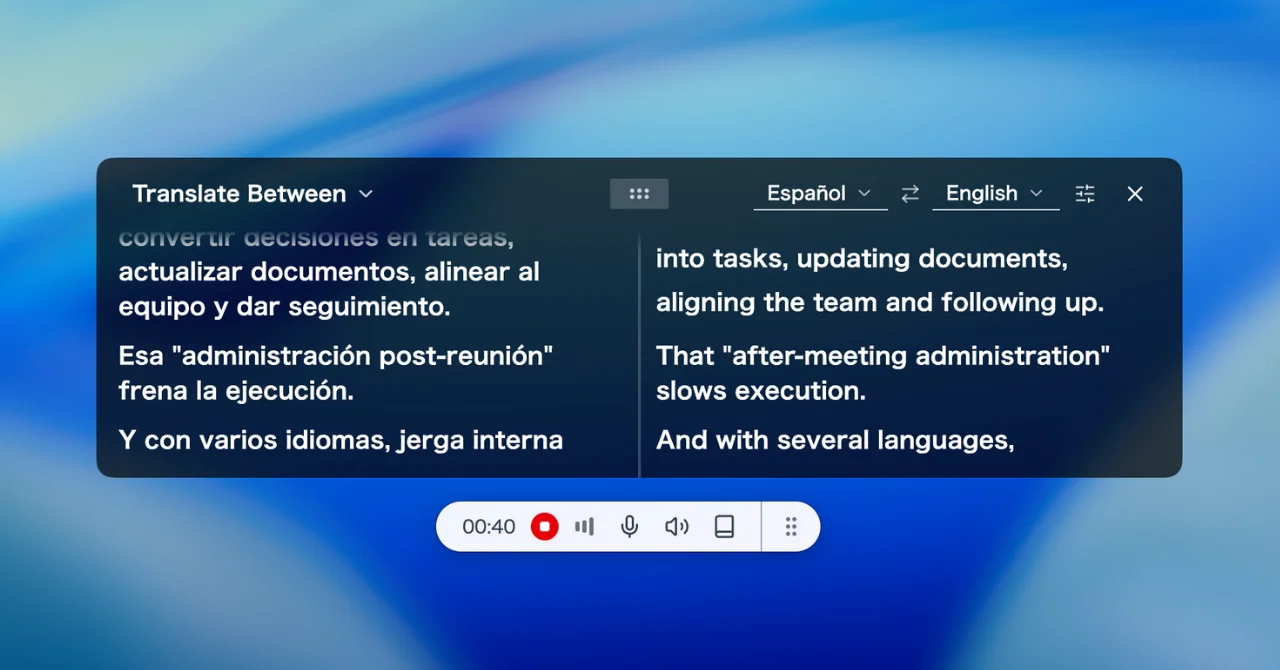
Previously, SuperIntern's translation feature only supported one-way translation — translating from the original language into a single target language. Now, with the new two-way translation mode, you can specify two languages and see both displayed simultaneously as the conversation flows.
Key Features
- Side-by-side display: The screen splits into two columns, showing both languages in parallel
- Automatic language detection: SuperIntern detects which language is being spoken and translates it into the other

- Switch modes anytime: Toggle between "Transcribe," "Translate To" (one-way), and "Translate Between" (two-way) with a single click during recording
- 50+ languages supported: Works with English, Japanese, Spanish, Chinese, and over 50 other language pairs
Use Cases
- Meetings with English and Spanish speakers — both sides see the conversation in their own language in real time
- International client meetings — communicate smoothly without an interpreter
- Multilingual team standups — everyone follows along, regardless of their primary language
How to Use
- During a recording, select "Translate Between" from the caption mode selector
- Choose Language A and Language B (e.g., Japanese ↔ English)
- As the meeting progresses, spoken language is auto-detected and translations appear side by side
Link Sharing
You can now share your meeting content with anyone using a simple link. Recipients can view the content in their browser — no SuperIntern account required.
Key Features
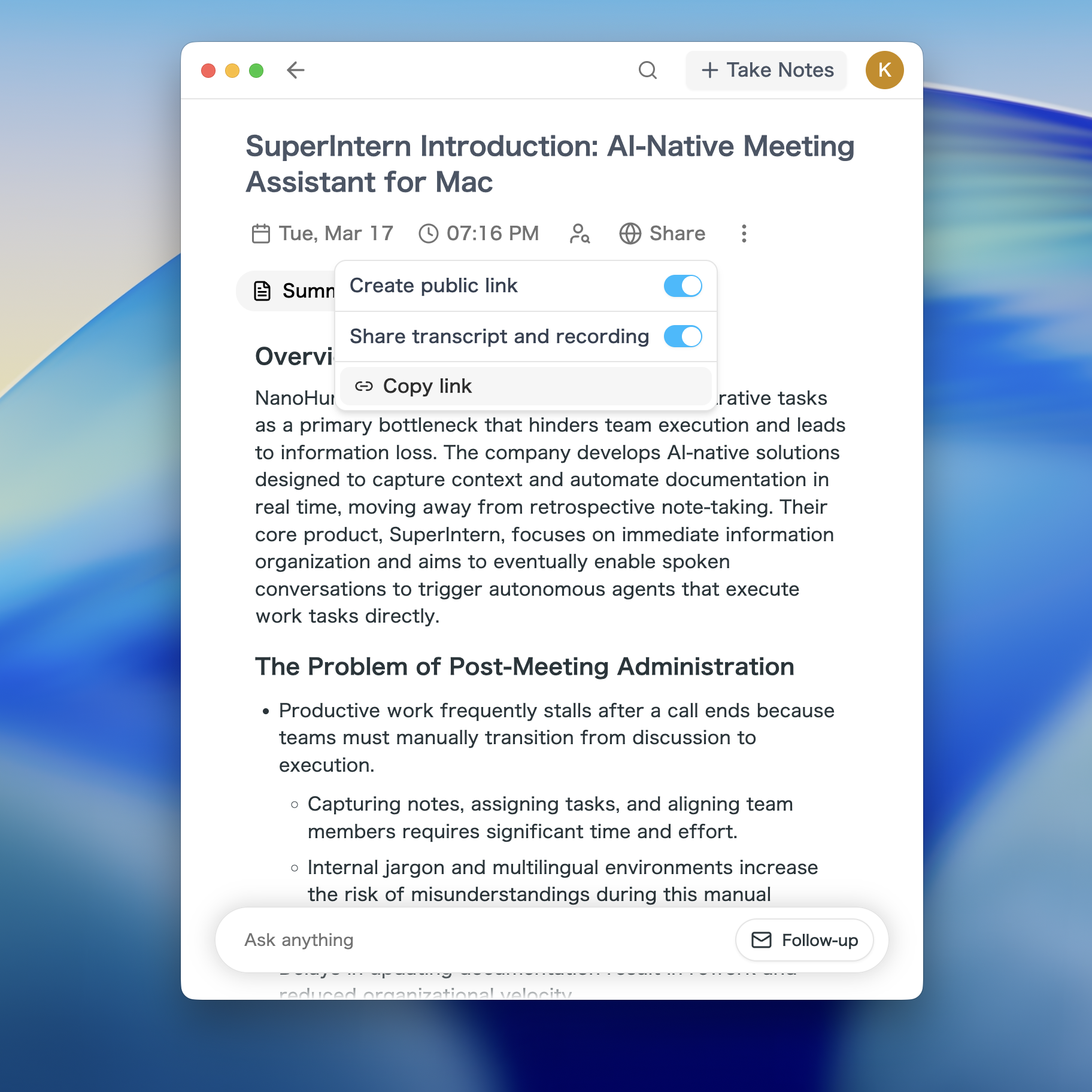
- One-click sharing: Turn on sharing from the meeting detail page to generate a link instantly
- No account needed: Anyone with the link can view the meeting content in their browser
- Control what's shared: Choose to share just the summary, or include the full transcript and recording
- Revoke anytime: Turn off sharing and the link is immediately deactivated
- Privacy-first: Participant emails, IDs, and other personal information are automatically stripped from the shared view
Use Cases
- Share meeting notes with teammates who couldn't attend
- Send a meeting summary link to clients or external partners
- Build a team knowledge base by archiving meeting links
How to Use
- Open the meeting detail page and click the Share button
- Toggle "Link Sharing" on — a shareable URL is generated automatically
- Optionally enable "Include transcript & recording" for full content access
- Copy the link and send it to anyone you'd like to share with
With Part 1's Google Calendar integration and web app support, plus two-way translation and link sharing in Part 2, v0.12 makes SuperIntern more powerful than ever for multilingual and collaborative meeting workflows. Give these new features a try!
Try SuperIntern for free here!