
v0.14 Update: AI Canvas — a live note that writes itself during your meeting, plus Custom Instructions
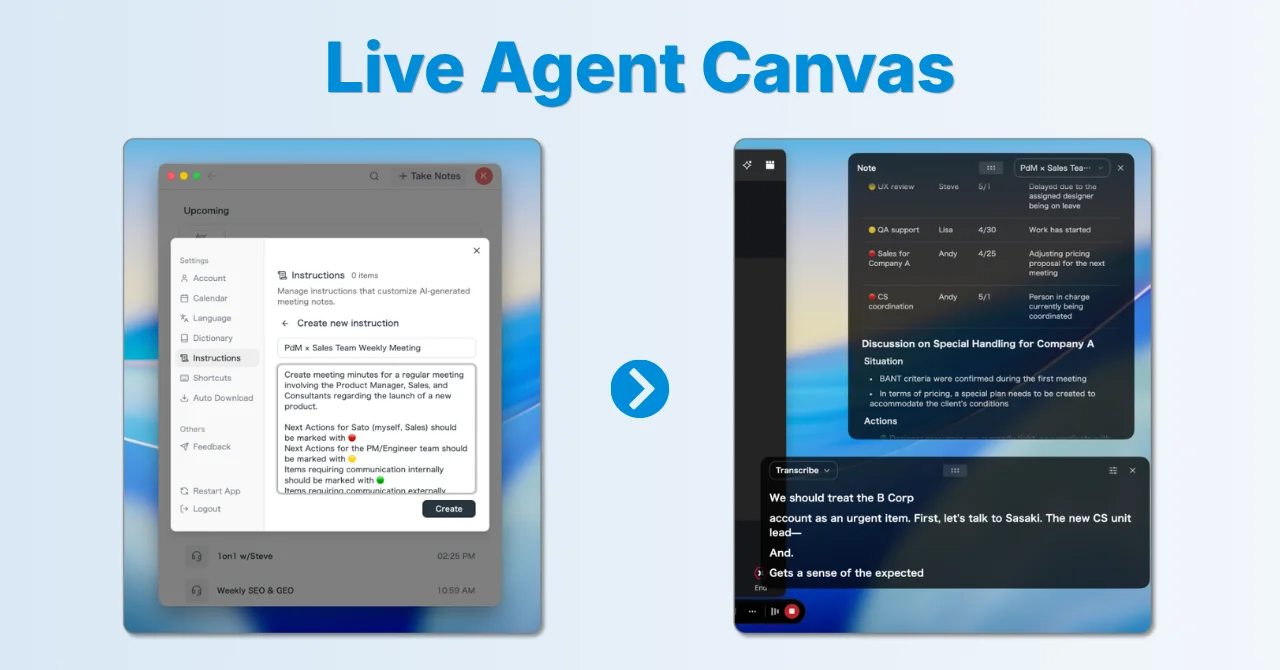
We're excited to announce v0.14. Since our last release (v0.13 Update), a set of meaningful new features has landed — here are the highlights.
Live Note gets a rebirth — welcome "AI Canvas"
The old Live Note simply listed structured information as bullet points. With the new AI Canvas, you can now customize how the canvas is written to fit your own workflow, and the note is updated in real time according to your instructions.
By giving it a custom instruction, you can go far beyond a generic note — for example:
- "Track what we've discussed in our recurring meeting and what we haven't, and always surface the next topics to cover."
- "Keep the Next Actions list updated with an emoji flag per owning team."
- "Organize the customer's requests and desired timeline, and at the end list the topics we haven't covered on our side yet."
You can keep multiple instructions and switch between them per meeting — your very own way of taking notes.
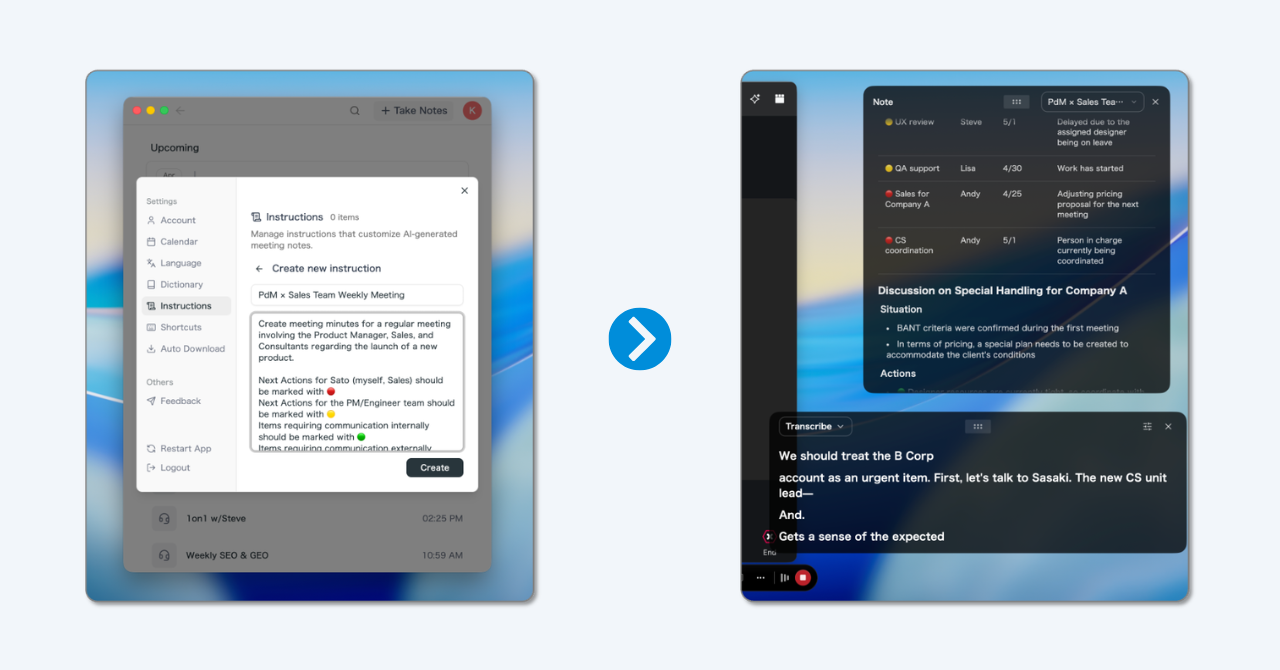
Highlights
- Create and edit from the settings modal: Save multiple custom instructions written in plain language, and edit them anytime.
- Switch from the control bar on the fly: Pick the instruction you want with one click depending on the type of meeting.
- Canvas granularity and style adapt to the instruction: The same meeting produces different output depending on the instruction you choose.
- Shareable minutes are kept separately: Even when you drive the canvas with a custom instruction, the shareable meeting minutes you send to teammates are still generated automatically on the side.
Use Cases
- Automatically distill only decisions and follow-ups during 1:1s and sales calls.
- Keep a clean live note organized by agenda for recurring meetings that jump between topics.
- Paste the finished minutes straight into Slack or docs right after the call.
The AI Canvas default: a big leap in real-time summaries
AI Canvas is designed to be shaped by your own custom instructions, but its default behavior is already a significantly upgraded real-time summary.
It organizes agenda, decisions, to-dos, discussion points and numbers into the right mix of headings, bullet lists and tables as the meeting progresses, and continuously rewrites the canvas to match the latest state of the discussion.

Highlights
- The note builds itself as you meet: Instead of appending bullets, AI Canvas rewrites only the headings, bullets and tables that actually changed — right where they live on the page.
- Polished minutes as soon as the meeting ends: When the call finishes, a clean Markdown note is already in your hands.
- Readable tables and task lists: Beyond plain prose, the canvas uses tables, task lists and code blocks so you can check things at a glance during the meeting.
- Saved straight to the meeting note: What was written during the meeting is automatically kept as the "Note" on the meeting detail page.
A redesigned control bar
To make room for AI Canvas, we also rebuilt the in-meeting control bar.
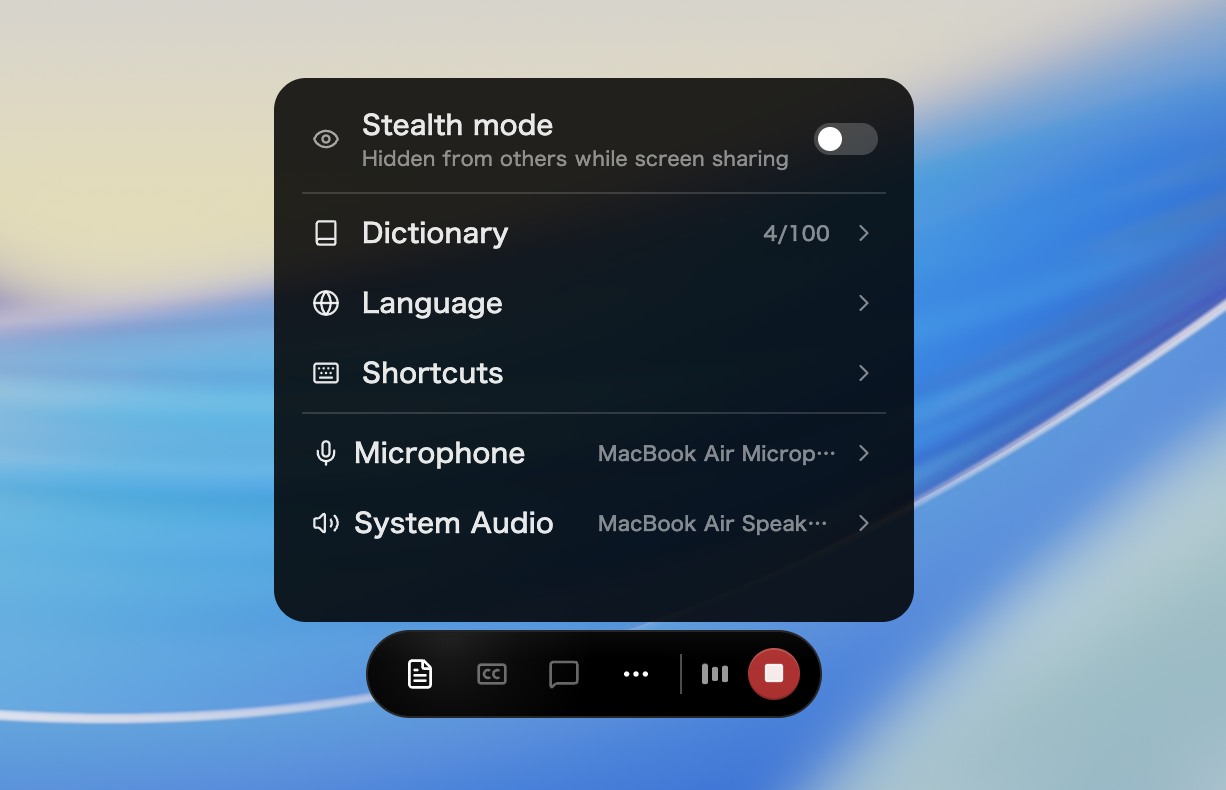
- Consolidated controls: Live-panel-related actions that used to live in a separate window are now unified on the control bar, simplifying in-meeting operations.
- Change audio devices during a meeting: Not just mute — you can now switch input/output devices mid-meeting.
- Shortcut picker: Pick your shortcut keys directly from the control bar.
- Dictionary word count at a glance: The number of registered custom words is visible from the control bar.
Share links can now include the note
We added a toggle that lets you choose whether or not to show the Note tab on a public share page. Previously only the summary and transcript were shareable; now the note written by AI Canvas can be handed to your share recipient too.
- Turn "Include Note" on from the share menu and the shared page gets a Note tab.
- Existing share links stay off by default, so the scope of what you've already shared doesn't widen unintentionally.
How to Update
For Mac users
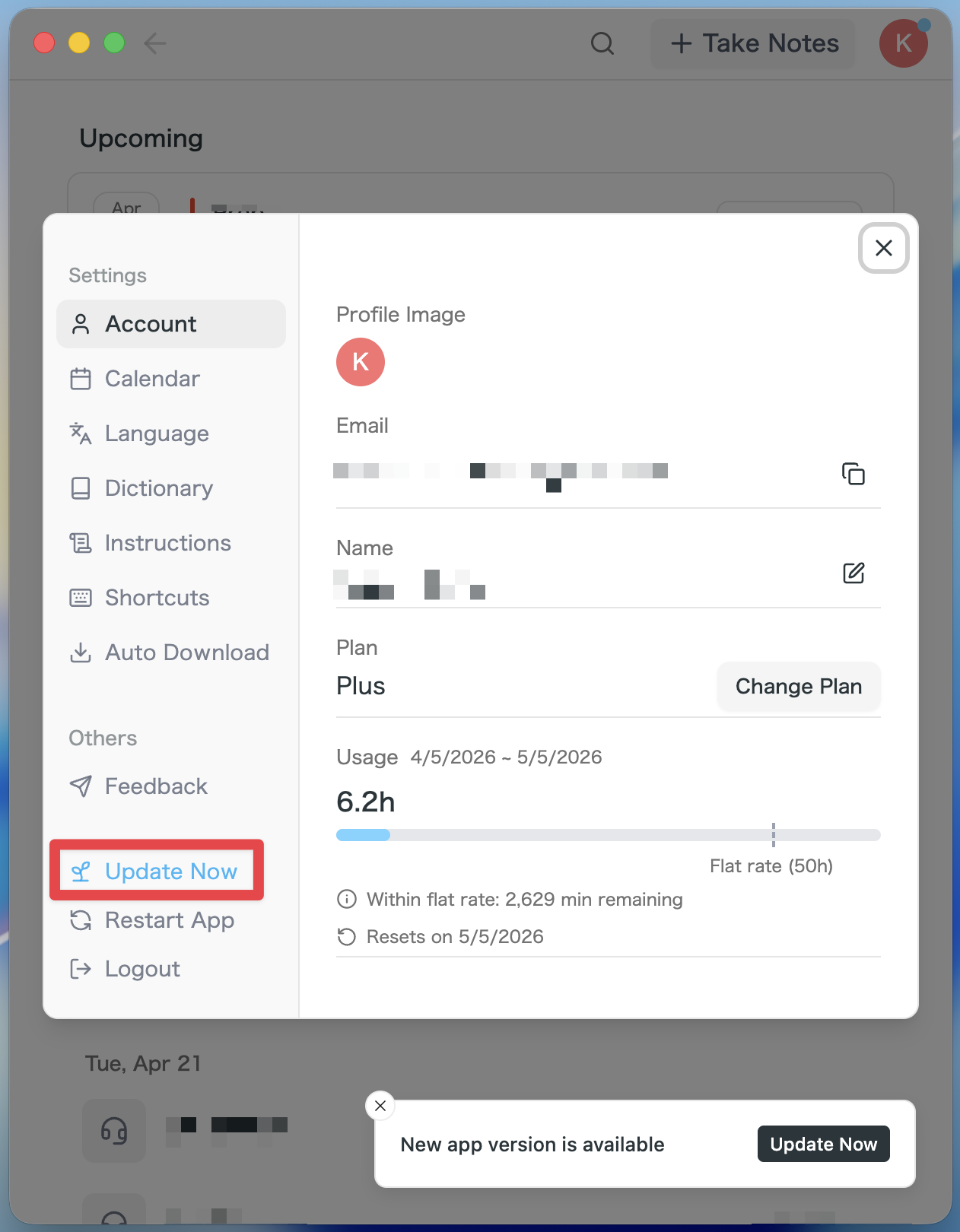
- If an update is available, the latest version is downloaded automatically after you launch the app.
- The Update Now button appears in the sidebar. Click it.
For Windows users
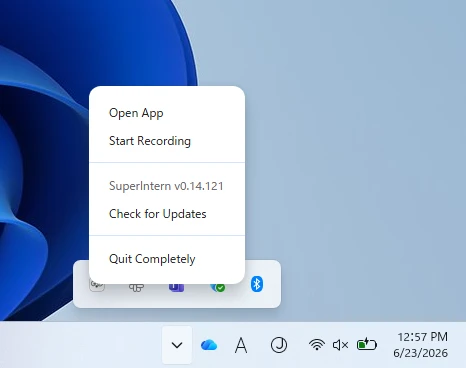
- Open the system tray at the bottom-right of your screen and right-click the SuperIntern app icon.
- Click Check for Updates.
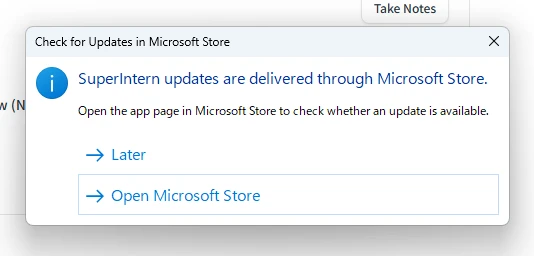
- When the popup appears, click Open Microsoft Store.
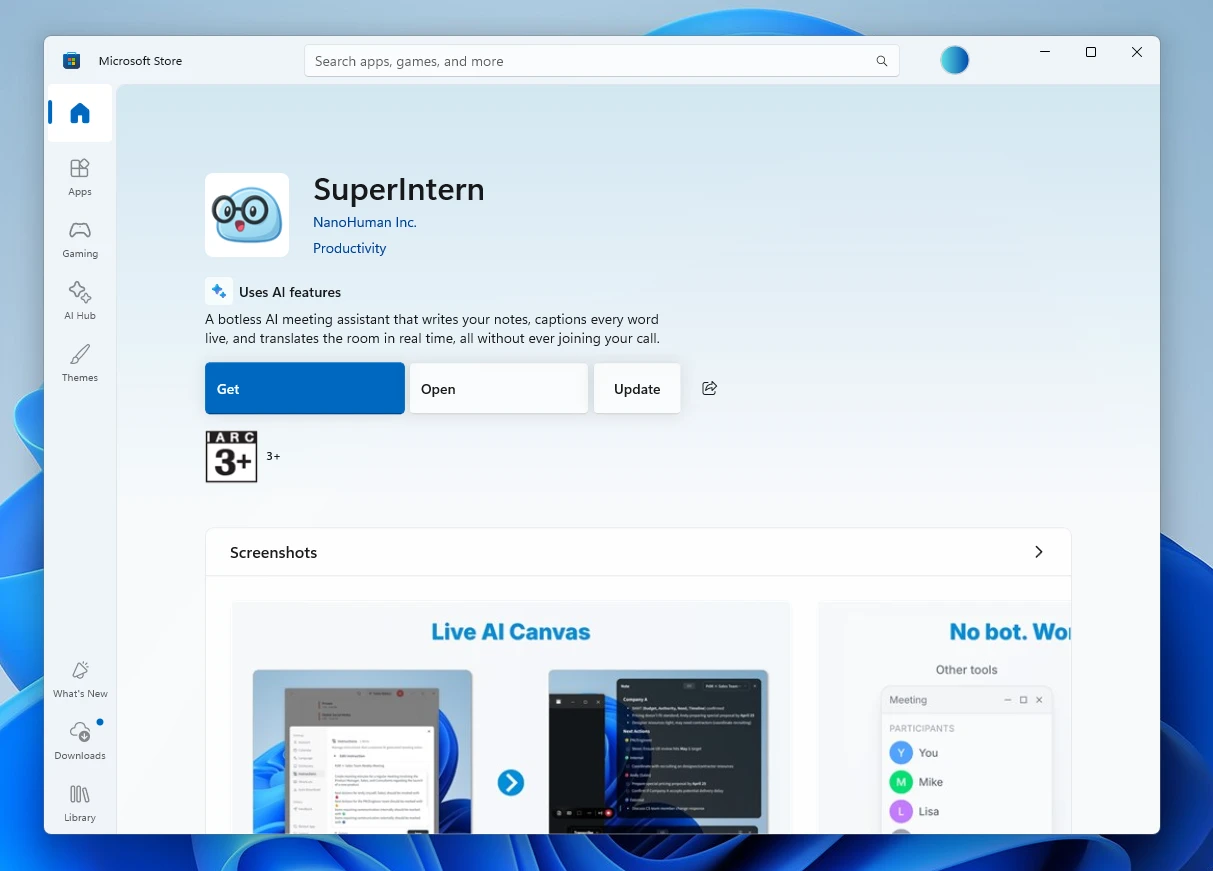
- Once Microsoft Store opens, click Update.
With v0.14, we take a real step into a world where AI sits next to you and keeps writing the note during the meeting — in exactly the style you want. Give AI Canvas and Custom Instructions a spin and let us know what you think!
Try SuperIntern for free here!