
v0.13 Update: Cross-Meeting AI Chat, Windows Now Available & Better Speaker Diarization

We're excited to announce v0.13. Since our last updates (v0.12 Part 1 and Part 2), we're highlighting three big updates.
Cross-Meeting AI Chat

SuperIntern's AI chat has evolved into a true agent that can search, cite, and reason across your past meetings — not just the one you're currently looking at.
Questions like "What concerns came up in my last sales call with Acme?" or "What action items did we agree on in the last three weeklies?" can now be answered with evidence, without any manual digging.
Highlights
- Automatic past-meeting discovery: The agent reads your intent and locates relevant meetings on its own
- Evidence-backed answers: Searches across transcripts and summaries, quoting the exact passages it used
- Source badges: Every answer is tagged with source badges — click to jump straight to the referenced meeting or transcript segment
- Person-centric questions: Ask things like "What did Alex say about pricing?" and the agent traces it through the right meetings
- Thinking UI: Watch the agent in real time as it searches, inspects meetings, and assembles an answer
- Fast follow-ups: Within the same chat thread, the agent remembers the meeting context it just solved
- Works in every AI chat, during and after the meeting: Use it after your meeting is over, or during a live call
Use Cases
- Prep for a weekly standup by asking "What's the status of last week's action items?"
- Catch up on the history of past discussions by asking the AI
- Review a customer relationship by pulling every concern that client has raised across all your calls
Better Speaker Diarization (Calendar-Based)
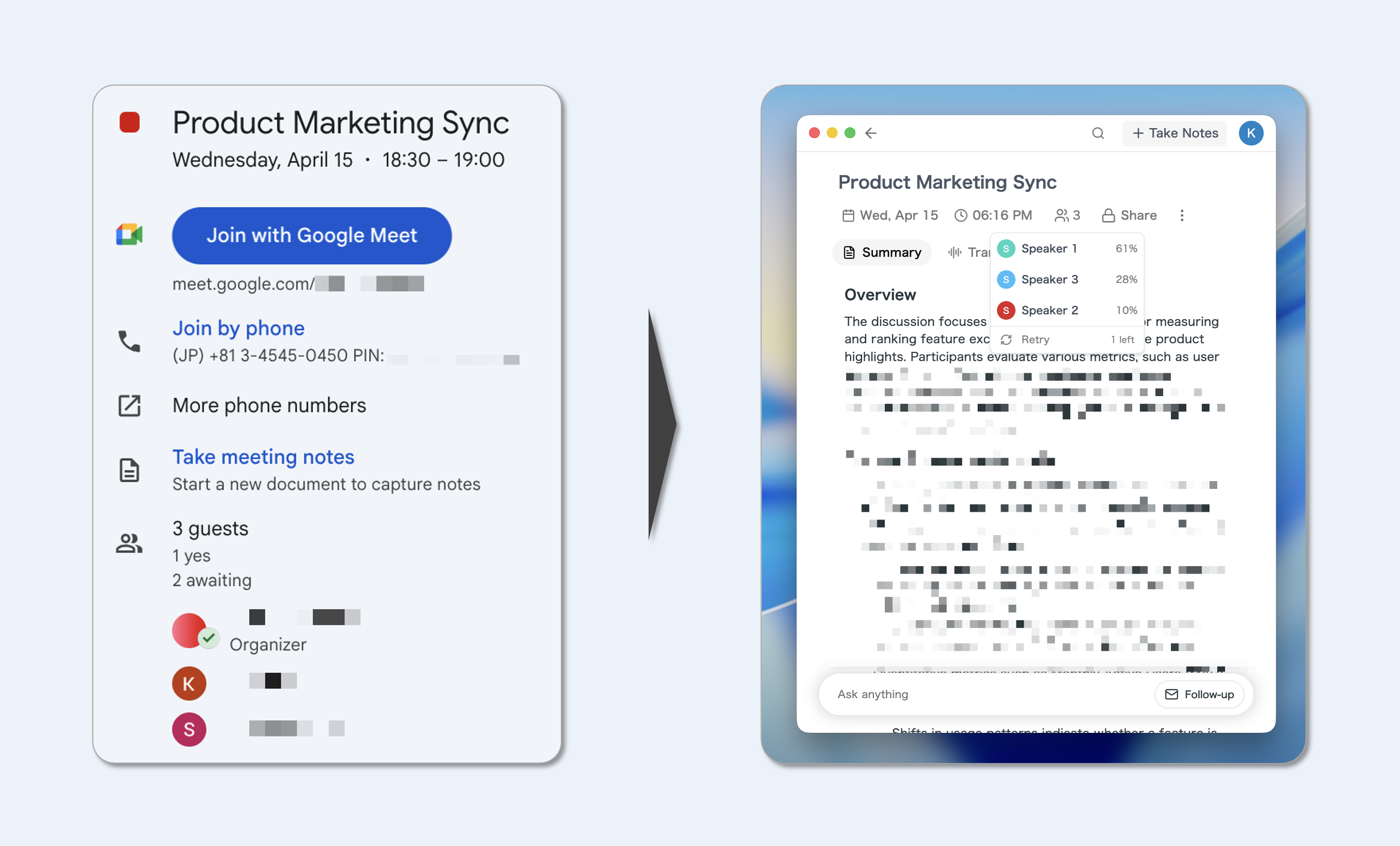
For meetings linked to a calendar event, we now derive the speaker count directly from your Google Calendar attendees.
Previously there were cases where diarization ran with more speakers than were actually in the meeting. With this fix, we reference the attendee list on the calendar event directly, producing noticeably more accurate diarization results.
- More accurate speaker counts mean fewer mis-assigned speakers and fewer extraneous ones
- For calendar-linked meetings, the improvement is applied automatically — no setup needed
Windows Is Now Available
The one you've been waiting for — SuperIntern for Windows is now available through Microsoft Store 🎉
It brings the same core experience you know from macOS — recording, transcription, AI chat, summaries, Markdown export, translation — to Windows.
About the Windows Version
- All the meeting support features you know from the Mac version are available (recording, transcription, AI chat, summaries, Markdown export, real-time translation, noise suppression, and more)
Other Improvements
- Smoother AI output: AI chat and summary streaming now render with a per-character blurIn animation for a calmer, more readable flow
- Inline speaker renaming in summaries: Speaker chips in the summary can be renamed on the spot — changes sync to transcript and participant list automatically
- Transcription watchdog: Detects the rare cases where the transcription engine goes silent mid-meeting and auto-recovers in the background without stopping your recording
- Update-ready toast: When a new version is ready, you can now update with a single click directly from a toast in the main window
- Various bug fixes
How to Update
For Mac users
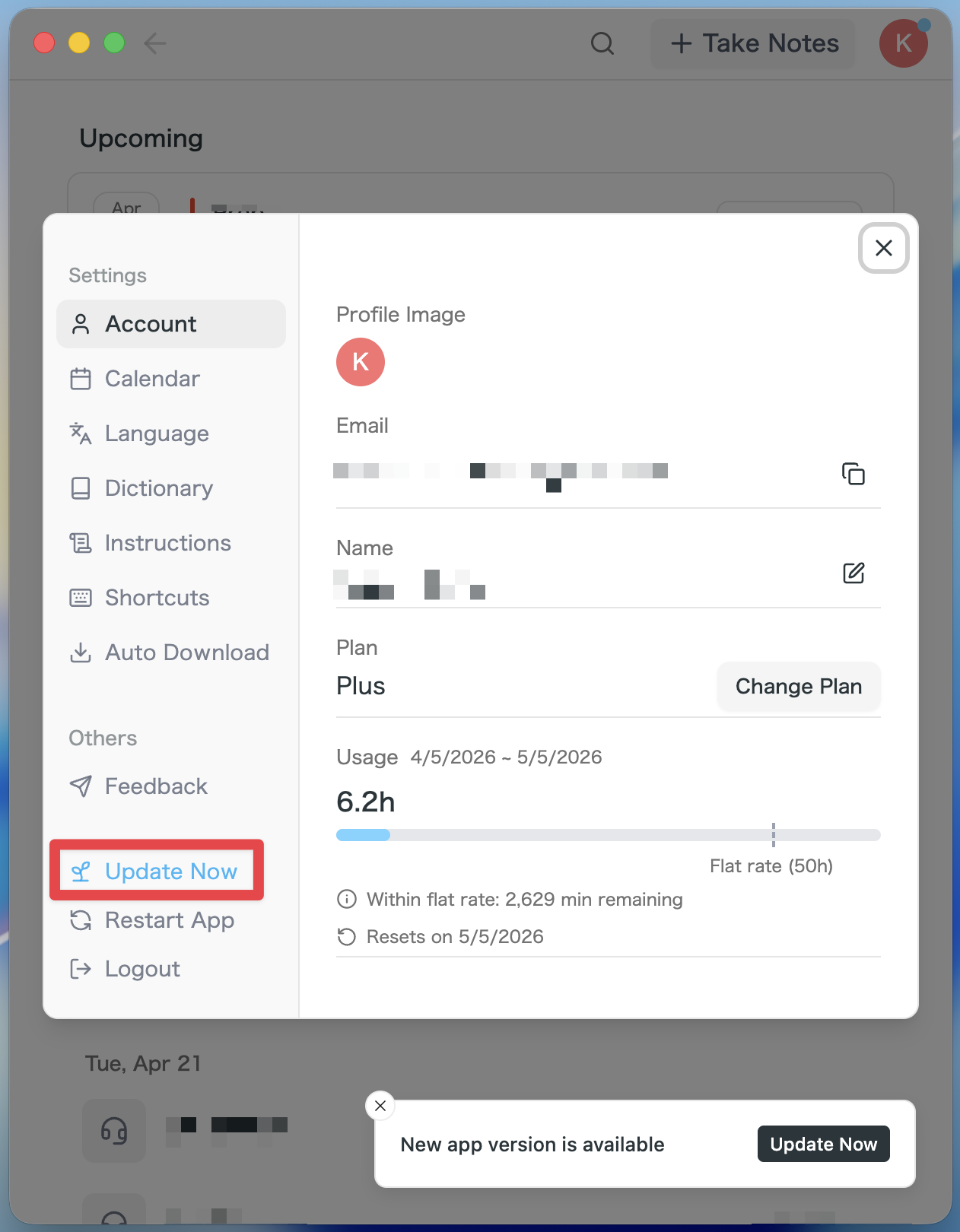
- If an update is available, the latest version is downloaded automatically after you launch the app.
- The Update Now button appears in the sidebar. Click it.
For Windows users
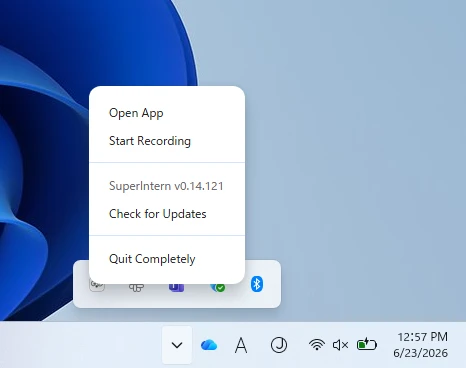
- Open the system tray at the bottom-right of your screen and right-click the SuperIntern app icon.
- Click Check for Updates.
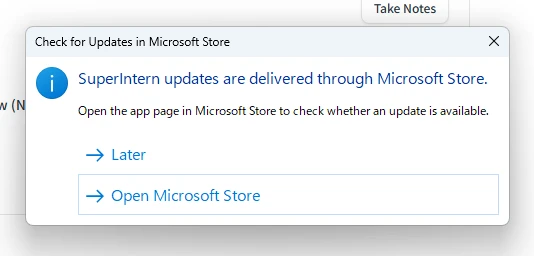
- When the popup appears, click Open Microsoft Store.
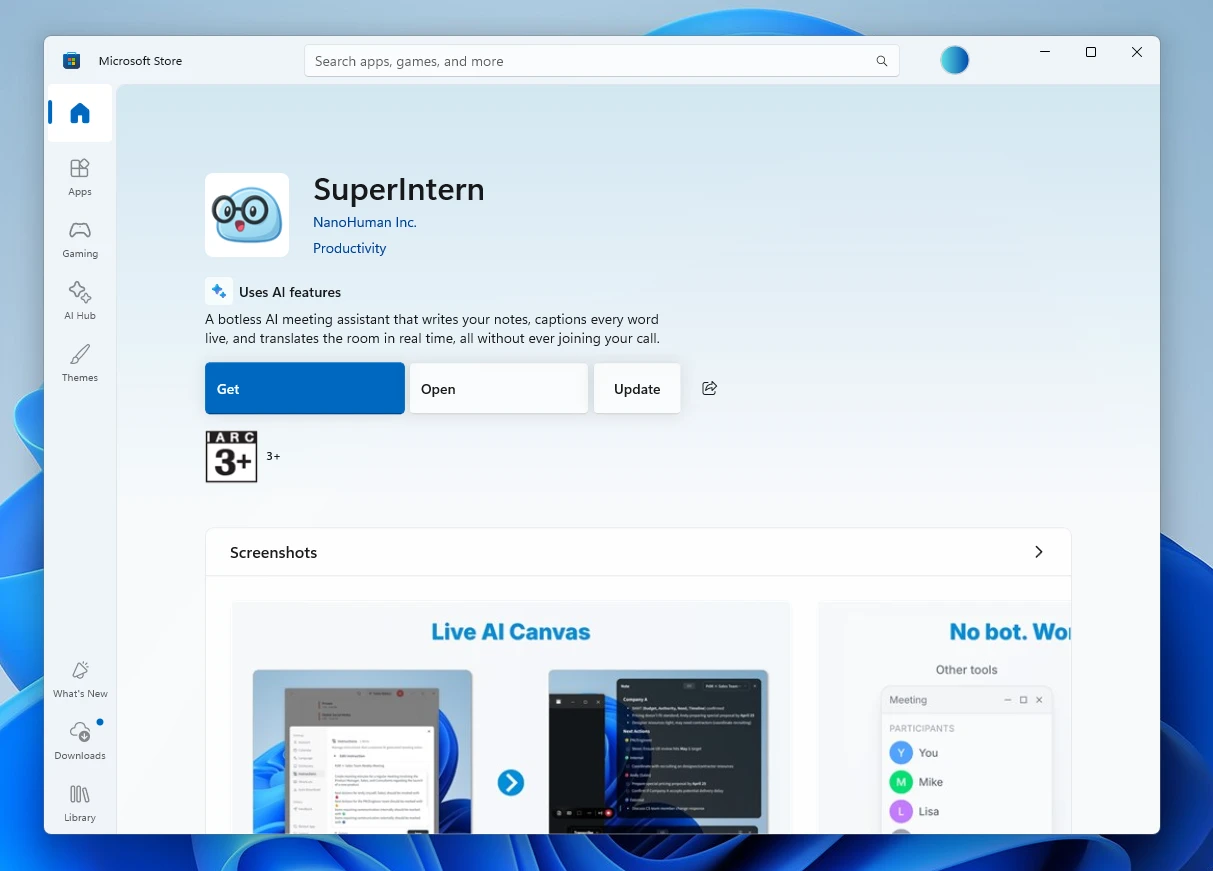
- Once Microsoft Store opens, click Update.
With v0.13, SuperIntern takes a meaningful step toward an AI that remembers your entire meeting history and answers with evidence.
Give these new features a spin and let us know what you think!
Try SuperIntern for free here!