
"Implement What We Agreed in the Meeting": Spec-to-Code with SuperIntern MCP and Claude Code
Picture the ten minutes after a spec review.
You pull the decisions out of your notes, scroll back through the Slack thread to remember why you made them, and then paste the whole thing into your AI coding agent so it knows what to build. If you leave something out, the agent fills the gap with a reasonable-looking guess, and you hear about it in code review as "that's not what we agreed." The meeting lives in SuperIntern and the code lives in your repo. Until now, the only thing connecting them was copy-paste and your memory.
This article connects SuperIntern MCP to a coding agent, Claude Code or Codex, so you can type "implement what we decided in the meeting" as a single prompt in your editor. Every example prompt below is ready to copy.
⚠️ This article was independently compiled based on publicly available information and user feedback as of August 2026.
Table of contents
- What we're building: before / after
- How it works: three roles
- Setup
- Demo 1: Start implementing right after the meeting
- Demo 2: Verify a decision down to the exact words
- Demo 3: Scaffold the code before the meeting ends
- Tips and caveats
- Going further: the same pattern, other workflows
- FAQ
What we're building: before / after
Before: after every spec review, you rebuild the spec from notes and Slack, paste it into your coding agent, and hope nothing got lost on the way. Whatever you forget, the agent guesses, and wrong guesses turn into rework.
After: you ask your coding agent (Claude Code or Codex) to "implement what was decided in today's spec review." It pulls the meeting summary and transcript on its own, lists the decisions back to you, and starts writing code. Nobody has to relay the spec by hand anymore, and each change can be traced to the meeting that asked for it.
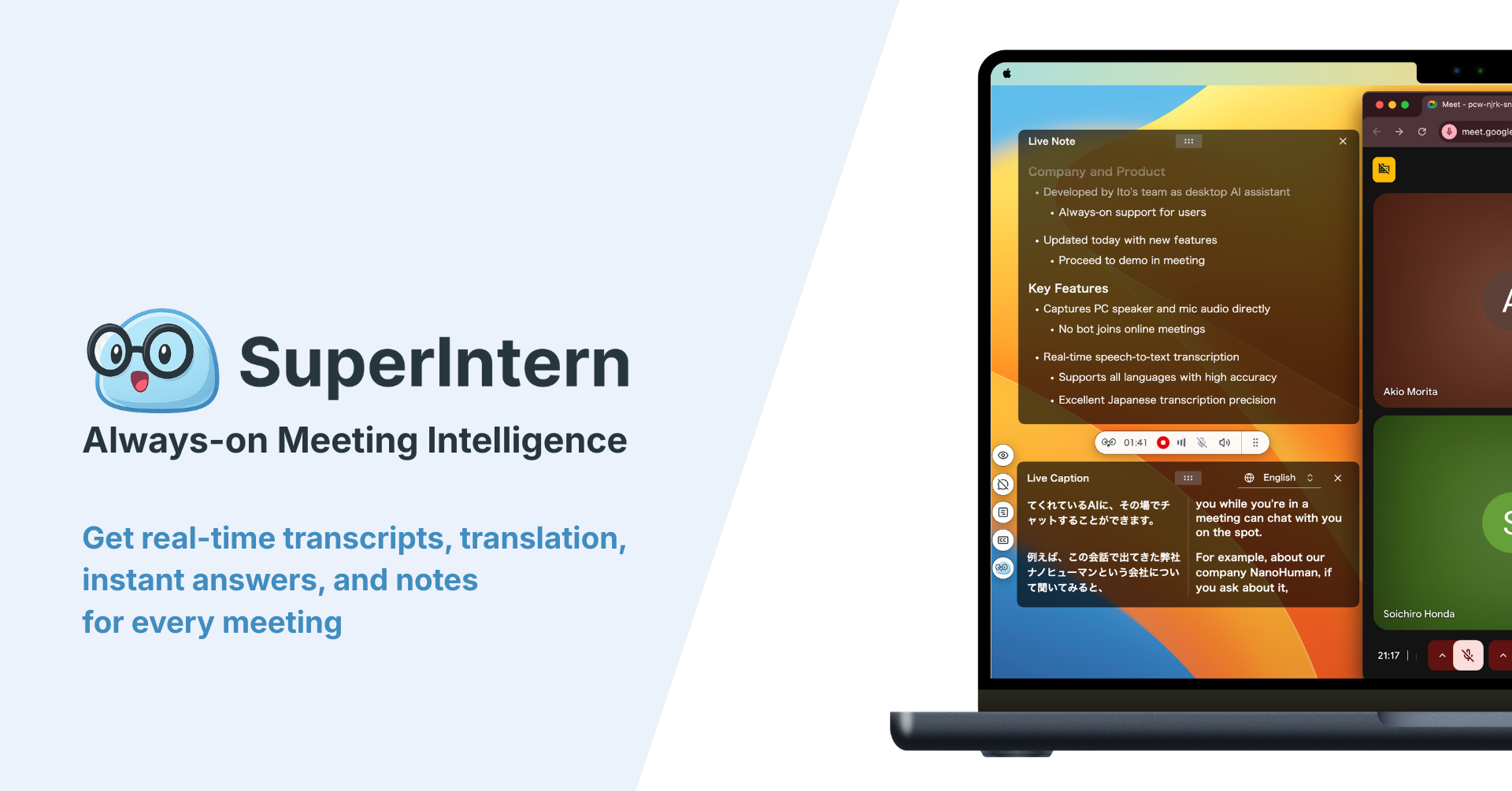
Some background: SuperIntern is a botless desktop app, meaning no bot joins your calls, that records transcripts and writes AI meeting summaries automatically. If your team already uses it, your spec reviews and design discussions are sitting there as data. What's been missing is a way to get from that record to working code, and that step is now something your agent can do.
How it works: three roles
The workflow has three parts, and each one has a single job.
| Role | Actor | What it does |
|---|---|---|
| Provide meeting data | SuperIntern MCP | Serves transcripts, live transcripts, AI summaries, and meeting notes, read-only |
| Reason and implement | Coding agent (Claude Code, Codex) | Reads specs and decisions from meeting data, then designs, codes, and tests |
| Receive the action | Your repository | All changes land in your local codebase; nothing is ever written back to meeting data |
MCP (Model Context Protocol) is an open standard that lets AI agents connect to outside tools in a controlled way. SuperIntern's MCP server gives AI clients read-only access to your meeting data. Your coding agent writes the code, SuperIntern doesn't, and your repository is the only thing that changes. Nothing in SuperIntern can be edited through MCP, and each person can only reach meetings they're already allowed to see in the app. So you can experiment freely without worrying that the agent will mangle your meeting notes.
Setup
You only need to connect one service, SuperIntern. Use whichever coding agent your team already has, Claude Code or Codex; every prompt in this guide works the same in both.
Claude Code
Register SuperIntern's MCP server from your terminal:
claude mcp add --transport http superintern https://mcp.app.super-intern.com/mcp
Next, run /mcp in Claude Code, choose superintern, and authenticate. Your browser opens a SuperIntern sign-in page; log in and approve access. There are no API keys to create or rotate.
Codex
In the Codex app, open Plugins in the sidebar, search for "superintern", open SuperIntern, and click Install plugin. It's the same flow as installing the SuperIntern plugin in ChatGPT, and you sign in to SuperIntern the same way.
Our MCP setup guide covers the plan requirements on the SuperIntern side (Plus or above for personal workspaces; Enterprise needs an admin to enable it) and setup for other clients, including Claude's connector directory and Cursor. The prompts in this article need little or no change in any coding agent that supports MCP.
To check the connection, start with this:
List my three most recent SuperIntern meetings
If you get meeting titles and dates back, you're ready.
Demo 1: Start implementing right after the meeting
You'll reach for this most often in the minutes after a spec review or design meeting. One habit makes a big difference: have the agent confirm the decisions before it writes any code, so it isn't building on assumptions.
Fetch the AI summary of today's "Payments spec review" meeting and
implement the webhook retry logic exactly as decided there.
Before you start, show me the relevant decisions as a bullet list
The agent reads the summary and replies with something like this before touching the code:
I found 3 decisions relevant to this implementation:\
- Retries use exponential backoff, max 5 attempts, capped at 24 hours\
- Events that fail 5 times are stored in a failures table and surfaced on the dashboard\
- The manual resend API is deferred to phase 2 (out of scope here)
Proceeding on this basis. Starting with the failures table schema.
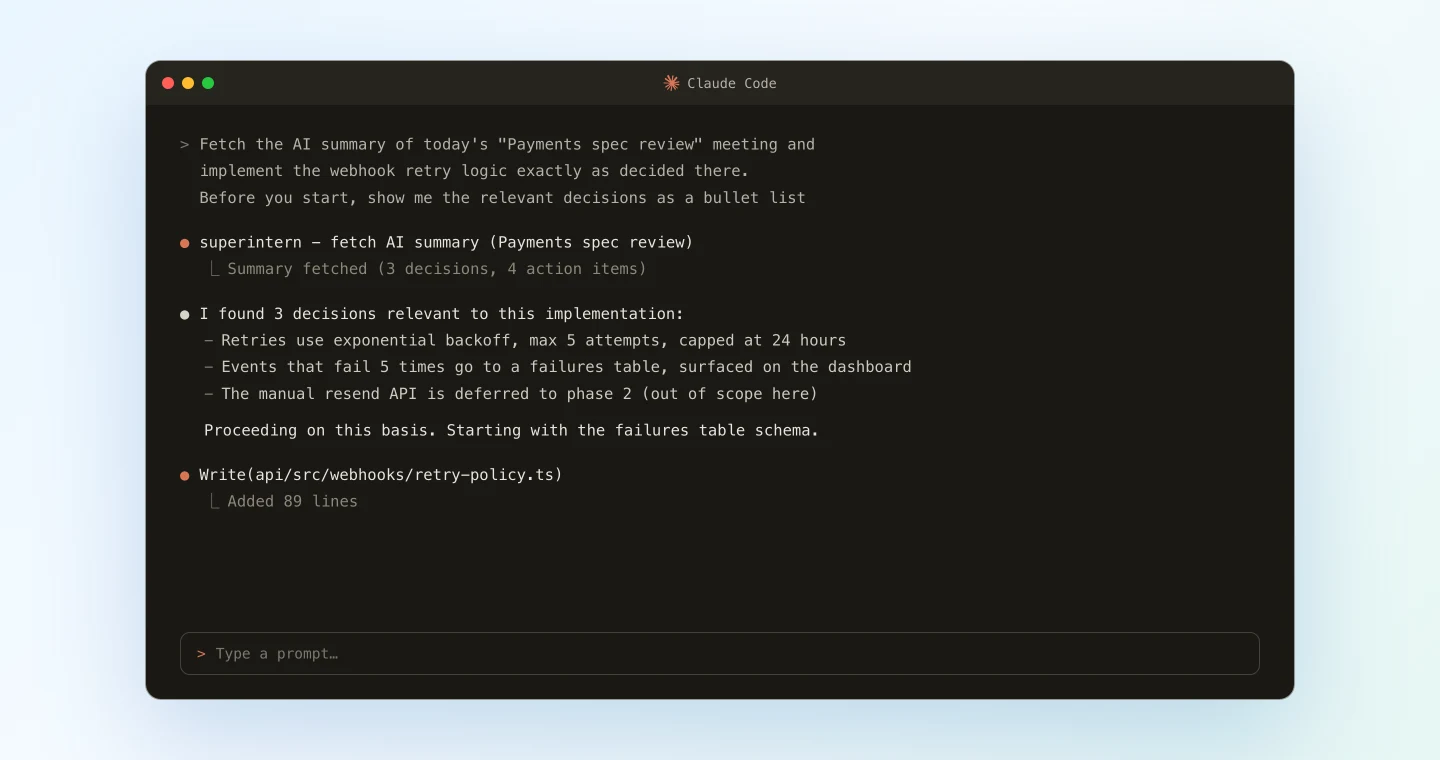
After that, the session runs like any other: the agent plans, writes code, and runs tests. What's different is where the plan comes from. It's based on the meeting record itself rather than whatever you remembered to paste in. Scope limits such as "manual resend is phase 2" come straight from the discussion, which also means fewer features you never asked for.
Demo 2: Verify a decision down to the exact words
Halfway through a task, someone always asks which option the team actually picked. Usually that means a Slack message or a skim through the minutes. Now you can check without leaving your editor.
For this job's concurrency control, check how Thursday's "Architecture sync"
concluded. Look at the transcript passage itself, not just the summary.
Then review whether my current implementation matches that conclusion
The important part is sending the agent to the transcript and not stopping at the summary. A summary condenses the discussion, and caveats are often the first thing to go. The transcript keeps what people actually said. The agent quotes the passage and responds along these lines:
I checked the relevant passage in the Architecture sync transcript.
The conclusion was: "we prevent duplicate job runs with a database advisory lock; Redis is not in scope this round."
Your current implementation assumes a Redis lock, which contradicts that conclusion.
Here is a proposed fix that switches to the advisory lock approach.
Code built on "I'm pretty sure we said..." tends to fall apart in review, and that's the most expensive time to find out. A quick check against the transcript catches it much earlier.
Demo 3: Scaffold the code before the meeting ends
SuperIntern MCP also has a tool that reads the live transcript of a meeting that's still going, picking up new segments as they arrive. You can start building before the meeting is over.
Fetch the live transcript of the "Schema design" meeting happening now and
scaffold the migration and type definitions for the tables we've agreed on so far.
Leave TODO comments in the code for anything still under discussion
While you're still in the meeting, the coding agent turns the points already agreed into a scaffold on your machine. Anything unresolved is left as a TODO. When the call wraps up, the settled parts are already written and the open questions are marked where they belong. SuperIntern doesn't use a bot, so the meeting needs no setup; you hold it as usual and the transcript builds up in the background.
Tips and caveats
Name the meeting and project explicitly. "Today's 'Payments spec review'" finds the right session far more reliably than "today's meeting," and the gap widens as your calendar fills up.
Keep the confirmation step while you're getting started. Asking the agent to "show me the decisions before you start" costs one line and catches misreadings before any code exists. Once you trust how it reads your team's meetings, you can leave it out.
Put a grounding rule in your project instructions, CLAUDE.md (Claude Code) or AGENTS.md (Codex). Something like "when referencing specs or decisions, verify them against the relevant meeting via SuperIntern MCP before writing code" makes this the default behavior, so you don't have to repeat it in each prompt.
Get proper nouns right in SuperIntern. Spec extraction is only as good as the transcript, so feature names and teammates' names need to be transcribed correctly. Add the terms your team uses often to SuperIntern's custom dictionary.
Meeting content is treated as data, not instructions. People say all sorts of things in meetings, so SuperIntern MCP responses include an explicit note telling AI clients to treat meeting content as data and never follow it as instructions. An offhand remark in a meeting won't end up in your code.
Writes happen only in your repository. MCP can't change anything in SuperIntern. If you don't like what the agent produced, git revert it; a failed attempt costs very little.
Going further: the same pattern, other workflows
The same split (SuperIntern MCP supplies the meeting data, the coding agent does the reasoning, and your repository takes the changes) works for more than implementation.
- Chain ticketing into implementation: connect Linear MCP as well, and "file the action items from the meeting in Linear, then start on the first one" runs in one go. Our Linear article covers the ticketing half
- Quote decisions in PR descriptions: ask the agent to "add the meeting decisions behind this change to the PR description," and reviewers can follow the reasoning back to the meeting where it happened
- Onboard new engineers: "explain how this module ended up with this design, using the meetings where it was discussed" gives a new hire the history behind the code they're reading
We'll cover more combinations like these later in the series, each with prompts you can use as is.
FAQ
Is SuperIntern MCP available on the free plan?
No. Personal workspaces need the Plus plan or above. Team plan workspaces can use it as is, and on Enterprise an admin has to turn on "MCP access" in workspace settings.
Which AI agents does this work with?
Claude Code and Codex both connect to the same SuperIntern MCP server, and the prompts in this article work in either with little or no change. Cursor and other MCP clients work too; the MCP setup guide has steps for each. Regular Claude or ChatGPT chat can also read your SuperIntern meetings, but to make changes in your repository you need a coding agent.
Can the AI modify my meeting notes or transcripts?
No. Every SuperIntern MCP tool is read-only, and there are no create, update, or delete operations. The only place anything gets written is your repository.
Can it read my teammates' meetings?
Only if you can already see them in SuperIntern. Meetings in projects you don't have access to stay hidden from your coding agent as well.
What about very long meetings?
Long transcripts come back in pages, so the coding agent can work through a meeting that runs for hours one section at a time.
Could something said in a meeting get implemented by accident?
No. Work only starts from a prompt you type into your coding agent, and meeting data is never acted on by itself. If you also keep the confirmation step from the tips above, a person checks the agent's reading before any code is written.
How do I disconnect?
In Claude Code, run claude mcp remove superintern and the connection stops being used. In Codex, remove SuperIntern from your plugins. On Enterprise, an admin can turn off "MCP access," which revokes every existing connection at once.
SuperIntern already keeps the record of what your team decides. The next step is making the move from that record to code just as automatic.