
Names Dropped on a Sales Call, in Apollo the Same Day: A Practical Guide to SuperIntern MCP + Apollo.io

Late in a discovery call, your champion says something useful: finance signs off through Michael, and Rachel in IT will review security. The names land in your notes, nobody follows up that week, and you meet the real approvers for the first time right before the deal is due to close.
Connect SuperIntern MCP and Apollo.io to an AI agent (Claude, ChatGPT), and the agent pulls those people out of the meeting record and returns a table of Apollo matches and proposed next steps. Only the people you approve become contacts and enter the sequence you picked.
One piece differs by agent: Apollo's ChatGPT materials don't list task creation, so the weekly demo explains what to do there instead.
⚠️ This article was independently compiled based on publicly available information and user feedback as of November 2026.
Table of Contents
- From sales call to sequence
- How the pieces fit
- Setup
- Demo 1: Add everyone named, right after the call
- Demo 2: Review pending intros once a week
- Demo 3: Check your existing relationships during the call
- Tips for running this
- Other tools, same pattern
- FAQ
From sales call to sequence
Before: After the call you reread your notes for names, then search Apollo one person at a time. You pick the right Michael from the results, create the contact, and decide which sequence fits. People your champion promised to introduce go on a separate list that rarely gets checked again.
After: When the call ends, you ask your agent to sort out who was mentioned. It reads the SuperIntern transcript and lists each person with the line that named them, the Apollo match, and a proposal: enroll, wait for the intro, or hold. Approve it, and the contacts are created and enrolled.
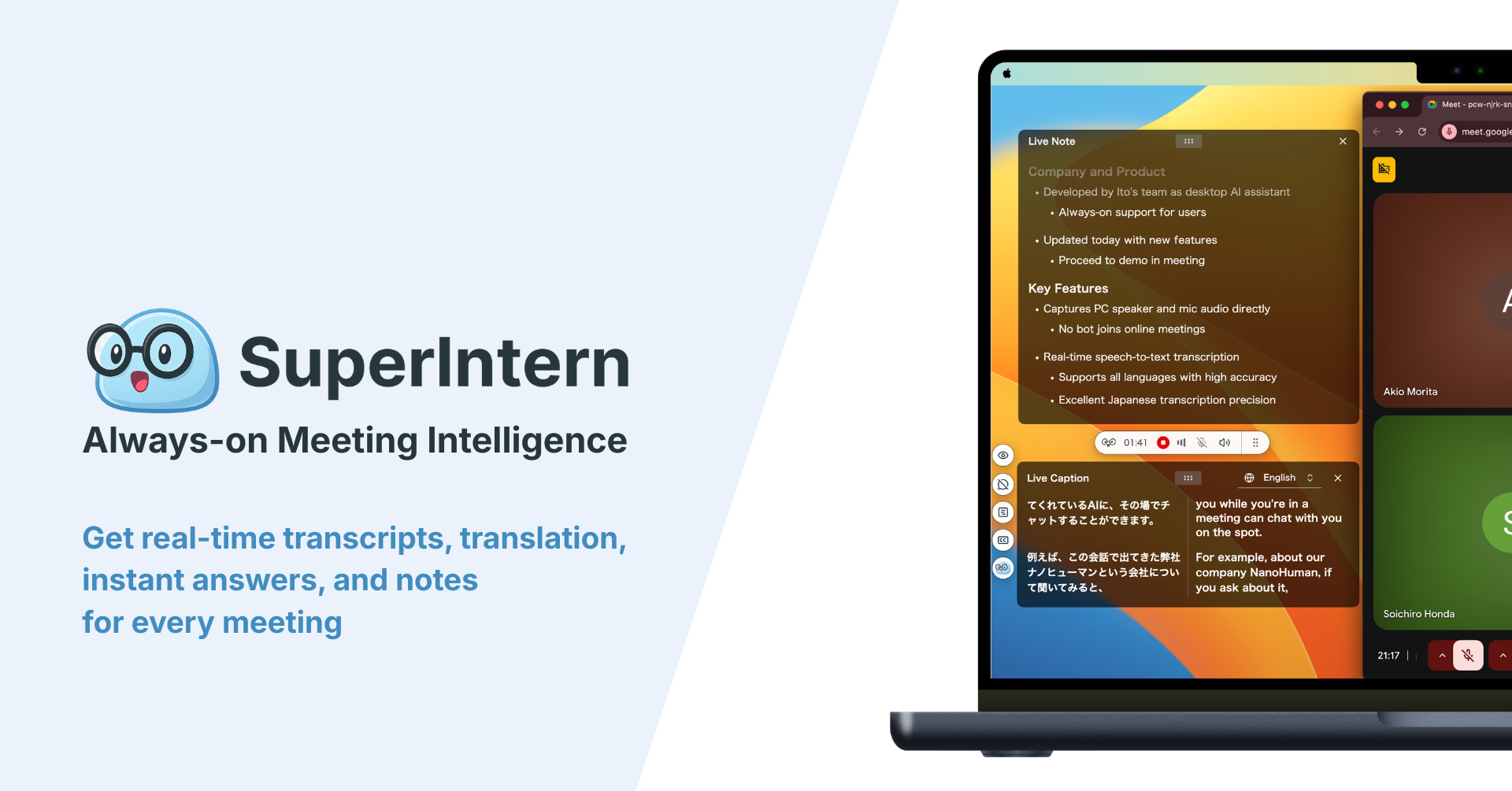
Record the call with SuperIntern first. SuperIntern is a desktop meeting assistant that doesn't send a bot into your call. It produces a transcript and AI notes automatically, online or in person, so you never spend the first two minutes of a sales call explaining a stranger in the participant list.
The examples below follow a deal with Harborline Logistics, where your champion is Dana in supply chain planning. Assume Apollo already has these sequences:
| Sequence | Who it's for |
|---|---|
| Exec buyers: customer stories | Finance and executive stakeholders |
| IT reviewers: security pack | IT and security stakeholders |
Swap in your own sequence names.
How the pieces fit
| Role | Who | What it does |
|---|---|---|
| Meeting data | SuperIntern MCP | Provides transcripts, live transcripts, AI notes, and meeting notes, read-only |
| Judgment and drafting | AI agent (Claude, ChatGPT) | Sorts out who was named and proposes contacts and sequences |
| Execution | Apollo.io (Apollo's official MCP) | Searches people and companies, creates and updates contacts, adds contacts to sequences |
MCP (Model Context Protocol) is an open standard for connecting AI assistants to outside tools. SuperIntern MCP gives your agent read-only access to meeting data. See our MCP setup guide for details.
On the Apollo side you use Apollo's official MCP. It covers people and company search, creating and updating contacts, adding and removing contacts from sequences, and creating tasks, among other actions. Destructive actions such as bulk delete aren't supported.
Your agent creates the contacts and enrolls them, not SuperIntern. Nothing changes on the SuperIntern side, and the agent can only read meetings you can already see. In Apollo it acts within the permissions of the person who connected it.
Setup
You connect two things: SuperIntern and Apollo. Both are listed in Claude's connector directory and ChatGPT's plugin directory, so use whichever agent you already have. There is no server URL or API key to paste. Demos 1 and 3 work in either agent. For Demo 2, task creation isn't confirmed for ChatGPT, so stop at the review table there.
1. Connect SuperIntern
- Claude: Open Settings, go to Connectors under Customize, search for "SuperIntern", and select it. You can also open SuperIntern in Claude's connector directory directly. Adding connectors is available on Claude's paid plans.
- ChatGPT: Open Plugins in the sidebar, search for "superintern", open SuperIntern, and click Install plugin. The SuperIntern plugin page takes you there directly. The Codex app connects the same way.
In both cases a SuperIntern sign-in page opens; log in and grant access. SuperIntern-side requirements (personal workspaces need the Plus plan or above; Enterprise workspaces need an admin to enable MCP access) and setup steps for Claude Code, Cursor, and other clients are covered in our MCP setup guide.
2. Connect Apollo.io
- Claude: In the same Connectors search, type "Apollo", open Apollo.io, configure it, and sign in with your Apollo account.
- ChatGPT: In Plugins, search for "Apollo", open Apollo.io, connect, and authorize with your Apollo account. According to Apollo, the ChatGPT app can search people and companies, create and update contacts, and add or remove contacts from existing sequences. Apollo describes the ChatGPT app as available on paid plans.
Connecting costs nothing extra, but enrichment (retrieving contact details) uses your plan's credits. Free accounts registered with a personal email can't use people or company search, so sign up with a work address.
Once connected, confirm that both are visible:
List this week's sales calls in SuperIntern.
Also list my Apollo sequences.
Read only, please.
If both lists come back, you're ready.
Demo 1: Add everyone named, right after the call
The payoff is biggest in the minutes after a call. The prompt sets two rules: people who will be introduced stay out of sequences, and credits are spent only after you approve.
Read the transcript of today's "Harborline Logistics discovery call".
List every external stakeholder who was named but did not attend.
For each person, show name, title, the line that named them,
whether they already exist as an Apollo contact, and the Apollo match.
Propose one of these labels:
- Enroll: we can reach out ourselves
- Wait for intro: our champion offered to introduce them. Create the contact, no sequence
- Hold: can't identify the right person
Enrichment uses credits, so tell me the count and get my approval first.
After I approve, create the contacts and add them to the named sequences.
Confirm the sending mailbox and start date too. Show me the table first.
The agent picks out the people, checks Apollo, and comes back with this:
Three external stakeholders were named on today's call.
Name Title Source line Existing contact Apollo match Proposal Sequence Michael Reyes CFO Dana: "Michael in finance signs off on anything like this" No Harborline CFO (1 result) Enroll Exec buyers: customer stories Rachel Okafor VP of IT Dana: "Rachel will want to review security" No Harborline VP of IT (1 result) Enroll IT reviewers: security pack Tom Regional DC Manager Dana: "I'll talk to Tom on the warehouse side myself" No Harborline DC Manager (2 results) Wait for intro None Tom has two possible matches, so I can't identify him yet. Enrichment would cover two people and use credits. Should I send from your jordan@ mailbox and start Monday morning?
Tom only needs a last name to resolve. You decide to add him once Dana makes the intro, approve the other two, and they are created and enrolled.
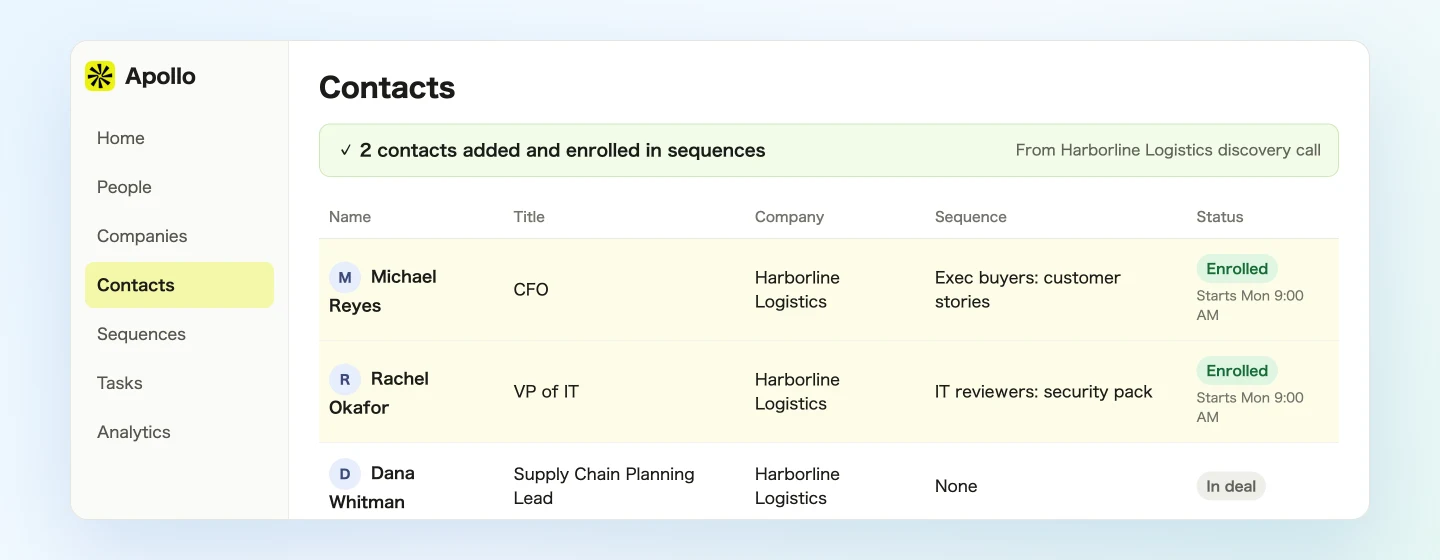
Enrolling someone starts the sequence's outreach steps. Apollo itself recommends confirming the sequence, sender, schedule, and contacts first, which is why the prompt asks for the table before anything happens.
You can also bring the call's context into the first email:
Draft two opening sentences for the first email to Michael.
Refer to the approval questions Dana raised on today's call.
Don't quote Dana directly.
Demo 2: Review pending intros once a week
"I'll connect you" is the promise most likely to go quiet. Check on all of them once a week:
Read all of this week's meetings (Nov 2 to 6) in the SuperIntern "New business" project.
List every external stakeholder named and every intro that was promised.
Compare against Apollo contacts and sequence status.
Show a table: name / company / status (not in Apollo, in sequence, waiting for intro) /
next step / source line.
After I approve, create each next step as a task in Apollo.
Five calls this week, and three people need attention.
Name Company Status Next step Source line Tom Harborline Logistics Waiting for intro (4 days since Nov 2 call) Check in with Dana about the intro Dana: "I'll talk to Tom on the warehouse side myself" Priya Nair Northpeak Pharma Not in Apollo Create contact, ask for an intro Alan: "We'll bring Priya from procurement to the next one" Sam Whitfield Cedar Building Supply In sequence, no reply Call, referencing the build timeline Grace: "Sam only cares about the timeline" Create these three tasks?
Approve, and the tasks land in Apollo.
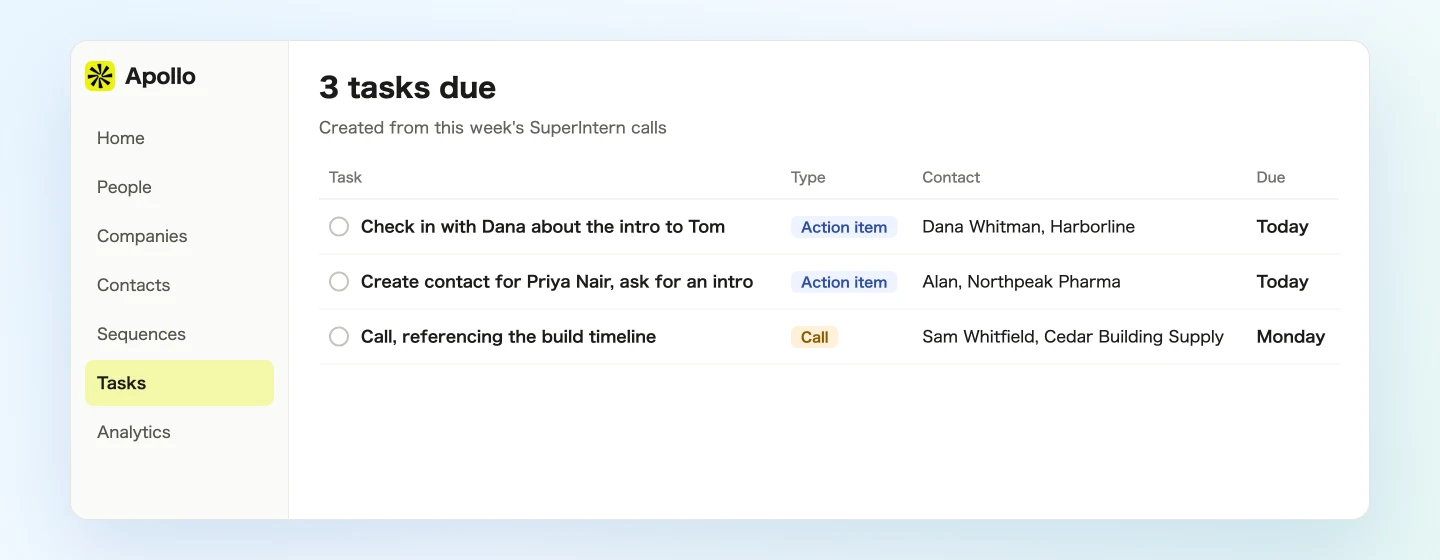
Apollo's official MCP supports creating tasks, but Apollo's ChatGPT materials don't list it. In ChatGPT, run the review up to the table, then create the tasks in Apollo, or check whether the action shows up in your ChatGPT session.
Demo 3: Check your existing relationships during the call
SuperIntern MCP can also read the live transcript of a meeting in progress. It fetches only what's new since the last request, so you can call it repeatedly without slowing anything down.
When a new name comes up mid-call, ask:
Read the live transcript of the "Harborline Logistics second call" (new lines since last check).
Check whether the external person most recently named is already an Apollo contact.
Don't enrich, don't create contacts, and don't use credits.
If they exist, tell me their title and when we last reached out, in two lines.
The most recent name was Linda.
- Linda Marsh (Harborline, Director of Procurement): existing contact, enrolled in a sequence last year.
Nothing is written to Apollo here. You find out about a past touchpoint while there's still time to decide whether to raise it. When the call ends, run the Demo 1 prompt.
Tips for running this
Ask for the name and role out loud. A last name and a department make matching far easier. "Which site does Tom run?" takes a second and saves a wrong match.
Don't email people you're waiting to be introduced to. If your outreach lands before your champion's intro, it can undercut them. That's the reason the prompt separates those labels.
Always review the table before writing. Enrollment means real email to a real person. Catch the wrong match and the wrong mailbox at the table stage.
Keep credit-spending actions on approval. Apollo recommends "Approval required" for actions that use credits, and most clients let you set this per action.
Follow your outreach rules. Email regulations and your own policies still apply, and they sit outside Apollo's settings. Treat agent-enrolled contacts the same as any others, including opt-outs.
Permissions match yours. SuperIntern MCP reads only the meetings you can see, and in Apollo the agent can do only what the connected user can do.
Other tools, same pattern
SuperIntern MCP provides the meeting data, the agent decides, and another tool executes. That split holds wherever the work ends up.
- HubSpot: Log the call on the deal record with the HubSpot guide
- Gmail: Draft the follow-up to the people who were on the call with the Gmail guide
- Google Calendar: Send the invite for the next meeting with the Google Calendar guide
FAQ
Can I use SuperIntern MCP on the Free plan?
No. Personal workspaces need the Plus plan or above. Team plans work as they are. On Enterprise plans, an admin needs to enable "MCP access" in workspace settings.
Does SuperIntern add contacts to Apollo?
No. Your agent creates contacts and enrolls them through Apollo's official MCP. SuperIntern MCP only provides meeting data, read-only, and SuperIntern itself never writes to outside tools.
Does this work in ChatGPT?
Demos 1 and 3 do. Apollo says its ChatGPT app can create and update contacts and add or remove them from existing sequences. Task creation in Demo 2 isn't listed in the ChatGPT app's materials, so treat the review table as the confirmed part.
Which actions use Apollo credits?
Per Apollo's documentation, enrichment uses your plan's credits, while creating contacts and adding them to sequences does not. Usage can change, so check Apollo's documentation.
Are there Apollo plan requirements?
Apollo's MCP product page says any plan qualifies, including free, while Apollo describes the ChatGPT app as available on paid plans. Free accounts registered with a personal email can't use search or enrichment.
How is this different from the HubSpot guide?
The HubSpot guide records what happened with the people on the call. This one opens the next conversation with the people who weren't on it but were named.
Pick your next sales call, record it with SuperIntern, and ask for the role whenever a new name comes up. A few minutes after you hang up, the table is waiting.