
Sync Bug Triage Meeting Decisions to GitHub Issues Automatically with SuperIntern MCP

Picture the end of your weekly bug triage meeting.
You just spent 30 minutes making careful calls: "this one is P1, put it in the next milestone", "label this one as needs-repro", "that one should be fixed already, close it." Then the meeting ends, and none of those decisions exist anywhere yet. Someone opens GitHub with the meeting notes on a second screen, searches for each issue, swaps labels, sets milestones, assigns owners, and (if there is time, which there never is) writes a comment explaining why. On a 20-issue day, that sync alone eats 30 minutes. When it slips, the tracker and the team's actual decisions drift apart for days, and the next triage opens with "wait, didn't we make this a P1?"
This guide connects SuperIntern's MCP and GitHub to an AI agent such as Claude or ChatGPT so that applying triage decisions to GitHub issues takes a single prompt. Every prompt below is one you can copy and run.
⚠️ This article was independently compiled based on publicly available information and user feedback as of August 2026.
Table of Contents
- Today's Goal: Before / After
- How It Works: Three Roles
- Setup
- Demo 1: Apply Triage Decisions to Issues in One Pass
- Demo 2: File Verbally Reported Bugs with a Duplicate Check
- Demo 3: A Weekly Audit of Meeting-vs-Tracker Drift
- Tips for Day-to-Day Use
- Beyond GitHub: The Same Pattern Elsewhere
- FAQ
Today's Goal: Before / After
Before: After triage, someone flips between the meeting notes and GitHub, opening issues one at a time to set labels, milestones, and assignees by hand. Nobody has time to write down the reasoning, so three weeks later nobody remembers why an issue became P1.
After: When the meeting ends, you ask Claude once to apply today's triage decisions to GitHub. It reads the decisions from the meeting summary, finds each issue, updates labels, milestones, and assignees, and leaves a comment on every issue with the reasoning and the meeting it came from.
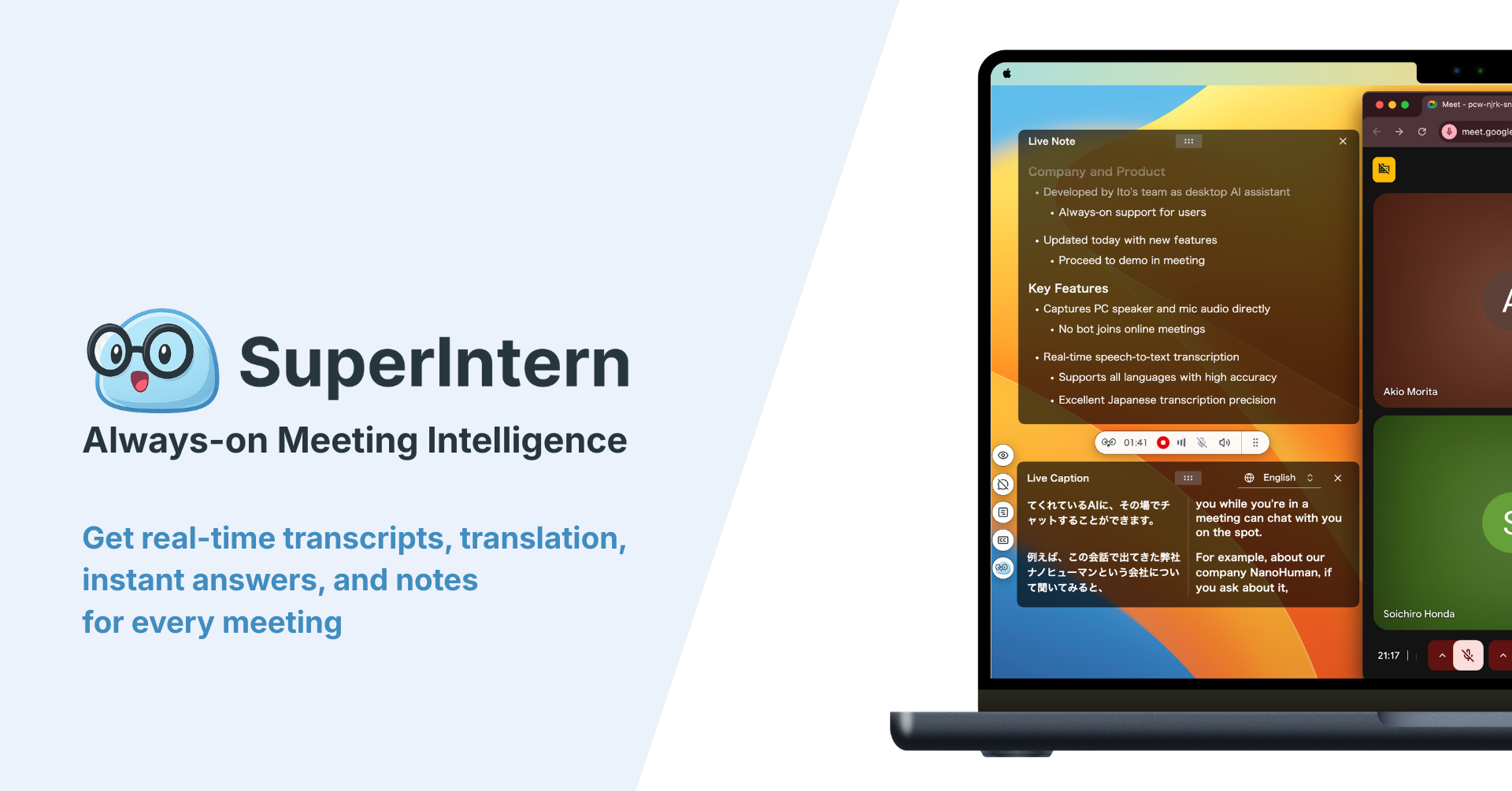
Some context on SuperIntern: it's a botless desktop app (no bot joins your calls) that records transcripts and AI meeting notes automatically. During triage you argue about bugs the way you always do, and the decisions pile up as meeting data without anyone taking notes. The only step left to automate is getting them into GitHub.
How It Works: Three Roles
Each piece has one job.
| Role | Player | What it does |
|---|---|---|
| Provides meeting data | SuperIntern MCP | Serves transcripts, live transcripts, AI summaries, and meeting notes, read-only |
| Judgment and drafting | AI agent (Claude, ChatGPT) | Reads meeting data, extracts decisions, matches them to issues, drafts updates |
| Action target | GitHub (MCP) | Searches issues, updates labels and milestones, assigns users, comments, files new issues |
MCP (Model Context Protocol) is an open standard for connecting AI assistants to external tools. SuperIntern's MCP gives your agent read-only access to meeting data, and GitHub's official MCP server handles searching, creating, and updating issues. So the thing that changes your GitHub issues is your AI agent, never SuperIntern. Updating and creating issues (Demo 1 and Demo 2) is done with Claude or Claude Code, because ChatGPT's GitHub app can't write to issues; the read-only weekly audit (Demo 3) runs in either agent. Nothing can modify your SuperIntern data through MCP, the agent sees only meetings you already have access to, and every write happens in GitHub, so you can try all of this without putting your meeting records at risk.
Setup
Your agent needs two connections: SuperIntern and GitHub. SuperIntern is listed in both Claude's connector directory and ChatGPT's plugin directory, so there's no URL or API key to paste. Use whichever agent your team already works in. The prompts in this guide work the same in both, except that ChatGPT's GitHub app only reads and searches, so applying decisions and filing issues (Demo 1 and Demo 2) has to run in Claude or Claude Code, while the weekly audit (Demo 3) works in ChatGPT too.
1. Connect SuperIntern
- Claude: Open Settings, go to Connectors under Customize, search for "SuperIntern", and select it. You can also open SuperIntern in Claude's connector directory directly. Adding connectors requires a paid Claude plan.
- ChatGPT: Open Plugins in the sidebar, search for "superintern", open SuperIntern, and click Install plugin. The SuperIntern plugin page takes you there directly. The Codex app connects the same way.
Either way, a SuperIntern sign-in page opens; log in and grant access. Plan requirements on the SuperIntern side (Plus or above for personal workspaces, admin enablement of MCP access for Enterprise) and setup for Claude Code, Cursor, and other clients are in our MCP setup guide.
2. Connect GitHub
Claude: GitHub provides an official MCP server. Its remote server (https://api.githubcopilot.com/mcp/) relies on OAuth through a registered GitHub App, which Claude's custom connectors can't currently complete. Use one of the paths in the official installation guide instead:
- Claude Desktop: add the local GitHub MCP server (Docker) to
claude_desktop_config.json. On first use it opens a browser login to GitHub (OAuth), so you don't need to create a token - Claude Code: connect to the remote server with a Personal Access Token:
claude mcp add-json github '{"type":"http","url":"https://api.githubcopilot.com/mcp","headers":{"Authorization":"Bearer YOUR_GITHUB_PAT"}}'
The official installation guide has the exact config JSON for Claude Desktop and the steps for Cursor and other clients.
ChatGPT: In Plugins, search for GitHub and connect it, the same way you added SuperIntern. The GitHub app is read and search only. Your agent can look up repositories, issues, and code, but there's no officially confirmed way to change labels, milestones, or assignees, or to close issues, from a ChatGPT chat. In practice that means Demo 1 and Demo 2 run in Claude or Claude Code, and the weekly audit in Demo 3 runs fine in ChatGPT with SuperIntern and the GitHub app.
To check that both connections work, start with this:
Show me my 3 most recent SuperIntern meetings and 3 open issues in nanohuman/app
If both come back, you're ready.
Demo 1: Apply Triage Decisions to Issues in One Pass
The most common use is a batch sync right after triage. Most triage decisions change the state of issues that already exist, so the work here is finding the right issue and updating it rather than creating new ones. Run this in Claude or Claude Code.
Get the AI summary of today's "Bug triage" meeting and extract the decision for each issue.
Find the matching issues in nanohuman/app by number or description.
Apply the agreed priority labels and milestones, and assign the owners we decided on.
On each issue, add a comment with the reasoning and the source meeting name.
For issues we decided to close, comment the reason first, then close them.
Claude reads the summary, searches GitHub, and reports back like this:
Updated 8 issues.\
- #482 "Search results reset when switching tabs": added P1 and milestone v0.14, assigned to Sara. Prioritized because three customer accounts reproduced it\
- #475 "Garbled characters in CSV export": added P2, waiting on reproduction steps\
- #468 "Tooltip misalignment on settings page": added P3 and good first issue\
- #441 "Legacy dashboard layout break": confirmed fixed in v0.13, commented the reason and closed
Every issue now has a comment citing "Bug triage meeting (Aug 14)" as the source.
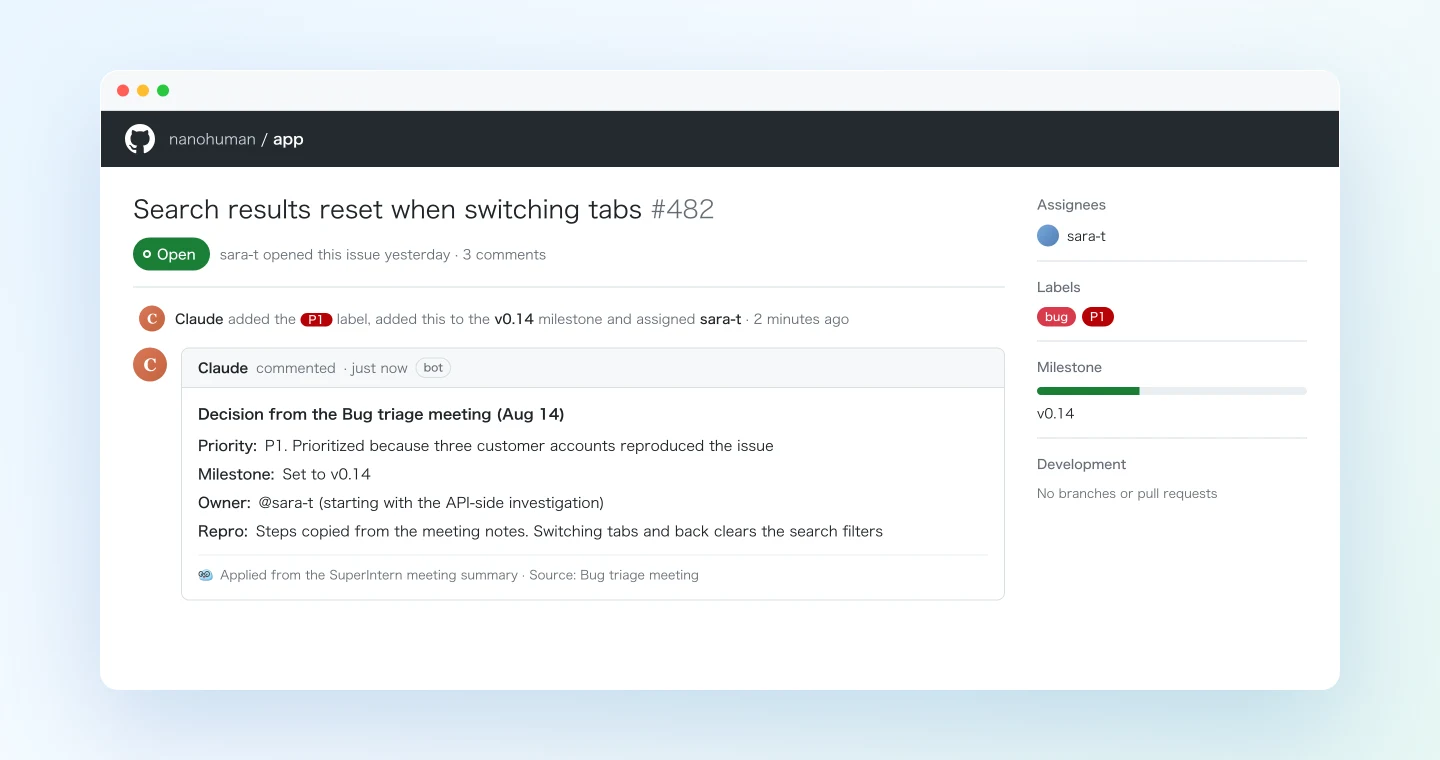
The comment is what makes this more than a faster way to click through labels. The reasoning is recorded on the issue itself, so anyone who opens it later can see when it got its priority and why, and the "why is this P1?" question three weeks out answers itself. SuperIntern's AI summaries lay decisions out clearly, which keeps the extraction step reliable.
Demo 2: File Verbally Reported Bugs with a Duplicate Check
Triage meetings and standups are full of bugs reported in passing: "oh, by the way, the export screen does this weird thing." If nobody files an issue right then, the report sinks into the notes and stays there.
Get the transcript of today's "Engineering standup" and list every verbal mention of a bug or defect.
Cross-check against existing issues in nanohuman/app.
Where an issue already exists, add the new context from the meeting as a comment.
Only for reports that exist nowhere, file new issues with reproduction steps.
Make titles describe the symptom, and note the reporter and source meeting in the body.
This prompt uses the transcript rather than the summary on purpose. Offhand bug reports often get left out of summaries, and the transcript keeps them word for word. Asking for "reproduction steps" has Claude turn what the reporter described out loud into a proper repro list, so you don't have to chase them for details later. Like Demo 1, this creates and edits issues, so it runs in Claude or Claude Code.
Demo 3: A Weekly Audit of Meeting-vs-Tracker Drift
The meeting said "we'll fix it", but the issue never moved. Or everyone agreed to close an issue and it's still open. Once a week, it pays to check where meeting decisions and GitHub disagree. This means reading several meetings at once, which is where MCP does well, and since the audit only reads data, it works the same in Claude and in ChatGPT.
Get all of this week's meetings in the "Product team" project and find every place
where a GitHub issue was mentioned or a decision was made about one.
Compare against the current state of issues in nanohuman/app.
Show me a table of issues where the meeting decision is not yet reflected,
with meeting name, decision, and current state. Do not apply anything yet.
The prompt asks for a table and no changes on purpose. A weekly sweep casts a wide net and will pick up some offhand remarks, so you review the table and then say something like "apply these three." In ChatGPT, that follow-up step moves to Claude or GitHub itself, since the GitHub app there can't write. Run the audit every Friday and your tracker keeps matching what the team actually decided.
Tips for Day-to-Day Use
Name the repository in the prompt. Adding "in nanohuman/app" prevents cross-repo mistakes in organizations with many repositories. Save your usual repo names in a reusable prompt.
Start with a dry run. For the first few sessions, add "show me the planned changes before applying." Once you've seen how well the agent maps meeting phrases like "that search bug" to real issues, you can switch to applying changes directly.
Say issue numbers out loud. When people say "#482" during triage, the number ends up in the transcript and matching becomes close to exact. If you share the issue list on screen during triage, you're probably already doing this.
Spell out your label scheme. A line like "Use P1/P2/P3 for priority and bug/enhancement for type" stops the agent from inventing labels your repo doesn't use.
Teach SuperIntern your proper nouns. Issue matching improves when feature and screen names are transcribed correctly. Add your common feature names and teammates' names to SuperIntern's custom dictionary; it takes about two minutes.
Writes only happen in GitHub. MCP never modifies your SuperIntern data. If a sync goes wrong, fix it in GitHub; the original meeting record stays the source of truth. GitHub also keeps a change history on every issue, which helps when you need to audit what happened.
Beyond GitHub: The Same Pattern Elsewhere
SuperIntern MCP provides the data, the AI agent makes the call, and another tool receives the change. That pattern works well beyond GitHub.
- Other trackers: Teams on Linear can follow nearly the same flow in our Linear integration guide
- Slack updates: Post the triage recap to your dev channel. See the Slack integration guide
- All the way to code: Connect SuperIntern MCP to Claude Code and go from "that P1 we triaged" to a fix informed by the meeting discussion. Our spec-to-code article walks through it
We'll keep covering these combinations one at a time, each with working prompts.
FAQ
Is SuperIntern MCP available on the free plan?
No. Personal workspaces need the Plus plan or higher. Team plan workspaces can use it as is, and on Enterprise an admin must first enable "MCP access" in workspace settings.
Does SuperIntern write to my GitHub issues directly?
No. Your AI agent performs every issue update, new issue, and comment through its GitHub connection. Today, only Claude (via the GitHub MCP server) can make those changes. SuperIntern MCP only serves meeting data, read-only, and SuperIntern itself never writes to external tools.
Can the AI modify my meeting notes or transcripts?
No. Every SuperIntern MCP tool is read-only; there are no create, edit, or delete operations. Writes only happen in GitHub.
Does this work with private repositories?
Yes. The GitHub MCP server acts with the permissions of the credentials you connected (your OAuth login or Personal Access Token), so it reaches exactly the repositories those credentials can access and nothing more.
What if it mass-applies wrong changes?
Use the dry-run habit from the tips: "show me the planned changes before applying" gives you a checkpoint before anything changes. If something still lands wrong, GitHub's issue history lets you revert it, and your SuperIntern data is unaffected.
Which AI agents does this work with?
Claude and ChatGPT can both read your SuperIntern meetings and search GitHub issues, so the weekly audit in Demo 3 works in either one. Applying triage decisions and filing new issues (Demo 1 and Demo 2) is done with Claude or Claude Code. GitHub's official MCP server, which Claude reaches through local Docker (Desktop) or a Personal Access Token (Claude Code), supports reading and writing, while ChatGPT's GitHub app is read and search only, with no officially confirmed way to update issues from chat. SuperIntern MCP also works with other MCP-capable clients, including Codex and Cursor.
A triage meeting is valuable for the decisions it produces, not for the time someone spends copying them into GitHub afterwards. Let your team do the deciding and hand the copying to the agent.